Motherboards / Compare
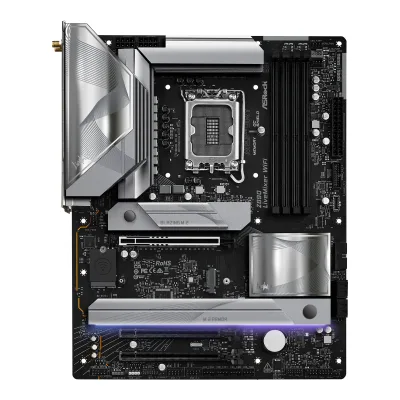
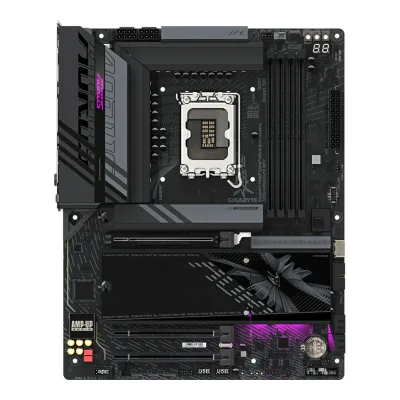
ASRock Z890 LiveMixer WiFi vs GIGABYTE Z890 AORUS ELITE WIFI7
Product A: ASRock
62 of 78 known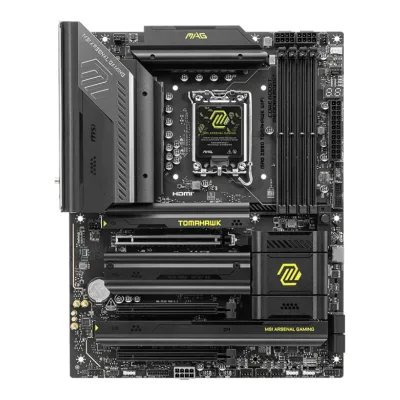 MSI MAG Z890 TOMAHAWK WIFI
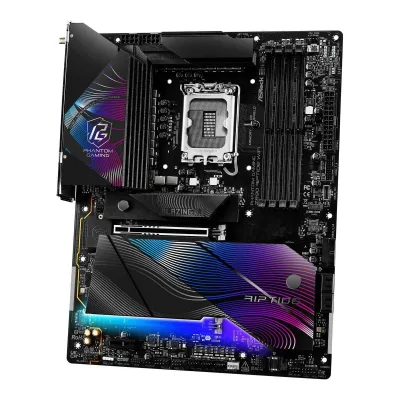 ASRock Z890 Riptide WiFi
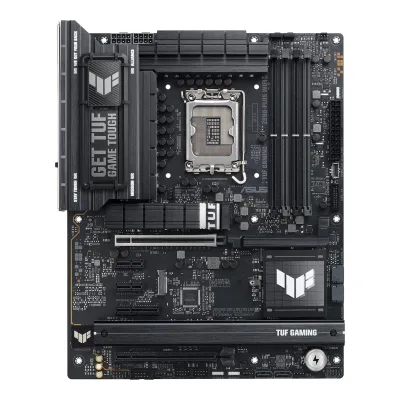 ASUS TUF GAMING Z890-PLUS WIFI
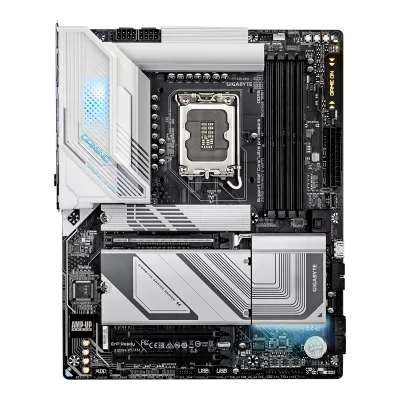 GIGABYTE Z890 GAMING X WIFI7
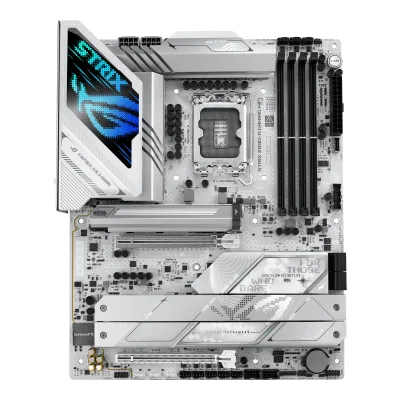 ASUS ROG STRIX Z890-A GAMING WIFI
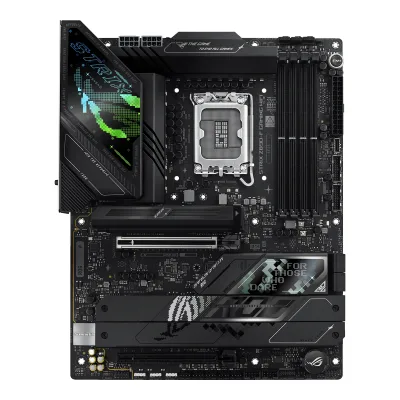 ASUS ROG STRIX Z890-F GAMING WIFI
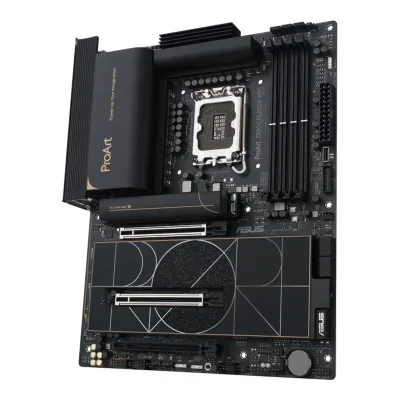 ASUS ProArt Z890-CREATOR WIFI
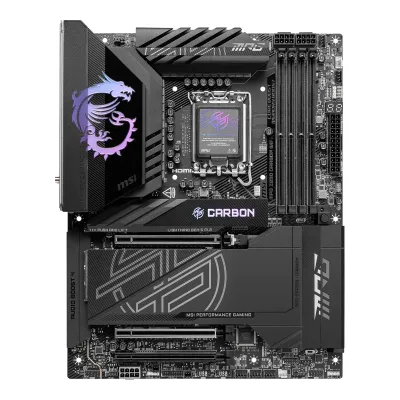 MSI MPG Z890 CARBON WIFI
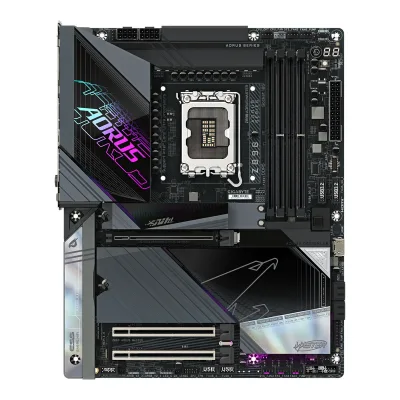 GIGABYTE Z890 AORUS MASTER
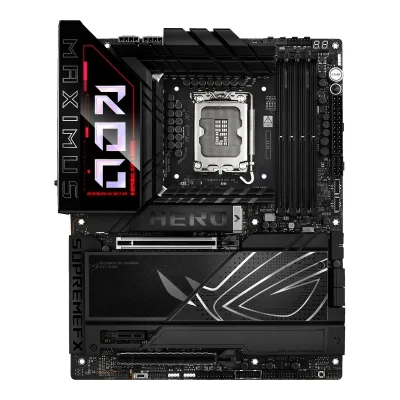 ASUS ROG MAXIMUS Z890 HERO
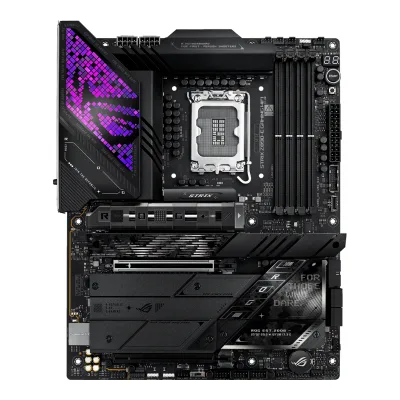 ASUS ROG STRIX Z890-E GAMING WIFI
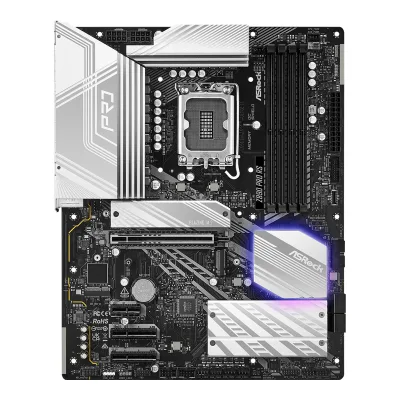 ASRock Z890 Pro RS
Change ASRock Z890 LiveMixer WiFi
Compare the GIGABYTE Z890 AORUS ELITE WIFI7 with
MSI MAG Z890 TOMAHAWK WIFIASRock Z890 Riptide WiFiASUS TUF GAMING Z890-PLUS WIFIGIGABYTE Z890 GAMING X WIFI7ASUS ROG STRIX Z890-A GAMING WIFIASUS ROG STRIX Z890-F GAMING WIFIASUS ProArt Z890-CREATOR WIFIMSI MPG Z890 CARBON WIFIGIGABYTE Z890 AORUS MASTERASUS ROG MAXIMUS Z890 HEROASUS ROG STRIX Z890-E GAMING WIFIASRock Z890 Pro RSProduct B: GIGABYTE
65 of 78 knownGIGABYTE Z890 GAMING X WIFI7MSI MAG Z890 TOMAHAWK WIFIASRock Z890 Riptide WiFiASUS TUF GAMING Z890-PLUS WIFIASUS ROG STRIX Z890-A GAMING WIFIASUS ROG STRIX Z890-F GAMING WIFIASUS ProArt Z890-CREATOR WIFIMSI MPG Z890 CARBON WIFIASUS ROG MAXIMUS Z890 HEROASUS ROG STRIX Z890-E GAMING WIFIASRock Z890 Pro RSGIGABYTE Z890 AORUS MASTER
Change GIGABYTE Z890 AORUS ELITE WIFI7
Compare the ASRock Z890 LiveMixer WiFi with
GIGABYTE Z890 GAMING X WIFI7MSI MAG Z890 TOMAHAWK WIFIASRock Z890 Riptide WiFiASUS TUF GAMING Z890-PLUS WIFIASUS ROG STRIX Z890-A GAMING WIFIASUS ROG STRIX Z890-F GAMING WIFIASUS ProArt Z890-CREATOR WIFIMSI MPG Z890 CARBON WIFIASUS ROG MAXIMUS Z890 HEROASUS ROG STRIX Z890-E GAMING WIFIASRock Z890 Pro RSGIGABYTE Z890 AORUS MASTER22 of 70 fields differ
- 19 different values
- 3 known for one only
- 38 the same
- 10 missing for both
Biggest differences
Each bar uses the scale of all 87 motherboards.
- Rear USB-C portsA: 2B: 1ASRock has 1 more.
- Rear USB portsA: 14B: 10ASRock has 4 more.
- Fan headersA: 8B: 6ASRock has 2 more.
- Vcore stagesA: 18B: 16ASRock has 2 more.
Size, drawn to scale
Front and side.
- AASRock: 244 × 305 mm
- BGIGABYTE: 244 × 305 mm
All 78 fields
Every value links to where we found it.
General
3 of 9 differ
Series
Model numbers
Z890 LiveMixer WiFi, 90-MXBPE0-A0UAYZ3Retailer pageevetech.co.za/asrock-z890-livemixer-intel-motherboard/best-deal/23134Read 15 October 2026Model No: ASROCK 90-MXBPE0-A0UAYZ.4Retailer pageparadigit.ie/asrock-z890-livemixer-wifi/21654355/productRead 15 October 2026Product number manufacturer: 90-MXBPE0-A0UAYZ.8Spec databasehinta.fi/4950255/asrock-z890-livemixer-wifi/tiedotRead 15 October 2026Manufacturer product codes: 90-MXBPE0-A0UAYZ and Z890 LIVEMIXER WIFI.
GTIN / EAN
47104839497158Spec databasehinta.fi/4950255/asrock-z890-livemixer-wifi/tiedotRead 15 October 2026GTIN / EAN: 4710483949715. The EAN is also on alltron.ch and custompc.com.cy.9Retailer pagecustompc.com.cy/components/motherboards/intel-motherboards/asrock-z890-livemixer-wifi-intel-z890-mainboard-socket-lga-1851-intel-z890-atx-ddr5Read 15 October 2026Product feed: gtin13 4710483949715.
47193318645077Retailer pageshopro.lt/gigabyte-z890-a-elite-wifi7-enRead 14 October 2026Shopro.lt lists EAN 4719331864507 for model Z890 A ELITE WIFI7.8Retailer pageox.ee/est/product/3151985Read 14 October 2026OX.ee lists EAN 4719331864507 for product code Z890 A ELITE WIFI7. The same shop lists other EANs for the PLUS and ICE models.
Announced
Not available
Not available
Status
Predecessor
Not available
Successor
Not available
Not available
Launch price (US)
Launch price (EU)
Not available
Not available
Markets
Not available
Not available
Colours
Not available
Not available
Segment
Creator2Retailer pageldlc.com/en/product/PB00649733.htmlRead 15 October 2026The overview says the board is part of ASRock's LiveMixer range, designed for the needs of content creators.4Retailer pageparadigit.ie/asrock-z890-livemixer-wifi/21654355/productRead 15 October 2026Copy of ASRock's text: the LiveMixer series is crafted with the needs of modern content creators in mind.
Board revision
Not available
Not available
Platform
0 of 4 differ
CPU socket
Chipset
Supported processors
CPU overclocking
Board
0 of 5 differ
Form factor
Board dimensions
PCB layers
Not available
Not available
Back-connect design
RGB lighting on the board
Not available
Not available
Power delivery
3 of 6 differ
Power stage layout
18+1+1+1+12Retailer pageldlc.com/en/product/PB00649733.htmlRead 15 October 2026Copy of ASRock's feature text: 18+1+1+1+1-phase 80A SPS power supply for VCore+GT+SA.3Retailer pageevetech.co.za/asrock-z890-livemixer-intel-motherboard/best-deal/23134Read 15 October 2026Features and FAQ: 18+1+1+1+1 power phase with SPS Dr.MOS stages.4Retailer pageparadigit.ie/asrock-z890-livemixer-wifi/21654355/productRead 15 October 2026Copy of ASRock's text: 18+1+1+1+1 Power Phase Design with SPS (Smart Power Stage) Dr.MOS.6Retailer pagemultitronic.fi/en/products/4408928Read 15 October 2026Copy of ASRock's text: 18+1+1+1+1 Power Phase Design with SPS Dr.MOS.7Spec databasemaxmybuild.com/motherboards/asrock-z890-livemixer-wifiRead 15 October 2026Phase config: 2x9+1+1+1+1 with 80A SPS. This is the same layout as ASRock's 18+1+1+1+1.10Press articleascii.jp/elem/000/004/230/4230242/2Read 15 October 2026Text (Japanese): an 18+1+1 phase circuit with 80A SPS. The article writes 18+1+1, while ASRock's text and the retailers write 18+1+1+1+1.
16+1+2+14Reviewprofesionalreview.comRead 14 October 2026VRM of 16 phases for VccCore, 1 for VccGT, 2 for VccSA and 1 extra phase. This matches the maker's 16+1+2+1.7Retailer pageshopro.lt/gigabyte-z890-a-elite-wifi7-enRead 14 October 2026Copy of the maker's key features: Digital 16+1+2+1 Phases 80A SPS VRM with Tantalum Polymer Capacitor. Some retailer titles say 16+1+2 phases. The first number is the same.
CPU core (Vcore) power stages
182Retailer pageldlc.com/en/product/PB00649733.htmlRead 15 October 2026The same text names 18 phases with 80A SPS for VCore, GT and SA.7Spec databasemaxmybuild.com/motherboards/asrock-z890-livemixer-wifiRead 15 October 20262x9 means 9 phases doubled into 18 Vcore power stages.
163Reviewnoticias3d.com/articulo/3812/z890-aorus-elite-wifi7-review-placa-base-competente-precio-comedido.htmlRead 14 October 2026The VRM is 16 chokes in 8+8 parallel phases for the CPU with 80A SPS stages.4Reviewprofesionalreview.comRead 14 October 202616 Vcore stages from Renesas ISL99380 80A MOSFETs.5Reviewhwcooling.net/en/gigabyte-z890-aorus-elite-wifi7-in-test-with-core-ultra-9-285k-reviewRead 14 October 202619-phase VRM with 16 phases for Vcore.
Vcore power stage rating
80A2Retailer pageldlc.com/en/product/PB00649733.htmlRead 15 October 202680A SPS for VCore+GT+SA.3Retailer pageevetech.co.za/asrock-z890-livemixer-intel-motherboard/best-deal/23134Read 15 October 2026Features: 18+1+1+1+1 phase VRM design and 80A Smart Power Stages for VCore, GT and SA.7Spec databasemaxmybuild.com/motherboards/asrock-z890-livemixer-wifiRead 15 October 2026VRM stages: 80A SPS.10Press articleascii.jp/elem/000/004/230/4230242/2Read 15 October 202680A SPS.
80A3Reviewnoticias3d.com/articulo/3812/z890-aorus-elite-wifi7-review-placa-base-competente-precio-comedido.htmlRead 14 October 2026The Vcore stages are 80A SPS stages.4Reviewprofesionalreview.comRead 14 October 202616 + 2 Renesas ISL99380 of 80A, plus 2 ON Semiconductor NCP81526C of 40A.5Reviewhwcooling.net/en/gigabyte-z890-aorus-elite-wifi7-in-test-with-core-ultra-9-285k-reviewRead 14 October 2026Heatsink mainly covers Renesas ISL99380 ICs, up to 80 A per phase.7Retailer pageshopro.lt/gigabyte-z890-a-elite-wifi7-enRead 14 October 2026The same key feature line says 80A SPS.
VRM controller
Not available
CPU power connectors
8+8 pin1Owner's manualdownload.asrock.com/Manual/Z890%20LiveMixer%20WiFi.pdfRead 15 October 2026Section 1.2: 2 x 8 pin 12V Power Connectors (Hi-Density Power Connector) and a 24 pin ATX connector.10Press articleascii.jp/elem/000/004/230/4230242/2Read 15 October 2026The CPU 12V connector is 8-pin x 2.
Extra slot power connector
Memory
1 of 6 differ
Memory type
Memory slots
Max memory
Max memory speed (overclocked)
9,466MT/s1Owner's manualdownload.asrock.com/Manual/Z890%20LiveMixer%20WiFi.pdfRead 15 October 2026Section 1.2: DDR5 non-ECC, un-buffered memory up to 9466+(OC). The memory support list is on ASRock's site. LDLC's feed also lists DDR5 9466 as the top speed, while its summary text and a Ukrainian shop say 9066+.2Retailer pageldlc.com/en/product/PB00649733.htmlRead 15 October 2026Memory frequency list tops out at DDR5 9466 MHz, while the summary says up to 9066 MHz.5Spec databasepcspecchart.com/pc_parts/motherboard/254Read 15 October 2026Vendor copy of ASRock's text: non-ECC, un-buffered memory up to 9466MHz+(OC).8Spec databasehinta.fi/4950255/asrock-z890-livemixer-wifi/tiedotRead 15 October 2026Supported memory clock speed (max): 9466 MHz.
9,200MT/s2Reviewnoticias3d.com/articulo/3812/p2/z890-aorus-elite-wifi7-review-placa-base-competente-precio-comedido.htmlRead 14 October 2026Copy of the maker's specification table: support for DDR5 9200(O.C) / 9066 / 8933 / 8800 and lower speeds down to 5600MT/s. Profesional Review gives 9200 MHz as the maximum for the board. The list names no module setup per speed. The board takes Core Ultra (Series 2), its only CPU family. The manual (Rev. 1004) lists only 6400/5600 MT/s, and retailer titles say up to 8800MHz (OC).4Reviewprofesionalreview.comRead 14 October 2026Supports up to 9200 MHz with XMP 3.0. The Z890 AORUS MASTER reaches 9500 MHz.
ECC memory
No1Owner's manualtrovaprezzi.it/manuali/gigabyte_aorus_z890_elite_wifi7.pdfRead 14 October 2026Section 2-2: support for ECC unbuffered DIMM 1Rx8/2Rx8 modules that operate in non-ECC mode.2Reviewnoticias3d.com/articulo/3812/p2/z890-aorus-elite-wifi7-review-placa-base-competente-precio-comedido.htmlRead 14 October 2026Same table: support for ECC unbuffered DIMM modules that operate in non-ECC mode.
CUDIMM support
Expansion slots
0 of 3 differ
Expansion slots
AASRock Z890 LiveMixer WiFi
| Physical slot | Electrical lanes | PCIe generation | Connected to | Count |
|---|---|---|---|---|
| PCIe x16 | 16 | 5 | CPU | 1 |
| PCIe x16 | 4 | 4 | Chipset | 2 |
BGIGABYTE Z890 AORUS ELITE WIFI7
| Physical slot | Electrical lanes | PCIe generation | Connected to | Count |
|---|---|---|---|---|
| PCIe x16 | 16 | 5 | CPU | 1 |
| PCIe x16 | 4 | 4 | Chipset | 2 |
Full-length PCIe slots
3
3
Fastest PCIe x16 slot generation
5
5
Storage
1 of 4 differ
M.2 storage slots
AASRock Z890 LiveMixer WiFi
| Slot | PCIe generation | PCIe lanes | Connected to | Longest drive | Takes SATA drives | Heatsink |
|---|---|---|---|---|---|---|
| M2_1 | 5 | 4 | CPU | M.2 2280 | No | Yes |
| M2_2 | 4 | 4 | CPU | M.2 2280 | No | No |
| M2_3 | 4 | 4 | Chipset | M.2 2280 | No | Yes |
| M2_4 | 4 | 4 | Chipset | M.2 2280 | Yes | Yes |
Source1Owner's manualdownload.asrock.com/Manual/Z890%20LiveMixer%20WiFi.pdfRead 15 October 2026Section 1.2 and the block diagram: M2_1 from the CPU, PCIe Gen5 x4, type 2280. M2_2 from the CPU, PCIe Gen4 x4, type 2280. M2_3 on the chipset, PCIe Gen4 x4, types 2230/2242/2260/2280. M2_4 on the chipset, PCIe Gen4 x4 and SATA3, type 2280. Sections 2.15 to 2.18: M2_1, M2_3 and M2_4 have a heatsink released with a push button. The M2_2 guide shows no heatsink. No lane sharing is stated in the manual.7Spec databasemaxmybuild.com/motherboards/asrock-z890-livemixer-wifiRead 15 October 2026M.2 heatsinks: slots 1, 3 and 4. This agrees with the manual.
BGIGABYTE Z890 AORUS ELITE WIFI7
| Slot | PCIe generation | PCIe lanes | Connected to | Longest drive | Takes SATA drives | Heatsink |
|---|---|---|---|---|---|---|
| M2A_CPU | 5 | 4 | CPU | M.2 22110 | No | Yes |
| M2B_CPU | 4 | 4 | CPU | M.2 22110 | No | Yes |
| M2Q_SB | 4 | 4 | Chipset | M.2 22110 | No | Yes |
| M2M_SB | 4 | 4 | Chipset | M.2 22110 | Yes | Yes |
M.2 slots
4
4
PCIe 5.0 M.2 slots
1
1
Rear ports
3 of 5 differ
Rear ports
AASRock Z890 LiveMixer WiFi
| Type | Version | Count | Max link rate (Gbps) | Thunderbolt or USB4 | Power out (W) | DP Alt Mode |
|---|---|---|---|---|---|---|
| USB-C | USB4 | 2 | 40 | Thunderbolt 4 | 15 | Yes |
| USB-A | USB 3.2 Gen 2 | 2 | 10 | Not available | Not available | Not available |
| USB-A | USB 3.2 Gen 1 | 10 | 5 | Not available | Not available | Not available |
| HDMI | HDMI 2.1 | 1 | Not available | Not available | Not available | Not available |
| Ethernet (RJ45) | Not available | 1 | 2.5 | Not available | Not available | Not available |
| 3.5 mm audio | Not available | 2 | Not available | Not available | Not available | Not available |
| Optical S/PDIF | Not available | 1 | Not available | Not available | Not available | Not available |
BGIGABYTE Z890 AORUS ELITE WIFI7
| Type | Version | Count | Max link rate (Gbps) | Thunderbolt or USB4 | DP Alt Mode |
|---|---|---|---|---|---|
| USB-C | USB4 | 1 | 40 | Thunderbolt 4 | Yes |
| USB-A | USB 3.2 Gen 2 | 2 | 10 | Not available | Not available |
| USB-A | USB 3.2 Gen 1 | 3 | 5 | Not available | Not available |
| USB-A | USB 2.0 | 4 | 0.48 | Not available | Not available |
| DisplayPort | DisplayPort 2.1 | 1 | Not available | Not available | Not available |
| Ethernet (RJ45) | Not available | 1 | 2.5 | Not available | Not available |
| 3.5 mm audio | Not available | 2 | Not available | Not available | Not available |
| Optical S/PDIF | Not available | 1 | Not available | Not available | Not available |
Rear USB ports
14
10
Rear USB-C ports
2
1
Fastest rear USB port
40Gbps
40Gbps
Thunderbolt
Yes
Yes
Internal connectors
3 of 5 differ
Internal USB headers
AASRock Z890 LiveMixer WiFi
| Header | Max data rate (Gbps) | Headers | Front ports served |
|---|---|---|---|
| USB-C header | 20 | 1 | 1 |
| USB 3 header (19-pin) | 5 | 2 | 4 |
| USB 2.0 header (9-pin) | 0.48 | 2 | 4 |
BGIGABYTE Z890 AORUS ELITE WIFI7
| Header | Max data rate (Gbps) | Headers | Front ports served |
|---|---|---|---|
| USB-C header | 10 | 1 | 1 |
| USB 3 header (19-pin) | 5 | 1 | 2 |
| USB 2.0 header (9-pin) | 0.48 | 2 | 4 |
Front USB-C header speed
20Gbps
10Gbps
Fan headers
ARGB headers
Networking
2 of 9 differ
Ethernet controllers
Ethernet ports
1
1
Ethernet speed
2.5Gbps
2.5Gbps
Wi-Fi included
Wi-Fi standard
Wi-Fi bands
Max Wi-Fi channel width
Wi-Fi module
MediaTek MT79251Owner's manualtrovaprezzi.it/manuali/gigabyte_aorus_z890_elite_wifi7.pdfRead 14 October 2026Section 2-2 and the appendix table: MediaTek Wi-Fi 7 MT7925 (module MT7925B22M) on PCB rev. 1.0 and Realtek Wi-Fi 7 RTL8922AE on PCB rev. 1.1. Profesional Review and HWCooling name the MediaTek chip on the tested boards. The rev. 1.0 chip is the base value.4Reviewprofesionalreview.comRead 14 October 2026MediaTek MT7925 on PCB rev. 1.0 and Realtek RTL8922AE on rev. 1.1, with Bluetooth 5.4.5Reviewhwcooling.net/en/gigabyte-z890-aorus-elite-wifi7-in-test-with-core-ultra-9-285k-reviewRead 14 October 2026MediaTek MT7925, Wi-Fi 7 with Bluetooth 5.4.
Audio
0 of 2 differ
Audio codec
Realtek ALC12201Owner's manualtrovaprezzi.it/manuali/gigabyte_aorus_z890_elite_wifi7.pdfRead 14 October 2026Section 2-2: Realtek ALC1220 CODEC, with no revision split in this manual.4Reviewprofesionalreview.comRead 14 October 2026Realtek ALC1220, 7.1 channels, with a metal shield and WIMA capacitors.5Reviewhwcooling.net/en/gigabyte-z890-aorus-elite-wifi7-in-test-with-core-ultra-9-285k-reviewRead 14 October 2026Realtek ALC1220 (7.1).
DAC chip
Not available
Not available
Features
3 of 7 differ
BIOS flashback
Clear CMOS button (rear)
No1Owner's manualdownload.asrock.com/Manual/Z890%20LiveMixer%20WiFi.pdfRead 15 October 2026Section 2.13 says the board has one smart switch, the BIOS Flashback Button. Clear CMOS is a jumper (CLRMOS1).5Spec databasepcspecchart.com/pc_parts/motherboard/254Read 15 October 2026Buttons row: BIOS flashback yes, Clear CMOS no.
POST code display
Yes1Owner's manualtrovaprezzi.it/manuali/gigabyte_aorus_z890_elite_wifi7.pdfRead 14 October 2026Section 1-1 layout shows DB_PORT with the note that debug code information is in the Debug LED Codes pages (section 5-2), which list two-character codes such as D2 and DB. Section 2-7 also lists four status LEDs (CPU, DRAM, VGA, BOOT).5Reviewhwcooling.net/en/gigabyte-z890-aorus-elite-wifi7-in-test-with-core-ultra-9-285k-reviewRead 14 October 2026Spec table: POST display yes.
Power button on the board
No1Owner's manualdownload.asrock.com/Manual/Z890%20LiveMixer%20WiFi.pdfRead 15 October 2026Section 2.13: the only smart switch is the BIOS Flashback Button. No power or start button is listed.5Spec databasepcspecchart.com/pc_parts/motherboard/254Read 15 October 2026Buttons row: smart button no, onboard start/reset no.
Dual BIOS
Pre-installed I/O shield
Yes1Owner's manualtrovaprezzi.it/manuali/gigabyte_aorus_z890_elite_wifi7.pdfRead 14 October 2026The box contents list in section 1-3 has no loose I/O shield. Noticias3D and Profesional Review describe the perforated rear panel and a metal cover over the port area as part of the board.3Reviewnoticias3d.com/articulo/3812/z890-aorus-elite-wifi7-review-placa-base-competente-precio-comedido.htmlRead 14 October 2026The review describes perforated rear panels that help cool the VRM.4Reviewprofesionalreview.comRead 14 October 2026A metal extension covers the rear port area. The small AORUS logo is lit.
Tool-free features
Tool-free M.2 latch, Tool-free M.2 heatsink1Owner's manualdownload.asrock.com/Manual/Z890%20LiveMixer%20WiFi.pdfRead 15 October 2026Sections 2.15 to 2.18: M.2 SSDs lock with a nut lock turned by hand (screwless M.2 SSD design), and the heatsink on M2_1, M2_3 and M2_4 comes off with a push button. M2_3 needs a screwdriver only to move the standoff for short drives. The antennas screw on, so no push-on antenna option is set. No PCIe slot release is listed.4Retailer pageparadigit.ie/asrock-z890-livemixer-wifi/21654355/productRead 15 October 2026Copy of ASRock's text: M.2 heatsink toolless design, an M.2 heatsink quick release mechanism, and an M.2 SSD toolless design.10Press articleascii.jp/elem/000/004/230/4230242/2Read 15 October 2026The M.2 heatsink comes off by sliding a round knob, with no screws and no tools, and the M.2 SSD is fixed without screws.
Tool-free M.2 latch, Tool-free M.2 heatsink, PCIe slot release, Push-on antenna connector1Owner's manualtrovaprezzi.it/manuali/gigabyte_aorus_z890_elite_wifi7.pdfRead 14 October 2026M.2 EZ-Latch Plus (screwless M.2 drive clip) and M.2 EZ-Latch Click (screwless M.2 heatsink) in section 2-8. The PCIe EZ-Latch Plus button and the WIFI EZ-Plug antenna connection are from Profesional Review, Noticias3D and the maker's key features copied by Shopro. The manual itself lists antenna connectors (2T2R).3Reviewnoticias3d.com/articulo/3812/z890-aorus-elite-wifi7-review-placa-base-competente-precio-comedido.htmlRead 14 October 2026Page 1: EZ-Latch tool-free fixing for the M.2 drive and heatsink, the PCIe slot and the EZ-Plug Wi-Fi antenna connection.4Reviewprofesionalreview.comRead 14 October 2026PCIe EZ-Latch Plus release with a button beside the slot, EZ-Latch Click M.2 heatsinks, EZ-Latch Plus M.2 clips and an EZ-Latch Wi-Fi antenna connection.7Retailer pageshopro.lt/gigabyte-z890-a-elite-wifi7-enRead 14 October 2026Key features: PCIe EZ-Latch Plus design, M.2 EZ-Latch Plus, M.2 EZ-Latch Click heatsinks and 2x2 Wi-Fi 7 with WIFI EZ-Plug design.
Measured
1 of 3 differ
Power draw idle
Not available
Not available
Power draw CPU stress
Not available
Not available
In the box
1 of 1 differ
In the box
2 x SATA data cables, 2 x ASRock WiFi 2.4/5/6 GHz antennas, 1 x Thermistor cable1Owner's manualdownload.asrock.com/Manual/Z890%20LiveMixer%20WiFi.pdfRead 15 October 2026Section 1.1: ASRock Z890 LiveMixer WiFi motherboard, 2 x SATA data cables, 2 x ASRock WiFi 2.4/5/6 GHz antennas and 1 x thermistor cable. The manual marks the cables, antennas and thermistor cable as optional.
User's Manual, Quick Installation Guide, 1 x antenna, 2 x SATA cables, 1 x G Connector, 1 x M.2 thermal pad, 3 packs of M.2 thick/thin rubber pads1Owner's manualtrovaprezzi.it/manuali/gigabyte_aorus_z890_elite_wifi7.pdfRead 14 October 2026Section 1-3. The list is for reference and the manual says the actual items depend on the package. It covers the ICE and the standard model.
Links
Not compared
Product page
Spec sheet
Not available
Manual
download.asrock.com/Manual/Z890%20LiveMixer%20WiFi.pdf1Owner's manualdownload.asrock.com/Manual/Z890%20LiveMixer%20WiFi.pdfRead 15 October 2026ASRock Z890 LiveMixer WiFi manual, 72 pages, English, from download.asrock.com. The maker's product page is behind a bot check and was not opened.
www.trovaprezzi.it/manuali/gigabyte_aorus_z890_elite_wifi7.pdf1Owner's manualtrovaprezzi.it/manuali/gigabyte_aorus_z890_elite_wifi7.pdfRead 14 October 2026GIGABYTE User's Manual Rev. 1004 for Z890 AORUS ELITE WIFI7 and the ICE model, hosted by trovaprezzi.it. The maker's own manual page was not readable.
EPREL registration number
Not available
Not available
Warranty
1 of 1 differ
Manufacturer warranty (source market)
Not available
Both are also in the API. Back to all motherboards.