Motherboards / Compare
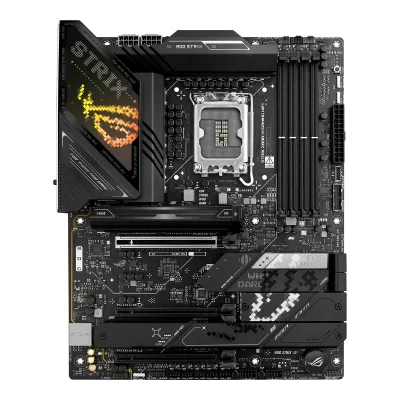
ASUS ROG STRIX Z890-A GAMING WIFI vs ASUS ROG STRIX Z890-H GAMING WIFI
Product A: ASUS
69 of 78 known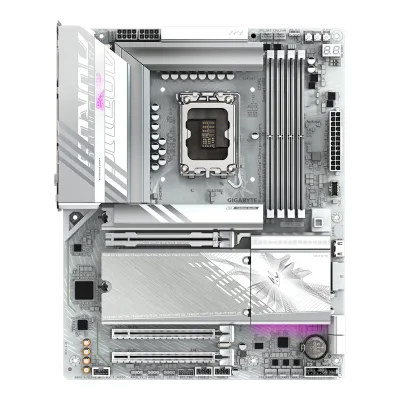 GIGABYTE B860 AORUS ELITE WIFI7 ICE
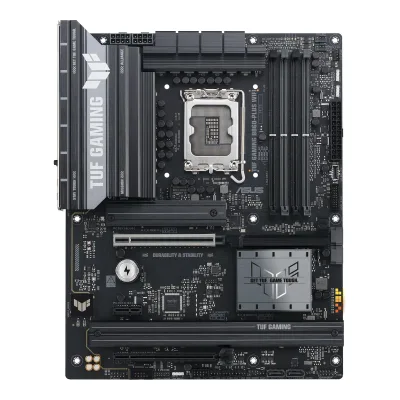 ASUS TUF GAMING B860-PLUS WIFI
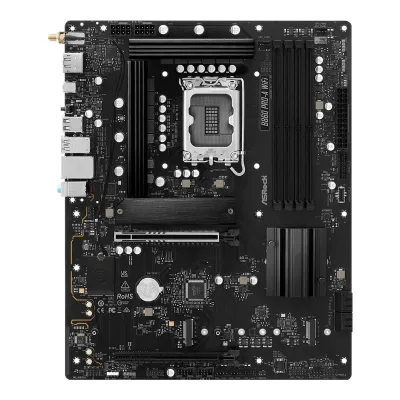 ASRock B860 Pro-A WiFi
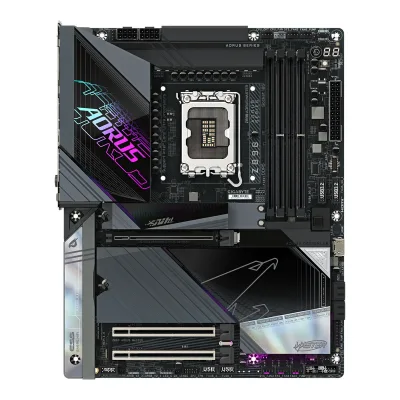 GIGABYTE Z890 AORUS MASTER
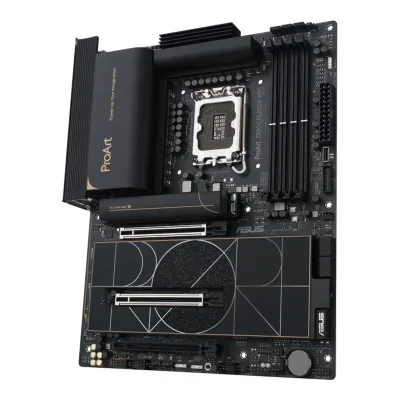 ASUS ProArt Z890-CREATOR WIFI
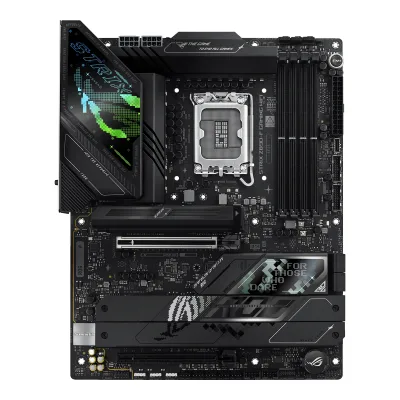 ASUS ROG STRIX Z890-F GAMING WIFI
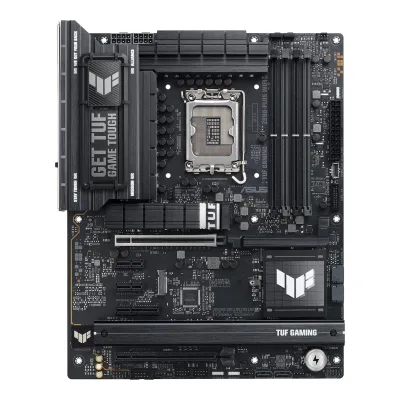 ASUS TUF GAMING Z890-PLUS WIFI
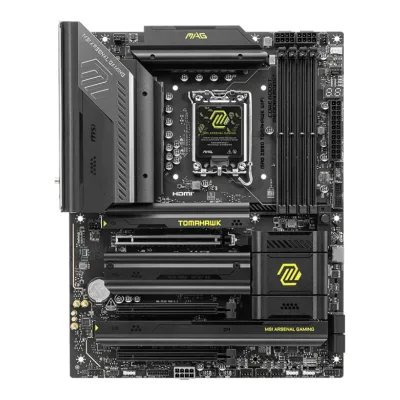 MSI MAG Z890 TOMAHAWK WIFI
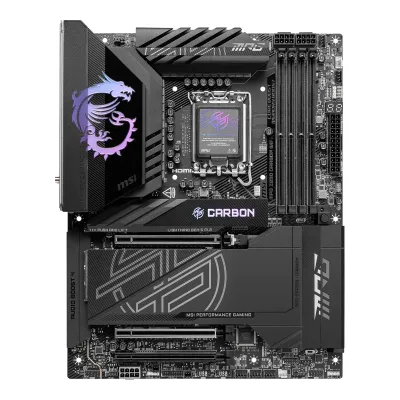 MSI MPG Z890 CARBON WIFI
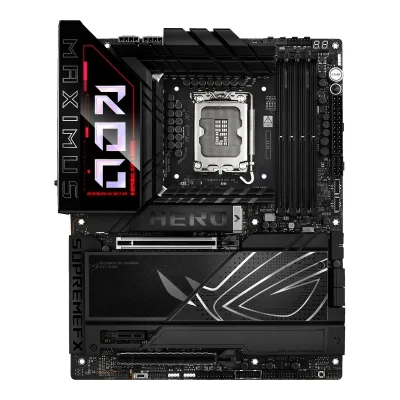 ASUS ROG MAXIMUS Z890 HERO
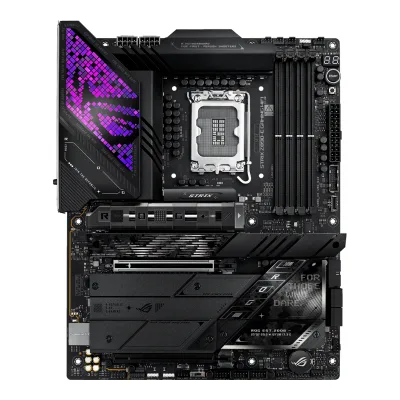 ASUS ROG STRIX Z890-E GAMING WIFI
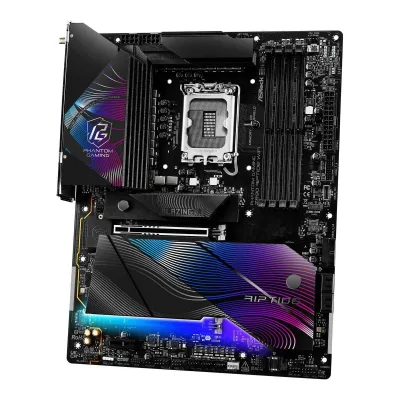 ASRock Z890 Riptide WiFi
Change ASUS ROG STRIX Z890-A GAMING WIFI
Compare the ASUS ROG STRIX Z890-H GAMING WIFI with
GIGABYTE B860 AORUS ELITE WIFI7 ICEASUS TUF GAMING B860-PLUS WIFIASRock B860 Pro-A WiFiGIGABYTE Z890 AORUS MASTERASUS ProArt Z890-CREATOR WIFIASUS ROG STRIX Z890-F GAMING WIFIASUS TUF GAMING Z890-PLUS WIFIMSI MAG Z890 TOMAHAWK WIFIMSI MPG Z890 CARBON WIFIASUS ROG MAXIMUS Z890 HEROASUS ROG STRIX Z890-E GAMING WIFIASRock Z890 Riptide WiFiProduct B: ASUS
61 of 78 knownASUS ROG STRIX Z890-F GAMING WIFIASUS ProArt Z890-CREATOR WIFIASUS TUF GAMING Z890-PLUS WIFIMSI MPG Z890 CARBON WIFIGIGABYTE Z890 AORUS MASTERMSI MAG Z890 TOMAHAWK WIFIASRock Z890 Riptide WiFi GIGABYTE Z890 AORUS ELITE WIFI7
 ASRock Z890 LiveMixer WiFi
 GIGABYTE Z890 GAMING X WIFI7ASUS ROG MAXIMUS Z890 HEROASUS ROG STRIX Z890-E GAMING WIFI
Change ASUS ROG STRIX Z890-H GAMING WIFI
Compare the ASUS ROG STRIX Z890-A GAMING WIFI with
ASUS ROG STRIX Z890-F GAMING WIFIASUS ProArt Z890-CREATOR WIFIASUS TUF GAMING Z890-PLUS WIFIMSI MPG Z890 CARBON WIFIGIGABYTE Z890 AORUS MASTERMSI MAG Z890 TOMAHAWK WIFIASRock Z890 Riptide WiFiGIGABYTE Z890 AORUS ELITE WIFI7ASRock Z890 LiveMixer WiFiGIGABYTE Z890 GAMING X WIFI7ASUS ROG MAXIMUS Z890 HEROASUS ROG STRIX Z890-E GAMING WIFI22 of 70 fields differ
- 14 different values
- 8 known for one only
- 42 the same
- 6 missing for both
Biggest differences
Each bar uses the scale of all 87 motherboards.
- Ethernet speedA: 2.5GbpsB: 5GbpsROG STRIX Z890-H GAMING WIFI is 2.5 Gbps higher.
- Rear USB-C portsA: 3B: 2ROG STRIX Z890-A GAMING WIFI has 1 more.
- M.2 slotsA: 5B: 4ROG STRIX Z890-A GAMING WIFI has 1 more.
Size, drawn to scale
Front and side.
- AROG STRIX Z890-A GAMING WIFI: 244 × 305 mm
- BROG STRIX Z890-H GAMING WIFI: 244 × 305 mm
All 78 fields
Every value links to where we found it.
General
1 of 9 differ
Series
Model numbers
ROG STRIX Z890-A GAMING WIFI, 90MB1I90-M0AAY0, 90MB1I90-M0EAY01Maker product pagerog.asus.com/motherboards/rog-strix/rog-strix-z890-a-gaming-wifi/specRead 15 October 2026The spec page names only the model. The part numbers come from the ASUS US eShop (90MB1I90-M0AAY0) and EU retailers (90MB1I90-M0EAY0).9Retailer pageeshop.asus.com/us/90mb1i90-m0aay0-rog-strix-z890-a-gaming-wifi.htmlRead 15 October 2026Part Number 90MB1I90-M0AAY0.10Retailer pagecustompc.com.cy/components/motherboards/intel-motherboards/asus-rog-strix-z890-a-gaming-wifi-mainboard-socket-lga-1851-intel-z890-atx-ddr5Read 15 October 2026Part number 90MB1I90-M0EAY0.
ROG STRIX Z890-H GAMING WIFI, 90MB1K20-M0AAY0, 90MB1K20-M0EAY01Maker product pagerog.asus.com/motherboards/rog-strix/rog-strix-z890-h-gaming-wifi/specRead 14 October 2026The page's order configuration id is 90MB1K20-M0AAY0. EU retailers list 90MB1K20-M0EAY0 for the same board.5Retailer pagewatercoolinguk.co.uk/product/asus-rog-strix-z890-h-gaming-wifi-motherboard-socket-lga-1851-intel-z890-atx-ddr5Read 14 October 2026MPN 90MB1K20-M0EAY0 is the EU part number.
GTIN / EAN
4711387758830, 19710575883410Retailer pagecustompc.com.cy/components/motherboards/intel-motherboards/asus-rog-strix-z890-a-gaming-wifi-mainboard-socket-lga-1851-intel-z890-atx-ddr5Read 15 October 2026custompc.com.cy lists EAN 4711387758830 for part number 90MB1I90-M0EAY0.12Spec databasebuildcores.com/products/Motherboard/p2j5jubrv/Asus-ROG-STRIX-Z890-A-GAMING-WIFI-DDR5-ATXRead 15 October 2026BuildCores lists UPC 197105758834 and EAN 4711387758830 for the board, with release year 2024 and a white colour. The UPC is not tied to a part number on the page, so no variant row is made for it.
Announced
Not available
Not available
Status
Available5Retailer pagewatercoolinguk.co.uk/product/asus-rog-strix-z890-h-gaming-wifi-motherboard-socket-lga-1851-intel-z890-atx-ddr5Read 14 October 2026On sale on 2026-10-14 with 1 in stock. hinta.fi also lists ASUS Store in stock on the same day.6Retailer pagehinta.fi/5180653/asus-rog-strix-z890-h-gaming-wifiRead 14 October 2026Price comparison with 10 shops on 2026-10-14. The ASUS Store lists the board in stock with delivery in 1-4 days.
Predecessor
Not available
Not available
Successor
Not available
Not available
Launch price (EU)
Not available
Not available
Markets
Not available
Not available
Colours
Not available
Not available
Segment
Board revision
Not available
Not available
Platform
0 of 4 differ
CPU socket
Chipset
Supported processors
CPU overclocking
Board
0 of 5 differ
Form factor
Board dimensions
PCB layers
Back-connect design
RGB lighting on the board
Yes2Maker product pagerog.asus.com/motherboards/rog-strix/rog-strix-z890-h-gaming-wifiRead 14 October 2026The page lists Aura Lighting and says ROG Strix boards have full lighting control of onboard RGB LEDs and third-party accessories.7Reviewgadreview.com/review/asus-rog-strix-z890-h-gaming-wifi-review-123962Read 14 October 2026The board features onboard RGB lighting integrated with Aura Sync.
Power delivery
2 of 6 differ
Power stage layout
CPU core (Vcore) power stages
Vcore power stage rating
CPU power connectors
Extra slot power connector
Memory
0 of 6 differ
Memory type
Memory slots
Max memory
256GB1Maker product pagerog.asus.com/motherboards/rog-strix/rog-strix-z890-h-gaming-wifi/specRead 14 October 2026The page says max. 256GB. The December 2024 manual says 192GB. The page is newer and is stored.3Owner's manualdlcdnets.asus.com/pub/ASUS/mb/LGA1851/ROG_STRIX_Z890-H_GAMING_WIFI/E25421_ROG_STRIX_Z890-H_GAMING_WIFI_EM_WEB.pdfRead 14 October 2026Specifications summary: 4 x DIMM slots, max. 192GB, DDR5. The live spec page says 256GB and is stored.
Max memory speed (overclocked)
ECC memory
CUDIMM support
Yes1Maker product pagerog.asus.com/motherboards/rog-strix/rog-strix-z890-h-gaming-wifi/specRead 14 October 2026The memory line lists Clocked Unbuffered DIMM (CUDIMM) support. The overview page says AEMP III first tunes the clock driver and then the memory frequency, so the clock driver is active. The page does not mention a bypass mode.2Maker product pagerog.asus.com/motherboards/rog-strix/rog-strix-z890-h-gaming-wifiRead 14 October 2026AEMP III first optimizes the clock driver and then the memory frequency of CUDIMM memory.
Expansion slots
2 of 3 differ
Expansion slots
AASUS ROG STRIX Z890-A GAMING WIFI
| Physical slot | Electrical lanes | PCIe generation | Connected to | Count |
|---|---|---|---|---|
| PCIe x16 | 16 | 5 | CPU | 1 |
| PCIe x16 | 4 | 4 | Chipset | 1 |
Source1Maker product pagerog.asus.com/motherboards/rog-strix/rog-strix-z890-a-gaming-wifi/specRead 15 October 2026Core Ultra Series 2: 1 x PCIe 5.0 x16 slot. Z890 chipset: 1 x PCIe 4.0 x16 slot (supports x4 mode). The manual layout shows two slots, PCIEX16(G5) and PCIEX16(G4).3Owner's manualdlcdnets.asus.com/pub/ASUS/mb/LGA1851/ROG_STRIX_Z890-A_GAMING_WIFI/E26409_ROG_STRIX_Z890-A_GAMING_WIFI_EM_V2_WEB.pdfRead 15 October 2026Layout: PCIEX16(G5) and PCIEX16(G4). The Thunderbolt add-in card note says it must go in the PCIEX16(G4) slot.
BASUS ROG STRIX Z890-H GAMING WIFI
| Physical slot | Electrical lanes | PCIe generation | Connected to | Count |
|---|---|---|---|---|
| PCIe x16 | 16 | 5 | CPU | 1 |
| PCIe x16 | 4 | 4 | Chipset | 2 |
Source1Maker product pagerog.asus.com/motherboards/rog-strix/rog-strix-z890-h-gaming-wifi/specRead 14 October 2026Intel Core Ultra (Series 2): 1 x PCIe 5.0 x16 slot (x16 or x8/x4/x4 modes). Z890 chipset: 2 x PCIe 4.0 x16 slots (x4 mode).3Owner's manualdlcdnets.asus.com/pub/ASUS/mb/LGA1851/ROG_STRIX_Z890-H_GAMING_WIFI/E25421_ROG_STRIX_Z890-H_GAMING_WIFI_EM_WEB.pdfRead 14 October 2026Layout: PCIEX16(G5), PCIEX16(G4)_1 and PCIEX16(G4)_2 are the only expansion slots.
Full-length PCIe slots
2
3
Fastest PCIe x16 slot generation
5
5
Storage
2 of 4 differ
M.2 storage slots
AASUS ROG STRIX Z890-A GAMING WIFI
| Slot | PCIe generation | PCIe lanes | Connected to | Longest drive | Takes SATA drives | Heatsink |
|---|---|---|---|---|---|---|
| M.2_1 | 5 | 4 | CPU | M.2 22110 | No | Yes |
| M.2_2 | 4 | 4 | CPU | M.2 2280 | No | Yes |
| M.2_3 | 4 | 4 | Chipset | M.2 2280 | No | Yes |
| M.2_4 | 4 | 4 | Chipset | M.2 22110 | No | Yes |
| M.2_5 | 4 | 4 | Chipset | M.2 2280 | Yes | Yes |
Source1Maker product pagerog.asus.com/motherboards/rog-strix/rog-strix-z890-a-gaming-wifi/specRead 15 October 2026Core Ultra Series 2: M.2_1 type 2242/2260/2280/22110 at PCIe 5.0 x4 and M.2_2 type 2280 at PCIe 4.0 x4. Z890 chipset: M.2_3 type 2280 at PCIe 4.0 x4, M.2_4 type 2280/22110 at PCIe 4.0 x4 and M.2_5 type 2242/2260/2280 at PCIe 4.0 x4 and SATA modes. A 2260 slot is stored as 2280. Only M.2_5 lists a SATA mode. The full slot list shows the other four without one, so their sata cell is false. The page names no lane sharing, and Tom's Hardware says the configuration does not change whatever is connected. The Special Features list names M.2 heatsinks and a backplate. The overview lists 4 x M.2 Heatsinks and says heatsinks cover every slot, so every slot is stored with a heatsink. M.2 slots from the CPU support RAID 0/1/5 only.2Maker product pagerog.asus.com/motherboards/rog-strix/rog-strix-z890-a-gaming-wifiRead 15 October 2026Overview: 5 x M.2 slots, 1 x M.2 22110 at PCIe 5.0 x4, 1 x M.2 22110 and 2 x M.2 2280 at PCIe 4.0 x4 and 1 x M.2 2280 at PCIe 4.0 x4 and SATA. 4 x M.2 Heatsinks. Heatsinks cover every slot.3Owner's manualdlcdnets.asus.com/pub/ASUS/mb/LGA1851/ROG_STRIX_Z890-A_GAMING_WIFI/E26409_ROG_STRIX_Z890-A_GAMING_WIFI_EM_V2_WEB.pdfRead 15 October 2026Specifications summary and layout note: M.2_1 to M.2_5 as on the specification page. M.2 slots from the CPU only support RAID 0/1/5.
BASUS ROG STRIX Z890-H GAMING WIFI
| Slot | PCIe generation | PCIe lanes | Connected to | Longest drive | Takes SATA drives | Heatsink |
|---|---|---|---|---|---|---|
| M.2_1 | 5 | 4 | CPU | M.2 22110 | No | Yes |
| M.2_2 | 4 | 4 | CPU | M.2 2280 | No | Yes |
| M.2_3 | 4 | 4 | Chipset | M.2 22110 | No | Yes |
| M.2_4 | 4 | 4 | Chipset | M.2 2280 | Yes | Yes |
Source1Maker product pagerog.asus.com/motherboards/rog-strix/rog-strix-z890-h-gaming-wifi/specRead 14 October 2026Core Ultra Series 2: M.2_1 type 2242/2260/2280/22110 at PCIe 5.0 x4 and M.2_2 type 2280 at PCIe 4.0 x4. Z890 chipset: M.2_3 type 2280/22110 at PCIe 4.0 x4 and M.2_4 type 2242/2260/2280 at PCIe 4.0 x4 and SATA modes. The page lists no M.2 SATA support for the other three slots, so their sata cell is false. Heatsinks: the Special Features list names M.2 heatsinks and a backplate, and the overview page lists 4 x M.2 heatsinks.2Maker product pagerog.asus.com/motherboards/rog-strix/rog-strix-z890-h-gaming-wifiRead 14 October 20264 x M.2 heatsinks and an M.2 backplate.3Owner's manualdlcdnets.asus.com/pub/ASUS/mb/LGA1851/ROG_STRIX_Z890-H_GAMING_WIFI/E25421_ROG_STRIX_Z890-H_GAMING_WIFI_EM_WEB.pdfRead 14 October 2026Layout item 6 lists the M.2 types and PCIe modes. The manual states no shared bandwidth between M.2 slots and other slots.
M.2 slots
5
4
PCIe 5.0 M.2 slots
1
1
Rear ports
4 of 5 differ
Rear ports
AASUS ROG STRIX Z890-A GAMING WIFI
| Type | Version | Count | Max link rate (Gbps) | Thunderbolt or USB4 | Power out (W) | DP Alt Mode |
|---|---|---|---|---|---|---|
| USB-C | USB4 | 2 | 40 | Thunderbolt 4 | 15 | Yes |
| USB-C | USB 3.2 Gen 2 | 1 | 10 | Not available | 30 | Not available |
| USB-A | USB 3.2 Gen 2 | 5 | 10 | Not available | Not available | Not available |
| USB-A | USB 3.2 Gen 1 | 2 | 5 | Not available | Not available | Not available |
| DisplayPort | DisplayPort 1.4 | 1 | Not available | Not available | Not available | Not available |
| HDMI | HDMI 2.1 | 1 | Not available | Not available | Not available | Not available |
| Ethernet (RJ45) | Not available | 1 | 2.5 | Not available | Not available | Not available |
| 3.5 mm audio | Not available | 2 | Not available | Not available | Not available | Not available |
| Optical S/PDIF | Not available | 1 | Not available | Not available | Not available | Not available |
BASUS ROG STRIX Z890-H GAMING WIFI
| Type | Version | Count | Max link rate (Gbps) | Power out (W) |
|---|---|---|---|---|
| USB-C | USB 3.2 Gen 2x2 | 1 | 20 | 15 |
| USB-C | USB 3.2 Gen 2x2 | 1 | 20 | 30 |
| USB-A | USB 3.2 Gen 2 | 4 | 10 | Not available |
| USB-A | USB 3.2 Gen 1 | 4 | 5 | Not available |
| DisplayPort | DisplayPort 1.4 | 1 | Not available | Not available |
| HDMI | HDMI 2.1 | 1 | Not available | Not available |
| Ethernet (RJ45) | Not available | 1 | 5 | Not available |
| 3.5 mm audio | Not available | 2 | Not available | Not available |
| Optical S/PDIF | Not available | 1 | Not available | Not available |
Rear USB ports
10
10
Rear USB-C ports
3
2
Fastest rear USB port
40Gbps
20Gbps
Thunderbolt
Yes
Not available
Internal connectors
1 of 5 differ
Internal USB headers
AASUS ROG STRIX Z890-A GAMING WIFI
| Header | Max data rate (Gbps) | Headers | Front ports served | Power out (W) |
|---|---|---|---|---|
| USB-C header | 20 | 1 | 1 | 15 |
| USB 3 header (19-pin) | 5 | 1 | 2 | Not available |
| USB 2.0 header (9-pin) | 0.48 | 2 | 4 | Not available |
Source1Maker product pagerog.asus.com/motherboards/rog-strix/rog-strix-z890-a-gaming-wifi/specRead 15 October 2026Front USB (Total 7 ports): 1 x USB 20Gbps connector (supports USB Type-C), 1 x USB 5Gbps header for 2 additional ports and 2 x USB 2.0 headers for 4 additional ports. The footnote on the Type-C connector says power delivery output 5V/3.0A, stored as 15 W. Tom's Hardware prints 30 W PD/PPS for this connector in its table. The maker figure is used. The Thunderbolt (USB4) header is for an add-in card and has no row here.3Owner's manualdlcdnets.asus.com/pub/ASUS/mb/LGA1851/ROG_STRIX_Z890-A_GAMING_WIFI/E26409_ROG_STRIX_Z890-A_GAMING_WIFI_EM_V2_WEB.pdfRead 15 October 2026Layout contents 8 to 10: the USB 20Gbps Type-C front panel connector, the USB 5Gbps header and the USB 2.0 header.
BASUS ROG STRIX Z890-H GAMING WIFI
| Header | Max data rate (Gbps) | Headers | Front ports served |
|---|---|---|---|
| USB-C header | 20 | 1 | 1 |
| USB 3 header (19-pin) | 5 | 1 | 2 |
| USB 2.0 header (9-pin) | 0.48 | 2 | 4 |
Front USB-C header speed
20Gbps
20Gbps
Fan headers
81Maker product pagerog.asus.com/motherboards/rog-strix/rog-strix-z890-h-gaming-wifi/specRead 14 October 2026CPU fan, CPU OPT fan, AIO pump and 5 chassis fan headers, all 4-pin.3Owner's manualdlcdnets.asus.com/pub/ASUS/mb/LGA1851/ROG_STRIX_Z890-H_GAMING_WIFI/E25421_ROG_STRIX_Z890-H_GAMING_WIFI_EM_WEB.pdfRead 14 October 2026Table of fan and pump headers: CPU_FAN, CPU_OPT, CHA_FAN1 to CHA_FAN5 and AIO_PUMP, 1 A each.
ARGB headers
RGB headers
Networking
4 of 9 differ
Ethernet controllers
Intel I2264Maker product pageasus.com/support/api/product.asmx/GetPDDriversRead 15 October 2026The ASUS support page for this model, read through its public data feed, lists Intel I226 LAN drivers. The specification page says only Intel 2.5Gb Ethernet. Tom's Hardware names an Intel i-226.6Reviewtomshardware.com/pc-components/motherboards/asus-rog-strix-z890-a-gaming-wifi-motherboard-reviewRead 15 October 2026Specifications table: Intel i-226 (2.5 GbE).
Ethernet ports
1
1
Ethernet speed
2.5Gbps
5Gbps
Wi-Fi included
Wi-Fi standard
Wi-Fi 71Maker product pagerog.asus.com/motherboards/rog-strix/rog-strix-z890-a-gaming-wifi/specRead 15 October 20262x2 Wi-Fi 7 (802.11be).6Reviewtomshardware.com/pc-components/motherboards/asus-rog-strix-z890-a-gaming-wifi-motherboard-reviewRead 15 October 2026Specifications table: Wi-Fi 7 2x2, 320 MHz, 6 GHz, BT 5.4, 5.8 Gbps.
Wi-Fi bands
Max Wi-Fi channel width
Bluetooth
Audio
1 of 2 differ
Audio codec
Realtek ALC40801Maker product pagerog.asus.com/motherboards/rog-strix/rog-strix-z890-a-gaming-wifi/specRead 15 October 2026ROG SupremeFX 7.1 Surround Sound High Definition Audio CODEC ALC4080 with a Savitech SV3H712 amplifier. The amplifier is not a DAC, so dac_chip is empty.6Reviewtomshardware.com/pc-components/motherboards/asus-rog-strix-z890-a-gaming-wifi-motherboard-reviewRead 15 October 2026The review says a Realtek ALC4080 codec sits under the SupremeFX Faraday cage, with a Savitech SV3H712 amplifier.
DAC chip
Not available
Not available
Features
0 of 7 differ
BIOS flashback
Clear CMOS button (rear)
POST code display
No1Maker product pagerog.asus.com/motherboards/rog-strix/rog-strix-z890-a-gaming-wifi/specRead 15 October 2026The Special Features list names Q-LED (CPU, DRAM, VGA, Boot Device) and no Q-Code. The manual layout contents list Q-LEDs and a Start button and no code display. The overview page has a generic Q-CODE text block that is not part of the spec list.3Owner's manualdlcdnets.asus.com/pub/ASUS/mb/LGA1851/ROG_STRIX_Z890-A_GAMING_WIFI/E26409_ROG_STRIX_Z890-A_GAMING_WIFI_EM_V2_WEB.pdfRead 15 October 2026Layout contents 19: Q-LEDs. No code display is listed.
No1Maker product pagerog.asus.com/motherboards/rog-strix/rog-strix-z890-h-gaming-wifi/specRead 14 October 2026Special features list ASUS Q-LED with four status LEDs (CPU, DRAM, VGA, boot device). No Q-Code display is listed.3Owner's manualdlcdnets.asus.com/pub/ASUS/mb/LGA1851/ROG_STRIX_Z890-H_GAMING_WIFI/E25421_ROG_STRIX_Z890-H_GAMING_WIFI_EM_WEB.pdfRead 14 October 2026Layout item 19: Q-LEDs (CPU, DRAM, VGA and boot device). No two-digit display on the layout.
Power button on the board
Yes1Maker product pagerog.asus.com/motherboards/rog-strix/rog-strix-z890-a-gaming-wifi/specRead 15 October 2026Internal I/O Connectors: 1 x Start button. The manual says it powers up the system.3Owner's manualdlcdnets.asus.com/pub/ASUS/mb/LGA1851/ROG_STRIX_Z890-A_GAMING_WIFI/E26409_ROG_STRIX_Z890-A_GAMING_WIFI_EM_V2_WEB.pdfRead 15 October 2026Layout contents 16: Start button. Press the Start button to power up the system, or put the system into sleep or soft-off mode.
Yes1Maker product pagerog.asus.com/motherboards/rog-strix/rog-strix-z890-h-gaming-wifi/specRead 14 October 2026Start button listed under internal connectors.3Owner's manualdlcdnets.asus.com/pub/ASUS/mb/LGA1851/ROG_STRIX_Z890-H_GAMING_WIFI/E25421_ROG_STRIX_Z890-H_GAMING_WIFI_EM_WEB.pdfRead 14 October 2026Layout item 16: Start button.
Dual BIOS
No1Maker product pagerog.asus.com/motherboards/rog-strix/rog-strix-z890-a-gaming-wifi/specRead 15 October 2026BIOS is a single 256 Mb UEFI AMI BIOS. The feature lists name no dual BIOS.3Owner's manualdlcdnets.asus.com/pub/ASUS/mb/LGA1851/ROG_STRIX_Z890-A_GAMING_WIFI/E26409_ROG_STRIX_Z890-A_GAMING_WIFI_EM_V2_WEB.pdfRead 15 October 2026Specifications summary: 256 Mb Flash ROM, UEFI AMI BIOS. Dual BIOS is not stated.
No1Maker product pagerog.asus.com/motherboards/rog-strix/rog-strix-z890-h-gaming-wifi/specRead 14 October 2026BIOS is a single 256 Mb flash ROM. Dual BIOS is not stated.3Owner's manualdlcdnets.asus.com/pub/ASUS/mb/LGA1851/ROG_STRIX_Z890-H_GAMING_WIFI/E25421_ROG_STRIX_Z890-H_GAMING_WIFI_EM_WEB.pdfRead 14 October 2026Specifications summary: 256 Mb Flash ROM, UEFI AMI BIOS. Dual BIOS is not stated.
Pre-installed I/O shield
Tool-free features
Tool-free M.2 latch, Tool-free M.2 heatsink, PCIe slot release, Push-on antenna connector1Maker product pagerog.asus.com/motherboards/rog-strix/rog-strix-z890-a-gaming-wifi/specRead 15 October 2026ASUS Q-Design: M.2 Q-Latch, M.2 Q-Release, M.2 Q-Slide, PCIe Slot Q-Release Slim (with PCIe SafeSlot) and Q-Antenna. The overview says the Q-Release heatsink has a switch for removal without screws, the Q-Latch holds an M.2 SSD with one press and the Q-Antenna fasteners snap into place.2Maker product pagerog.asus.com/motherboards/rog-strix/rog-strix-z890-a-gaming-wifiRead 15 October 2026DIY-friendly design: M.2 Q-Release, M.2 Q-Slide, New M.2 Q-LATCH, PCIe Slot Q-Release Slim and Q-Antenna.
Tool-free M.2 latch, Tool-free M.2 heatsink, PCIe slot release, Push-on antenna connector1Maker product pagerog.asus.com/motherboards/rog-strix/rog-strix-z890-h-gaming-wifi/specRead 14 October 2026ASUS Q-Design: M.2 Q-Latch, M.2 Q-Release (heatsink switch), M.2 Q-Slide, PCIe Slot Q-Release Slim and Q-Antenna.2Maker product pagerog.asus.com/motherboards/rog-strix/rog-strix-z890-h-gaming-wifiRead 14 October 2026M.2 Q-Release switch removes the M.2 heatsink without screws. The new M.2 Q-Latch installs and removes M.2 SSDs tool-free.
Measured
3 of 3 differ
In the box
1 of 1 differ
In the box
1 x ROG STRIX Z890-A GAMING WIFI motherboard, 2 x SATA 6Gb/s cables, 1 x Thermal pad for M.2 22110, 1 x ASUS WiFi Q-Antenna, 1 x Cable ties package, 1 x M.2 Q-Latch package, 1 x ROG key chain, 1 x ROG Strix stickers, 5 x M.2 rubbers, 1 x Quick Start Guide1Maker product pagerog.asus.com/motherboards/rog-strix/rog-strix-z890-a-gaming-wifi/specRead 15 October 2026Accessories list on the specification page, the same as the manual's package contents. Tom's Hardware lists two Q-Latch packages, and the maker lists one.3Owner's manualdlcdnets.asus.com/pub/ASUS/mb/LGA1851/ROG_STRIX_Z890-A_GAMING_WIFI/E26409_ROG_STRIX_Z890-A_GAMING_WIFI_EM_V2_WEB.pdfRead 15 October 2026Package contents on page 13.
2 x SATA 6Gb/s cables, 1 x Thermal pad for M.2 22110, 1 x ASUS WiFi Q-Antenna, 1 x Cable ties package, 1 x M.2 Q-Latch package, 1 x ROG key chain, 1 x ROG Strix stickers, 4 x M.2 rubbers, 1 x Quick Start Guide1Maker product pagerog.asus.com/motherboards/rog-strix/rog-strix-z890-h-gaming-wifi/specRead 14 October 2026Accessories list on the specification page, the same as the manual's package contents.3Owner's manualdlcdnets.asus.com/pub/ASUS/mb/LGA1851/ROG_STRIX_Z890-H_GAMING_WIFI/E25421_ROG_STRIX_Z890-H_GAMING_WIFI_EM_WEB.pdfRead 14 October 2026
Links
Not compared
Product page
Spec sheet
Manual
dlcdnets.asus.com/pub/ASUS/mb/LGA1851/ROG_STRIX_Z890-A_GAMING_WIFI/E26409_ROG_STRIX_Z890-A_GAMING_WIFI_EM_V2_WEB.pdf3Owner's manualdlcdnets.asus.com/pub/ASUS/mb/LGA1851/ROG_STRIX_Z890-A_GAMING_WIFI/E26409_ROG_STRIX_Z890-A_GAMING_WIFI_EM_V2_WEB.pdfRead 15 October 2026ASUS user manual E26409, version 2, dated 2025-07-28 on the ASUS support page.
dlcdnets.asus.com/pub/ASUS/mb/LGA1851/ROG_STRIX_Z890-H_GAMING_WIFI/E25421_ROG_STRIX_Z890-H_GAMING_WIFI_EM_WEB.pdf3Owner's manualdlcdnets.asus.com/pub/ASUS/mb/LGA1851/ROG_STRIX_Z890-H_GAMING_WIFI/E25421_ROG_STRIX_Z890-H_GAMING_WIFI_EM_WEB.pdfRead 14 October 2026ASUS user's manual E25421, first edition, December 2024.
EPREL registration number
Not available
Not available
Warranty
1 of 1 differ
Manufacturer warranty (source market)
Not available
Both are also in the API. Back to all motherboards.