Motherboards / Compare
ASUS TUF GAMING B550-PLUS WIFI II vs GIGABYTE Z890 AORUS ELITE WIFI7 PLUS
Product A: ASUS
56 of 78 known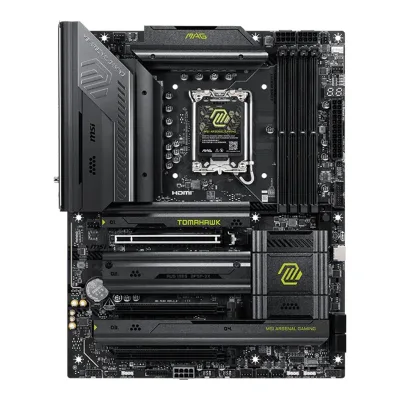 MSI MAG Z890 TOMAHAWK WIFI II
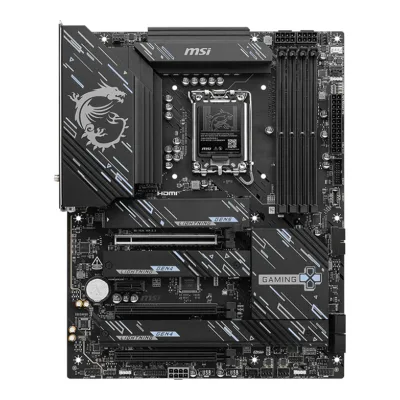 MSI Z890 GAMING PLUS WIFI6E
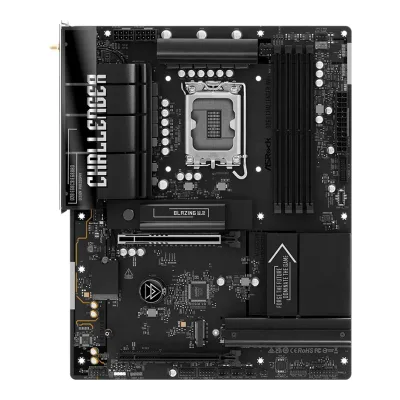 ASRock B860 Challenger WiFi
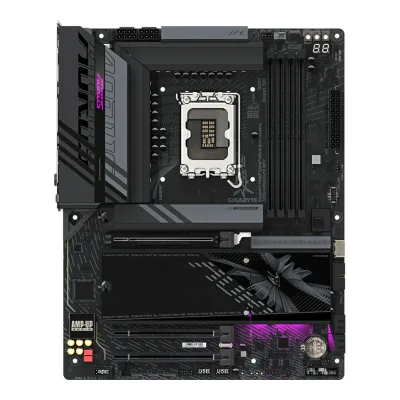 GIGABYTE Z890 AORUS ELITE WIFI7
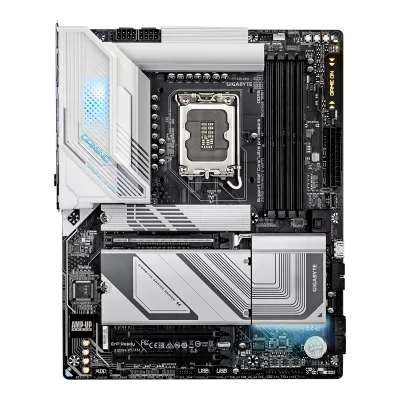 GIGABYTE Z890 GAMING X WIFI7
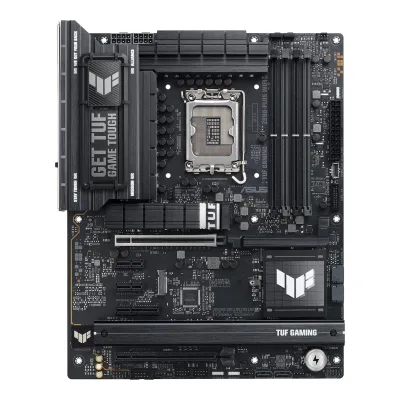 ASUS TUF GAMING Z890-PLUS WIFI
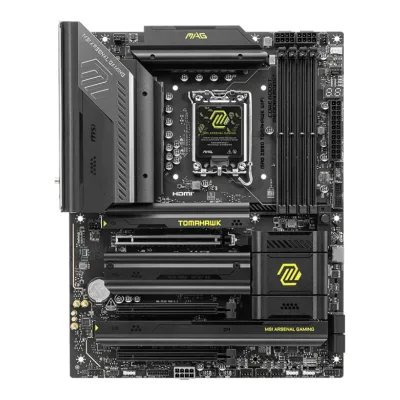 MSI MAG Z890 TOMAHAWK WIFI
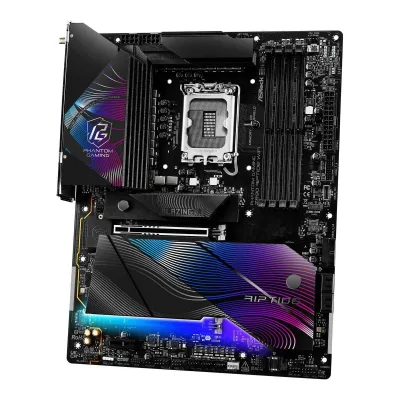 ASRock Z890 Riptide WiFi
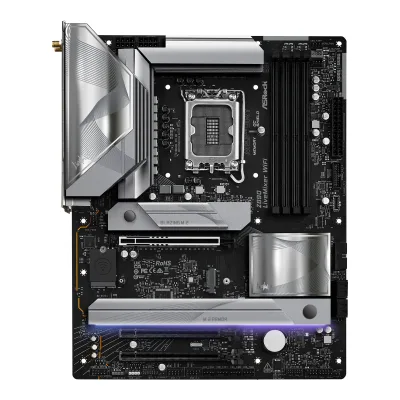 ASRock Z890 LiveMixer WiFi
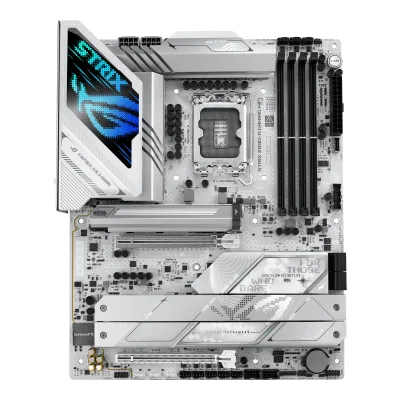 ASUS ROG STRIX Z890-A GAMING WIFI
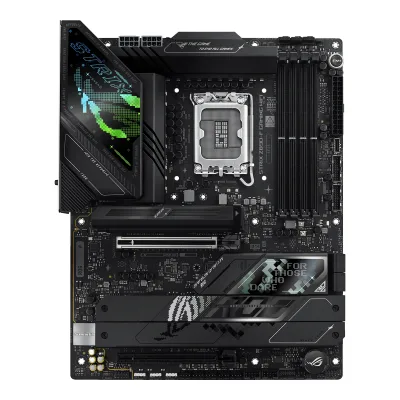 ASUS ROG STRIX Z890-F GAMING WIFI
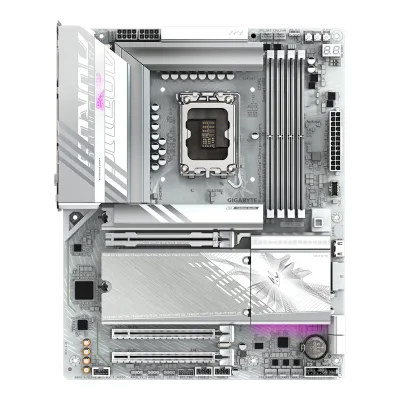 GIGABYTE B860 AORUS ELITE WIFI7 ICE
Change ASUS TUF GAMING B550-PLUS WIFI II
Compare the GIGABYTE Z890 AORUS ELITE WIFI7 PLUS with
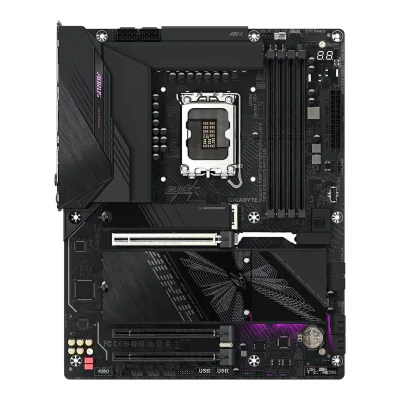
MSI MAG Z890 TOMAHAWK WIFI IIMSI Z890 GAMING PLUS WIFI6EASRock B860 Challenger WiFiGIGABYTE Z890 AORUS ELITE WIFI7GIGABYTE Z890 GAMING X WIFI7ASUS TUF GAMING Z890-PLUS WIFIMSI MAG Z890 TOMAHAWK WIFIASRock Z890 Riptide WiFiASRock Z890 LiveMixer WiFiASUS ROG STRIX Z890-A GAMING WIFIASUS ROG STRIX Z890-F GAMING WIFIGIGABYTE B860 AORUS ELITE WIFI7 ICEProduct B: GIGABYTE
70 of 78 known ASUS ROG STRIX B550-F GAMING WIFI II
 MSI B550M PRO-VDH WIFI
 GIGABYTE B550M K
 GIGABYTE B650 AORUS ELITE AX
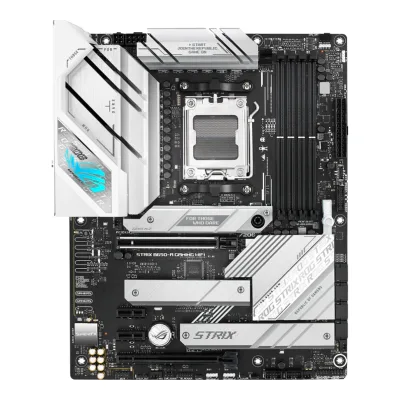 ASUS ROG STRIX B650-A GAMING WIFI
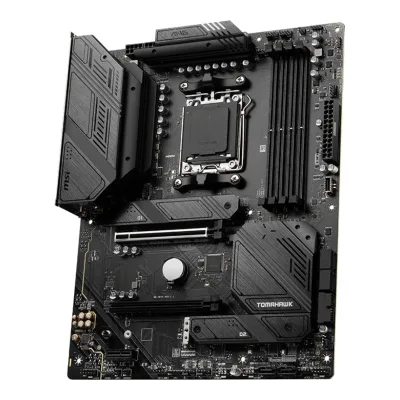 MSI MAG B650 TOMAHAWK WIFI
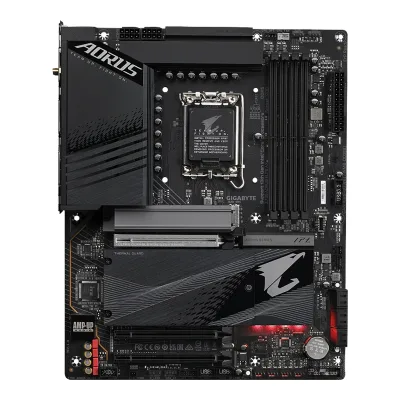 GIGABYTE Z790 AORUS ELITE AX
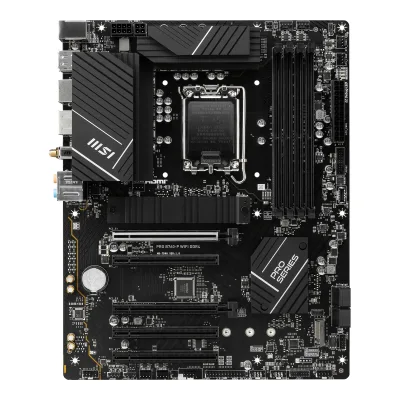 MSI PRO B760-P WIFI DDR4
 MSI MPG X870E CARBON MAX WIFIASUS ROG STRIX Z890-A GAMING WIFI
 GIGABYTE Z890 AORUS MASTER
 ASUS ROG Crosshair X870E Hero
Change GIGABYTE Z890 AORUS ELITE WIFI7 PLUS
Compare the ASUS TUF GAMING B550-PLUS WIFI II with
ASUS ROG STRIX B550-F GAMING WIFI IIMSI B550M PRO-VDH WIFIGIGABYTE B550M KGIGABYTE B650 AORUS ELITE AXASUS ROG STRIX B650-A GAMING WIFIMSI MAG B650 TOMAHAWK WIFIGIGABYTE Z790 AORUS ELITE AXMSI PRO B760-P WIFI DDR4MSI MPG X870E CARBON MAX WIFIASUS ROG STRIX Z890-A GAMING WIFIGIGABYTE Z890 AORUS MASTERASUS ROG Crosshair X870E Hero50 of 70 fields differ
- 34 different values
- 16 known for one only
- 16 the same
- 4 missing for both
Biggest differences
Each bar uses the scale of all 87 motherboards.
- PCIe 5.0 M.2 slotsA: 0B: 1GIGABYTE has 1 more.
- M.2 slotsA: 2B: 4GIGABYTE has 2 more.
- Vcore stagesA: 8B: 16GIGABYTE has 8 more.
- Ethernet speedA: 2.5GbpsB: 5GbpsGIGABYTE is 2.5 Gbps higher.
- Max memory speed (overclocked)A: 4,866MT/sB: 9,466MT/sGIGABYTE is 4,600 MT/s higher.
- Rear USB portsA: 8B: 10GIGABYTE has 2 more.
Size, drawn to scale
Front and side.
- AASUS: 244 × 305 mm
- BGIGABYTE: 244 × 305 mm
All 78 fields
Every value links to where we found it.
General
5 of 9 differ
Series
Model numbers
TUF GAMING B550-PLUS WIFI II, 90MB19U0-M0EAY06Retailer pagescan.co.uk/products/asus-tuf-gaming-b550-plus-wifi-ii-amd-b550-am4-ddr4-pcie-40-sata3-dual-m2-crossfire-usb-32-gen2-apluRead 15 October 2026Manufacturer model number 90MB19U0-M0EAY0.8Retailer pageoffice-partner.de/asus-tuf-gaming-b550-plus-wifi-ii-mainboard-sockel-ryzen-am4-20131627Read 15 October 2026Herstellernummer 90MB19U0-M0EAY0.
Z890 AORUS ELITE WIFI7 PLUS, Z890 A ELITE WIFI7 P9Retailer pagekomputronik.pl/product/1013368/plyta-glowna-gigabyte-z890-aorus-elite-wifi7-p.htmlRead 15 October 2026Manufacturer code Z890 A ELITE WIFI7 P.10Retailer pagecomparateur-gamer.fr/prix/gigabyte-z890-aorus-elite-wifi7-plus-4719331880798Read 15 October 2026Reference Z890 A ELITE WIFI7 P.12Retailer pageparadigit.ie/gigabyte-z890-aorus-elite-wifi7-plus/21986014/productRead 15 October 2026Product number manufacturer: Z890 A ELITE WIFI7 P.
GTIN / EAN
4711081338413, 47180178627766Retailer pagescan.co.uk/products/asus-tuf-gaming-b550-plus-wifi-ii-amd-b550-am4-ddr4-pcie-40-sata3-dual-m2-crossfire-usb-32-gen2-apluRead 15 October 2026Scan UK lists GTIN 4718017862776 for part number 90MB19U0-M0EAY0. office-partner.de lists EAN 4711081338413 for the same part number. The two codes differ and may be regional barcodes. Both are stored.8Retailer pageoffice-partner.de/asus-tuf-gaming-b550-plus-wifi-ii-mainboard-sockel-ryzen-am4-20131627Read 15 October 2026EAN 4711081338413 for part number 90MB19U0-M0EAY0.
47193318807989Retailer pagekomputronik.pl/product/1013368/plyta-glowna-gigabyte-z890-aorus-elite-wifi7-p.htmlRead 15 October 2026Lists EAN 4719331880798 for manufacturer code Z890 A ELITE WIFI7 P.10Retailer pagecomparateur-gamer.fr/prix/gigabyte-z890-aorus-elite-wifi7-plus-4719331880798Read 15 October 2026Lists EAN 4719331880798.11Retailer pageawd-it.co.uk/gigabyte-z890-aorus-elite-wifi7-plus-lga-1851-z890-atx-motherboard-ddr5-wifi-7.htmlRead 15 October 2026Lists EAN 4719331880798.
Announced
Not available
9 March 20266Press articleprofesionalreview.com/2026/03/09/gigabyte-presenta-sus-nuevas-placas-base-z890-aorus-elite-wifi7-plus-y-z890-eagle-wifi7-plus/ampRead 15 October 2026Article of 2026-03-09 on GIGABYTE introducing the Z890 AORUS Elite WiFi7 Plus and Z890 Eagle WiFi7 Plus that weekend. GIGABYTE's own press release was not readable.7Press articleoverclocking.com/gigabyte-annonce-ses-z890-aorus-elite-wifi-7-plus-et-z890-eagle-wifi7-plusRead 15 October 2026Article of 2026-03-09: GIGABYTE announces two new motherboards.
Status
Available5Maker product pageasus.com/us/motherboards-components/motherboards/tuf-gaming/tuf-gaming-b550-plus-wifi-ii/where-to-buyRead 15 October 2026ASUS US where-to-buy page lists the board in stock at six retailers on 2026-10-15.9Retailer pagemaxmybuild.com/motherboards/asus-tuf-gaming-b550-plus-wifi-iiRead 15 October 2026Lists the board in stock at Amazon at $109.99 and at Newegg at $119.99, updated 2026-10-15.
Available3Reviewtomshardware.com/pc-components/motherboards/gigabyte-z890-aorus-elite-wifi7-plus-motherboard-reviewRead 15 October 2026The review's price table lists the board at Newegg, Walmart, Amazon and Best Buy.8Retailer pagejib.co.th/web/product/readProduct/87423/46/MAINBOARD--%E0%B9%80%E0%B8%A1%E0%B8%99%E0%B8%9A%E0%B8%AD%E0%B8%A3%E0%B9%8C%E0%B8%94--GIGABYTE-Z890-AORUS-ELITE-WIFI7-PLUS--REV-1-0----INTEL-SOCKET-1851-DDR5-ATXRead 15 October 2026The listing shows a price of 8,490 THB on 2026-10-15.
Predecessor
Not available
GIGABYTE Z890 AORUS ELITE WIFI72Reviewnoticias3d.com/articulo/4056/z890-aorus-elite-wifi7-plus-review.htmlRead 15 October 2026Review of 2026-05-25: the Z890 AORUS ELITE WIFI7 PLUS is a revision of the non-PLUS board that improves the network controller and adds an Ultra Turbo mode. The non-PLUS board is the catalog's Z890 AORUS ELITE WIFI7.7Press articleoverclocking.com/gigabyte-annonce-ses-z890-aorus-elite-wifi-7-plus-et-z890-eagle-wifi7-plusRead 15 October 2026They are refreshes of existing models, built to take the Core Ultra 5 250K Plus and Core Ultra 7 270K Plus.
Successor
Not available
Not available
Launch price (US)
Not available
$269.993Reviewtomshardware.com/pc-components/motherboards/gigabyte-z890-aorus-elite-wifi7-plus-motherboard-reviewRead 15 October 2026The review calls the board a mid-range offering at $269.99 and shows $289.99 struck out next to $269.99 in its price table. CGMagazine labels $269.99 as the MSRP. US price, excl. sales tax.5Reviewcgmagonline.com/review/hardware/z890-aorus-elite-wifi7-plus-motherboardRead 15 October 2026Review of 2026-08-08. The header says MSRP $269.99.
Launch price (EU)
Not available
Not available
Markets
Not available
Not available
Colours
Not available
Segment
Board revision
Not available
Platform
3 of 4 differ
CPU socket
AM41Owner's manualdlcdnets.asus.com/pub/ASUS/mb/SocketAM4/TUF_GAMING_B550-PLUS_WIFI_II/E22526_TUF_GAMING_B550-PLUS_WI-FI_II_V2_WEB.pdfRead 15 October 2026Specifications summary: AMD AM4 Socket.2Maker product pageasus.com/motherboards-components/motherboards/tuf-gaming/tuf-gaming-b550-plus-wifi-ii/techspecRead 15 October 2026
Chipset
Supported processors
AMD Ryzen 5000 Series, AMD Ryzen 5000 G-Series, AMD Ryzen 4000 G-Series, AMD Ryzen 3000 Series1Owner's manualdlcdnets.asus.com/pub/ASUS/mb/SocketAM4/TUF_GAMING_B550-PLUS_WIFI_II/E22526_TUF_GAMING_B550-PLUS_WI-FI_II_V2_WEB.pdfRead 15 October 2026Specifications summary: AMD AM4 socket for Ryzen 5000 Series, 5000 G-Series, 4000 G-Series and 3000 Series desktop processors. The manual refers to www.asus.com for the CPU support list. Read on 2026-10-15.2Maker product pageasus.com/motherboards-components/motherboards/tuf-gaming/tuf-gaming-b550-plus-wifi-ii/techspecRead 15 October 2026
CPU overclocking
Yes3Reviewtomshardware.com/pc-components/motherboards/gigabyte-z890-aorus-elite-wifi7-plus-motherboard-reviewRead 15 October 2026The review says you can overclock the CPU on the board and describes the Ultra Turbo modes in the BIOS.6Press articleprofesionalreview.com/2026/03/09/gigabyte-presenta-sus-nuevas-placas-base-z890-aorus-elite-wifi7-plus-y-z890-eagle-wifi7-plus/ampRead 15 October 2026Ultra Turbo Mode is an automated overclocking system that applies frequency and voltage settings on top of Intel 200S Boost, for unlocked K and KF processors.
Board
0 of 5 differ
Form factor
Board dimensions
PCB layers
Not available
Not available
Back-connect design
RGB lighting on the board
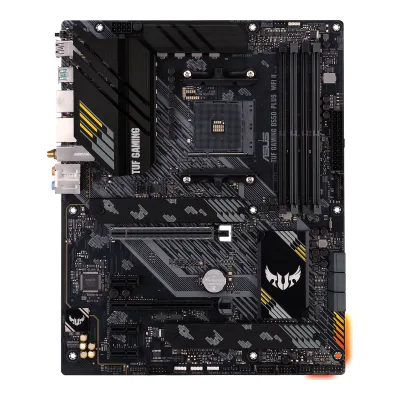
Yes3Maker product pageasus.com/motherboards-components/motherboards/tuf-gaming/tuf-gaming-b550-plus-wifi-iiRead 15 October 2026The Aura Sync section describes full RGB lighting control for the built-in RGB LEDs as well as strips on the onboard RGB headers. The maker's product photo shows an orange glow at the lower right edge of the board.6Retailer pagescan.co.uk/products/asus-tuf-gaming-b550-plus-wifi-ii-amd-b550-am4-ddr4-pcie-40-sata3-dual-m2-crossfire-usb-32-gen2-apluRead 15 October 2026ASUS Aura with full RGB control for the built-in RGB LEDs and the onboard headers.
Yes2Reviewnoticias3d.com/articulo/4056/z890-aorus-elite-wifi7-plus-review.htmlRead 15 October 2026The VRM heatsink name now has lighting.3Reviewtomshardware.com/pc-components/motherboards/gigabyte-z890-aorus-elite-wifi7-plus-motherboard-reviewRead 15 October 2026Aorus branding on the top left VRM heatsink is RGB backlit and a couple of RGB LEDs sit under the chipset heatsink. Controlled by Gigabyte Control Center and RGB Fusion.7Press articleoverclocking.com/gigabyte-annonce-ses-z890-aorus-elite-wifi-7-plus-et-z890-eagle-wifi7-plusRead 15 October 2026The card has a small touch of RGB under the chipset heatsink.
Power delivery
5 of 6 differ
Power stage layout
16+1+22Reviewnoticias3d.com/articulo/4056/z890-aorus-elite-wifi7-plus-review.htmlRead 15 October 2026The box highlights 16 digital phases with 8+8 in parallel, a slight cut against the non-PLUS board.3Reviewtomshardware.com/pc-components/motherboards/gigabyte-z890-aorus-elite-wifi7-plus-motherboard-reviewRead 15 October 2026A total of 19 phases with 16 dedicated to Vcore, which fits the maker's 16+1+2.5Reviewcgmagonline.com/review/hardware/z890-aorus-elite-wifi7-plus-motherboardRead 15 October 2026GIGABYTE pairs the platform with a 16+1+2 twin digital power design.6Press articleprofesionalreview.com/2026/03/09/gigabyte-presenta-sus-nuevas-placas-base-z890-aorus-elite-wifi7-plus-y-z890-eagle-wifi7-plus/ampRead 15 October 2026The AORUS Elite has a 16+1+2 phase VRM.8Retailer pagejib.co.th/web/product/readProduct/87423/46/MAINBOARD--%E0%B9%80%E0%B8%A1%E0%B8%99%E0%B8%9A%E0%B8%AD%E0%B8%A3%E0%B9%8C%E0%B8%94--GIGABYTE-Z890-AORUS-ELITE-WIFI7-PLUS--REV-1-0----INTEL-SOCKET-1851-DDR5-ATXRead 15 October 2026The shop copies GIGABYTE's feature text: Twin 16+1+2 phase digital VRM.
CPU core (Vcore) power stages
Vcore power stage rating
Not available
60A3Reviewtomshardware.com/pc-components/motherboards/gigabyte-z890-aorus-elite-wifi7-plus-motherboard-reviewRead 15 October 2026The review reads 16 OnSemi NCP302155 60A SPS stages and writes 960 A in total. The maker's 60A DrMOS figure is in the Profesional Review launch article.5Reviewcgmagonline.com/review/hardware/z890-aorus-elite-wifi7-plus-motherboardRead 15 October 2026The review writes 60A DrMOS stages for the VRM section.6Press articleprofesionalreview.com/2026/03/09/gigabyte-presenta-sus-nuevas-placas-base-z890-aorus-elite-wifi7-plus-y-z890-eagle-wifi7-plus/ampRead 15 October 2026The 16+1+2 phase VRM has 60 A DrMOS.
VRM controller
Not available
CPU power connectors
Extra slot power connector
Memory
5 of 6 differ
Memory type
DDR41Owner's manualdlcdnets.asus.com/pub/ASUS/mb/SocketAM4/TUF_GAMING_B550-PLUS_WIFI_II/E22526_TUF_GAMING_B550-PLUS_WI-FI_II_V2_WEB.pdfRead 15 October 2026Specifications summary: 4 x DIMM, max. 128GB, DDR4 unbuffered memory, dual channel.2Maker product pageasus.com/motherboards-components/motherboards/tuf-gaming/tuf-gaming-b550-plus-wifi-ii/techspecRead 15 October 2026
Memory slots
Max memory
128GB1Owner's manualdlcdnets.asus.com/pub/ASUS/mb/SocketAM4/TUF_GAMING_B550-PLUS_WIFI_II/E22526_TUF_GAMING_B550-PLUS_WI-FI_II_V2_WEB.pdfRead 15 October 20262Maker product pageasus.com/motherboards-components/motherboards/tuf-gaming/tuf-gaming-b550-plus-wifi-ii/techspecRead 15 October 20264 DIMM slots, up to 128GB of DDR4 unbuffered memory in dual-channel mode.
Max memory speed (overclocked)
9,466MT/s1Reviewnoticias3d.com/articulo/4056/p2/z890-aorus-elite-wifi7-plus-review.htmlRead 15 October 2026Support up to DDR5 9466+ MT/s (OC). The copy names no CPU family. The CPU and memory configuration may affect the supported speed. Tom's text writes 9,666 once, which is a typo against 9466 on every other page.5Reviewcgmagonline.com/review/hardware/z890-aorus-elite-wifi7-plus-motherboardRead 15 October 2026The motherboard lists support up to DDR5-9466 MT/s.8Retailer pagejib.co.th/web/product/readProduct/87423/46/MAINBOARD--%E0%B9%80%E0%B8%A1%E0%B8%99%E0%B8%9A%E0%B8%AD%E0%B8%A3%E0%B9%8C%E0%B8%94--GIGABYTE-Z890-AORUS-ELITE-WIFI7-PLUS--REV-1-0----INTEL-SOCKET-1851-DDR5-ATXRead 15 October 2026The speed list ends at 9466 (OC).
ECC memory
Yes1Owner's manualdlcdnets.asus.com/pub/ASUS/mb/SocketAM4/TUF_GAMING_B550-PLUS_WIFI_II/E22526_TUF_GAMING_B550-PLUS_WI-FI_II_V2_WEB.pdfRead 15 October 2026Specifications summary: ECC memory (ECC mode) support varies by CPU. The maker lists no non-ECC mode qualifier for the board, so it counts as ECC.2Maker product pageasus.com/motherboards-components/motherboards/tuf-gaming/tuf-gaming-b550-plus-wifi-ii/techspecRead 15 October 2026The page says ECC support depends on the CPU.
No1Reviewnoticias3d.com/articulo/4056/p2/z890-aorus-elite-wifi7-plus-review.htmlRead 15 October 2026Support Non-ECC, Un-buffered, Clocked Unbuffered DIMM (CUDIMM). Paradigit lists ECC compatibility as non-ECC.12Retailer pageparadigit.ie/gigabyte-z890-aorus-elite-wifi7-plus/21986014/productRead 15 October 2026ECC compatibility: non-ECC.
Expansion slots
3 of 3 differ
Expansion slots
AASUS TUF GAMING B550-PLUS WIFI II
| Physical slot | Electrical lanes | PCIe generation | Connected to | Count |
|---|---|---|---|---|
| PCIe x16 | 16 | 4 | CPU | 1 |
| PCIe x16 | 4 | 3 | Chipset | 1 |
| PCIe x1 | 1 | 3 | Chipset | 3 |
Source1Owner's manualdlcdnets.asus.com/pub/ASUS/mb/SocketAM4/TUF_GAMING_B550-PLUS_WIFI_II/E22526_TUF_GAMING_B550-PLUS_WI-FI_II_V2_WEB.pdfRead 15 October 2026Ryzen 5000 and 3000: 1 x PCIe 4.0 x16 slot at x16. Ryzen 5000 G and 4000 G: the same slot runs at PCIe 3.0. B550 chipset: 1 x PCIe 3.0 x16 slot (PCIEX16_2) at x4 and 3 x PCIe 3.0 x1 slots. PCIEX16_2 runs at x1 when any x1 slot is occupied. The Ryzen 5000 value is stored.2Maker product pageasus.com/motherboards-components/motherboards/tuf-gaming/tuf-gaming-b550-plus-wifi-ii/techspecRead 15 October 2026
BGIGABYTE Z890 AORUS ELITE WIFI7 PLUS
| Physical slot | Electrical lanes | PCIe generation | Connected to | Count |
|---|---|---|---|---|
| PCIe x16 | 16 | 5 | CPU | 1 |
| PCIe x16 | 4 | 4 | Chipset | 2 |
Full-length PCIe slots
2
3
Fastest PCIe x16 slot generation
4
5
Storage
4 of 4 differ
M.2 storage slots
AASUS TUF GAMING B550-PLUS WIFI II
| Slot | PCIe generation | PCIe lanes | Connected to | Longest drive | Takes SATA drives | Heatsink | Shares lanes with |
|---|---|---|---|---|---|---|---|
| M.2_1 | 4 | 4 | CPU | M.2 22110 | Yes | Yes | Not available |
| M.2_2 | 3 | 4 | Chipset | M.2 22110 | Yes | Yes | SATA6G_56 is disabled when M.2_2 is populated |
Source1Owner's manualdlcdnets.asus.com/pub/ASUS/mb/SocketAM4/TUF_GAMING_B550-PLUS_WIFI_II/E22526_TUF_GAMING_B550-PLUS_WI-FI_II_V2_WEB.pdfRead 15 October 2026Specifications summary and item 6 of the board overview. M.2_1 is a Key M slot for 2242/2260/2280/22110 with PCIe 4.0 x4 and SATA modes on Ryzen 5000 and 3000 (PCIe 3.0 x4 on the G-Series). M.2_2 takes the same lengths with PCIe 3.0 x4 and SATA modes from the B550 chipset. M.2_2 shares bandwidth with SATA6G_56, which is disabled when M.2_2 is populated. The specification lists a single aluminum M.2 heatsink.2Maker product pageasus.com/motherboards-components/motherboards/tuf-gaming/tuf-gaming-b550-plus-wifi-ii/techspecRead 15 October 20266Retailer pagescan.co.uk/products/asus-tuf-gaming-b550-plus-wifi-ii-amd-b550-am4-ddr4-pcie-40-sata3-dual-m2-crossfire-usb-32-gen2-apluRead 15 October 2026The page copy says dual M.2 heatsinks.9Retailer pagemaxmybuild.com/motherboards/asus-tuf-gaming-b550-plus-wifi-iiRead 15 October 2026Lists heatsinks on all M.2 slots. The maker's product photo shows a heatsink plate over each of the two M.2 slots.
BGIGABYTE Z890 AORUS ELITE WIFI7 PLUS
| Slot | PCIe generation | PCIe lanes | Connected to | Longest drive | Takes SATA drives | Heatsink |
|---|---|---|---|---|---|---|
| M2A_CPU | 5 | 4 | CPU | M.2 22110 | No | Yes |
| M2B_CPU | 4 | 4 | CPU | M.2 22110 | No | Yes |
| M2Q_SB | 4 | 4 | Chipset | M.2 22110 | No | Yes |
| M2M_SB | 4 | 4 | Chipset | M.2 22110 | Yes | Yes |
Source1Reviewnoticias3d.com/articulo/4056/p2/z890-aorus-elite-wifi7-plus-review.htmlRead 15 October 2026CPU: M2A_CPU (Socket 3, M key, type 25110/22110/2280, PCIe 5.0 x4/x2) and M2B_CPU (type 22110/2280, PCIe 4.0 x4/x2). Chipset: M2Q_SB (type 22110/2280, PCIe 4.0 x4/x2) and M2M_SB (type 22110/2280, SATA and PCIe 4.0 x4/x2). 25110 is stored as 22110. Only M2M_SB lists SATA. Tom's Hardware's text says the three lower sockets all run through the chipset, which the spec copy contradicts for M2B_CPU. The spec copy is stored. Tom's and CGMagazine say the board has no lane sharing, so shares_lanes_with is empty.3Reviewtomshardware.com/pc-components/motherboards/gigabyte-z890-aorus-elite-wifi7-plus-motherboard-reviewRead 15 October 2026The top socket has its own small heatsink and the three below share one heatsink. The bottom socket M2M_SB also supports SATA SSDs.8Retailer pagejib.co.th/web/product/readProduct/87423/46/MAINBOARD--%E0%B9%80%E0%B8%A1%E0%B8%99%E0%B8%9A%E0%B8%AD%E0%B8%A3%E0%B9%8C%E0%B8%94--GIGABYTE-Z890-AORUS-ELITE-WIFI7-PLUS--REV-1-0----INTEL-SOCKET-1851-DDR5-ATXRead 15 October 2026The shop copies the same four M.2 lines as the spec page, with M2A_CPU listed for 25110/22110/2580/2280 and the others for 22110/2280.
M.2 slots
2
4
PCIe 5.0 M.2 slots
0
1
SATA ports
Rear ports
4 of 5 differ
Rear ports
AASUS TUF GAMING B550-PLUS WIFI II
| Type | Version | Count | Max link rate (Gbps) |
|---|---|---|---|
| USB-C | USB 3.2 Gen 2 | 1 | 10 |
| USB-A | USB 3.2 Gen 2 | 1 | 10 |
| USB-A | USB 3.2 Gen 1 | 4 | 5 |
| USB-A | USB 2.0 | 2 | 0.48 |
| DisplayPort | DisplayPort 1.2 | 1 | Not available |
| HDMI | HDMI 2.1 | 1 | Not available |
| Ethernet (RJ45) | Not available | 1 | 2.5 |
| 3.5 mm audio | Not available | 5 | Not available |
| Optical S/PDIF | Not available | 1 | Not available |
Source1Owner's manualdlcdnets.asus.com/pub/ASUS/mb/SocketAM4/TUF_GAMING_B550-PLUS_WIFI_II/E22526_TUF_GAMING_B550-PLUS_WI-FI_II_V2_WEB.pdfRead 15 October 2026Back panel I/O: 2 USB 3.2 Gen 2 ports (1 Type-A and 1 Type-C), 4 USB 3.2 Gen 1 Type-A, 2 USB 2.0 Type-A, 1 DisplayPort (DisplayPort 1.2), 1 HDMI (HDMI 2.1, 4K@60Hz), 1 Realtek 2.5Gb Ethernet port, 5 audio jacks, 1 optical S/PDIF out, 1 ASUS Wi-Fi module and the BIOS FlashBack button. The page does not state DisplayPort Alt Mode for the Type-C port.2Maker product pageasus.com/motherboards-components/motherboards/tuf-gaming/tuf-gaming-b550-plus-wifi-ii/techspecRead 15 October 2026
BGIGABYTE Z890 AORUS ELITE WIFI7 PLUS
| Type | Version | Count | Max link rate (Gbps) | Thunderbolt or USB4 | DP Alt Mode |
|---|---|---|---|---|---|
| USB-C | USB4 | 1 | 40 | USB4 | Yes |
| USB-A | USB 3.2 Gen 2 | 2 | 10 | Not available | Not available |
| USB-A | USB 3.2 Gen 1 | 3 | 5 | Not available | Not available |
| USB-A | USB 2.0 | 4 | 0.48 | Not available | Not available |
| DisplayPort | DisplayPort 2.1 | 1 | Not available | Not available | Not available |
| Ethernet (RJ45) | Not available | 1 | 5 | Not available | Not available |
| 3.5 mm audio | Not available | 2 | Not available | Not available | Not available |
| Optical S/PDIF | Not available | 1 | Not available | Not available | Not available |
Source1Reviewnoticias3d.com/articulo/4056/p2/z890-aorus-elite-wifi7-plus-review.htmlRead 15 October 2026Back panel connectors: 1 x USB4 Type-C port (DisplayPort), 2 x USB 3.2 Gen 2 Type-A (red), 3 x USB 3.2 Gen 1 Type-A, 4 x USB 2.0/1.1, 1 x DisplayPort, 1 x RJ-45, 2 x audio jacks, 1 x optical S/PDIF out, 2 antenna connectors. The Type-C port shows DisplayPort video from the CPU's graphics, up to 3840x2160 at 144 Hz, with DisplayPort 2.1. The USB4 rate of 40 Gbps comes from Tom's Hardware. The 5 Gbps LAN rate comes from the LAN row (5 Gbps/2.5 Gbps/1 Gbps/100 Mbps). No USB power output is stated. The buttons are not ports.3Reviewtomshardware.com/pc-components/motherboards/gigabyte-z890-aorus-elite-wifi7-plus-motherboard-reviewRead 15 October 2026Rear I/O: one USB4 (40 Gbps) Type-C port that the review says is USB4 and not Thunderbolt 4, two USB 3.2 Gen 2 (10 Gbps), three USB 3.2 Gen 1 (5 Gbps) and four USB 2.0 ports, a DisplayPort 2.1 output, the Realtek 5 GbE port and an audio stack with two 3.5 mm jacks and S/PDIF out.
Rear USB ports
8
10
Rear USB-C ports
1
1
Fastest rear USB port
10Gbps
40Gbps
Thunderbolt
Not available
No
Internal connectors
4 of 5 differ
Internal USB headers
AASUS TUF GAMING B550-PLUS WIFI II
| Header | Max data rate (Gbps) | Headers | Front ports served |
|---|---|---|---|
| USB 3 header (19-pin) | 5 | 1 | 2 |
| USB 2.0 header (9-pin) | 0.48 | 2 | 4 |
BGIGABYTE Z890 AORUS ELITE WIFI7 PLUS
| Header | Max data rate (Gbps) | Headers | Front ports served |
|---|---|---|---|
| USB-C header | 10 | 1 | 1 |
| USB 3 header (19-pin) | 5 | 1 | 2 |
| USB 2.0 header (9-pin) | 0.48 | Not available | 4 |
Source1Reviewnoticias3d.com/articulo/4056/p2/z890-aorus-elite-wifi7-plus-review.htmlRead 15 October 2026Internal list: 1 x USB Type-C header with USB 3.2 Gen 2 support (10 Gbps), 1 x USB 3.2 Gen 1 header and USB 2.0/1.1 headers. The USB list says 5 x USB 3.2 Gen 1 ports (3 on the back panel, 2 through the internal header) and 8 x USB 2.0 ports (4 on the back panel, 4 through headers), so the USB 2.0 headers serve 4 ports. The copy writes one USB 2.0 header and Tom's writes two, so the header count is left out. Tom's spec table prints the Type-C header as 20 Gbps, while its text, Noticias3D and the maker's list say Gen 2 at 10 Gbps.2Reviewnoticias3d.com/articulo/4056/z890-aorus-elite-wifi7-plus-review.htmlRead 15 October 2026The internal USB Type-C header is 3.2 Gen 2 at 10 Gbps.
Front USB-C header speed
Not available
10Gbps
Fan headers
62Reviewnoticias3d.com/articulo/4056/z890-aorus-elite-wifi7-plus-review.htmlRead 15 October 2026A total of 6 fan connectors.3Reviewtomshardware.com/pc-components/motherboards/gigabyte-z890-aorus-elite-wifi7-plus-motherboard-reviewRead 15 October 2026Six 4-pin fan or pump headers, three above the DRAM slots, one on the right edge and two at the bottom.
ARGB headers
RGB headers
Networking
7 of 9 differ
Ethernet controllers
Realtek RTL81254Maker product pageasus.com/motherboards-components/motherboards/tuf-gaming/tuf-gaming-b550-plus-wifi-ii/helpdesk_downloadRead 15 October 2026Driver list: Realtek RTL8125 LAN driver. The spec page says Realtek 2.5Gb Ethernet. Retailers write RTL8125B. The suffix is left out.6Retailer pagescan.co.uk/products/asus-tuf-gaming-b550-plus-wifi-ii-amd-b550-am4-ddr4-pcie-40-sata3-dual-m2-crossfire-usb-32-gen2-apluRead 15 October 20262.5G Ethernet, Realtek RTL8125B.7Retailer pageinet.se/produkt/1903695/asus-tuf-gaming-b550-plus-wifi-iiRead 15 October 2026LAN chip: Realtek RTL8125B 2.5G.
Realtek RTL81262Reviewnoticias3d.com/articulo/4056/z890-aorus-elite-wifi7-plus-review.htmlRead 15 October 2026The LAN controller is a Realtek RTL8126, which doubles the bandwidth to 5GbE.3Reviewtomshardware.com/pc-components/motherboards/gigabyte-z890-aorus-elite-wifi7-plus-motherboard-reviewRead 15 October 2026Spec table: Ethernet controller Realtek RTL8126 (5 GbE).
Ethernet ports
1
1
Ethernet speed
2.5Gbps
5Gbps
Wi-Fi included
Wi-Fi standard
Wi-Fi 61Owner's manualdlcdnets.asus.com/pub/ASUS/mb/SocketAM4/TUF_GAMING_B550-PLUS_WIFI_II/E22526_TUF_GAMING_B550-PLUS_WI-FI_II_V2_WEB.pdfRead 15 October 2026Specifications summary: 2x2 Wi-Fi 6 (802.11 a/b/g/n/ac/ax).2Maker product pageasus.com/motherboards-components/motherboards/tuf-gaming/tuf-gaming-b550-plus-wifi-ii/techspecRead 15 October 2026
Wi-Fi bands
Max Wi-Fi channel width
Not available
320MHz1Reviewnoticias3d.com/articulo/4056/p2/z890-aorus-elite-wifi7-plus-review.htmlRead 15 October 2026Support for the 11be 320 MHz wireless standard.6Press articleprofesionalreview.com/2026/03/09/gigabyte-presenta-sus-nuevas-placas-base-z890-aorus-elite-wifi7-plus-y-z890-eagle-wifi7-plus/ampRead 15 October 2026320 MHz module on the AORUS Elite. The Eagle has a 160 MHz Intel BE202.8Retailer pagejib.co.th/web/product/readProduct/87423/46/MAINBOARD--%E0%B9%80%E0%B8%A1%E0%B8%99%E0%B8%9A%E0%B8%AD%E0%B8%A3%E0%B9%8C%E0%B8%94--GIGABYTE-Z890-AORUS-ELITE-WIFI7-PLUS--REV-1-0----INTEL-SOCKET-1851-DDR5-ATXRead 15 October 2026Intel Wi-Fi 7 BE200NGW with 11be 320MHz.
Wi-Fi module
Not available
Intel BE2001Reviewnoticias3d.com/articulo/4056/p2/z890-aorus-elite-wifi7-plus-review.htmlRead 15 October 2026Intel Wi-Fi 7 BE200NGW. The NGW suffix is the form factor. Stored as Intel BE200, as for other boards.2Reviewnoticias3d.com/articulo/4056/z890-aorus-elite-wifi7-plus-review.htmlRead 15 October 2026The Wi-Fi 7 controller with Bluetooth 5.4 is an Intel BE200.3Reviewtomshardware.com/pc-components/motherboards/gigabyte-z890-aorus-elite-wifi7-plus-motherboard-reviewRead 15 October 2026Spec table: Intel Wi-Fi 7 (BE200NGW), 320 MHz, 6 GHz, 5.8 GHz, BT 5.4.6Press articleprofesionalreview.com/2026/03/09/gigabyte-presenta-sus-nuevas-placas-base-z890-aorus-elite-wifi7-plus-y-z890-eagle-wifi7-plus/ampRead 15 October 2026The AORUS Elite has an Intel WiFi 7 module of 320 MHz (Intel BE200NGW).8Retailer pagejib.co.th/web/product/readProduct/87423/46/MAINBOARD--%E0%B9%80%E0%B8%A1%E0%B8%99%E0%B8%9A%E0%B8%AD%E0%B8%A3%E0%B9%8C%E0%B8%94--GIGABYTE-Z890-AORUS-ELITE-WIFI7-PLUS--REV-1-0----INTEL-SOCKET-1851-DDR5-ATXRead 15 October 2026Intel Wi-Fi 7 BE200NGW.
Bluetooth
5.21Owner's manualdlcdnets.asus.com/pub/ASUS/mb/SocketAM4/TUF_GAMING_B550-PLUS_WIFI_II/E22526_TUF_GAMING_B550-PLUS_WI-FI_II_V2_WEB.pdfRead 15 October 2026Specifications summary: Bluetooth v5.2, which needs Windows 11 or later.2Maker product pageasus.com/motherboards-components/motherboards/tuf-gaming/tuf-gaming-b550-plus-wifi-ii/techspecRead 15 October 2026Bluetooth v5.2, which needs Windows 11 or later. The page repeats the manual.
Audio
1 of 2 differ
Audio codec
Realtek ALCS1200A6Retailer pagescan.co.uk/products/asus-tuf-gaming-b550-plus-wifi-ii-amd-b550-am4-ddr4-pcie-40-sata3-dual-m2-crossfire-usb-32-gen2-apluRead 15 October 2026Realtek ALC S1200A, 7.1 HD audio. Written ALCS1200A as Realtek names the part. The maker names only a Realtek 7.1 codec.7Retailer pageinet.se/produkt/1903695/asus-tuf-gaming-b550-plus-wifi-iiRead 15 October 2026Audio chip: Realtek ALC S1200A.
Realtek ALC12201Reviewnoticias3d.com/articulo/4056/p2/z890-aorus-elite-wifi7-plus-review.htmlRead 15 October 2026Realtek ALC1220 codec, 2/4/5.1/7.1 channel, S/PDIF out. The line out supports DSD audio.3Reviewtomshardware.com/pc-components/motherboards/gigabyte-z890-aorus-elite-wifi7-plus-motherboard-reviewRead 15 October 2026Realtek ALC1220, with WIMA capacitors. The review calls it the previous-generation flagship codec.12Retailer pageparadigit.ie/gigabyte-z890-aorus-elite-wifi7-plus/21986014/productRead 15 October 2026Audio chip: Realtek ALC1220-VB. The maker's spec writes Realtek ALC1220, which is stored.
DAC chip
Not available
Not available
Features
5 of 7 differ
BIOS flashback
Yes1Reviewnoticias3d.com/articulo/4056/p2/z890-aorus-elite-wifi7-plus-review.htmlRead 15 October 2026Back panel: 1 x Q-Flash Plus button. Unique features: support for Q-Flash Plus.3Reviewtomshardware.com/pc-components/motherboards/gigabyte-z890-aorus-elite-wifi7-plus-motherboard-reviewRead 15 October 2026The rear I/O has Clear CMOS and Q-Flash Plus buttons. The review says the board has flashback capability.5Reviewcgmagonline.com/review/hardware/z890-aorus-elite-wifi7-plus-motherboardRead 15 October 2026Rear-mounted Q-Flash Plus button.8Retailer pagejib.co.th/web/product/readProduct/87423/46/MAINBOARD--%E0%B9%80%E0%B8%A1%E0%B8%99%E0%B8%9A%E0%B8%AD%E0%B8%A3%E0%B9%8C%E0%B8%94--GIGABYTE-Z890-AORUS-ELITE-WIFI7-PLUS--REV-1-0----INTEL-SOCKET-1851-DDR5-ATXRead 15 October 2026Back panel: 1 x Q-Flash Plus button.
Clear CMOS button (rear)
Yes1Reviewnoticias3d.com/articulo/4056/p2/z890-aorus-elite-wifi7-plus-review.htmlRead 15 October 2026Back panel: 1 x Clear CMOS button. The internal list also has a Clear CMOS jumper.3Reviewtomshardware.com/pc-components/motherboards/gigabyte-z890-aorus-elite-wifi7-plus-motherboard-reviewRead 15 October 2026The rear I/O has power, reset, Clear CMOS and Q-Flash Plus buttons.5Reviewcgmagonline.com/review/hardware/z890-aorus-elite-wifi7-plus-motherboardRead 15 October 2026Rear-mounted power, reset, Clear CMOS and Q-Flash Plus buttons.8Retailer pagejib.co.th/web/product/readProduct/87423/46/MAINBOARD--%E0%B9%80%E0%B8%A1%E0%B8%99%E0%B8%9A%E0%B8%AD%E0%B8%A3%E0%B9%8C%E0%B8%94--GIGABYTE-Z890-AORUS-ELITE-WIFI7-PLUS--REV-1-0----INTEL-SOCKET-1851-DDR5-ATXRead 15 October 2026Back panel: 1 x Clear CMOS button.
POST code display
Power button on the board
Yes1Reviewnoticias3d.com/articulo/4056/p2/z890-aorus-elite-wifi7-plus-review.htmlRead 15 October 2026Back panel: 1 x power button and 1 x reset button. A button on the rear panel counts.2Reviewnoticias3d.com/articulo/4056/z890-aorus-elite-wifi7-plus-review.htmlRead 15 October 2026The power and reset buttons moved to the rear panel on this PLUS model.3Reviewtomshardware.com/pc-components/motherboards/gigabyte-z890-aorus-elite-wifi7-plus-motherboard-reviewRead 15 October 2026The rear I/O has power and reset buttons.5Reviewcgmagonline.com/review/hardware/z890-aorus-elite-wifi7-plus-motherboardRead 15 October 2026Rear-mounted power and reset buttons.8Retailer pagejib.co.th/web/product/readProduct/87423/46/MAINBOARD--%E0%B9%80%E0%B8%A1%E0%B8%99%E0%B8%9A%E0%B8%AD%E0%B8%A3%E0%B9%8C%E0%B8%94--GIGABYTE-Z890-AORUS-ELITE-WIFI7-PLUS--REV-1-0----INTEL-SOCKET-1851-DDR5-ATXRead 15 October 2026Back panel: 1 x power button and 1 x reset button.
Dual BIOS
Pre-installed I/O shield
Not available
Tool-free features
Not available
Tool-free M.2 latch, Tool-free M.2 heatsink, PCIe slot release, Push-on antenna connector2Reviewnoticias3d.com/articulo/4056/z890-aorus-elite-wifi7-plus-review.htmlRead 15 October 2026EZ-Latch systems mount the M.2 drives and heatsinks without tools and release the graphics card with a button on the side of the board. The Wi-Fi 7 antenna has an EZ-Plug fixing that is pushed in.3Reviewtomshardware.com/pc-components/motherboards/gigabyte-z890-aorus-elite-wifi7-plus-motherboard-reviewRead 15 October 2026The top PCIe slot has the PCIe EZ-Latch Plus button for releasing the graphics card. The quick-connect Wi-Fi 7 antenna ships in the box.5Reviewcgmagonline.com/review/hardware/z890-aorus-elite-wifi7-plus-motherboardRead 15 October 2026The primary x16 slot has GIGABYTE's EZ-Latch Plus release mechanism and the board uses the Wi-Fi EZ-Plug antenna design.7Press articleoverclocking.com/gigabyte-annonce-ses-z890-aorus-elite-wifi-7-plus-et-z890-eagle-wifi7-plusRead 15 October 2026The graphics card has a simplified release button, the Wi-Fi antennas mount without screw terminals and the SSDs mount without tools.8Retailer pagejib.co.th/web/product/readProduct/87423/46/MAINBOARD--%E0%B9%80%E0%B8%A1%E0%B8%99%E0%B8%9A%E0%B8%AD%E0%B8%A3%E0%B9%8C%E0%B8%94--GIGABYTE-Z890-AORUS-ELITE-WIFI7-PLUS--REV-1-0----INTEL-SOCKET-1851-DDR5-ATXRead 15 October 2026The shop copies GIGABYTE's feature text: WIFI EZ-Plug for quick Wi-Fi antenna install, EZ-Latch Plus for PCIe and M.2 slots with quick release and no screws, and EZ-Latch Click for screwless M.2 heatsinks.
Measured
3 of 3 differ
In the box
1 of 1 differ
In the box
1 x TUF GAMING B550-PLUS WIFI II motherboard, 2 x SATA 6Gb/s cables, 1 x I/O Shield, 1 x M.2 Rubber package, 1 x M.2 SSD screw package, 1 x TUF Gaming sticker, 1 x ASUS 2x2 dual-band Wi-Fi moving antennas, 1 x Support DVD, 1 x TUF Certification card, 1 x User manual1Owner's manualdlcdnets.asus.com/pub/ASUS/mb/SocketAM4/TUF_GAMING_B550-PLUS_WIFI_II/E22526_TUF_GAMING_B550-PLUS_WI-FI_II_V2_WEB.pdfRead 15 October 2026Package contents on page vi of the manual.
Manuals, Wi-Fi 7 quick-connect antenna, Q-Connector, 2 x SATA cables, M.2 drive pads, AORUS sticker3Reviewtomshardware.com/pc-components/motherboards/gigabyte-z890-aorus-elite-wifi7-plus-motherboard-reviewRead 15 October 2026Inside the retail packaging: manuals, a quick-connect Wi-Fi 7 antenna, a Q-connector, two SATA cables, some pads for M.2 drives and an Aorus sticker. No maker list was readable, so the review's wording is stored.
Links
Not compared
Product page
www.asus.com/motherboards-components/motherboards/tuf-gaming/tuf-gaming-b550-plus-wifi-ii3Maker product pageasus.com/motherboards-components/motherboards/tuf-gaming/tuf-gaming-b550-plus-wifi-iiRead 15 October 2026
www.gigabyte.com/Motherboard/Z890-AORUS-ELITE-WIFI7-PLUS13Maker product pagegigabyte.com/Motherboard/Z890-AORUS-ELITE-WIFI7-PLUSRead 15 October 2026The link is GIGABYTE's product page from the picked list. gigabyte.com is blocked for agents, so the page was not opened and its content is not used for any value.
Spec sheet
www.asus.com/motherboards-components/motherboards/tuf-gaming/tuf-gaming-b550-plus-wifi-ii/techspec2Maker product pageasus.com/motherboards-components/motherboards/tuf-gaming/tuf-gaming-b550-plus-wifi-ii/techspecRead 15 October 2026
www.gigabyte.com/Motherboard/Z890-AORUS-ELITE-WIFI7-PLUS/sp14Maker product pagegigabyte.com/Motherboard/Z890-AORUS-ELITE-WIFI7-PLUS/spRead 15 October 2026The link is GIGABYTE's specification page, listed in search results. gigabyte.com is blocked for agents, so the page was not opened and its content is not used for any value.
Manual
dlcdnets.asus.com/pub/ASUS/mb/SocketAM4/TUF_GAMING_B550-PLUS_WIFI_II/E22526_TUF_GAMING_B550-PLUS_WI-FI_II_V2_WEB.pdf1Owner's manualdlcdnets.asus.com/pub/ASUS/mb/SocketAM4/TUF_GAMING_B550-PLUS_WIFI_II/E22526_TUF_GAMING_B550-PLUS_WI-FI_II_V2_WEB.pdfRead 15 October 2026ASUS user's manual E22526, English edition, revision V2, 2023-09-19 on the ASUS support site. The first edition E18578 is dated September 2021.
Not available
EPREL registration number
Not available
Not available
Warranty
0 of 1 differ
Manufacturer warranty (source market)
3years6Retailer pagescan.co.uk/products/asus-tuf-gaming-b550-plus-wifi-ii-amd-b550-am4-ddr4-pcie-40-sata3-dual-m2-crossfire-usb-32-gen2-apluRead 15 October 202636 months, return to base, for the UK market.7Retailer pageinet.se/produkt/1903695/asus-tuf-gaming-b550-plus-wifi-iiRead 15 October 2026Inet is a Swedish shop and lists a 3-year manufacturer warranty.8Retailer pageoffice-partner.de/asus-tuf-gaming-b550-plus-wifi-ii-mainboard-sockel-ryzen-am4-20131627Read 15 October 20263 years manufacturer warranty on a German shop page.
3years3Reviewtomshardware.com/pc-components/motherboards/gigabyte-z890-aorus-elite-wifi7-plus-motherboard-reviewRead 15 October 2026Spec table: Warranty 3 Years. The review is US based.8Retailer pagejib.co.th/web/product/readProduct/87423/46/MAINBOARD--%E0%B9%80%E0%B8%A1%E0%B8%99%E0%B8%9A%E0%B8%AD%E0%B8%A3%E0%B9%8C%E0%B8%94--GIGABYTE-Z890-AORUS-ELITE-WIFI7-PLUS--REV-1-0----INTEL-SOCKET-1851-DDR5-ATXRead 15 October 2026Warranty 3 Years. The market is Thailand.
Both are also in the API. Back to all motherboards.