Motherboards / Compare
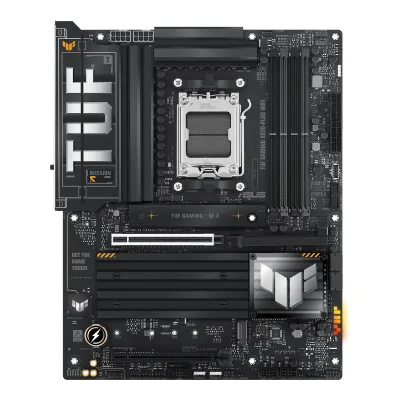
ASUS TUF GAMING X870-PLUS WIFI vs GIGABYTE B850 AORUS ELITE WIFI7 ICE
Product A: ASUS
66 of 78 known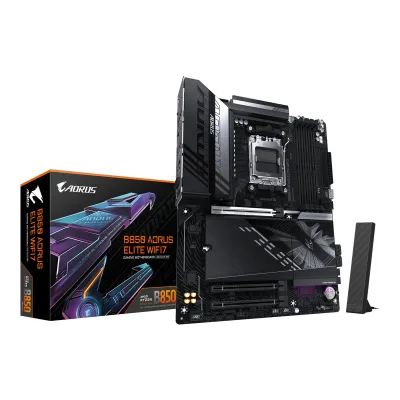 GIGABYTE B850 AORUS ELITE WIFI7
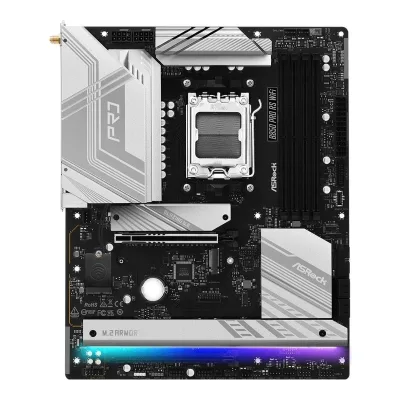 ASRock B850 Pro RS WiFi
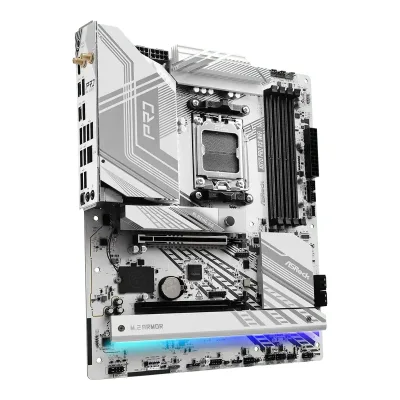 ASRock X870 Pro RS WiFi
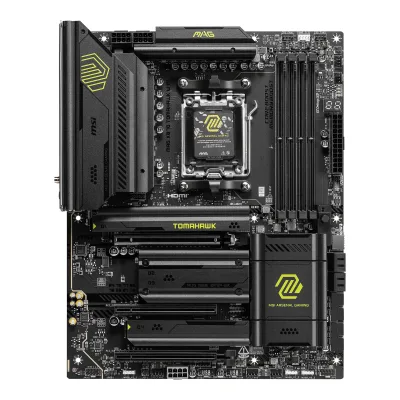 MSI MAG X870 TOMAHAWK WIFI
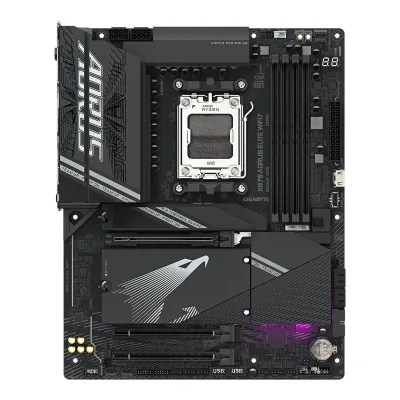 GIGABYTE X870 AORUS ELITE WIFI7
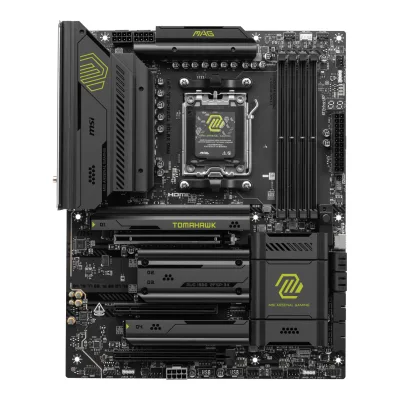 MSI MAG X870E TOMAHAWK WIFI
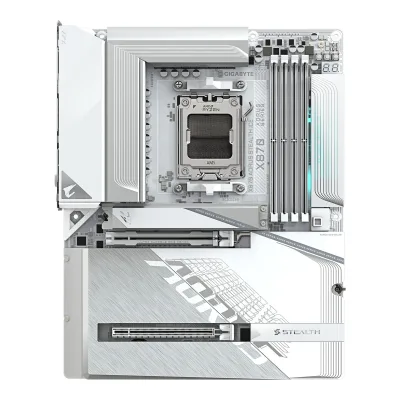 GIGABYTE X870 AORUS STEALTH ICE
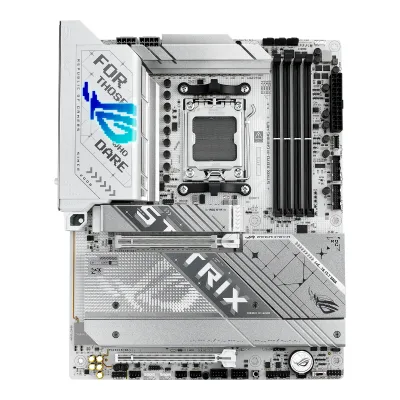 ASUS ROG STRIX X870-A GAMING WIFI
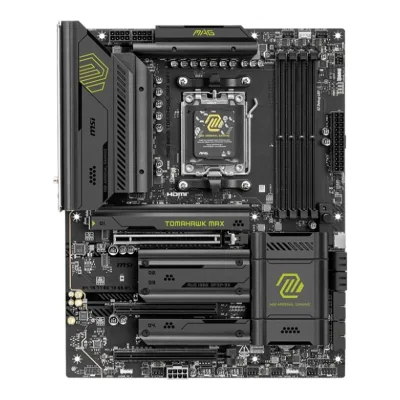 MSI MAG B850 TOMAHAWK MAX WIFI
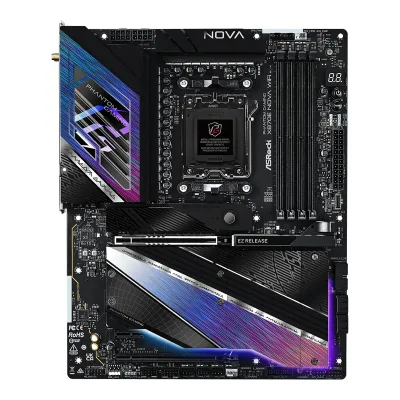 ASRock X870E Nova WiFi
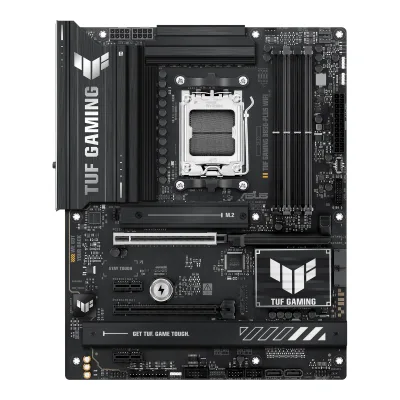 ASUS TUF GAMING B850-PLUS WIFI
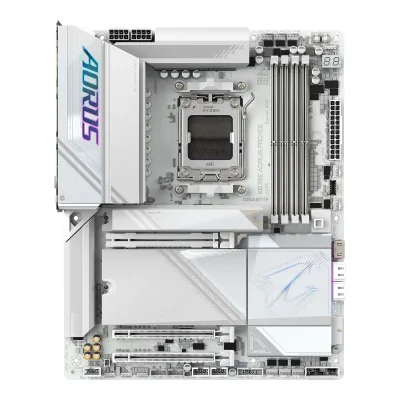 GIGABYTE X870E AORUS PRO ICE
Change ASUS TUF GAMING X870-PLUS WIFI
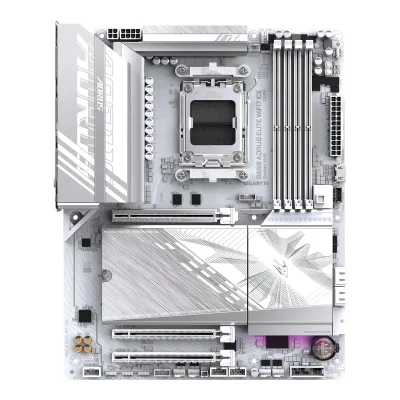
Compare the GIGABYTE B850 AORUS ELITE WIFI7 ICE with
GIGABYTE B850 AORUS ELITE WIFI7ASRock B850 Pro RS WiFiASRock X870 Pro RS WiFiMSI MAG X870 TOMAHAWK WIFIGIGABYTE X870 AORUS ELITE WIFI7MSI MAG X870E TOMAHAWK WIFIGIGABYTE X870 AORUS STEALTH ICEASUS ROG STRIX X870-A GAMING WIFIMSI MAG B850 TOMAHAWK MAX WIFIASRock X870E Nova WiFiASUS TUF GAMING B850-PLUS WIFIGIGABYTE X870E AORUS PRO ICEProduct B: GIGABYTE
62 of 78 knownMSI MAG X870 TOMAHAWK WIFIASRock X870E Nova WiFiGIGABYTE X870E AORUS PRO ICEGIGABYTE X870 AORUS ELITE WIFI7ASUS ROG STRIX X870-A GAMING WIFIASRock X870 Pro RS WiFi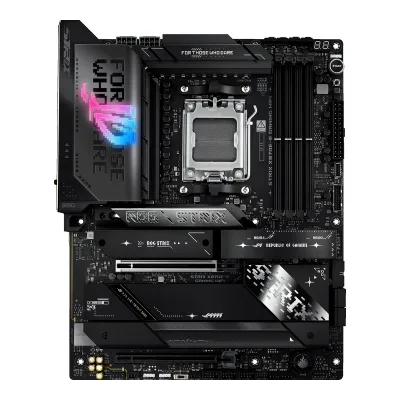 ASUS ROG STRIX X870E-E GAMING WIFIGIGABYTE X870 AORUS STEALTH ICEGIGABYTE B850 AORUS ELITE WIFI7
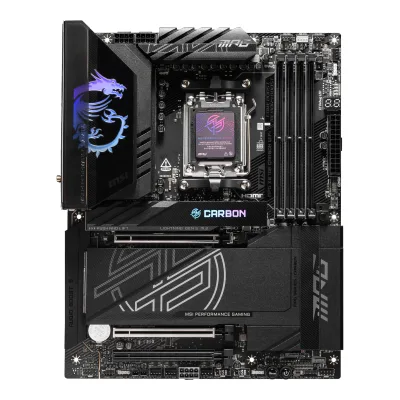 MSI MPG X870E CARBON WIFI
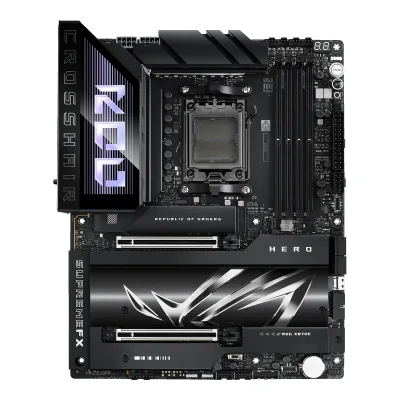 ASUS ROG Crosshair X870E HeroASRock B850 Pro RS WiFi
Change GIGABYTE B850 AORUS ELITE WIFI7 ICE
Compare the ASUS TUF GAMING X870-PLUS WIFI with
MSI MAG X870 TOMAHAWK WIFIASRock X870E Nova WiFiGIGABYTE X870E AORUS PRO ICEGIGABYTE X870 AORUS ELITE WIFI7ASUS ROG STRIX X870-A GAMING WIFIASRock X870 Pro RS WiFiASUS ROG STRIX X870E-E GAMING WIFIGIGABYTE X870 AORUS STEALTH ICEGIGABYTE B850 AORUS ELITE WIFI7MSI MPG X870E CARBON WIFIASUS ROG Crosshair X870E HeroASRock B850 Pro RS WiFi32 of 70 fields differ
- 28 different values
- 4 known for one only
- 29 the same
- 9 missing for both
Biggest differences
Each bar uses the scale of all 87 motherboards.
- PCIe 5.0 M.2 slotsA: 2B: 1ASUS has 1 more.
- Rear USB-C portsA: 2B: 1ASUS has 1 more.
- M.2 slotsA: 4B: 3ASUS has 1 more.
- Fan headersA: 8B: 6ASUS has 2 more.
- Rear USB portsA: 10B: 12GIGABYTE has 2 more.
- Vcore stagesA: 16B: 14ASUS has 2 more.
Size, drawn to scale
Front and side.
- AASUS: 244 × 305 mm
- BGIGABYTE: 244 × 305 mm
All 78 fields
Every value links to where we found it.
General
2 of 9 differ
Series
Model numbers
TUF GAMING X870-PLUS WIFI, 90MB1IU0-M0EAY01Maker product pageasus.com/motherboards-components/motherboards/tuf-gaming/tuf-gaming-x870-plus-wifi/techspecRead 16 October 2026The page names the model TUF GAMING X870-PLUS WIFI. The part number 90MB1IU0-M0EAY0 is on LDLC Pro and the Captech listing.6Retailer pageldlc.pro/fiche/PB00633568.htmlRead 16 October 2026The data sheet lists the model as 90MB1IU0-M0EAY0.
B850 AORUS ELITE WIFI7 ICE, B850 A ELITE WF7 ICE1Owner's manualtrovaprezzi.it/manuali/gigabyte_aorus_b850_elite_wifi7_ice.pdfRead 16 October 2026The manual cover lists B850 AORUS ELITE WIFI7 ICE (B850 A ELITE WF7 ICE). GIGABYTE publishes no separate part number.6Retailer pageamazon.co.uk/dp/B0DQM7H82VRead 16 October 2026Manufacturer Part Number B850 A ELITE WF7 ICE.
GTIN / EAN
4719331866099, 8895230459475Retailer pageamazon.com/dp/B0DQLKRXKWRead 16 October 2026Amazon US item details list UPC 889523045947 and Mfr Part Number B850 AORUS ELITE WIFI7 ICE. The EAN 4719331866099 is from Amazon UK, Amazon DE and LDLC.6Retailer pageamazon.co.uk/dp/B0DQM7H82VRead 16 October 2026Amazon UK item details: Global Trade Identification Number 04719331866099.
Announced
Not available
Not available
Status
Predecessor
Not available
Not available
Successor
Not available
Not available
Launch price (US)
$309.9910Reviewlanoc.org/review/motherboards/asus-tuf-gaming-x870-plus-wifiRead 16 October 2026The conclusion names a 309.99 MSRP in US dollars. US MSRPs exclude sales tax. The review is from the launch period of the X870 boards.12Press articleguru3d.com/story/x870e-and-x870-chipset-motherboards-pricing-overviewRead 16 October 2026Guru3D, 2024-10-01, X870E and X870 pricing overview: ASUS TUF Gaming X870-PLUS WIFI $309.99. This agrees with LanOC. US MSRPs exclude sales tax.
Launch price (EU)
Not available
Not available
Markets
Not available
Not available
Colours
Not available
Not available
Segment
Board revision
Not available
Not available
Platform
1 of 4 differ
CPU socket
Chipset
Supported processors
AMD Ryzen 9000 Series, AMD Ryzen 8000 Series, AMD Ryzen 7000 Series1Maker product pageasus.com/motherboards-components/motherboards/tuf-gaming/tuf-gaming-x870-plus-wifi/techspecRead 16 October 2026AM5 for Ryzen 9000, 8000 and 7000 Series. The page refers to the ASUS download center for the CPU support list. Read on 2026-10-16.
AMD Ryzen 9000 Series, AMD Ryzen 8000 Series, AMD Ryzen 7000 Series1Owner's manualtrovaprezzi.it/manuali/gigabyte_aorus_b850_elite_wifi7_ice.pdfRead 16 October 2026Section 2-2: Ryzen 9000, 8000 and 7000 Series. The manual refers to the maker's website for the latest CPU support list. Read on 2026-10-16.
CPU overclocking
Yes2Maker product pageasus.com/motherboards-components/motherboards/tuf-gaming/tuf-gaming-x870-plus-wifiRead 16 October 2026The page lists Dynamic OC Switcher, Core Flex and AI Overclocking for the CPU. AMD's chipset page and LDLC Pro also state overclocking.5Maker product pageamd.com/en/products/processors/chipsets/am5.htmlRead 16 October 2026AMD's chipset page says an AMD X870 motherboard is fully overclockable. This is the chip maker's page, not the board maker's.6Retailer pageldlc.pro/fiche/PB00633568.htmlRead 16 October 2026The data sheet lists advanced overclocking features: yes.
Board
2 of 5 differ
Form factor
Board dimensions
PCB layers
82Maker product pageasus.com/motherboards-components/motherboards/tuf-gaming/tuf-gaming-x870-plus-wifiRead 16 October 2026Overview page: Eight Layered PCB design.8Reviewmezha.media/en/reviews/asus-tuf-gaming-x870-plus-wifi-motherboard-review-acceleration-with-pci-e-5-0-usb4-and-wifi-7Read 16 October 2026The text names an 8-layer PCB.
Back-connect design
RGB lighting on the board
Yes2Maker product pageasus.com/motherboards-components/motherboards/tuf-gaming/tuf-gaming-x870-plus-wifiRead 16 October 2026The overview page lists Aura Edge Lighting and says the board features edge lighting.8Reviewmezha.media/en/reviews/asus-tuf-gaming-x870-plus-wifi-motherboard-review-acceleration-with-pci-e-5-0-usb4-and-wifi-7Read 16 October 2026A small island of lighting next to the SATA ports on the PCB edge, lighting the TUF segment logo.10Reviewlanoc.org/review/motherboards/asus-tuf-gaming-x870-plus-wifiRead 16 October 2026Underglow lighting under the right side of the board, on the bottom half.
Not available
Power delivery
5 of 6 differ
Power stage layout
14+2+23Reviewhardwarecooking.fr/test-gigabyte-b850-aorus-elite-wifi7-iceRead 16 October 2026The review states 14+2+2 power phases (Vcore+SoC) with OnSemi 55A DrMOS MOSFETs. Sellers and Alktech write 60A for the stages, so the stage rating is not stored.5Retailer pageamazon.com/dp/B0DQLKRXKWRead 16 October 2026Bullet: Power Design 14+2+2.6Retailer pageamazon.co.uk/dp/B0DQM7H82VRead 16 October 2026Title and first bullet: Twin 14+2+2 Phases Digital VRM with DrMOS.
CPU core (Vcore) power stages
Vcore power stage rating
Not available
VRM controller
ASUS ASP22068Reviewmezha.media/en/reviews/asus-tuf-gaming-x870-plus-wifi-motherboard-review-acceleration-with-pci-e-5-0-usb4-and-wifi-7Read 16 October 2026The 19-phase (16+2+1) VRM has an Infineon ASP2206 controller with MPS MP86670 and Vishay SiC629 80 A stages. ASUS does not name the controller. Tech-Critter says the same. Stored as ASUS ASP2206, the form used for another ASUS board in the catalog.9Reviewtech-critter.com/asus-tuf-gaming-x870-plus-wifi-hands-on-reviewRead 16 October 2026The review names the Infineon ASP2206 controller with MPS MP86670 and Vishay SiC629 power stages rated 80 A.
CPU power connectors
8+8 pin1Maker product pageasus.com/motherboards-components/motherboards/tuf-gaming/tuf-gaming-x870-plus-wifi/techspecRead 16 October 2026Internal connectors: 2 x 8-pin +12V CPU power connectors and the 24-pin main power connector.2Maker product pageasus.com/motherboards-components/motherboards/tuf-gaming/tuf-gaming-x870-plus-wifiRead 16 October 2026ProCool power connectors: proprietary 8+8 pin connectors.
Extra slot power connector
Memory
2 of 6 differ
Memory type
Memory slots
Max memory
256GB1Maker product pageasus.com/motherboards-components/motherboards/tuf-gaming/tuf-gaming-x870-plus-wifi/techspecRead 16 October 2026The page and the manual say 4 x DIMM slots, max. 256GB. Some retailer copies say 192GB.3Owner's manualdlcdnets.asus.com/pub/ASUS/mb/SocketAM5/TUF_GAMING_X870-PLUS_WIFI/E25811_TUF_GAMING_X870-PLUS_WIFI_EM_V2_WEB.pdfRead 16 October 2026Specifications summary: 4 x DIMM slots. The manual's memory row gives no total. The product page says max. 256GB.
Max memory speed (overclocked)
8,200MT/s3Reviewhardwarecooking.fr/test-gigabyte-b850-aorus-elite-wifi7-iceRead 16 October 2026The review gives up to 256 GB and DDR5-8200 depending on the configuration. It names no CPU family. The launch manual lists only 5200/4800/4400.6Retailer pageamazon.co.uk/dp/B0DQM7H82VRead 16 October 2026Title: up to 8200MHz DDR5 (OC). The listing names no CPU family.
ECC memory
CUDIMM support
Not available
Not available
Expansion slots
2 of 3 differ
Expansion slots
AASUS TUF GAMING X870-PLUS WIFI
| Physical slot | Electrical lanes | PCIe generation | Connected to | Count |
|---|---|---|---|---|
| PCIe x16 | 16 | 5 | CPU | 1 |
| PCIe x16 | 4 | 4 | Chipset | 1 |
Source1Maker product pageasus.com/motherboards-components/motherboards/tuf-gaming/tuf-gaming-x870-plus-wifi/techspecRead 16 October 2026Ryzen 9000 and 7000: 1 x PCIe 5.0 x16 slot (x16 mode). Ryzen 8000: PCIe 4.0 x16 at x8 or x4. Chipset: 1 x PCIe 4.0 x16 slot at x4. PCIEX16(G5) runs at x8 when M.2_2 is used. PCIEX16(G4) is disabled when M.2_4 is used.3Owner's manualdlcdnets.asus.com/pub/ASUS/mb/SocketAM5/TUF_GAMING_X870-PLUS_WIFI/E25811_TUF_GAMING_X870-PLUS_WIFI_EM_V2_WEB.pdfRead 16 October 2026Layout and the shared bandwidth tables: PCIEX16(G5) runs x8 when M.2_2 is enabled. PCIEX16(G4) is disabled when M.2_4 is enabled.
BGIGABYTE B850 AORUS ELITE WIFI7 ICE
| Physical slot | Electrical lanes | PCIe generation | Connected to | Count |
|---|---|---|---|---|
| PCIe x16 | 16 | 5 | CPU | 1 |
| PCIe x16 | 1 | 3 | Chipset | 2 |
Full-length PCIe slots
2
3
Fastest PCIe x16 slot generation
5
5
Storage
4 of 4 differ
M.2 storage slots
AASUS TUF GAMING X870-PLUS WIFI
| Slot | PCIe generation | PCIe lanes | Connected to | Longest drive | Takes SATA drives | Heatsink | Shares lanes with |
|---|---|---|---|---|---|---|---|
| M.2_1 | 5 | 4 | CPU | M.2 2280 | No | Yes | Not available |
| M.2_2 | 5 | 4 | CPU | M.2 2280 | No | Yes | PCIEX16(G5) slot runs at x8 when M.2_2 is used |
| M.2_3 | 4 | 4 | Chipset | M.2 2280 | No | Yes | Not available |
| M.2_4 | 4 | 4 | Chipset | M.2 22110 | No | No | PCIEX16(G4) slot is disabled when M.2_4 is used |
Source1Maker product pageasus.com/motherboards-components/motherboards/tuf-gaming/tuf-gaming-x870-plus-wifi/techspecRead 16 October 2026Ryzen 9000 and 7000: M.2_1 and M.2_2 are Key M, type 2280, PCIe 5.0 x4. Ryzen 8000: M.2_1 runs PCIe 4.0 x4 and M.2_2 does not work. Chipset: M.2_3 is type 2280, PCIe 4.0 x4. M.2_4 is type 2242/2260/2280/22110, PCIe 4.0 x4. The page lists only PCIe modes for the slots, so SATA is false.2Maker product pageasus.com/motherboards-components/motherboards/tuf-gaming/tuf-gaming-x870-plus-wifiRead 16 October 2026The overview page lists Two M.2 Heatsinks for Three M.2 Slots. It does not say which slots. Mezha says one heatsink covers M.2_1 and a shared block covers M.2_2 and M.2_3.3Owner's manualdlcdnets.asus.com/pub/ASUS/mb/SocketAM5/TUF_GAMING_X870-PLUS_WIFI/E25811_TUF_GAMING_X870-PLUS_WIFI_EM_V2_WEB.pdfRead 16 October 2026Chapter 1 item 6 lists the M.2 types and PCIe modes per CPU family. M.2_2 will not work with a Ryzen 8000 processor.8Reviewmezha.media/en/reviews/asus-tuf-gaming-x870-plus-wifi-motherboard-review-acceleration-with-pci-e-5-0-usb4-and-wifi-7Read 16 October 2026M.2_1 has a separate cooler. M.2_2 and M.2_3 share a radiator block with four screws. M.2_4 has no standard cooler. All M.2 ports take PCIe drives only and M.2 SATA is not provided.
BGIGABYTE B850 AORUS ELITE WIFI7 ICE
| Slot | PCIe generation | PCIe lanes | Connected to | Longest drive | Takes SATA drives | Heatsink |
|---|---|---|---|---|---|---|
| M2A_CPU | 5 | 4 | CPU | M.2 22110 | No | Yes |
| M2B_CPU | 4 | 4 | CPU | M.2 22110 | No | Yes |
| M2C_SB | 4 | 4 | Chipset | M.2 22110 | No | Yes |
M.2 slots
4
3
PCIe 5.0 M.2 slots
2
1
SATA ports
Rear ports
5 of 5 differ
Rear ports
AASUS TUF GAMING X870-PLUS WIFI
| Type | Version | Count | Max link rate (Gbps) | Thunderbolt or USB4 | Power out (W) | DP Alt Mode |
|---|---|---|---|---|---|---|
| USB-C | USB4 | 2 | 40 | USB4 | 15 | Yes |
| USB-A | USB 3.2 Gen 2 | 3 | 10 | Not available | Not available | Not available |
| USB-A | USB 3.2 Gen 1 | 4 | 5 | Not available | Not available | Not available |
| USB-A | USB 2.0 | 1 | 0.48 | Not available | Not available | Not available |
| HDMI | HDMI 2.1 | 1 | Not available | Not available | Not available | Not available |
| Ethernet (RJ45) | Not available | 1 | 2.5 | Not available | Not available | Not available |
| 3.5 mm audio | Not available | 5 | Not available | Not available | Not available | Not available |
BGIGABYTE B850 AORUS ELITE WIFI7 ICE
| Type | Version | Count | Max link rate (Gbps) |
|---|---|---|---|
| USB-C | USB 3.2 Gen 2 | 1 | 10 |
| USB-A | USB 3.2 Gen 2 | 2 | 10 |
| USB-A | USB 3.2 Gen 1 | 5 | 5 |
| USB-A | USB 2.0 | 4 | 0.48 |
| DisplayPort | DisplayPort 1.4 | 1 | Not available |
| Ethernet (RJ45) | Not available | 1 | 2.5 |
| 3.5 mm audio | Not available | 2 | Not available |
| Optical S/PDIF | Not available | 1 | Not available |
Rear USB ports
10
12
Rear USB-C ports
2
1
Fastest rear USB port
40Gbps
10Gbps
Thunderbolt
No
Not available
Internal connectors
3 of 5 differ
Internal USB headers
AASUS TUF GAMING X870-PLUS WIFI
| Header | Max data rate (Gbps) | Headers | Front ports served | Power out (W) |
|---|---|---|---|---|
| USB-C header | 20 | 1 | 1 | 30 |
| USB 3 header (19-pin) | 5 | 1 | 2 | Not available |
| USB 2.0 header (9-pin) | 0.48 | 2 | 4 | Not available |
BGIGABYTE B850 AORUS ELITE WIFI7 ICE
| Header | Max data rate (Gbps) | Headers | Front ports served |
|---|---|---|---|
| USB-C header | 20 | 1 | 1 |
| USB 3 header (19-pin) | 5 | 1 | 2 |
| USB 2.0 header (9-pin) | 0.48 | 2 | 4 |
Front USB-C header speed
20Gbps
20Gbps
Fan headers
81Maker product pageasus.com/motherboards-components/motherboards/tuf-gaming/tuf-gaming-x870-plus-wifi/techspecRead 16 October 2026CPU fan, CPU OPT fan, AIO pump, 4 chassis fan headers and 1 W_PUMP+ header, 8 in all. All 4-pin.3Owner's manualdlcdnets.asus.com/pub/ASUS/mb/SocketAM5/TUF_GAMING_X870-PLUS_WIFI/E25811_TUF_GAMING_X870-PLUS_WIFI_EM_V2_WEB.pdfRead 16 October 2026Fan and pump header table: CPU_FAN, CPU_OPT, CHA_FAN1 to CHA_FAN4, AIO_PUMP (1 A each) and W_PUMP+ (3 A).
ARGB headers
RGB headers
Networking
1 of 9 differ
Ethernet controllers
Realtek RTL81257Retailer pageldlc.com/en/product/PB00660675.htmlRead 16 October 2026LDLC spec table for the ICE: LAN chip Realtek RTL8125. Materiel.net prints the same. The Alktech review names RTL8125D, so the suffix is dropped.8Retailer pagemateriel.net/produit/202412050073.htmlRead 16 October 2026Spec table: Realtek RTL8125.
Ethernet ports
1
1
Ethernet speed
2.5Gbps
2.5Gbps
Wi-Fi included
Wi-Fi standard
Wi-Fi bands
Max Wi-Fi channel width
160MHz1Maker product pageasus.com/motherboards-components/motherboards/tuf-gaming/tuf-gaming-x870-plus-wifi/techspecRead 16 October 2026Wi-Fi 7 160MHz bandwidth, up to 2.9 Gbps.8Reviewmezha.media/en/reviews/asus-tuf-gaming-x870-plus-wifi-motherboard-review-acceleration-with-pci-e-5-0-usb4-and-wifi-7Read 16 October 2026The text says the module supports 160 MHz instead of the 320 MHz of top modules.
Wi-Fi module
Bluetooth
Audio
1 of 2 differ
Audio codec
Not available
DAC chip
Not available
Not available
Features
2 of 7 differ
BIOS flashback
Clear CMOS button (rear)
No1Maker product pageasus.com/motherboards-components/motherboards/tuf-gaming/tuf-gaming-x870-plus-wifi/techspecRead 16 October 2026The back panel list has only the BIOS FlashBack button. Clear CMOS is a header on the board.3Owner's manualdlcdnets.asus.com/pub/ASUS/mb/SocketAM5/TUF_GAMING_X870-PLUS_WIFI/E25811_TUF_GAMING_X870-PLUS_WIFI_EM_V2_WEB.pdfRead 16 October 2026Layout item 13 is the Clear CMOS header. The back panel has only the BIOS FlashBack button.
POST code display
No1Maker product pageasus.com/motherboards-components/motherboards/tuf-gaming/tuf-gaming-x870-plus-wifi/techspecRead 16 October 2026Special features list ASUS Q-LED with four status LEDs (CPU, DRAM, VGA, boot device). No Q-Code display is listed.3Owner's manualdlcdnets.asus.com/pub/ASUS/mb/SocketAM5/TUF_GAMING_X870-PLUS_WIFI/E25811_TUF_GAMING_X870-PLUS_WIFI_EM_V2_WEB.pdfRead 16 October 2026Layout item 18: Q-LEDs (CPU, DRAM, VGA and boot device). No two-digit display on the layout.
Power button on the board
No1Maker product pageasus.com/motherboards-components/motherboards/tuf-gaming/tuf-gaming-x870-plus-wifi/techspecRead 16 October 2026The internal connector and special features lists name no power or start button on the board.3Owner's manualdlcdnets.asus.com/pub/ASUS/mb/SocketAM5/TUF_GAMING_X870-PLUS_WIFI/E25811_TUF_GAMING_X870-PLUS_WIFI_EM_V2_WEB.pdfRead 16 October 2026The layout contents list 19 items and none is a power or start button.
Dual BIOS
No1Maker product pageasus.com/motherboards-components/motherboards/tuf-gaming/tuf-gaming-x870-plus-wifi/techspecRead 16 October 2026BIOS is a single 256 Mb flash ROM. Dual BIOS is not stated.3Owner's manualdlcdnets.asus.com/pub/ASUS/mb/SocketAM5/TUF_GAMING_X870-PLUS_WIFI/E25811_TUF_GAMING_X870-PLUS_WIFI_EM_V2_WEB.pdfRead 16 October 2026Specifications summary: 256 Mb Flash ROM, UEFI AMI BIOS. Dual BIOS is not stated.
Pre-installed I/O shield
Tool-free features
Tool-free M.2 latch, PCIe slot release, Push-on antenna connector1Maker product pageasus.com/motherboards-components/motherboards/tuf-gaming/tuf-gaming-x870-plus-wifi/techspecRead 16 October 2026ASUS Q-Design: M.2 Q-Latch, PCIe Slot Q-Release and Q-Antenna. LanOC says the M.2 heatsinks are screwed down.
Tool-free M.2 latch, Tool-free M.2 heatsink, PCIe slot release, Push-on antenna connector2Reviewalktech.co/articles/unboxing-overview-gigabyte-b850-aorus-elite-wifi7-ice-am5-motherboardRead 16 October 2026M.2 EZ-Latch Click makes removing and installing the M.2 heatsink easy and tool-less. M.2 EZ-Latch Plus applies to all three M.2 slots. The PCIe 5.0 x16 slot has PCIe EZ-Latch Plus. The Wi-Fi antennas use WIFI EZ-Plug per the Amazon listings. The review also sees RGB LEDs under the chipset heatsink, which is a single small light that does not count as board lighting.3Reviewhardwarecooking.fr/test-gigabyte-b850-aorus-elite-wifi7-iceRead 16 October 2026M.2 EZ-Latch Plus and M.2 EZ-Latch Click for the SSDs and the heatsink, and an EZ-Latch Plus button that releases the PCIe slot latch.6Retailer pageamazon.co.uk/dp/B0DQM7H82VRead 16 October 2026Bullets: PCIe Gen5 x16 with PCIe UD Slot and EZ-Latch Plus, M.2 Gen5 with EZ-Latch Plus, and Wi-Fi 7 with WIFI EZ-Plug and Directional Antenna.
Measured
1 of 3 differ
VRM temperature under CPU load
Power draw idle
Not available
Not available
Power draw CPU stress
Not available
Not available
In the box
1 of 1 differ
In the box
2 x SATA 6Gb/s cables, 1 x ASUS WiFi Q-Antenna, 2 x M.2 rubber packages, 1 x Screw package for M.2 SSD, 1 x TUF GAMING sticker, 1 x Quick start guide1Maker product pageasus.com/motherboards-components/motherboards/tuf-gaming/tuf-gaming-x870-plus-wifi/techspecRead 16 October 2026Accessories list on the specification page, the same as the manual's package contents.3Owner's manualdlcdnets.asus.com/pub/ASUS/mb/SocketAM5/TUF_GAMING_X870-PLUS_WIFI/E25811_TUF_GAMING_X870-PLUS_WIFI_EM_V2_WEB.pdfRead 16 October 2026Package contents: 2 SATA cables, WiFi Q-Antenna, 2 M.2 rubber packages, M.2 screw package, TUF GAMING sticker, quick start guide.
User's Manual, Quick Installation Guide, 1 x antenna, 2 x SATA cables, 1 x G Connector, 1 x M.2 thermal pad, 2 x packs of M.2 thick/thin rubber pads1Owner's manualtrovaprezzi.it/manuali/gigabyte_aorus_b850_elite_wifi7_ice.pdfRead 16 October 2026Section 1-3. The list is for reference and the manual says the actual items depend on the package. Alktech also lists a metal AORUS case badge in the box.
Links
Not compared
Product page
www.asus.com/motherboards-components/motherboards/tuf-gaming/tuf-gaming-x870-plus-wifi2Maker product pageasus.com/motherboards-components/motherboards/tuf-gaming/tuf-gaming-x870-plus-wifiRead 16 October 2026
www.gigabyte.com/Motherboard/B850-AORUS-ELITE-WIFI7-ICE-rev-1x11Maker product pagegigabyte.com/Motherboard/B850-AORUS-ELITE-WIFI7-ICE-rev-1xRead 16 October 2026The page title appeared in the job and in web search results. gigabyte.com blocks agents, so the page was not read and its content is not used for any value.
Spec sheet
Manual
dlcdnets.asus.com/pub/ASUS/mb/SocketAM5/TUF_GAMING_X870-PLUS_WIFI/E25811_TUF_GAMING_X870-PLUS_WIFI_EM_V2_WEB.pdf3Owner's manualdlcdnets.asus.com/pub/ASUS/mb/SocketAM5/TUF_GAMING_X870-PLUS_WIFI/E25811_TUF_GAMING_X870-PLUS_WIFI_EM_V2_WEB.pdfRead 16 October 2026ASUS user's manual E25811, English edition, revised edition V2, 2025-02-06 on the ASUS support page.
www.trovaprezzi.it/manuali/gigabyte_aorus_b850_elite_wifi7_ice.pdf1Owner's manualtrovaprezzi.it/manuali/gigabyte_aorus_b850_elite_wifi7_ice.pdfRead 16 October 2026GIGABYTE User's Manual Rev. 1101 for B850 AORUS ELITE WIFI7 ICE and B850 AORUS ELITE WIFI7, hosted by trovaprezzi.it. The file name for the full manual on download.gigabyte.com was not found.
EPREL registration number
Not available
Not available
Warranty
0 of 1 differ
Manufacturer warranty (source market)
Both are also in the API. Back to all motherboards.