Monitors / Compare
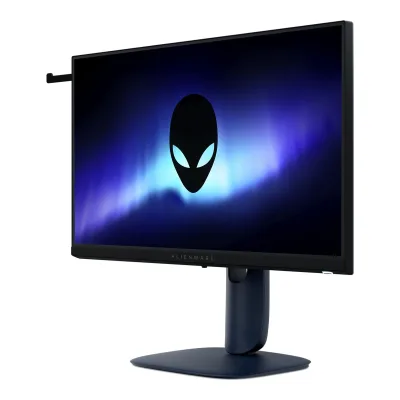
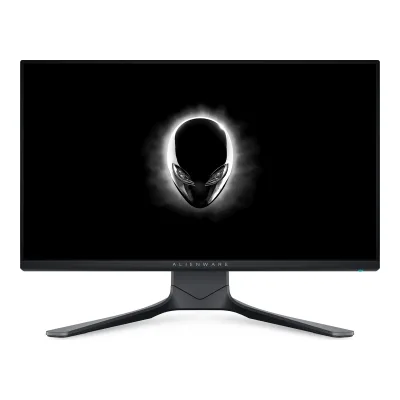
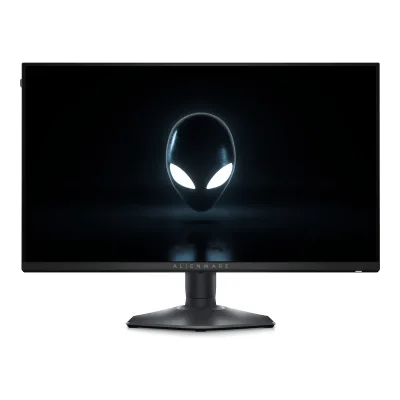
Dell Alienware AW2521H vs Dell 24 240Hz Adjustable Stand Monitor SE2426HGS
Product A: Dell
106 of 172 known
Change Dell Alienware AW2521H
Compare the Dell 24 240Hz Adjustable Stand Monitor SE2426HGS with
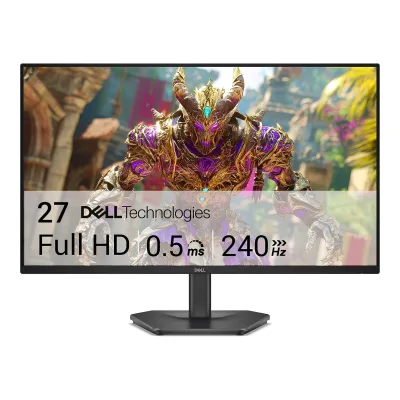
Product B: Dell
24 240Hz Adjustable Stand Monitor SE2426HGS
78 of 172 known
Change Dell 24 240Hz Adjustable Stand Monitor SE2426HGS
Compare the Dell Alienware AW2521H with
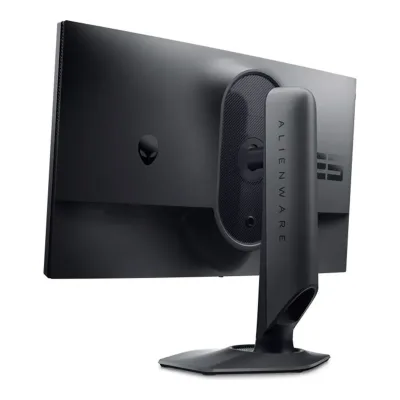
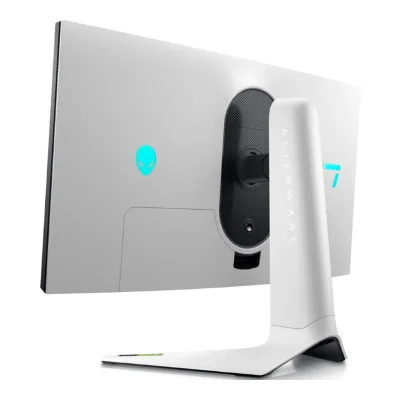
68 of 164 fields differ
- 34 different values
- 34 known for one only
- 36 the same
- 60 missing for both
Biggest differences
Each bar uses the scale of all 179 monitors.
- Power use (max)Lower is betterA: 83WB: 40W24 240Hz Adjustable Stand Monitor SE2426HGS is 43 W lower.
- Response timeLower is betterA: 1msB: 0.5ms24 240Hz Adjustable Stand Monitor SE2426HGS is 0.5 ms lower.
- Refresh rateA: 360HzB: 240HzAlienware AW2521H is 120 Hz higher.
- Power use SDR (EU label)Lower is betterA: 19.1WB: 14W24 240Hz Adjustable Stand Monitor SE2426HGS is 5.1 W lower.
- Standby powerLower is betterA: 0.4WB: 0.3W24 240Hz Adjustable Stand Monitor SE2426HGS is 0.1 W lower.
- Brightness (typical, SDR)A: 400nitsB: 300nitsAlienware AW2521H is 100 nits higher.
Refresh rate per resolution
The best rate over any port. Bars run from 0 to 1200 Hz.
1920 × 1080Native for both
A360Hz
B240Hz
Size, drawn to scale
Front and side. Solid lines show the stand at its lowest. Dashed lines show it at its highest.
- AAlienware AW2521H: 556.3 × 328.2 mm
- B24 240Hz Adjustable Stand Monitor SE2426HGS: 538.8 × 317.1 mm
Weight
0 to 15 kg
Weight with stand
A8.1kg
B4.11kg
Weight without stand
A4.5kg
B2.72kg
Box weight
A12.3kg
B5.67kg
All 172 fields
Every value links to where we found it.
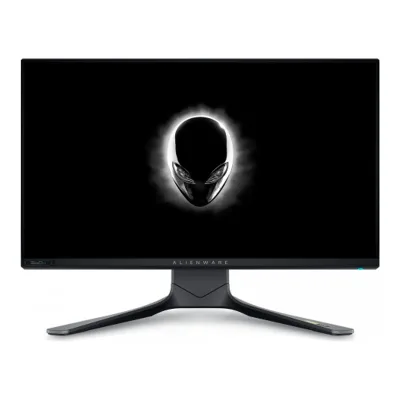
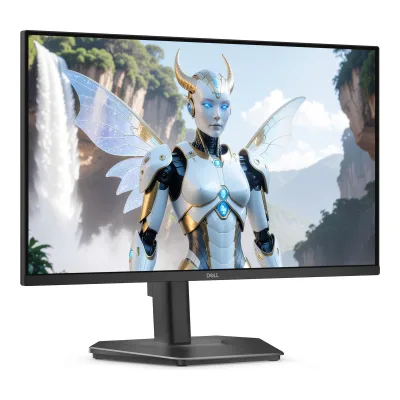
General
6 of 8 differ
Series
Not available
Model numbers
AW2521H, AW2521Hb1Maker product pagedell.com/en-us/shop/alienware-25-gaming-monitor-aw2521h/apd/210-aycbRead 5 October 2026Exact marketing and regulatory models independently read on own original guide cover.2Owner's manualdl.dell.com/manuals/all-products/esuprt_electronics_accessories/esuprt_electronics_accessories_monitors/dell-aw2521h-monitor_user%27s-guide_en-us.pdfRead 5 October 2026Own exact cover marketing/regulatory model names, not inferred from a sibling suffix.
GTIN / EAN
Status
Not available
Predecessor
Not available
Not available
Successor
Not available
Not available
Launch price (EU)
Not available
Not available
Markets
Colours
Segment
Display
8 of 12 differ
Screen size
Viewable screen diagonal
Native resolution
Aspect ratio
Pixel density
89.9ppi
91.8ppi
Pixel pitch
Active display area
Curved
Not available
Curvature radius
Not available
Not available
Screen surface
Anti-reflection coating
Anti-glare with 3H hardness2Owner's manualdl.dell.com/manuals/all-products/esuprt_electronics_accessories/esuprt_electronics_accessories_monitors/dell-aw2521h-monitor_user%27s-guide_en-us.pdfRead 5 October 2026
Anti-glare with hard coating 3H3Owner's manual4k-monitors.ru/upload/iblock/de2/mznmcwirxqxdinuv20kdo61y80fwo9at.pdfRead 8 October 2026
Panel
7 of 31 differ
Panel type
Panel type (as published)
Backlight
Local dimming
Dimming zones
Not available
Not available
Panel maker
Not available
Panel part number
Not available
Not available
Panel generation
Not available
Not available
Subpixel layout
Not available
Not available
Colour depth method
Not available
Displayable colours
sRGB coverage
DCI-P3 coverage
Not available
Not available
Adobe RGB coverage
Not available
Not available
Rec. 2020 coverage
Not available
Not available
NTSC coverage
Not available
Not available
Factory calibrated
Not available
Paper calibration report in box
Not available
Not available
Hardware calibration support
Not available
Not available
Static contrast ratio
Brightness (typical, SDR)
Brightness (maker minimum)
Not available
Not available
Peak brightness (HDR)
Not available
Not available
HDR peak test window
Not available
Not available
Full-screen brightness
Not available
Not available
HDR formats
Not available
HDR certification
Not available
Not available
Viewing angle (horizontal)
Viewing angle (vertical)
Refresh rate and motion
11 of 22 differ
Refresh rate per resolution and port
ADell Alienware AW2521H
| Resolution | HDMI 2.0 | DisplayPort 1.4 |
|---|---|---|
| 1920 × 1080Native | 240Hz | 360Hz |
BDell 24 240Hz Adjustable Stand Monitor SE2426HGS
| Resolution | HDMI 2.1 TMDS | DisplayPort 1.4 |
|---|---|---|
| 1920 × 1080Native | 240Hz | 240Hz |
Max refresh rate
360Hz
240Hz
Max refresh rate at native resolution
360Hz
240Hz
Max refresh rate over DisplayPort
360Hz
240Hz
Max refresh rate over HDMI
240Hz
240Hz
Max refresh rate over USB-C
Not available
Not available
Max refresh rate at 10-bit
Not available
Not available
Native refresh rate
Overclocked refresh rate
Not available
Not available
Dual mode
Not available
Not available
Minimum fixed refresh rate
Not available
Not available
Adaptive sync technologies
VRR range per port
Not available
Not available
Low framerate compensation
Not available
Yes3Owner's manual4k-monitors.ru/upload/iblock/de2/mznmcwirxqxdinuv20kdo61y80fwo9at.pdfRead 8 October 2026Exact original SE2426HGS/SE2726HGS user guide names AMD FreeSync Premium support. AMD defines low framerate compensation as a required capability of this named tier. No VRR floor or per-port operating range is inferred.6Maker product pageamd.com/en/resources/support-articles/faqs/DH3-013.htmlRead 8 October 2026AMD official FreeSync tier definition explicitly requires support for low framerate compensation in FreeSync Premium. This is applied only because the exact Dell original guide and manufacturer specification name that tier, not generic Adaptive-Sync.
Response time (maker GtG claim)
Response time (maker MPRT claim)
Not available
Not available
Overdrive settings
Blur-reduction technology
Not available
Blur reduction works with VRR
Not available
Flicker-free (claimed)
Black frame insertion
Not available
Not available
Measured
3 of 12 differ
Input lag at maximum refresh rate
Not available
Not available
Input lag at 60 Hz
Not available
Not available
Average response time (measured)
Not available
Not available
Overshoot (measured)
Not available
Not available
HDR brightness in a real scene (measured)
Not available
Not available
PWM flicker frequency (measured)
Not available
Not available
VRR range (measured)
Not available
Not available
Gray uniformity (measured)
Not available
Not available
Reflections (measured)
Not available
Not available
Connectivity
5 of 19 differ
Video inputs
ADell Alienware AW2521H
| Type | Version | Count |
|---|---|---|
| DisplayPort | 1.4 | 1 |
| HDMI | 2.0 | 2 |
BDell 24 240Hz Adjustable Stand Monitor SE2426HGS
| Type | Version | Count | DSC | HDCP |
|---|---|---|---|---|
| DisplayPort | 1.4 | 1 | Not available | 2.3 |
| HDMI | 2.1 TMDS | 2 | No | 2.3 |
HDMI ports
2
2
DisplayPort ports
1
1
Highest HDMI version
2.0
2.1 TMDS
Highest DisplayPort version
1.4
1.4
HDMI features
Not available
USB-C video (DP Alt Mode)
USB-C power delivered
Not available
Not available
Thunderbolt
Not available
Not available
USB upstream ports
ADell Alienware AW2521H
| Connector | USB version | Count |
|---|---|---|
| USB-B | 3.2 Gen 1 | 1 |
BDell 24 240Hz Adjustable Stand Monitor SE2426HGS
Not availableUSB downstream hub ports
ADell Alienware AW2521H
| Connector | USB version | Count |
|---|---|---|
| USB-A | 3.2 Gen 1 | 4 |
BDell 24 240Hz Adjustable Stand Monitor SE2426HGS
Not availableKVM switch
Not available
Not available
Daisy chain (MST)
Not available
Not available
Ethernet
3.5 mm headphone output
3.5 mm microphone input
Optical out
Picture in picture
Picture by picture
Smart features
None of 4 known
Smart platform
Not available
Not available
Wi-Fi
Not available
Not available
Bluetooth
Not available
Not available
Remote control
Not available
Not available
Audio and camera
1 of 5 differ
Number of speakers
Not available
Not available
Speaker power per channel
Not available
Not available
Webcam
Not available
Not available
Microphone
Not available
Not available
Ergonomics and controls
7 of 15 differ
Stand height adjustment
Tilt
Swivel
Left173°Right173°3Owner's manual4k-monitors.ru/upload/iblock/de2/mznmcwirxqxdinuv20kdo61y80fwo9at.pdfRead 8 October 2026Exact original technical table identifies SE2426HGS and states swivel minus 173 to plus 173 degrees. Printed page 29 supplied-stand Figure 16 explicitly labels 173 degrees in each direction and says these instructions apply only to the shipped stand. Stored nominal per-side claimed mechanical swivel, not a viewing angle or total 346-degree scalar. The current public RTINGS intro instead states the supplied stand offers no swivel adjustment. This contradictory observation is preserved without claiming physical reconciliation.5Reviewrtings.com/monitor/reviews/dell/se2426hgsRead 8 October 2026Current public review intro says the supplied stand does not offer any swivel adjustment. This conflicts with the exact original Dell mechanical specification and supplied-stand motion diagram. The original manufacturer nominal 173-degree movement each side is retained as the claimed specification, without asserting the reviewer sample was physically reconciled. Full paid ergonomics results were not accessed.
Pivot
Removable stand
VESA mount
VESA adapter needed
Security lock slot
On-screen menu controls
Desktop software
Not available
User firmware updates
Not available
Not available
Presence sensor
Not available
Not available
Gaming menu features
Timer, Frame Rate, Display Alignment, Dark Stabilizer, NVIDIA Reflex Latency Analyzer2Owner's manualdl.dell.com/manuals/all-products/esuprt_electronics_accessories/esuprt_electronics_accessories_monitors/dell-aw2521h-monitor_user%27s-guide_en-us.pdfRead 5 October 2026Own Reflex Latency Analyzer is a system-latency feature, not a monitor-only measured-lag value.
OLED care
None of 3 known
OLED care
Not available
Not available
Burn-in covered by warranty
Not available
Not available
Burn-in warranty length
Not available
Not available
Dimensions and weight
6 of 7 differ
Dimensions with stand
Width556.3Height (lowest)421.2Height (highest)526.1Depth251.9mm(21.9 × 16.6 to 20.7 × 9.9 in)2Owner's manualdl.dell.com/manuals/all-products/esuprt_electronics_accessories/esuprt_electronics_accessories_monitors/dell-aw2521h-monitor_user%27s-guide_en-us.pdfRead 5 October 2026Own complete display width/depth are direct. Height endpoints come from the maker guide mirror listed below, which labels the overall envelope separately from the 130 mm panel travel.14Owner's manualm.media-amazon.com/images/I/C1BEKAl2z0L.pdfRead 7 October 2026Maker guide page 19 explicitly labels overall with-stand height: extended 526.1 mm, compressed 421.2 mm. Separate stand-only heights are 436.8/421.2 mm, and panel travel is separately 130 mm. Main approved literal overall endpoints without forcing their difference to equal panel travel.
Width538.84Height (lowest)401.96Height (highest)511.96Depth212.83mm(21.2 × 15.8 to 20.2 × 8.4 in)3Owner's manual4k-monitors.ru/upload/iblock/de2/mznmcwirxqxdinuv20kdo61y80fwo9at.pdfRead 8 October 2026Own p19 column gives 538.84 x 511.96 extended / 401.96 compressed x 212.83 mm. Maker metric dimension diagrams independently agree.
Dimensions without stand
Width556.3Height328.2Depth84.4mm(21.9 × 12.9 × 3.3 in)2Owner's manualdl.dell.com/manuals/all-products/esuprt_electronics_accessories/esuprt_electronics_accessories_monitors/dell-aw2521h-monitor_user%27s-guide_en-us.pdfRead 5 October 2026
Stand footprint
Width465.2Depth251.9mm(18.3 × 9.9 in)2Owner's manualdl.dell.com/manuals/all-products/esuprt_electronics_accessories/esuprt_electronics_accessories_monitors/dell-aw2521h-monitor_user%27s-guide_en-us.pdfRead 5 October 2026Own physical table stand width 465.2 mm and depth 251.9 mm, separate from panel-body width.
Weight with stand
Weight without stand
Box dimensions
Not available
Not available
Box weight
Power
9 of 13 differ
Power supply
Adapter rating
Not available
Not available
Input voltage
Power use (typical)
Not available
Power use (max)
Power use SDR (EU label)
Power use HDR (EU label)
Not available
Standby power
Off-mode power
EU energy class SDR
Not available
EU energy class HDR
Not available
Energy per 1000 h SDR
Not available
Energy per 1000 h HDR
Not available
Certifications
2 of 9 differ
VESA ClearMR
Not available
Not available
VESA AdaptiveSync Display
Not available
Not available
TÜV certifications
Not available
Eye Comfort 3.0 (3-star), Low Blue Light Hardware Category 33Owner's manual4k-monitors.ru/upload/iblock/de2/mznmcwirxqxdinuv20kdo61y80fwo9at.pdfRead 8 October 2026Product features p8 explicitly Eye Comfort 3.0 three-star and Low Blue Light hardware Category 3. Explanatory generic star-table requirements do not prove installed sensors or other certifications.
Low blue light
ENERGY STAR
Not available
Not available
TCO Certified
Not available
Not available
EPEAT
Not available
Not available
Colour certifications
Not available
Not available
Other certifications
Not available
Not available
In the box
2 of 2 differ
In the box
Display, Stand riser, Stand base, I/O cover, Power cable (varies by country), DisplayPort to DisplayPort cable, Mini DisplayPort to DisplayPort cable, USB 3.2 Gen 1 upstream cable, Quick setup guide, Safety, Environmental and Regulatory Information, Alienware welcome card2Owner's manualdl.dell.com/manuals/all-products/esuprt_electronics_accessories/esuprt_electronics_accessories_monitors/dell-aw2521h-monitor_user%27s-guide_en-us.pdfRead 5 October 2026Own exact Package Contents. Optional market items and power cable can vary. HDMI cable is not listed and electrical cable description explicitly says not included.
Monitor, Stand riser, Stand base, Power cable, HDMI cable (1.80 m), QR Card, Safety, Environmental, and Regulatory Information3Owner's manual4k-monitors.ru/upload/iblock/de2/mznmcwirxqxdinuv20kdo61y80fwo9at.pdfRead 8 October 2026Package contents p6 and packaging information p7 name supplied monitor/stand, power cable, one 1.8 m HDMI cable, QR card and safety/regulatory document. Power plug varies by market.
Cables included
ADell Alienware AW2521H
| Type | Count |
|---|---|
| Power cable | 1 |
| DisplayPort to DisplayPort cable | 1 |
| Mini DisplayPort to DisplayPort cable | 1 |
| USB 3.2 Gen 1 upstream cable | 1 |
BDell 24 240Hz Adjustable Stand Monitor SE2426HGS
| Type | Count |
|---|---|
| Power cable | Not available |
| HDMI 2.0 cable (1.80 m) | 1 |
Warranty
1 of 2 differ
Manufacturer warranty (source market)
Dead pixel policy
Premium Panel Exchange: zero bright pixels/subpixels. Up to 5 dark subpixels and up to 5 combined defects allowed.16Maker product pagedell.com/support/kbdoc/en-us/000126004/dell-display-pixel-guidelinesRead 7 October 2026Exact current Dell US premium-panel table covers all Alienware except listed newer exceptions, none AW2521H. Exact original AW2521H reviewer sheet independently bundles Premium Panel Exchange with 3-year Advanced Exchange Service. Defect thresholds apply during warranty. Partial subpixel anomalies excluded under policy. Bright pixels and dark subpixels distinguished.
Not available
Links
Not compared
Product page
Spec sheet
manuals.plus/m/242f363e5fa52a3dad16cff0500a85fa9e730e9fbce94fdbc788d08f68a4beda.pdf20Maker spec sheet (PDF)manuals.plus/m/242f363e5fa52a3dad16cff0500a85fa9e730e9fbce94fdbc788d08f68a4beda.pdfRead 7 October 2026Maker authored 2020 one-page reviewer technical specification sheet, mirrored publicly by Manuals+. Exact 360 Hz model and maker copyright verified through public PDF extraction. Direct maker-hosted current sheet not found. Some older power values differ from current guide. No older power value overrides existing guide.
Not available
Manual
dl.dell.com/manuals/all-products/esuprt_electronics_accessories/esuprt_electronics_accessories_monitors/dell-aw2521h-monitor_user%27s-guide_en-us.pdf2Owner's manualdl.dell.com/manuals/all-products/esuprt_electronics_accessories/esuprt_electronics_accessories_monitors/dell-aw2521h-monitor_user%27s-guide_en-us.pdfRead 5 October 2026Exact original AW2521H/AW2521Hb guide, A01 December 2020 edition. Producer downloaded and read the authentic original PDF, which the independent reviewer also read locally. Reviewer web access initially extracted the 75-page original, but a subsequent fetch timed out and independent direct download returned HTTP 403 on October 5, 2026.
dl.dell.com/content/manual83974256-dell-24-240hz-adjustable-stand-monitor-se2426hgs-user-s-guide.pdf2Maker product pagedell.com/support/product-details/en-in/product/se2426hgs-monitor/resources/manualsRead 8 October 2026Exact model maker support page links this official English user guide. Initial web-tool PDF extraction was readable, but direct download returned 403 and later web fetches timed out. Manufacturer-authored combined guide was independently downloaded and read through the public mirror cited separately. Support-page February 2025 metadata is not used as retail evidence because the document itself is January 2026 Rev A00.3Owner's manual4k-monitors.ru/upload/iblock/de2/mznmcwirxqxdinuv20kdo61y80fwo9at.pdfRead 8 October 2026Original Dell-authored 57-page combined SE2426 HGS/SE2726 HGS guide, January 2026 Rev A00. Cover explicitly names both models and regulatory counterparts. Only the SE2426 HGS column is used for size, power and mass. Its original maker-hosted URL is linked by maker support separately.
EPREL registration number
Not available
Both are also in the API. Back to all monitors.