Monitors / Compare
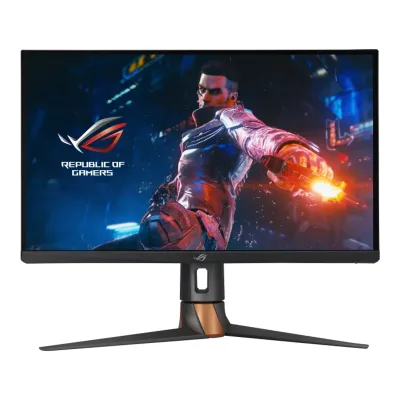
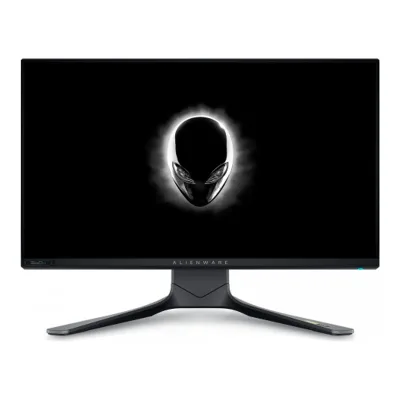
ASUS ROG Swift 360Hz PG27AQN vs Dell Alienware AW2521H
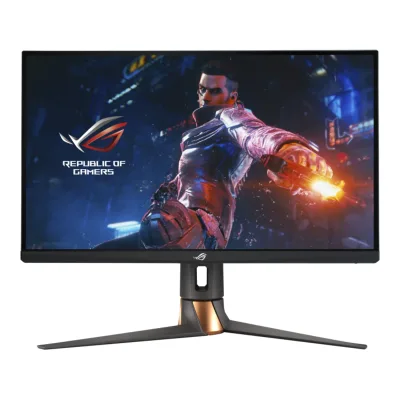
Product A: ASUS
91 of 172 known
Change ASUS ROG Swift 360Hz PG27AQN
Compare the Dell Alienware AW2521H with
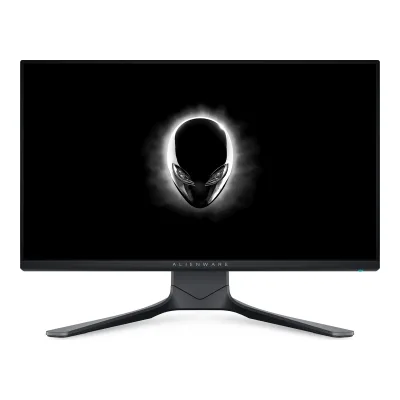
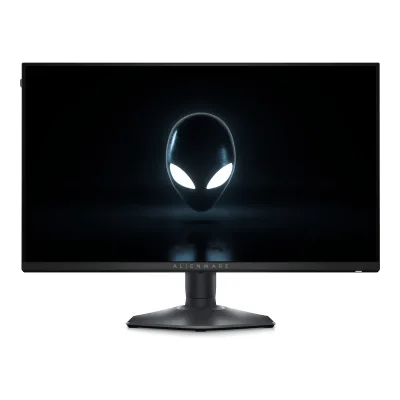
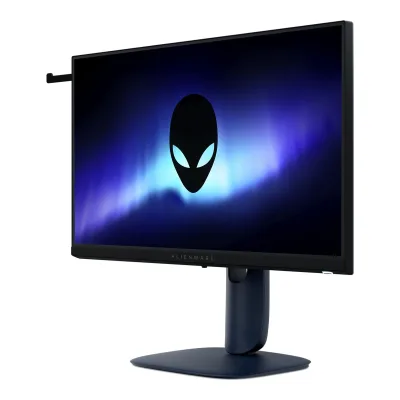
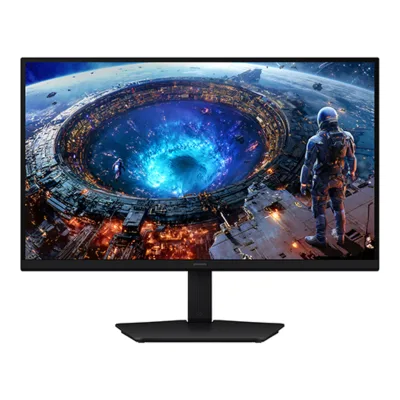
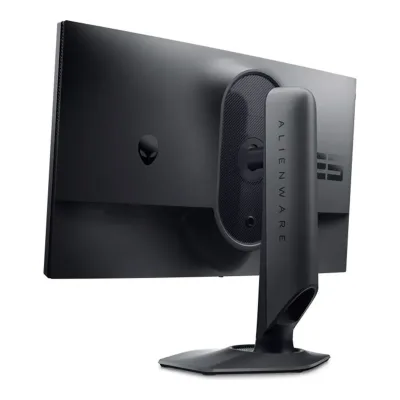
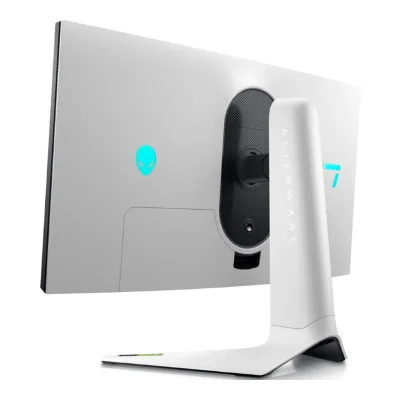
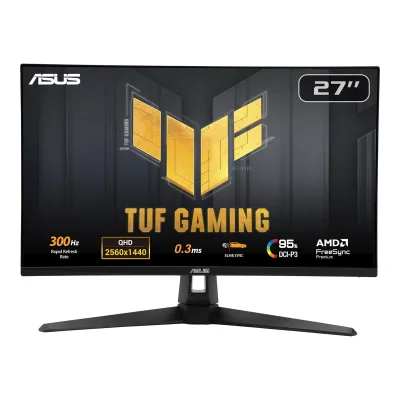
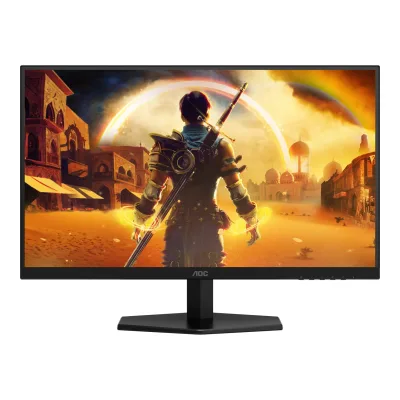
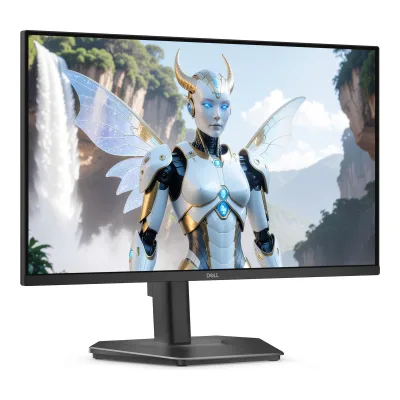
Product B: Dell
106 of 172 known
Change Dell Alienware AW2521H
Compare the ASUS ROG Swift 360Hz PG27AQN with
74 of 164 fields differ
- 38 different values
- 36 known for one only
- 37 the same
- 53 missing for both
Biggest differences
Each bar uses the scale of all 179 monitors.
- Power use HDR (EU label)Lower is betterA: 49.1WB: 18.3WDell is 30.8 W lower.
- Power use SDR (EU label)Lower is betterA: 26.1WB: 19.1WDell is 7 W lower.
- Standby powerLower is betterA: 0.5WB: 0.4WDell is 0.1 W lower.
- Pixel densityA: 108.8ppiB: 89.9ppiASUS is 18.9 ppi higher.
Refresh rate per resolution
The best rate over any port. Bars run from 0 to 1200 Hz.
2560 × 1440Native for A
A360Hz
BNot listed
1920 × 1080Native for B
ANot listed
B360Hz
Size, drawn to scale
Front and side. Solid lines show the stand at its lowest. Dashed lines show it at its highest.
- AASUS: 614 × 367 mm
- BDell: 556.3 × 328.2 mm
Weight
0 to 15 kg
Weight with stand
A8.4kg
B8.1kg
Weight without stand
A4.8kg
B4.5kg
Box weight
A11.8kg
B12.3kg
All 172 fields
Every value links to where we found it.
General
5 of 8 differ
Series
Model numbers
AW2521H, AW2521Hb1Maker product pagedell.com/en-us/shop/alienware-25-gaming-monitor-aw2521h/apd/210-aycbRead 5 October 2026Exact marketing and regulatory models independently read on own original guide cover.2Owner's manualdl.dell.com/manuals/all-products/esuprt_electronics_accessories/esuprt_electronics_accessories_monitors/dell-aw2521h-monitor_user%27s-guide_en-us.pdfRead 5 October 2026Own exact cover marketing/regulatory model names, not inferred from a sibling suffix.
Status
Not available
Not available
Predecessor
Not available
Not available
Successor
Not available
Not available
Launch price (EU)
Not available
Not available
Colours
Display
8 of 12 differ
Screen size
Viewable screen diagonal
Not available
Native resolution
Aspect ratio
Pixel density
108.8ppi
89.9ppi
Pixel pitch
Active display area
Curved
Curvature radius
Not available
Not available
Screen surface
Anti-reflection coating
Not available
Panel
11 of 31 differ
Panel type
Panel type (as published)
Backlight
Local dimming
Dimming zones
Not available
Panel maker
Panel part number
Not available
Panel generation
Not available
Not available
Subpixel layout
Not available
Not available
Colour depth
Colour depth method
Displayable colours
sRGB coverage
Not available
DCI-P3 coverage
Not available
Adobe RGB coverage
Not available
Not available
Rec. 2020 coverage
Not available
Not available
NTSC coverage
Not available
Not available
Factory calibrated
Claimed Delta E
Paper calibration report in box
Not available
Not available
Hardware calibration support
Not available
Not available
Static contrast ratio
Brightness (typical, SDR)
Brightness (maker minimum)
Not available
Not available
Peak brightness (HDR)
Not available
HDR peak test window
Not available
Not available
Full-screen brightness
Not available
Not available
HDR formats
HDR certification
DisplayHDR 6001Maker product pagerog.asus.com/monitors/27-to-31-5-inches/rog-swift-360hz-pg27aqn-model/specRead 5 October 2026
Not available
Viewing angle (horizontal)
Viewing angle (vertical)
Refresh rate and motion
6 of 22 differ
Refresh rate per resolution and port
AASUS ROG Swift 360Hz PG27AQN
| Resolution | HDMI 2.0 | DisplayPort 1.4 |
|---|---|---|
| 2560 × 1440Native | 144Hz8-bit | 360Hz8-bit, 4:4:4, DSC |
Source3Reviewtftcentral.co.uk/reviews/asus-rog-swift-pg27aqnRead 5 October 2026Gaming capabilities table explicitly gives native DP 360 Hz and HDMI 144 Hz at 8-bit. Manual 3-16 explicitly says native DP 360 Hz requires DSC, 8-bit RGB/YUV444 and a compatible Turing-generation GPU. HDMI chroma/DSC and 12-bit maxima remain unproved. Lower-resolution preset maxima are not inferred.4Owner's manualdlcdnets.asus.com/pub/ASUS/LCD%20Monitors/PG27AQN/PG27AQN_English.pdfRead 5 October 2026Supported operating modes 3-16 expressly confirms native DP 360 with DSC at 8-bit RGB/YUV444, compatible GPU requirement. This supplements independently explicit review native maxima.
BDell Alienware AW2521H
| Resolution | HDMI 2.0 | DisplayPort 1.4 |
|---|---|---|
| 1920 × 1080Native | 240Hz | 360Hz |
Max refresh rate
360Hz
360Hz
Max refresh rate at native resolution
360Hz
360Hz
Max refresh rate over DisplayPort
360Hz
360Hz
Max refresh rate over HDMI
144Hz
240Hz
Max refresh rate over USB-C
Not available
Not available
Max refresh rate at 10-bit
Not available
Not available
Native refresh rate
Overclocked refresh rate
Not available
Not available
Dual mode
Not available
Not available
Minimum fixed refresh rate
Not available
Not available
Adaptive sync technologies
VRR range per port
AASUS ROG Swift 360Hz PG27AQN
| Input | Min (Hz) | Max (Hz) |
|---|---|---|
| DisplayPort | 1 | 360 |
BDell Alienware AW2521H
Not availableLow framerate compensation
Not available
Not available
Response time (maker GtG claim)
Response time (maker MPRT claim)
Not available
Not available
Overdrive settings
Off, Normal, Esports, Extreme3Reviewtftcentral.co.uk/reviews/asus-rog-swift-pg27aqnRead 5 October 2026
Motion blur reduction
Blur-reduction technology
Blur reduction works with VRR
Flicker-free (claimed)
Black frame insertion
Not available
Not available
Measured
4 of 12 differ
Input lag at maximum refresh rate
Not available
Input lag at 60 Hz
Not available
Not available
Average response time (measured)
Not available
Not available
Overshoot (measured)
Not available
Not available
HDR brightness in a real scene (measured)
Not available
Not available
PWM flicker frequency (measured)
Not available
Not available
VRR range (measured)
Not available
Not available
Gray uniformity (measured)
Not available
Not available
Reflections (measured)
Not available
Not available
Connectivity
8 of 19 differ
Video inputs
AASUS ROG Swift 360Hz PG27AQN
| Type | Version | Count | DSC |
|---|---|---|---|
| DisplayPort | 1.4 | 1 | Yes |
| HDMI | 2.0 | 3 | Not available |
BDell Alienware AW2521H
| Type | Version | Count |
|---|---|---|
| DisplayPort | 1.4 | 1 |
| HDMI | 2.0 | 2 |
HDMI ports
3
2
DisplayPort ports
1
1
Highest HDMI version
2.0
2.0
Highest DisplayPort version
1.4
1.4
HDMI features
Not available
Not available
USB-C video (DP Alt Mode)
USB-C power delivered
Not available
Not available
Thunderbolt
Not available
Not available
USB upstream ports
AASUS ROG Swift 360Hz PG27AQN
| Connector | USB version | Count |
|---|---|---|
| USB-B | 3.2 Gen 1 | 1 |
BDell Alienware AW2521H
| Connector | USB version | Count |
|---|---|---|
| USB-B | 3.2 Gen 1 | 1 |
USB downstream hub ports
AASUS ROG Swift 360Hz PG27AQN
| Connector | USB version | Count |
|---|---|---|
| USB-A | 3.2 Gen 1 | 2 |
BDell Alienware AW2521H
| Connector | USB version | Count |
|---|---|---|
| USB-A | 3.2 Gen 1 | 4 |
KVM switch
Not available
Not available
Daisy chain (MST)
Not available
Not available
3.5 mm headphone output
3.5 mm microphone input
Not available
Picture in picture
Not available
Smart features
None of 4 known
Smart platform
Not available
Not available
Wi-Fi
Not available
Not available
Bluetooth
Not available
Not available
Remote control
Not available
Not available
Audio and camera
0 of 5 differ
Speakers
Number of speakers
Not available
Not available
Speaker power per channel
Not available
Not available
Webcam
Not available
Not available
Microphone
Not available
Not available
Ergonomics and controls
9 of 15 differ
Stand height adjustment
Tilt
Swivel
Pivot
Removable stand
VESA mount
Security lock slot
On-screen menu controls
Desktop software
Not available
User firmware updates
Not available
Presence sensor
Not available
Not available
RGB lighting
Gaming menu features
GamePlus, GameVisual, Dark Boost, NVIDIA Reflex Latency Analyzer, Esports Dual Format2Owner's manualdlcdnets.asus.com/pub/ASUS/LCD%20Monitors/PG27AQN/PG27AQN_English.pdfRead 5 October 2026Gaming and G-SYNC Processor menu sections. Esports Dual Format changes active image size/resolution without exceeding native 360 Hz, so no faster dual_mode is inferred.
Timer, Frame Rate, Display Alignment, Dark Stabilizer, NVIDIA Reflex Latency Analyzer2Owner's manualdl.dell.com/manuals/all-products/esuprt_electronics_accessories/esuprt_electronics_accessories_monitors/dell-aw2521h-monitor_user%27s-guide_en-us.pdfRead 5 October 2026Own Reflex Latency Analyzer is a system-latency feature, not a monitor-only measured-lag value.
OLED care
None of 3 known
OLED care
Not available
Not available
Burn-in covered by warranty
Not available
Not available
Burn-in warranty length
Not available
Not available
Dimensions and weight
7 of 7 differ
Dimensions with stand
Width614Height (lowest)408Height (highest)508Depth255mm(24.2 × 16.1 to 20 × 10 in)2Owner's manualdlcdnets.asus.com/pub/ASUS/LCD%20Monitors/PG27AQN/PG27AQN_English.pdfRead 5 October 2026Specifications summary 3-11 explicitly labels lowest 408 mm and highest 508 mm.
Width556.3Height (lowest)421.2Height (highest)526.1Depth251.9mm(21.9 × 16.6 to 20.7 × 9.9 in)2Owner's manualdl.dell.com/manuals/all-products/esuprt_electronics_accessories/esuprt_electronics_accessories_monitors/dell-aw2521h-monitor_user%27s-guide_en-us.pdfRead 5 October 2026Own complete display width/depth are direct. Height endpoints come from the maker guide mirror listed below, which labels the overall envelope separately from the 130 mm panel travel.14Owner's manualm.media-amazon.com/images/I/C1BEKAl2z0L.pdfRead 7 October 2026Maker guide page 19 explicitly labels overall with-stand height: extended 526.1 mm, compressed 421.2 mm. Separate stand-only heights are 436.8/421.2 mm, and panel travel is separately 130 mm. Main approved literal overall endpoints without forcing their difference to equal panel travel.
Dimensions without stand
Width614Height367Depth90mm(24.2 × 14.4 × 3.5 in)2Owner's manualdlcdnets.asus.com/pub/ASUS/LCD%20Monitors/PG27AQN/PG27AQN_English.pdfRead 5 October 2026
Width556.3Height328.2Depth84.4mm(21.9 × 12.9 × 3.3 in)2Owner's manualdl.dell.com/manuals/all-products/esuprt_electronics_accessories/esuprt_electronics_accessories_monitors/dell-aw2521h-monitor_user%27s-guide_en-us.pdfRead 5 October 2026
Stand footprint
Not available
Width465.2Depth251.9mm(18.3 × 9.9 in)2Owner's manualdl.dell.com/manuals/all-products/esuprt_electronics_accessories/esuprt_electronics_accessories_monitors/dell-aw2521h-monitor_user%27s-guide_en-us.pdfRead 5 October 2026Own physical table stand width 465.2 mm and depth 251.9 mm, separate from panel-body width.
Weight with stand
Weight without stand
Box dimensions
Width719Height512Depth267mm(28.3 × 20.2 × 10.5 in)2Owner's manualdlcdnets.asus.com/pub/ASUS/LCD%20Monitors/PG27AQN/PG27AQN_English.pdfRead 5 October 2026
Not available
Box weight
Power
11 of 13 differ
Power supply
Adapter rating
Not available
Input voltage
Power use (typical)
Not available
Power use (max)
Not available
Power use SDR (EU label)
Power use HDR (EU label)
Standby power
Off-mode power
EU energy class SDR
EU energy class HDR
Energy per 1000 h SDR
Not available
Energy per 1000 h HDR
Not available
Certifications
1 of 9 differ
VESA ClearMR
Not available
Not available
VESA AdaptiveSync Display
Not available
Not available
TÜV certifications
Flicker-free, Low Blue Light1Maker product pagerog.asus.com/monitors/27-to-31-5-inches/rog-swift-360hz-pg27aqn-model/specRead 5 October 2026
Not available
Low blue light
ENERGY STAR
Not available
Not available
TCO Certified
Not available
Not available
EPEAT
Not available
Not available
Colour certifications
Not available
Not available
Other certifications
Not available
Not available
In the box
2 of 2 differ
In the box
Quick start guide, Warranty card, Power adapter, Power cord, DisplayPort cable, HDMI cable, USB cable, Input/output port cover, Color calibration testing report, ROG welcome card with envelope, ROG sticker2Owner's manualdlcdnets.asus.com/pub/ASUS/LCD%20Monitors/PG27AQN/PG27AQN_English.pdfRead 5 October 2026Specifications summary 3-12 accessories. The report is listed, but paper format is not independently proved.
Display, Stand riser, Stand base, I/O cover, Power cable (varies by country), DisplayPort to DisplayPort cable, Mini DisplayPort to DisplayPort cable, USB 3.2 Gen 1 upstream cable, Quick setup guide, Safety, Environmental and Regulatory Information, Alienware welcome card2Owner's manualdl.dell.com/manuals/all-products/esuprt_electronics_accessories/esuprt_electronics_accessories_monitors/dell-aw2521h-monitor_user%27s-guide_en-us.pdfRead 5 October 2026Own exact Package Contents. Optional market items and power cable can vary. HDMI cable is not listed and electrical cable description explicitly says not included.
Cables included
AASUS ROG Swift 360Hz PG27AQN
| Type |
|---|
| Power cord |
| DisplayPort cable |
| HDMI cable |
| USB cable |
BDell Alienware AW2521H
| Type | Count |
|---|---|
| Power cable | 1 |
| DisplayPort to DisplayPort cable | 1 |
| Mini DisplayPort to DisplayPort cable | 1 |
| USB 3.2 Gen 1 upstream cable | 1 |
Warranty
2 of 2 differ
Manufacturer warranty (source market)
Not available
Dead pixel policy
Not available
Premium Panel Exchange: zero bright pixels/subpixels. Up to 5 dark subpixels and up to 5 combined defects allowed.16Maker product pagedell.com/support/kbdoc/en-us/000126004/dell-display-pixel-guidelinesRead 7 October 2026Exact current Dell US premium-panel table covers all Alienware except listed newer exceptions, none AW2521H. Exact original AW2521H reviewer sheet independently bundles Premium Panel Exchange with 3-year Advanced Exchange Service. Defect thresholds apply during warranty. Partial subpixel anomalies excluded under policy. Bright pixels and dark subpixels distinguished.
Links
Not compared
Product page
Spec sheet
rog.asus.com/monitors/27-to-31-5-inches/rog-swift-360hz-pg27aqn-model/spec1Maker product pagerog.asus.com/monitors/27-to-31-5-inches/rog-swift-360hz-pg27aqn-model/specRead 5 October 2026
manuals.plus/m/242f363e5fa52a3dad16cff0500a85fa9e730e9fbce94fdbc788d08f68a4beda.pdf20Maker spec sheet (PDF)manuals.plus/m/242f363e5fa52a3dad16cff0500a85fa9e730e9fbce94fdbc788d08f68a4beda.pdfRead 7 October 2026Maker authored 2020 one-page reviewer technical specification sheet, mirrored publicly by Manuals+. Exact 360 Hz model and maker copyright verified through public PDF extraction. Direct maker-hosted current sheet not found. Some older power values differ from current guide. No older power value overrides existing guide.
Manual
dlcdnets.asus.com/pub/ASUS/LCD%20Monitors/PG27AQN/PG27AQN_English.pdf2Owner's manualdlcdnets.asus.com/pub/ASUS/LCD%20Monitors/PG27AQN/PG27AQN_English.pdfRead 5 October 2026
dl.dell.com/manuals/all-products/esuprt_electronics_accessories/esuprt_electronics_accessories_monitors/dell-aw2521h-monitor_user%27s-guide_en-us.pdf2Owner's manualdl.dell.com/manuals/all-products/esuprt_electronics_accessories/esuprt_electronics_accessories_monitors/dell-aw2521h-monitor_user%27s-guide_en-us.pdfRead 5 October 2026Exact original AW2521H/AW2521Hb guide, A01 December 2020 edition. Producer downloaded and read the authentic original PDF, which the independent reviewer also read locally. Reviewer web access initially extracted the 75-page original, but a subsequent fetch timed out and independent direct download returned HTTP 403 on October 5, 2026.
EPREL registration number
Both are also in the API. Back to all monitors.