Monitors / Compare
Dell G2724D vs KTC M27T6S
Product A: Dell
107 of 172 known KTC H27T22C-3
 Dell Alienware AW2725DM
 AOC Q27G41ZE
 ASUS TUF Gaming VG27AQM5A
 Dell Alienware AW2525HM
 Dell 27 240Hz Monitor SE2726HG
 Xiaomi G Pro 27Qi 2026
 Samsung Odyssey G8 G80HF (5K)
 ASUS ROG Strix XG27ACS
 Samsung Odyssey G5 G50D 27"
 Dell 24 240Hz Adjustable Stand Monitor SE2426HGS
 Samsung Odyssey G8 G80HS (6K)
Change Dell G2724D
Compare the KTC M27T6S with
KTC H27T22C-3Dell Alienware AW2725DMAOC Q27G41ZEASUS TUF Gaming VG27AQM5ADell Alienware AW2525HMDell 27 240Hz Monitor SE2726HGXiaomi G Pro 27Qi 2026Samsung Odyssey G8 G80HF (5K)ASUS ROG Strix XG27ACSSamsung Odyssey G5 G50D 27"Dell 24 240Hz Adjustable Stand Monitor SE2426HGSSamsung Odyssey G8 G80HS (6K)Product B: KTC
102 of 172 known
Change KTC M27T6S
Compare the Dell G2724D with
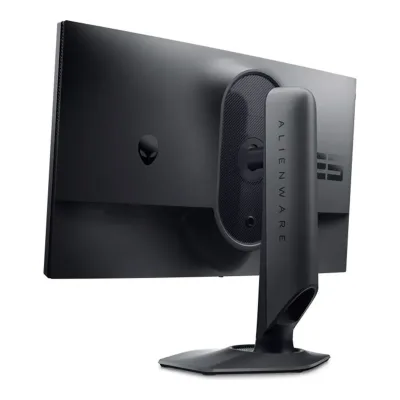
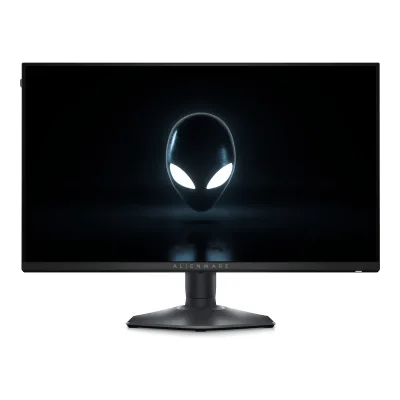
85 of 164 fields differ
- 40 different values
- 45 known for one only
- 37 the same
- 42 missing for both
Biggest differences
Each bar uses the scale of all 179 monitors.
- Power use (max)Lower is betterA: 56WB: 102WDell is 46 W lower.
- Standby powerLower is betterA: 0.3WB: 0.5WDell is 0.2 W lower.
- Refresh rateA: 165HzB: 210HzKTC is 45 Hz higher.
- Brightness (typical, SDR)A: 400nitsB: 450nitsKTC is 50 nits higher.
Refresh rate per resolution
The best rate over any port. Bars run from 0 to 1200 Hz.
3840 × 2160
A60Hz
BNot listed
2560 × 1440Native for both
A165Hz
B210Hz
Size, drawn to scale
Front and side. Solid lines show the stand at its lowest. Dashed lines show it at its highest.
- ADell: 611.9 × 363.1 mm
- BKTC: 617 × 364 mm
Weight
0 to 15 kg
Weight with stand
A5.95kg
B6.55kg
Box weight
A8.61kg
B9.1kg
All 172 fields
Every value links to where we found it.
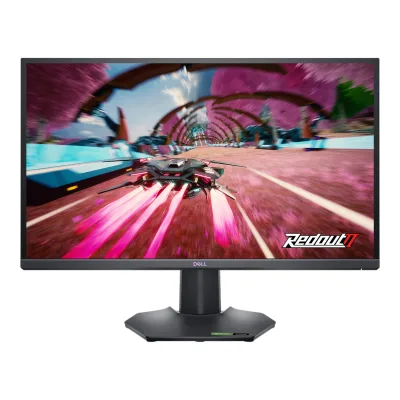
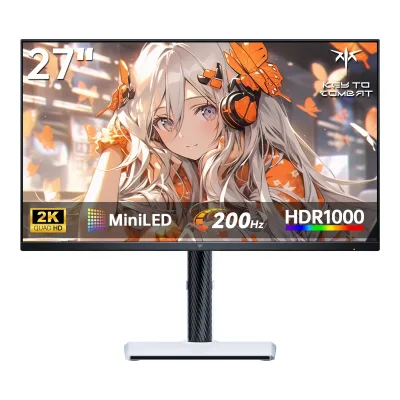
General
5 of 8 differ
Series
Not available
Model numbers
G2724D, G2724Dc, 210-BHXC, D09JJ, 210-BHTK, PM80J1Maker product pagedell.com/en-us/shop/dell-27-gaming-monitor-g2724d/apd/210-bhxc/monitors-monitor-accessoriesRead 7 October 2026Original marketing/regulatory identifiers retained. Maker US SKU 210-BHXC and manufacturer part D09JJ, maker UK SKU 210-BHTK and manufacturer part PM80J added. Source notes and exact region rows distinguish them. These are order/part identifiers, not panel revision numbers.2Owner's manualdl.dell.com/content/manual65349921-dell-g2724d-monitor-user-s-guide.pdfRead 5 October 2026Own original cover expressly lists G2724D and G2724Dc.9Maker product pagedell.com/en-uk/shop/dell-27-gaming-monitor-g2724d/apd/210-bhtk/monitors-monitor-accessoriesRead 7 October 2026UK maker SKU 210-BHTK, MPN PM80J.
GTIN / EAN
884116451822, 53971848213501Maker product pagedell.com/en-us/shop/dell-27-gaming-monitor-g2724d/apd/210-bhxc/monitors-monitor-accessoriesRead 7 October 2026US exact SKU 210-BHXC GTIN 884116451822 is directly published in maker Product JSON-LD. Public metadata, not a hidden member table. EU/UK 210-BHTK EAN 5397184821350 is separately proved by distributor leaflet and multiple exact retailers. Base is the union of represented options. No guessed leading zero or case-pack code.11Retailer pagemultimedia.yeppon.it/products/210-bhtk/210-bhtk-leaflet.pdfRead 7 October 2026Exact distributor leaflet title 210-BHTK, G2724D and printed EAN 5397184821350. Matches several exact European retailers. No US GTIN transferred.
Not available
Predecessor
Not available
Not available
Successor
Not available
Not available
Launch price (US)
Not available
Not available
Launch price (EU)
Not available
Not available
Markets
Display
4 of 12 differ
Screen size
Viewable screen diagonal
27in(68.6 cm)2Owner's manualdl.dell.com/content/manual65349921-dell-g2724d-monitor-user-s-guide.pdfRead 5 October 2026
Not available
Native resolution
Aspect ratio
Pixel density
108.8ppi
108.8ppi
Pixel pitch
Active display area
Width596.74Height335.66mm(23.5 × 13.2 in)2Owner's manualdl.dell.com/content/manual65349921-dell-g2724d-monitor-user-s-guide.pdfRead 5 October 2026
Curved
Curvature radius
Not available
Not available
Screen surface
Matte3Reviewdisplayninja.com/ktc-m27t6s-reviewRead 8 October 2026Exact reviewed USA-1.0.1 unit has a 25% low-haze matte anti-glare surface, corroborating maker haze specification. This does not establish a separate anti-reflection treatment.10Reviewpcgamer.com/hardware/gaming-monitors/ktc-m27t6s-reviewRead 8 October 2026Exact PC Gamer review independently describes matte anti-glare coating.
Anti-reflection coating
Anti-glare (Haze 25%, 3H hard coating)1Maker product pagedell.com/en-us/shop/dell-27-gaming-monitor-g2724d/apd/210-bhxc/monitors-monitor-accessoriesRead 7 October 2026Exact current maker screen-coating row expressly says Haze 25%, anti-glare and 3H hardness, corroborating the manual coating properties.2Owner's manualdl.dell.com/content/manual65349921-dell-g2724d-monitor-user-s-guide.pdfRead 5 October 2026
Not available
Panel
16 of 31 differ
Panel type
Panel type (as published)
Backlight
Local dimming
Yes5Reviewrtings.com/monitor/reviews/dell/g2724dRead 5 October 2026RTINGS public HDR assessment directly identifies edge-lit zone dimming always enabled in HDR. PCWorld June 30, 2023 review instead broadly says there is no dynamic backlight capable of dimming small areas. The more specific HDR-only observation is retained with this unresolved account conflict. Test modes and firmware are not identified sufficiently to explain the difference. No hardware revision is inferred, and independent zone count remains unknown.7Reviewpcworld.com/article/1965138/dell-g2724d-review.htmlRead 5 October 2026HDR assessment broadly states absence of a dynamic backlight capable of dimming small areas, conflicting with RTINGS specific always-enabled HDR edge-zone observation. Unknown test mode and firmware prevent a cause being assigned.
Dimming zones
Not available
Panel maker
Not available
Not available
Panel part number
Not available
Not available
Panel generation
Not available
Not available
Subpixel layout
Not available
Colour depth
Not available
Colour depth method
Not available
Displayable colours
sRGB coverage
DCI-P3 coverage
Not available
Adobe RGB coverage
Not available
Rec. 2020 coverage
Not available
Not available
NTSC coverage
Not available
Factory calibrated
Not available
Claimed Delta E
Not available
Paper calibration report in box
Hardware calibration support
Not available
Not available
Static contrast ratio
Brightness (typical, SDR)
Brightness (maker minimum)
Not available
Not available
Peak brightness (HDR)
Not available
HDR peak test window
Not available
Not available
Full-screen brightness
Not available
Not available
HDR formats
HDR103Reviewdisplayninja.com/ktc-m27t6s-reviewRead 8 October 2026Exact HDR10 signal support is independently described by Tom's Hardware. The tested review describes Windows HDR operation and HDR modes. HDR10+ and Dolby Vision are not inferred.5Reviewtomshardware.com/monitors/gaming-monitors/ktc-m27t6s-27-inch-qhd-mini-led-gaming-monitor-reviewRead 8 October 2026Exact M27T6S review explicitly says HDR modes work when an HDR10 signal is present. No other HDR format is inferred.
HDR certification
Viewing angle (horizontal)
Refresh rate and motion
15 of 22 differ
Refresh rate per resolution and port
ADell G2724D
| Resolution | HDMI 2.1 | DisplayPort 1.4 |
|---|---|---|
| 3840 × 2160 | 60Hz | Not available |
| 2560 × 1440Native | 144Hz | 165Hz |
Source2Owner's manualdl.dell.com/content/manual65349921-dell-g2724d-monitor-user-s-guide.pdfRead 5 October 2026Own specifications directly state native 2560 x 1440 maximum 165 Hz over DP 1.4 and 144 Hz over HDMI 2.1. Own connectivity repeats these ceilings. Bit depth, chroma, DSC and lower-resolution maxima remain unproved.14Reviewchimolog.co/bto-monitor-dell-g2724dRead 7 October 2026Original maker native 1440p 165 DP/144 HDMI rows retained. New 3840x2160 HDMI 60 is a PS5 accepted input with Console Mode enabled, downsampled to native 2560x1440 panel. Directly tested 4K 60 Hz yes/4K 120 Hz no. Not a native 4K panel or a preset timing alone. Bit depth/chroma/DSC unstated. Main confirmed this scoped accepted-input row.
BKTC M27T6S
| Resolution | HDMI 2.0 | DisplayPort 1.4 |
|---|---|---|
| 2560 × 1440Native | 144Hz8-bit | 210Hz |
Source2Owner's manualus.ktcplay.com/cdn/shop/files/M27T6S-USE_MANUAL.pdfRead 8 October 2026Original guide states maximum native 2560x1440 at 144 Hz HDMI and 200 Hz DisplayPort with 210 Hz overclock possible. The stored DP maximum requires OSD overclock. Normal 200 Hz operation remains in the separate native refresh field. Cable and graphics source must support the chosen mode. Bit depth, chroma and DSC for DP maxima remain unknown.4Reviewdisplayninja.com/ktc-m27t6s-reviewRead 8 October 2026Exact review explicitly HDMI 1440p at 144 Hz limited to 8-bit colour. DP 200/210 Hz bit depth is not explicitly scoped in the original guide, so no DP 10-bit rate is inferred.10Reviewpcgamer.com/hardware/gaming-monitors/ktc-m27t6s-reviewRead 8 October 2026Exact review confirms HDMI maximum 144 Hz separately from 210 Hz DP overclock.
Max refresh rate
165Hz
210Hz
Max refresh rate at native resolution
165Hz
210Hz
Max refresh rate over DisplayPort
165Hz
210Hz
Max refresh rate over HDMI
144Hz
144Hz
Max refresh rate over USB-C
Not available
Not available
Max refresh rate at 10-bit
Not available
Not available
Native refresh rate
Overclocked refresh rate
Not available
Dual mode
Not available
Not available
Minimum fixed refresh rate
Not available
Not available
Adaptive sync technologies
FreeSync Premium, G-SYNC Compatible, VESA AdaptiveSync Display, HDMI VRR2Owner's manualdl.dell.com/content/manual65349921-dell-g2724d-monitor-user-s-guide.pdfRead 5 October 2026Own Product Features names AMD tier, G-SYNC Compatible and VESA Adaptive Sync certifications. HDMI VRR is separately explicit. Generic vertical scan ranges are not used as VRR intervals.
VRR range per port
ADell G2724D
| Input | Min (Hz) | Max (Hz) |
|---|---|---|
| DisplayPort | 48 | 165 |
Source13Certification listnvidia.com/ko-kr/geforce/products/g-sync-monitors/specsRead 7 October 2026Official NVIDIA certified G-SYNC Compatible DisplayPort 48–165 Hz interval. Exact model row read in public index because current static US/localized HTML lists require Java Script for rows. PCMonitors explicitly corroborates 48–165 plus LFC. Manual generic vertical scan interval is not converted into a VRR claim. HDMI interval remains unproved.21Press releasenvidia.com/en-us/geforce/news/april-18-2023-geforce-game-ready-driverRead 7 October 2026Official April 18, 2023 NVIDIA newly validated displays table explicitly lists Dell G2724D, 27-inch IPS, 2560x1440, 48-165 Hz. The certification-list row separately names DisplayPort. Original model launch later in June does not make certification before retail contradictory.
BKTC M27T6S
Not availableLow framerate compensation
Response time (maker GtG claim)
Not available
Response time (maker MPRT claim)
Not available
Overdrive settings
Fast, Super Fast, Extreme2Owner's manualdl.dell.com/content/manual65349921-dell-g2724d-monitor-user-s-guide.pdfRead 5 October 2026
Off, Standard, Advanced, Ultra Fast, Dynamic Overdrive3Reviewdisplayninja.com/ktc-m27t6s-reviewRead 8 October 2026Exact tested menu identifies Off, Standard, Advanced, Ultra Fast and Dynamic Overdrive. Dynamic Overdrive performed like Off in this reviewed firmware and is not presumed to provide effective variable OD.
Motion blur reduction
Blur-reduction technology
Not available
Blur reduction works with VRR
Not available
Flicker-free (claimed)
Measured
6 of 12 differ
Input lag at maximum refresh rate
2.89ms3Reviewdisplayninja.com/ktc-m27t6s-reviewRead 8 October 2026Exact USA-1.0.1 firmware OSRTT display-only mean latency 2.89 ms at native 2560x1440, highest 210 Hz overclock, Adaptive-Sync and Low Input Lag enabled, local dimming disabled. The chart separately identifies On Display Lag, USB Polling Delay, Render Time and Total Input Lag. The stored figure is On Display Lag, including display response, excluding the host polling/render pipeline. Local dimming enabled measures 14.28 ms in the same review and is not mixed into this run. Tom's Hardware LDAT 15.9 ms end-to-end mouse/software result is excluded. The review does not state OSRTT software version or latency calibration procedure. The stored value is explicitly labelled display-only by the reviewer and current chart. Its isolation algorithm was not independently verified. Legacy OSRTT total-system documentation is not treated as defining this separately labelled result.11Maker product pagegithub.com/OSRTT/OSLTTDocs/blob/main/index.mdRead 8 October 2026Current tool maintainer documentation lists On Display Latency separately from total system click-to-photon latency and states the custom DirectX test is the same as OSRTT. This supports interpreting the current review's separately labelled On Display Lag rather than its Total Input Lag column. The exact reviewed software version, calibration and isolation implementation remain unknown.
Input lag at 60 Hz
Not available
11.34ms3Reviewdisplayninja.com/ktc-m27t6s-reviewRead 8 October 2026Same exact USA-1.0.1 OSRTT display-only mean latency 11.34 ms at native 2560x1440 fixed 60 Hz, Adaptive-Sync and Low Input Lag enabled, local dimming disabled. The chart separates On Display Lag from host polling/render pipeline and total input. Local-dimming-on 33.71 ms is a separate condition, not substituted. The review does not state OSRTT software version or latency calibration procedure. The stored value is explicitly labelled display-only by the reviewer and current chart. Its isolation algorithm was not independently verified. Legacy OSRTT total-system documentation is not treated as defining this separately labelled result.11Maker product pagegithub.com/OSRTT/OSLTTDocs/blob/main/index.mdRead 8 October 2026Same current maintainer documentation supports the separately reported On Display Lag category. No reviewer-specific calibration or algorithm validation is claimed.
Average response time (measured)
4.3ms14Reviewchimolog.co/bto-monitor-dell-g2724dRead 7 October 2026Reviewer purchased 27-inch G2724D in Japan, 165 Hz native 1440p, Extreme overdrive. Arithmetic mean of 30 grey-to-grey transitions across 0/50/100/150/200/255, 10–90% luminance endpoints, optical sensor/PicoScope 5242A and custom software, documented in linked method. Fast 5.52 and Super Fast 4.82 are different runs. Firmware, exact fitted panel and actual input are unstated. Particular tested unit, not a promise for all interchangeable panels. Exact G2724D reference-unit result from Japan. Global maker guide/manual specify the same G2724D hardware, while US and UK/EU codes identify sales bundles. Unknown fitted panel and interchangeable sourcing do not establish a regional hardware mismatch. Performance is the documented tested unit, not a guarantee for every panel or unit.19Reviewchimolog.co/bto-gaming-monitor-rs-measureRead 7 October 2026Author linked response method defines 30 grey transitions, 10–90% luminance endpoints, optical sensor and PicoScope 5242A with automated arithmetic mean. Exact G2724D run uses Extreme 165 Hz.
Overshoot (measured)
1.3%14Reviewchimolog.co/bto-monitor-dell-g2724dRead 7 October 2026Same exact Extreme 165 Hz run as 4.30 ms mean. Linked method defines endpoint excursion normalized to full intended transition amplitude and averages 30 transitions. This is percentage overshoot/RTC error, not RGB error units or percentage of transitions exceeding a threshold. Unit panel/firmware unstated. Fast 0.2% and Super Fast 0.4% are separate runs.19Reviewchimolog.co/bto-gaming-monitor-rs-measureRead 7 October 2026Method explicitly defines excursion past intended endpoint as percentage of full transition amplitude, averaged over 30 transitions.
Not available
Contrast ratio (measured)
SDR brightness (measured)
HDR brightness in a real scene (measured)
Not available
Not available
PWM flicker frequency (measured)
Not available
Not available
VRR range (measured)
Not available
Not available
Colour accuracy (measured Delta E)
Not available
Not available
Gray uniformity (measured)
Not available
Not available
Reflections (measured)
Not available
Not available
Connectivity
8 of 19 differ
Video inputs
ADell G2724D
| Type | Version | Count | Max bandwidth (Gbps) | HDCP |
|---|---|---|---|---|
| DisplayPort | 1.4 | 2 | Not available | 2.2 |
| HDMI | 2.1 | 1 | 18 | 2.2 |
Source2Owner's manualdl.dell.com/content/manual65349921-dell-g2724d-monitor-user-s-guide.pdfRead 5 October 2026Own two DP 1.4 inputs and one HDMI 2.1 TMDS input, each HDCP 2.2. HDMI 2.1 label does not prove FRL or full 48 Gbps.14Reviewchimolog.co/bto-monitor-dell-g2724dRead 7 October 2026Exact G2724D HDMI 2.1 label retains TMDS link. Reviewer explicitly states 18 Gbps raw, 14.4 Gbps payload, and confirms no FRL. Only raw 18 stored. Maker manual/guide independently explicitly names TMDS. Not inferred as 48 Gbps from version 2.1. Existing 2 DP 1.4 and 1 HDMI 2.1 HDCP 2.2 inputs preserved.
BKTC M27T6S
| Type | Version | Count |
|---|---|---|
| HDMI | 2.0 | 2 |
| DisplayPort | 1.4 | 1 |
Source2Owner's manualus.ktcplay.com/cdn/shop/files/M27T6S-USE_MANUAL.pdfRead 8 October 2026Exact original connection diagram and technical table show two HDMI and one DP input. Current maker and exact rear graphic identify HDMI 2.0 and DP 1.4. USB-A is upgrade only and is not a video input or peripheral hub.4Reviewdisplayninja.com/ktc-m27t6s-reviewRead 8 October 2026
HDMI ports
1
2
DisplayPort ports
2
1
Highest HDMI version
2.1
2.0
Highest DisplayPort version
1.4
1.4
HDMI features
Not available
USB-C video (DP Alt Mode)
No2Owner's manualus.ktcplay.com/cdn/shop/files/M27T6S-USE_MANUAL.pdfRead 8 October 2026Complete original and current connector inventory has no USB-C socket. The current web package table lists a Type-C cable, which does not establish USB-C video support.10Reviewpcgamer.com/hardware/gaming-monitors/ktc-m27t6s-reviewRead 8 October 2026Exact review explicitly no USB-C and no peripheral hub.
USB-C power delivered
Not available
Not available
Thunderbolt
Not available
Not available
USB upstream ports
Not available
Not available
USB downstream hub ports
Not available
Not available
KVM switch
Daisy chain (MST)
Ethernet
3.5 mm headphone output
3.5 mm microphone input
Optical out
Picture in picture
Not available
Picture by picture
Not available
Smart features
1 of 4 differ
Smart platform
Not available
Not available
Wi-Fi
Not available
Not available
Bluetooth
Not available
Not available
Audio and camera
2 of 5 differ
Speakers
No5Reviewtomshardware.com/monitors/gaming-monitors/ktc-m27t6s-27-inch-qhd-mini-led-gaming-monitor-reviewRead 8 October 2026Exact physical inspection expressly no internal speakers. Audio passes through the 3.5 mm headphone output.10Reviewpcgamer.com/hardware/gaming-monitors/ktc-m27t6s-reviewRead 8 October 2026
Speaker power per channel
Not available
Not available
Microphone
Not available
Not available
Ergonomics and controls
7 of 15 differ
Stand height adjustment
Tilt
Swivel
Pivot
Counterclockwise90°Clockwise90°2Owner's manualdl.dell.com/content/manual65349921-dell-g2724d-monitor-user-s-guide.pdfRead 5 October 2026
Counterclockwise90°Clockwise90°1Maker product pageus.ktcplay.com/products/27-inch-200hz-hdr1000-miniled-gaming-monitorRead 8 October 2026
Removable stand
VESA mount
VESA adapter needed
Security lock slot
Not available
On-screen menu controls
Joystick, Software2Owner's manualus.ktcplay.com/cdn/shop/files/M27T6S-USE_MANUAL.pdfRead 8 October 2026Original guide establishes the rear joystick. The software route is established independently by the exact review showing MCC/MMC display controls, not inferred merely from a software download.4Reviewdisplayninja.com/ktc-m27t6s-reviewRead 8 October 2026Exact reviewed MCC/MMC desktop utility adjusts OSD-related display settings and assigns keyboard shortcuts. Reviewed application screenshots prove actual monitor control.
Desktop software
Dell Display Manager (DDM)2Owner's manualdl.dell.com/content/manual65349921-dell-g2724d-monitor-user-s-guide.pdfRead 5 October 2026
KTC MCC PC Client1Maker product pageus.ktcplay.com/products/27-inch-200hz-hdr1000-miniled-gaming-monitorRead 8 October 2026Maker exact compatibility says MCC PC Client Support. The reviewed application is also called MMC and is shown operating display settings.4Reviewdisplayninja.com/ktc-m27t6s-reviewRead 8 October 2026Manufacturer calls it MCC PC Client. Exact review calls the application MMC (Monitor Management Center) and documents display-setting control. The spelling difference is preserved rather than treating them as separately supplied applications.
User firmware updates
Not available
Yes1Maker product pageus.ktcplay.com/products/27-inch-200hz-hdr1000-miniled-gaming-monitorRead 8 October 2026Exact USB 2.0 Upgrade only specification, corroborated by the reviewed USB Upgrade menu. No available firmware version or update package is inferred.4Reviewdisplayninja.com/ktc-m27t6s-reviewRead 8 October 2026Exact reviewed USB Upgrade menu and USB-A firmware-only connector establish support. No latest firmware number is inferred from reviewed USA-1.0.1.
Ambient light sensor
Not available
Not available
Presence sensor
Not available
Not available
RGB lighting
Not available
Gaming menu features
Vision Engine, Night Vision, Clear Vision, Chroma Vision, Crosshair, Timer, Frame Rate Counter, Dark Stabilizer2Owner's manualdl.dell.com/content/manual65349921-dell-g2724d-monitor-user-s-guide.pdfRead 5 October 2026
Black Equalize, Crosshair overlays, Refresh rate tracker, On-screen timer3Reviewdisplayninja.com/ktc-m27t6s-reviewRead 8 October 2026Exact reviewed menu includes these four gaming controls. No numeric shadow enhancement or performance benefit is inferred.
OLED care
None of 3 known
OLED care
Not available
Not available
Burn-in covered by warranty
Not available
Not available
Burn-in warranty length
Not available
Not available
Dimensions and weight
6 of 7 differ
Dimensions with stand
Width611.9Height (lowest)393.48Height (highest)523.48Depth200.2mm(24.1 × 15.5 to 20.6 × 7.9 in)2Owner's manualdl.dell.com/content/manual65349921-dell-g2724d-monitor-user-s-guide.pdfRead 5 October 2026Own compressed 393.48 and extended 523.48 mm complete display heights agree with 130 mm travel.
Width617Height (lowest)409Height (highest)541Depth211mm(24.3 × 16.1 to 21.3 × 8.3 in)1Maker product pageus.ktcplay.com/products/27-inch-200hz-hdr1000-miniled-gaming-monitorRead 8 October 2026Maker width 617 mm and depth 211 mm agree with the exact review. Its single overall height 547 mm does not identify the stand position. The review explicitly supplies minimum 409 mm and maximum 541 mm with base, which are stored without inferring what stand position the maker meant. The disagreement is not physically reconciled.5Reviewtomshardware.com/monitors/gaming-monitors/ktc-m27t6s-27-inch-qhd-mini-led-gaming-monitor-reviewRead 8 October 2026Exact technical table expressly dimensions with base 617 x 409–541 x 211 mm. Minimum and maximum stand positions are explicitly identified by the range. Manufacturer single unpositioned 547 mm height differs and is retained as a discrepancy, not an inferred endpoint.
Dimensions without stand
Width611.9Height363.13Depth66.41mm(24.1 × 14.3 × 2.6 in)2Owner's manualdl.dell.com/content/manual65349921-dell-g2724d-monitor-user-s-guide.pdfRead 5 October 2026
Width617Height364Depth72mm(24.3 × 14.3 × 2.8 in)1Maker product pageus.ktcplay.com/products/27-inch-200hz-hdr1000-miniled-gaming-monitorRead 8 October 2026
Stand footprint
Width275.9Depth200.2mm(10.9 × 7.9 in)2Owner's manualdl.dell.com/content/manual65349921-dell-g2724d-monitor-user-s-guide.pdfRead 5 October 2026Own physical table explicitly gives base 275.9 x 200.2 mm, separate from panel width.
Not available
Weight with stand
Weight without stand
Not available
Box dimensions
Not available
Not available
Power
8 of 13 differ
Power supply
Adapter rating
Not available
Not available
Input voltage
Power use (typical)
Not available
Power use (max)
Power use SDR (EU label)
Not available
Power use HDR (EU label)
Not available
Standby power
Off-mode power
Not available
EU energy class SDR
EU energy class HDR
Energy per 1000 h SDR
Energy per 1000 h HDR
Certifications
4 of 9 differ
VESA ClearMR
Not available
Not available
VESA AdaptiveSync Display
Not available
TÜV certifications
Low Blue Light (Hardware Solution)2Owner's manualdl.dell.com/content/manual65349921-dell-g2724d-monitor-user-s-guide.pdfRead 5 October 2026
Not available
Low blue light
ENERGY STAR
Not available
Not available
TCO Certified
Not available
Not available
EPEAT
Not available
Not available
Colour certifications
Not available
Not available
Other certifications
Not available
In the box
2 of 2 differ
In the box
Monitor, Stand riser, Stand base, Power cable (varies by country), DisplayPort cable, USB-C to DisplayPort cable, Quick start guide, Safety, Environmental and Regulatory Information2Owner's manualdl.dell.com/content/manual65349921-dell-g2724d-monitor-user-s-guide.pdfRead 5 October 2026Own Package Contents. Regional optional items and power cord can vary. HDMI cable expressly not included. Host-side USB-C cable does not imply a monitor USB hub.
Monitor, Stand and base, DisplayPort cable, Power cord, User guide, Warranty card, Factory calibration report2Owner's manualus.ktcplay.com/cdn/shop/files/M27T6S-USE_MANUAL.pdfRead 8 October 2026Original guide lists monitor, base, DP cable and user guide including warranty card, with power cord conditional on the actual package. Exact US review confirms IEC power cord, stand assembly and DisplayPort cable. Exact independently tested USA-1.0.1 review also explicitly lists a physical factory calibration report and quick start guide. Current web table additionally lists Type-C, which neither the original guide nor either reviewed bundle confirms, so it is omitted.4Reviewdisplayninja.com/ktc-m27t6s-reviewRead 8 October 2026
Cables included
ADell G2724D
| Type | Count |
|---|---|
| Power cable | 1 |
| DisplayPort cable | 1 |
| USB-C to DisplayPort cable | 1 |
Source1Maker product pagedell.com/en-us/shop/dell-27-gaming-monitor-g2724d/apd/210-bhxc/monitors-monitor-accessoriesRead 7 October 2026Exact current maker accessory list explicitly states one DisplayPort cable and one USB-C to DisplayPort cable. Power cord is corroborated by own manual.2Owner's manualdl.dell.com/content/manual65349921-dell-g2724d-monitor-user-s-guide.pdfRead 5 October 2026Own Package Contents pictures and lists one of each cable. Current maker page expressly confirms one DisplayPort cable and one USB-C to DisplayPort cable. Lengths unstated and not inferred.
BKTC M27T6S
| Type | Count |
|---|---|
| DisplayPort | 1 |
| Power cord | 1 |
Source2Owner's manualus.ktcplay.com/cdn/shop/files/M27T6S-USE_MANUAL.pdfRead 8 October 2026Original guide establishes one DisplayPort cable. Exact US reviewed bundle confirms an IEC power cord plus DisplayPort. Original guide power-cord regional qualification is preserved. The web Type-C package discrepancy does not establish inclusion for the reviewed US bundle.4Reviewdisplayninja.com/ktc-m27t6s-reviewRead 8 October 2026
Warranty
1 of 2 differ
Manufacturer warranty (source market)
Dead pixel policy
Premium Panel Exchange: zero bright pixel/subpixel defects allowed. Up to five dark subpixel defects allowed.16Maker product pagedell.com/support/kbdoc/en-us/000126004/dell-display-pixel-guidelinesRead 7 October 2026Exact G series eligible policy, independently exact G2724D 3-year Premium Panel Exchange bundle in maker page/guide. One visible permanently bright pixel/subpixel qualifies within covered warranty. Up to 5 dark subpixels/5 combined permitted. Partial subpixel anomalies are excluded by maker policy, and normal viewing distance evaluation applies. Regional service terms vary.
Not available
Links
Not compared
Product page
Spec sheet
tecomtrade.hr/media/product/2023/12/28/dell-27-gaming-monitor-g2724d-reviewers-guide.pdf10Maker spec sheet (PDF)tecomtrade.hr/media/product/2023/12/28/dell-27-gaming-monitor-g2724d-reviewers-guide.pdfRead 7 October 2026Maker-authored original guide available at a public distributor mirror. Original Dell Technologies URL now 404. Mirror PDF was downloaded/read. It names exact G2724D and has the same maker hardware tables and service bundle. It is not an independent retailer estimate.
Not available
Manual
dl.dell.com/content/manual65349921-dell-g2724d-monitor-user-s-guide.pdf2Owner's manualdl.dell.com/content/manual65349921-dell-g2724d-monitor-user-s-guide.pdfRead 5 October 2026Producer downloaded and read the authentic June 2023 A00 original guide with G2724D/G2724Dc cover. Independent reviewer read that original local PDF, but the same public manufacturer URL returned HTTP 403 and failed web extraction during review on October 5, 2026.
EPREL registration number
Both are also in the API. Back to all monitors.