Monitors / Compare
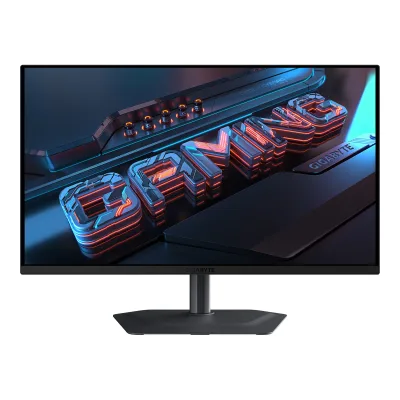
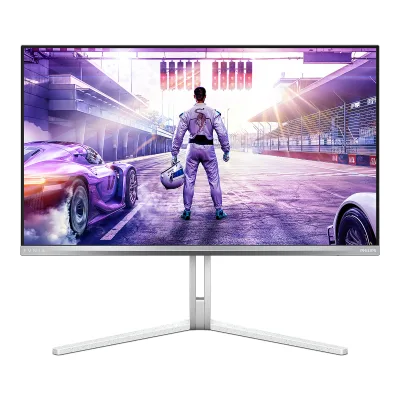
GIGABYTE MO27Q2A vs Philips Evnia 27M2N8500X
Product A: GIGABYTE
92 of 172 known GIGABYTE AORUS FO27Q5P
 MSI MAG 272QP QD-OLED X50
 MSI MPG 271QR QD-OLED X50
 ASUS ROG Strix OLED XG27AQDPG
 Samsung Odyssey OLED G6 G60SF
 Dell Alienware AW2725D
 ASUS ROG Strix OLED XG27ACDNG
 ASUS ROG Swift OLED PG27UCDM
 MSI MPG 272URX QD-OLED
 Dell Alienware AW2725Q
 BenQ MOBIUZ EX271UZ
 ASUS ROG Strix OLED XG27UCDMG
Change GIGABYTE MO27Q2A
Compare the Philips Evnia 27M2N8500X with
GIGABYTE AORUS FO27Q5PMSI MAG 272QP QD-OLED X50MSI MPG 271QR QD-OLED X50ASUS ROG Strix OLED XG27AQDPGSamsung Odyssey OLED G6 G60SFDell Alienware AW2725DASUS ROG Strix OLED XG27ACDNGASUS ROG Swift OLED PG27UCDMMSI MPG 272URX QD-OLEDDell Alienware AW2725QBenQ MOBIUZ EX271UZASUS ROG Strix OLED XG27UCDMGProduct B: Philips
82 of 172 knownGIGABYTE AORUS FO27Q5PASUS ROG Strix OLED XG27AQDPGSamsung Odyssey OLED G6 G60SFMSI MPG 271QR QD-OLED X50Dell Alienware AW2725QASUS ROG Strix OLED XG27UCDMGDell Alienware AW2725DMSI MAG 272QP QD-OLED X50ASUS ROG Swift OLED PG27UCDMMSI MPG 272URX QD-OLEDBenQ MOBIUZ EX271UZ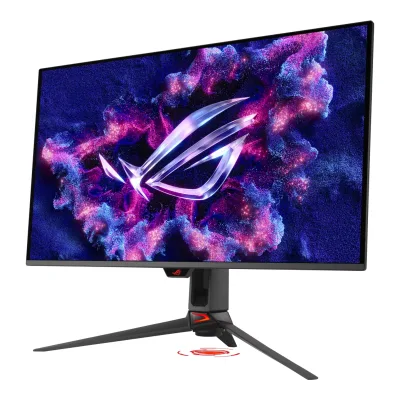 ASUS ROG Swift OLED PG32UCDMR
Change Philips Evnia 27M2N8500X
Compare the GIGABYTE MO27Q2A with
GIGABYTE AORUS FO27Q5PASUS ROG Strix OLED XG27AQDPGSamsung Odyssey OLED G6 G60SFMSI MPG 271QR QD-OLED X50Dell Alienware AW2725QASUS ROG Strix OLED XG27UCDMGDell Alienware AW2725DMSI MAG 272QP QD-OLED X50ASUS ROG Swift OLED PG27UCDMMSI MPG 272URX QD-OLEDBenQ MOBIUZ EX271UZASUS ROG Swift OLED PG32UCDMR69 of 164 fields differ
- 29 different values
- 40 known for one only
- 34 the same
- 61 missing for both
Biggest differences
Each bar uses the scale of all 179 monitors.
- Brightness (typical, SDR)A: 250nitsB: 300nitsPhilips is 50 nits higher.
- Full-screen brightnessA: 250nitsB: 300nitsPhilips is 50 nits higher.
Refresh rate per resolution
The best rate over any port. Bars run from 0 to 1200 Hz.
2560 × 1440Native for both
ANot available
B500Hz
Size, drawn to scale
Front and side, on their stands.
- AGIGABYTE: 610 × 358 mm
- BPhilips: 609 × 358 mm
We have no stand height for GIGABYTE, so it is drawn without its stand.
Weight
0 to 15 kg
Weight with stand
A6.09kg
B7.17kg
Weight without stand
A4.59kg
B5.84kg
Box weight
A11.63kg
B10.83kg
All 172 fields
Every value links to where we found it.
General
3 of 8 differ
Series
Not available
Model numbers
Not available
GTIN / EAN
Not available
Announced
Not available
Not available
Status
Not available
Not available
Predecessor
Not available
Not available
Successor
Not available
Not available
Launch price (US)
Not available
Not available
Launch price (EU)
Not available
Not available
Markets
Not available
Colours
Not available
Display
5 of 12 differ
Screen size
Viewable screen diagonal
Not available
Not available
Native resolution
Aspect ratio
Pixel density
108.8ppi
110.8ppi
Pixel pitch
Not available
0.2292mm1Maker spec sheet (PDF)documents.philips.com/assets/20250606/082892170bca4fc6ab25b2f400959dd0.pdfRead 5 October 2026Maker explicitly equal horizontal and vertical 0.2292 mm. Published display area covers documented shift reserve, not just the native 2560 x 1440 image raster.4Maker product pagephilips.com.cn/c-p/27M2N8500X_93/gaming-monitor-qd-oled-gaming-monitorRead 5 October 2026
Active display area
Width590.42Height333.72mm(23.2 × 13.1 in)1Maker product pagegigabyte.com/Monitor/MO27Q2A/spRead 5 October 2026Published display area 590.42 x 333.72 mm conflicts with native resolution multiplied by published pitch 0.2292 mm. The cause is unstated, so pitch is omitted.
Width590.42Height333.72mm(23.2 × 13.1 in)1Maker spec sheet (PDF)documents.philips.com/assets/20250606/082892170bca4fc6ab25b2f400959dd0.pdfRead 5 October 2026Maker effective viewing area includes a documented shift-reserve raster. Footnote gives 2560 x 1440 active image pixels and 2576 x 1456 total pixels, with 8 extra pixels on each edge. Published area 590.42 x 333.72 matches total raster times 0.2292 mm pitch. No native-image-area dimensions are calculated or substituted.4Maker product pagephilips.com.cn/c-p/27M2N8500X_93/gaming-monitor-qd-oled-gaming-monitorRead 5 October 2026
Curved
Not available
Not available
Curvature radius
Not available
Not available
Screen surface
Not available
Anti-reflection coating
Touchscreen
Not available
Not available
Panel
10 of 31 differ
Panel type
Panel type (as published)
Backlight
None (self-emissive)3Maker product pagegigabyte.com/Monitor/MO27Q2ARead 5 October 2026
Not available
Local dimming
Not available
Not available
Dimming zones
Not available
Not available
Panel maker
Not available
Panel part number
Not available
Not available
Panel generation
Not available
Not available
Subpixel layout
Not available
Not available
Colour depth
Colour depth method
Not available
Displayable colours
sRGB coverage
Not available
100%1Maker spec sheet (PDF)documents.philips.com/assets/20250606/082892170bca4fc6ab25b2f400959dd0.pdfRead 5 October 2026Exact /93 leaflet states 100% sRGB coverage based on CIE 1931. No volume figure is substituted.4Maker product pagephilips.com.cn/c-p/27M2N8500X_93/gaming-monitor-qd-oled-gaming-monitorRead 5 October 2026
DCI-P3 coverage
99%1Maker product pagegigabyte.com/Monitor/MO27Q2A/spRead 5 October 2026Exact-model maker Color Saturation row states 99% DCI-P3. The review quotes the same manufacturer coverage claim. Coordinate basis is unstated.6Reviewchip.pl/2026/09/gigabyte-mo27q2a-test-recenzja-opiniaRead 5 October 2026Introduction explicitly quotes maker 99% DCI-P3 coverage. Measured 98% Standard-mode result is separate and is not written into a maker claim field.
99%1Maker spec sheet (PDF)documents.philips.com/assets/20250606/082892170bca4fc6ab25b2f400959dd0.pdfRead 5 October 2026Exact /93 leaflet states 99% coverage based on CIE 1976. /69 claims 95% and is excluded. Adobe RGB 118% and NTSC 120% are not stored as coverage.4Maker product pagephilips.com.cn/c-p/27M2N8500X_93/gaming-monitor-qd-oled-gaming-monitorRead 5 October 2026
Adobe RGB coverage
Not available
Not available
Rec. 2020 coverage
Not available
Not available
NTSC coverage
Not available
Not available
Factory calibrated
Not available
Claimed Delta E
21Maker spec sheet (PDF)documents.philips.com/assets/20250606/082892170bca4fc6ab25b2f400959dd0.pdfRead 5 October 2026Maker claim Delta E <2 in sRGB. Mean or maximum scope, formula and picture preset are unstated. Factory calibration process is not inferred.4Maker product pagephilips.com.cn/c-p/27M2N8500X_93/gaming-monitor-qd-oled-gaming-monitorRead 5 October 2026
Paper calibration report in box
Not available
Hardware calibration support
Not available
Not available
Static contrast ratio
Brightness (typical, SDR)
Brightness (maker minimum)
Not available
Not available
Peak brightness (HDR)
HDR peak test window
Full-screen brightness
HDR formats
Not available
Not available
HDR certification
DisplayHDR True Black 4001Maker product pagegigabyte.com/Monitor/MO27Q2A/spRead 5 October 2026
Viewing angle (horizontal)
Refresh rate and motion
12 of 22 differ
Refresh rate per resolution and port
AGIGABYTE MO27Q2A
Not availableBPhilips Evnia 27M2N8500X
| Resolution | HDMI 2.1 | DisplayPort 2.1 |
|---|---|---|
| 2560 × 1440Native | 500Hz8-bit, 4:4:4 | 500Hz8-bit, 4:4:4, DSC |
Max refresh rate
Not available
500Hz
Max refresh rate at native resolution
Not available
500Hz
Max refresh rate over DisplayPort
Not available
500Hz
Max refresh rate over HDMI
Not available
500Hz
Max refresh rate over USB-C
Not available
Not available
Max refresh rate at 10-bit
Not available
500Hz
Native refresh rate
Overclocked refresh rate
Not available
Not available
Dual mode
Not available
Not available
Minimum fixed refresh rate
Not available
Not available
Adaptive sync technologies
G-SYNC Compatible, FreeSync Premium Pro4Press releasegigabyte.com/eu/press/news/2296Read 5 October 2026
Adaptive-Sync, G-SYNC Compatible1Maker spec sheet (PDF)documents.philips.com/assets/20250606/082892170bca4fc6ab25b2f400959dd0.pdfRead 5 October 2026Exact regional sheet states Adaptive-Sync. Current NVIDIA Compatible certification is independently sourced. Older English manual FreeSync Premium Pro row is not transferred where current exact regional claims only name Adaptive-Sync.3Press releasenvidia.com/en-us/geforce/news/007-first-light-geforce-game-ready-driverRead 5 October 2026NVIDIA May 26, 2026 newly validated G-SYNC Compatible displays article explicitly includes 27M2N8500X. This support was added after original retail and requires the announced 610.47 driver. It is not a launch certification claim. Static article states a 48-500 Hz range without identifying its input. A scoped DP range is omitted because the dynamic certification table row could not be independently reproduced. No input range is inferred from generic scan frequency.
VRR range per port
Not available
Not available
Low framerate compensation
Not available
Not available
Response time (maker GtG claim)
Response time (maker MPRT claim)
Not available
Not available
Overdrive settings
Not available
Not available
Motion blur reduction
Not available
Blur-reduction technology
Not available
Blur reduction works with VRR
Not available
Flicker-free (claimed)
Measured
2 of 12 differ
Input lag at maximum refresh rate
Not available
Not available
Input lag at 60 Hz
Not available
Not available
Average response time (measured)
Not available
Not available
Overshoot (measured)
Not available
Not available
Contrast ratio (measured)
Not available
Not available
SDR brightness (measured)
Not available
HDR brightness in a real scene (measured)
Not available
Not available
PWM flicker frequency (measured)
Not available
Not available
VRR range (measured)
Not available
Not available
Colour accuracy (measured Delta E)
Not available
Gray uniformity (measured)
Not available
Not available
Reflections (measured)
Not available
Not available
Connectivity
8 of 19 differ
Video inputs
AGIGABYTE MO27Q2A
| Type | Version | Count |
|---|---|---|
| HDMI | 2.1 | 2 |
| DisplayPort | 1.4 | 1 |
| USB-C | Not available | 1 |
BPhilips Evnia 27M2N8500X
| Type | Version | Count | DSC | HDCP |
|---|---|---|---|---|
| HDMI | 2.1 | 2 | Not available | 2.3 |
| DisplayPort | 2.1 | 1 | Yes | 2.3 |
Source1Maker spec sheet (PDF)documents.philips.com/assets/20250606/082892170bca4fc6ab25b2f400959dd0.pdfRead 5 October 2026Exact /93 counts and versions. Both input types support HDCP 1.4 and 2.3. DP DSC capability comes from the detailed model manual. HDMI compression state and actual raw link maximum are unstated. Manual p33 states a graphics-card HDMI 2.1 FRL requirement rather than independently the monitor port bandwidth.2Owner's manualdocuments.philips.com/assets/20250624/6d223229b5794e428dadb30600c87bed.pdfRead 8 October 2026Display Input Format printed p33 requires the PC graphics card to support HDMI 2.1 FRL up to 48 Gb/s and DP 2.1 with DSC for proper function. This graphics-card requirement is not treated as an independent monitor-port raw bandwidth claim. Exact regional leaflet supplies counts and HDCP versions.
HDMI ports
2
2
DisplayPort ports
1
1
Highest HDMI version
2.1
2.1
Highest DisplayPort version
1.4
2.1
HDMI features
Not available
USB-C video (DP Alt Mode)
Thunderbolt
Not available
Not available
USB upstream ports
AGIGABYTE MO27Q2A
| Connector | USB version | Count |
|---|---|---|
| USB-B | 3.2 | 1 |
| USB-C | 3.2 | 1 |
Source1Maker product pagegigabyte.com/Monitor/MO27Q2A/spRead 5 October 2026Maker specifies one USB 3.2 upstream port separately from the Type-C upstream row. No generation number is inferred.2Owner's manualmanualslib.com/manual/4135118/Gigabyte-Mo27q2a.htmlRead 5 October 2026Manual p6 identifies that physical port as USB-B. Manual p19 USB 3.2 Support enables Type-C USB 3.2, with USB 2.0 when disabled. No generation number is inferred.
BPhilips Evnia 27M2N8500X
| Connector | Count |
|---|---|
| USB-B | 1 |
USB downstream hub ports
AGIGABYTE MO27Q2A
| Connector | USB version | Count |
|---|---|---|
| USB-A | 3.2 | 2 |
BPhilips Evnia 27M2N8500X
| Connector | USB version | Count |
|---|---|---|
| USB-A | 3.2 Gen 1 | 2 |
Source1Maker spec sheet (PDF)documents.philips.com/assets/20250606/082892170bca4fc6ab25b2f400959dd0.pdfRead 5 October 2026Regional leaflet supplies two Type-A peripheral ports, one fast charging. Primary manual identifies USB 3.2 Gen 1 5 Gbps downstream. Type-B data revision is unstated and omitted.2Owner's manualdocuments.philips.com/assets/20250624/6d223229b5794e428dadb30600c87bed.pdfRead 8 October 2026Technical table printed p29 explicitly Type-A USB 3.2 Gen 1 5 Gbps, including one BC 1.2 fast-charge port up to 7.5 W. Upstream data revision is not stated.
Daisy chain (MST)
Not available
Not available
Ethernet
3.5 mm headphone output
3.5 mm microphone input
Optical out
Picture in picture
Smart features
None of 4 known
Smart platform
Not available
Not available
Wi-Fi
Not available
Not available
Bluetooth
Not available
Not available
Remote control
Not available
Not available
Audio and camera
3 of 5 differ
Number of speakers
Not available
Speaker power per channel
Not available
Webcam
Not available
Not available
Microphone
Not available
Not available
Ergonomics and controls
7 of 15 differ
Stand height adjustment
Tilt
Forward5°Backward21°1Maker product pagegigabyte.com/Monitor/MO27Q2A/spRead 5 October 2026
Swivel
Pivot
Not available
Not available
Removable stand
VESA mount
VESA adapter needed
Not available
Security lock slot
On-screen menu controls
Joystick, Buttons, Software2Owner's manualmanualslib.com/manual/4135118/Gigabyte-Mo27q2a.htmlRead 5 October 2026Overview p6 and function guide p10 identify joystick, KVM switch and Tactical Switch. A power-only button is excluded.6Reviewchip.pl/2026/09/gigabyte-mo27q2a-test-recenzja-opiniaRead 5 October 2026Exact-model review OSD section explicitly operates picture profiles, brightness, contrast, gamma, colour temperature, game aids and joystick mappings through GIGABYTE Control Center and OSD Sidekick.
Desktop software
GIGABYTE Control Center3Maker product pagegigabyte.com/Monitor/MO27Q2ARead 5 October 2026Exact maker page names GIGABYTE Control Center. Desktop OSD adjustment is not inferred from a generic software description.6Reviewchip.pl/2026/09/gigabyte-mo27q2a-test-recenzja-opiniaRead 5 October 2026The reviewer directly operates this monitor through GIGABYTE Control Center and OSD Sidekick. Physical control and software control are both supported.
Evnia Precision Center2Owner's manualdocuments.philips.com/assets/20250624/6d223229b5794e428dadb30600c87bed.pdfRead 8 October 2026Exact model firmware section directly says Evnia Precision Center controls picture, audio and graphic settings. Generic software-guide options are not transferred to the monitor.4Maker product pagephilips.com.cn/c-p/27M2N8500X_93/gaming-monitor-qd-oled-gaming-monitorRead 5 October 2026Exact model page explicitly Evnia Precision Center display customization. Firmware route separately documented by model manual.
User firmware updates
Ambient light sensor
Not available
Not available
Presence sensor
Not available
Not available
RGB lighting
Not available
Gaming menu features
Black Equalizer 2.0, Super Resolution, Gaming Timer, Gaming Counter, Refresh Rate, Crosshair, Night Vision, Eagle Eye, Flash Dimming2Owner's manualmanualslib.com/manual/4135118/Gigabyte-Mo27q2a.htmlRead 5 October 2026Game Assist p12 and Gaming p14 name these aids. Tactical Switch is a control and is excluded.
Crosshair, Smart Crosshair, Stark ShadowBoost, Smart Sniper, SmartFrame2Owner's manualdocuments.philips.com/assets/20250624/6d223229b5794e428dadb30600c87bed.pdfRead 8 October 2026Exact model OSD Game Mode menus. Preserve published feature names rather than generic game picture presets.
OLED care
3 of 3 differ
OLED care
Pixel Clean, Static Control, Pixel Shift, APL Stabilize, Sub-Logo Dim, Corner Dim2Owner's manualmanualslib.com/manual/4135118/Gigabyte-Mo27q2a.htmlRead 5 October 2026Exact-model manual OLED Care p11 names Pixel Clean, Static Control, Pixel Shift, APL Stabilize, Sub-Logo Dim and Corner Dim. These are not inherited from MO27Q2.3Maker product pagegigabyte.com/Monitor/MO27Q2ARead 5 October 2026Exact-model manual OLED Care p11 names Pixel Clean, Static Control, Pixel Shift, APL Stabilize, Sub-Logo Dim and Corner Dim. These are not inherited from MO27Q2.
Screen Saver, Pixel Orbiting, Pixel Refresh, Multi-Logo Protection, Boundary Dimmer, Taskbar Dimmer, Thermal Protection2Owner's manualdocuments.philips.com/assets/20250624/6d223229b5794e428dadb30600c87bed.pdfRead 8 October 2026Complete OLED Panel Care menu names these functions. Reminder toggles and status counters are excluded.
Burn-in covered by warranty
Not available
Burn-in warranty length
Not available
Dimensions and weight
6 of 7 differ
Dimensions with stand
Width610Depth190mm(24 × 7.5 in)2Owner's manualmanualslib.com/manual/4135118/Gigabyte-Mo27q2a.htmlRead 5 October 2026Manual p21 W x H x D: 610 x 499 x 190 mm. Stand-height position is unstated, so height endpoints are omitted. Webpage width 610.3 mm differs. Manual 610 mm takes precedence.
Width609Height (highest)514Depth275mm(24 × 20.2 × 10.8 in)1Maker spec sheet (PDF)documents.philips.com/assets/20250606/082892170bca4fc6ab25b2f400959dd0.pdfRead 5 October 2026Exact regional leaflet explicitly maximum-height 609 x 514 x 275 mm. Maximum 514 mm is stored, minimum is not calculated from 130 mm travel.
Dimensions without stand
Width610Height358Depth65mm(24 × 14.1 × 2.6 in)2Owner's manualmanualslib.com/manual/4135118/Gigabyte-Mo27q2a.htmlRead 5 October 2026Manual p21 W x H x D: 610 x 358 x 65 mm. Webpage width 610.3 mm differs. Manual 610 mm takes precedence.
Width609Height358Depth61mm(24 × 14.1 × 2.4 in)1Maker spec sheet (PDF)documents.philips.com/assets/20250606/082892170bca4fc6ab25b2f400959dd0.pdfRead 5 October 2026
Stand footprint
Not available
Not available
Weight with stand
Weight without stand
Box dimensions
Width860Height470Depth160mm(33.9 × 18.5 × 6.3 in)1Maker product pagegigabyte.com/Monitor/MO27Q2A/spRead 5 October 2026
Width780Height445Depth141mm(30.7 × 17.5 × 5.6 in)1Maker spec sheet (PDF)documents.philips.com/assets/20250606/082892170bca4fc6ab25b2f400959dd0.pdfRead 5 October 2026
Box weight
Power
4 of 13 differ
Power supply
Adapter rating
Not available
Not available
Input voltage
100-240 V AC, 50/60 Hz2Owner's manualmanualslib.com/manual/4135118/Gigabyte-Mo27q2a.htmlRead 5 October 2026
Power use (typical)
Not available
Not available
Power use (max)
Not available
Not available
Power use SDR (EU label)
Not available
Power use HDR (EU label)
Not available
Standby power
Off-mode power
EU energy class SDR
Not available
EU energy class HDR
Not available
Energy per 1000 h SDR
Not available
Not available
Energy per 1000 h HDR
Not available
Not available
Certifications
3 of 9 differ
VESA ClearMR
Not available
VESA AdaptiveSync Display
Not available
Not available
TÜV certifications
Low Blue Light Hardware Solution2Owner's manualmanualslib.com/manual/4135118/Gigabyte-Mo27q2a.htmlRead 5 October 2026Explicit hardware low-blue-light certification in manual p15. No unstated Flicker Free certification is inferred.
Not available
Low blue light
ENERGY STAR
Not available
Not available
TCO Certified
Not available
Not available
EPEAT
Not available
Not available
Colour certifications
Not available
Not available
Other certifications
Not available
Not available
In the box
2 of 2 differ
In the box
Monitor, Monitor Base, Stand, Power Cable, HDMI Cable, DisplayPort Cable, USB Cable, Cable Clip, Warranty Card, Quick Start Guide, Color Calibration Report2Owner's manualmanualslib.com/manual/4135118/Gigabyte-Mo27q2a.htmlRead 5 October 2026Package Contents p4 identifies all listed physical items.
Monitor, Stand, Base, Power Cord, Quick Start Guide, VESA Bracket, VESA Bracket Screws2Owner's manualdocuments.philips.com/assets/20250624/6d223229b5794e428dadb30600c87bed.pdfRead 8 October 2026Package contents/assembly diagrams supply core monitor/stand/base, power, quick start and VESA bracket/screws. HDMI/DP/USB A-B marked region-dependent and omitted rather than guaranteed.
Cables included
AGIGABYTE MO27Q2A
| Type |
|---|
| Power Cable |
| HDMI Cable |
| DisplayPort Cable |
| USB Cable |
Warranty
1 of 2 differ
Manufacturer warranty (source market)
Not available
Dead pixel policy
Not available
Not available
Links
Not compared
Product page
www.gigabyte.com/Monitor/MO27Q2A1Maker product pagegigabyte.com/Monitor/MO27Q2A/spRead 5 October 2026
www.philips.com.cn/c-p/27M2N8500X_93/gaming-monitor-qd-oled-gaming-monitor1Maker spec sheet (PDF)documents.philips.com/assets/20250606/082892170bca4fc6ab25b2f400959dd0.pdfRead 5 October 20264Maker product pagephilips.com.cn/c-p/27M2N8500X_93/gaming-monitor-qd-oled-gaming-monitorRead 5 October 2026Exact China /93 current maker page and matching regional four-page leaflet independently opened. English /69 gamut figures remain excluded.
Spec sheet
Not available
www.documents.philips.com/assets/20250606/082892170bca4fc6ab25b2f400959dd0.pdf1Maker spec sheet (PDF)documents.philips.com/assets/20250606/082892170bca4fc6ab25b2f400959dd0.pdfRead 5 October 2026Exact China 27M2N8500X/93 four-page current manufacturer leaflet. Hong Kong/Singapore /69 publishes different gamut claims and is not merged. The older non-X 360 Hz 27M2N8500 is a different product.
Manual
www.manualslib.com/manual/4135118/Gigabyte-Mo27q2a.html2Owner's manualmanualslib.com/manual/4135118/Gigabyte-Mo27q2a.htmlRead 5 October 2026Public mirror of exact GIGABYTE MO27Q2A / MO27Q2A ICE maker user guide. Original English maker filename was not found, so no guessed URL is stored. Only the black MO27Q2A hardware is represented.
www.documents.philips.com/assets/20250624/6d223229b5794e428dadb30600c87bed.pdf2Owner's manualdocuments.philips.com/assets/20250624/6d223229b5794e428dadb30600c87bed.pdfRead 8 October 2026Original maker-hosted German 27M2N8500X model guide was downloaded and read. The earlier English 43-page guide was also read through a public Manuals.plus PDF mirror. Its speaker and FreeSync Premium Pro claims differ from the current German manual and exact /93 leaflet, so those optional regional claims are omitted. Direct mirror download returned 403, but browser PDF text was readable.
Both are also in the API. Back to all monitors.