Monitors / Compare
GIGABYTE MO27Q2A vs Samsung Odyssey OLED G6 G60SF
Product A: GIGABYTE
92 of 172 known
Change GIGABYTE MO27Q2A
Compare the Samsung Odyssey OLED G6 G60SF with
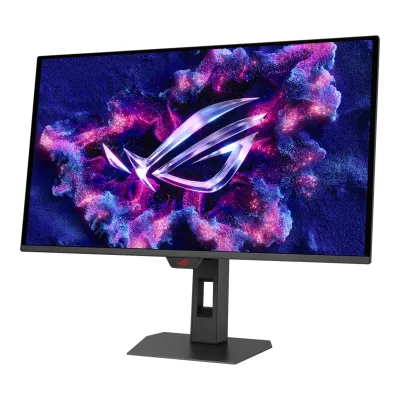
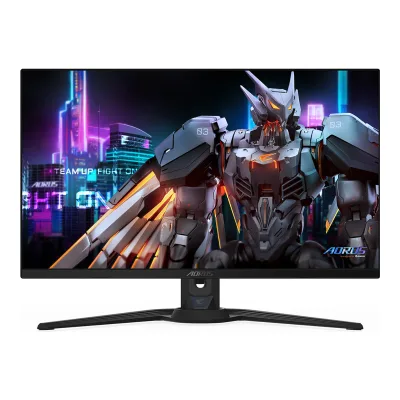
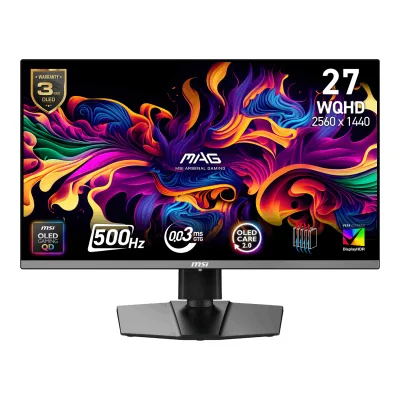
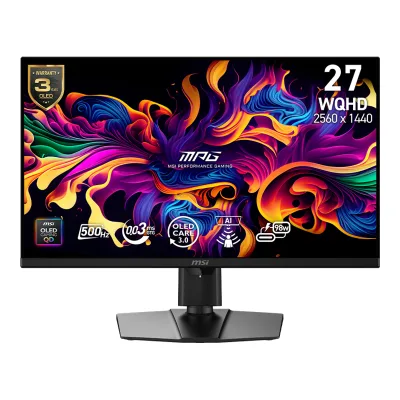
Product B: Samsung
91 of 172 known
Change Samsung Odyssey OLED G6 G60SF
Compare the GIGABYTE MO27Q2A with
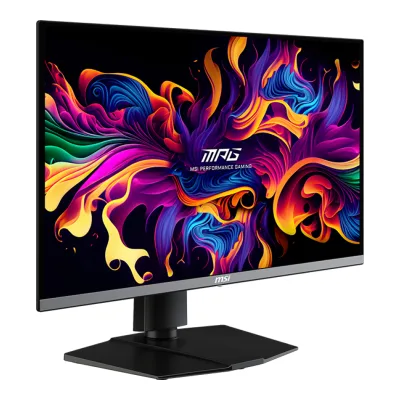
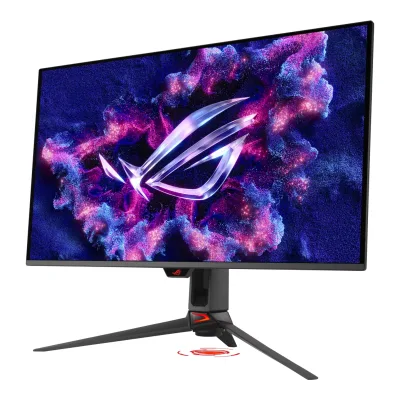
82 of 164 fields differ
- 33 different values
- 49 known for one only
- 30 the same
- 52 missing for both
Biggest differences
Each bar uses the scale of all 179 monitors.
- ContrastA: 1,500,000:1B: 1,000,000:1GIGABYTE is 1.5 times higher.
- Brightness (typical, SDR)A: 250nitsB: 300nitsSamsung is 50 nits higher.
Refresh rate per resolution
The best rate over any port. Bars run from 0 to 1200 Hz.
2560 × 1440Native for both
ANot available
B500Hz
Size, drawn to scale
Front and side.
- AGIGABYTE: 610 × 358 mm
- BSamsung: 611.7 × 353.8 mm
We have no stand height for GIGABYTE, so it is drawn without its stand.
We have no stand height for Samsung, so it is drawn without its stand.
Weight
0 to 15 kg
Weight with stand
A6.09kg
B6.9kg
Weight without stand
A4.59kg
B3.8kg
All 172 fields
Every value links to where we found it.
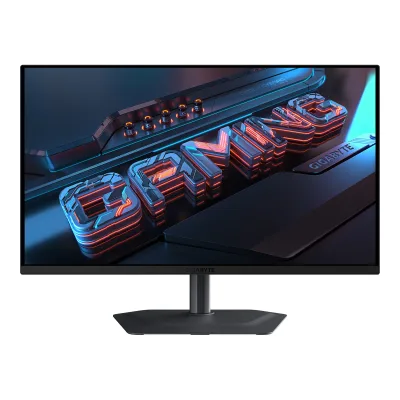
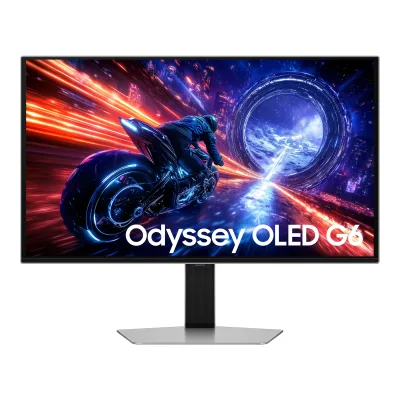
General
3 of 8 differ
Series
Not available
Model numbers
Not available
GTIN / EAN
Not available
Not available
Announced
Not available
Not available
Status
Not available
Not available
Predecessor
Not available
Successor
Not available
Not available
Launch price (US)
Not available
Launch price (EU)
Not available
Not available
Markets
Not available
Not available
Colours
Not available
Display
4 of 12 differ
Screen size
Viewable screen diagonal
Not available
Native resolution
Aspect ratio
Pixel density
108.8ppi
108.8ppi
Pixel pitch
Not available
Not available
Active display area
Width590.42Height333.72mm(23.2 × 13.1 in)1Maker product pagegigabyte.com/Monitor/MO27Q2A/spRead 5 October 2026Published display area 590.42 x 333.72 mm conflicts with native resolution multiplied by published pitch 0.2292 mm. The cause is unstated, so pitch is omitted.
Width590.42Height333.72mm(23.2 × 13.1 in)3Owner's manualorg.downloadcenter.samsung.com/downloadfile/ContentsFile.aspxRead 5 October 2026Page 49 own OLED column directly states display area, matching exact U.S. API. Its copied pixel pitch 0.2292 mm is not consistent with the stated active raster, so pitch is omitted. No undocumented pixel-shift reserve is assumed.
Curved
Not available
Curvature radius
Not available
Not available
Screen surface
Anti-reflection coating
Touchscreen
Not available
Not available
Panel
14 of 31 differ
Panel type
Panel type (as published)
Backlight
None (self-emissive)3Maker product pagegigabyte.com/Monitor/MO27Q2ARead 5 October 2026
Not available
Local dimming
Not available
Not available
Dimming zones
Not available
Not available
Panel maker
Panel part number
Not available
Not available
Panel generation
Not available
Subpixel layout
Not available
Colour depth
Not available
Colour depth method
Not available
Not available
Displayable colours
sRGB coverage
Not available
Not available
DCI-P3 coverage
99%1Maker product pagegigabyte.com/Monitor/MO27Q2A/spRead 5 October 2026Exact-model maker Color Saturation row states 99% DCI-P3. The review quotes the same manufacturer coverage claim. Coordinate basis is unstated.6Reviewchip.pl/2026/09/gigabyte-mo27q2a-test-recenzja-opiniaRead 5 October 2026Introduction explicitly quotes maker 99% DCI-P3 coverage. Measured 98% Standard-mode result is separate and is not written into a maker claim field.
Adobe RGB coverage
Not available
Not available
Rec. 2020 coverage
Not available
Not available
NTSC coverage
Not available
Not available
Factory calibrated
Not available
Claimed Delta E
Not available
Paper calibration report in box
Not available
Hardware calibration support
Not available
Not available
Static contrast ratio
Brightness (typical, SDR)
Brightness (maker minimum)
Not available
Peak brightness (HDR)
HDR peak test window
Full-screen brightness
Not available
HDR formats
Not available
HDR10, HDR10+2Maker product pagesamsung.com/us/gapi/v1/bridge/cacheable/bridge-dataRead 8 October 2026Exact Specs entry LS27FG602SNXZA. Exact HDR10+ row HDR10+ Gaming. Generic HDR certification does not itself establish HDR10, which is separately supported by the exact review.10Press articletftcentral.co.uk/news/samsung-launch-one-of-the-first-500hz-qd-oled-gaming-monitors-with-the-g60sfRead 5 October 2026Exact G60SF text explicitly names HDR10 and HDR10+ support. Its erroneous PIP/PBP marketing claim conflicts with own manual and is excluded.
HDR certification
DisplayHDR True Black 4001Maker product pagegigabyte.com/Monitor/MO27Q2A/spRead 5 October 2026
Viewing angle (horizontal)
Refresh rate and motion
13 of 22 differ
Refresh rate per resolution and port
AGIGABYTE MO27Q2A
Not availableBSamsung Odyssey OLED G6 G60SF
| Resolution | HDMI 2.1 | DisplayPort 1.4 |
|---|---|---|
| 2560 × 1440Native | 500Hz | 500Hz |
Max refresh rate
Not available
500Hz
Max refresh rate at native resolution
Not available
500Hz
Max refresh rate over DisplayPort
Not available
500Hz
Max refresh rate over HDMI
Not available
500Hz
Max refresh rate over USB-C
Not available
Not available
Max refresh rate at 10-bit
Not available
Not available
Native refresh rate
Overclocked refresh rate
Not available
Not available
Dual mode
Not available
Minimum fixed refresh rate
Not available
Not available
Adaptive sync technologies
G-SYNC Compatible, FreeSync Premium Pro4Press releasegigabyte.com/eu/press/news/2296Read 5 October 2026
VRR range per port
Not available
Not available
Low framerate compensation
Not available
Response time (maker GtG claim)
Response time (maker MPRT claim)
Not available
Not available
Overdrive settings
Not available
Not available
Motion blur reduction
Not available
Blur-reduction technology
Not available
Blur reduction works with VRR
Not available
Flicker-free (claimed)
Measured
2 of 12 differ
Input lag at maximum refresh rate
Not available
Not available
Input lag at 60 Hz
Not available
Not available
Average response time (measured)
Not available
Not available
Overshoot (measured)
Not available
Not available
Contrast ratio (measured)
Not available
Not available
SDR brightness (measured)
HDR brightness in a real scene (measured)
Not available
Not available
PWM flicker frequency (measured)
Not available
Not available
VRR range (measured)
Not available
Not available
Colour accuracy (measured Delta E)
Gray uniformity (measured)
Not available
Not available
Reflections (measured)
Not available
Not available
Connectivity
9 of 19 differ
Video inputs
AGIGABYTE MO27Q2A
| Type | Version | Count |
|---|---|---|
| HDMI | 2.1 | 2 |
| DisplayPort | 1.4 | 1 |
| USB-C | Not available | 1 |
BSamsung Odyssey OLED G6 G60SF
| Type | Version | Count | HDCP |
|---|---|---|---|
| HDMI | 2.1 | 2 | 2.2 |
| DisplayPort | 1.4 | 1 | 2.2 |
HDMI ports
2
2
DisplayPort ports
1
1
Highest HDMI version
2.1
2.1
Highest DisplayPort version
1.4
1.4
HDMI features
Not available
USB-C video (DP Alt Mode)
Thunderbolt
Not available
Not available
USB upstream ports
AGIGABYTE MO27Q2A
| Connector | USB version | Count |
|---|---|---|
| USB-B | 3.2 | 1 |
| USB-C | 3.2 | 1 |
Source1Maker product pagegigabyte.com/Monitor/MO27Q2A/spRead 5 October 2026Maker specifies one USB 3.2 upstream port separately from the Type-C upstream row. No generation number is inferred.2Owner's manualmanualslib.com/manual/4135118/Gigabyte-Mo27q2a.htmlRead 5 October 2026Manual p6 identifies that physical port as USB-B. Manual p19 USB 3.2 Support enables Type-C USB 3.2, with USB 2.0 when disabled. No generation number is inferred.
USB downstream hub ports
AGIGABYTE MO27Q2A
| Connector | USB version | Count |
|---|---|---|
| USB-A | 3.2 | 2 |
BSamsung Odyssey OLED G6 G60SF
| Connector | USB version | Count |
|---|---|---|
| USB-A | 3.2 Gen 1 | 2 |
KVM switch
Daisy chain (MST)
Not available
Not available
Ethernet
3.5 mm headphone output
3.5 mm microphone input
Optical out
Picture in picture
Picture by picture
Smart features
None of 4 known
Smart platform
Not available
Not available
Wi-Fi
Not available
Not available
Bluetooth
Not available
Not available
Remote control
Not available
Not available
Audio and camera
4 of 5 differ
Speakers
Number of speakers
Not available
Speaker power per channel
Not available
Webcam
Not available
Microphone
Not available
Not available
Ergonomics and controls
10 of 15 differ
Stand height adjustment
Tilt
Forward5°Backward21°1Maker product pagegigabyte.com/Monitor/MO27Q2A/spRead 5 October 2026
Swivel
Pivot
Not available
Removable stand
VESA mount
VESA adapter needed
Not available
Security lock slot
Not available
On-screen menu controls
Joystick, Buttons, Software2Owner's manualmanualslib.com/manual/4135118/Gigabyte-Mo27q2a.htmlRead 5 October 2026Overview p6 and function guide p10 identify joystick, KVM switch and Tactical Switch. A power-only button is excluded.6Reviewchip.pl/2026/09/gigabyte-mo27q2a-test-recenzja-opiniaRead 5 October 2026Exact-model review OSD section explicitly operates picture profiles, brightness, contrast, gamma, colour temperature, game aids and joystick mappings through GIGABYTE Control Center and OSD Sidekick.
Desktop software
GIGABYTE Control Center3Maker product pagegigabyte.com/Monitor/MO27Q2ARead 5 October 2026Exact maker page names GIGABYTE Control Center. Desktop OSD adjustment is not inferred from a generic software description.6Reviewchip.pl/2026/09/gigabyte-mo27q2a-test-recenzja-opiniaRead 5 October 2026The reviewer directly operates this monitor through GIGABYTE Control Center and OSD Sidekick. Physical control and software control are both supported.
Not available
User firmware updates
Ambient light sensor
Not available
Not available
Presence sensor
Not available
Not available
Gaming menu features
Black Equalizer 2.0, Super Resolution, Gaming Timer, Gaming Counter, Refresh Rate, Crosshair, Night Vision, Eagle Eye, Flash Dimming2Owner's manualmanualslib.com/manual/4135118/Gigabyte-Mo27q2a.htmlRead 5 October 2026Game Assist p12 and Gaming p14 name these aids. Tactical Switch is a control and is excluded.
OLED care
1 of 3 differ
OLED care
Pixel Clean, Static Control, Pixel Shift, APL Stabilize, Sub-Logo Dim, Corner Dim2Owner's manualmanualslib.com/manual/4135118/Gigabyte-Mo27q2a.htmlRead 5 October 2026Exact-model manual OLED Care p11 names Pixel Clean, Static Control, Pixel Shift, APL Stabilize, Sub-Logo Dim and Corner Dim. These are not inherited from MO27Q2.3Maker product pagegigabyte.com/Monitor/MO27Q2ARead 5 October 2026Exact-model manual OLED Care p11 names Pixel Clean, Static Control, Pixel Shift, APL Stabilize, Sub-Logo Dim and Corner Dim. These are not inherited from MO27Q2.
Screen Saver, Logo Brightness, Pixel Refresh3Owner's manualorg.downloadcenter.samsung.com/downloadfile/ContentsFile.aspxRead 5 October 2026Page 43 Panel Care applies to OLED models. Static-image Screen Saver runs after ten minutes and cannot be disabled. Logo Brightness dims fixed images. Pixel Refresh adjusts pixels. No WOLED image-cleaning controls inherited.
Burn-in covered by warranty
Burn-in warranty length
Dimensions and weight
6 of 7 differ
Dimensions with stand
Dimensions without stand
Width610Height358Depth65mm(24 × 14.1 × 2.6 in)2Owner's manualmanualslib.com/manual/4135118/Gigabyte-Mo27q2a.htmlRead 5 October 2026Manual p21 W x H x D: 610 x 358 x 65 mm. Webpage width 610.3 mm differs. Manual 610 mm takes precedence.
Width611.7Height353.8Depth49.2mm(24.1 × 13.9 × 1.9 in)4Maker spec sheet (PDF)boulanger.scene7.com/is/content/Boulanger/8806097455905_f_0Read 5 October 2026Page 3 exact body dimensions explicitly millimetres, correcting U.S. API values erroneously labelled inches. These hardware dimensions match the current exact EU producer table.
Stand footprint
Not available
Not available
Weight with stand
Weight without stand
Box dimensions
Width860Height470Depth160mm(33.9 × 18.5 × 6.3 in)1Maker product pagegigabyte.com/Monitor/MO27Q2A/spRead 5 October 2026
Not available
Power
9 of 13 differ
Power supply
Adapter rating
Not available
Not available
Input voltage
100-240 V AC, 50/60 Hz2Owner's manualmanualslib.com/manual/4135118/Gigabyte-Mo27q2a.htmlRead 5 October 2026
Power use (typical)
Not available
Not available
Power use (max)
Not available
Power use SDR (EU label)
Not available
Power use HDR (EU label)
Not available
Standby power
Not available
Off-mode power
Not available
EU energy class SDR
Not available
EU energy class HDR
Not available
Energy per 1000 h SDR
Not available
Not available
Energy per 1000 h HDR
Not available
Not available
Certifications
5 of 9 differ
VESA ClearMR
Not available
VESA AdaptiveSync Display
Not available
Not available
TÜV certifications
Low Blue Light Hardware Solution2Owner's manualmanualslib.com/manual/4135118/Gigabyte-Mo27q2a.htmlRead 5 October 2026Explicit hardware low-blue-light certification in manual p15. No unstated Flicker Free certification is inferred.
Not available
Low blue light
ENERGY STAR
Not available
Not available
TCO Certified
Not available
Not available
EPEAT
Not available
Not available
Colour certifications
Not available
In the box
2 of 2 differ
In the box
Monitor, Monitor Base, Stand, Power Cable, HDMI Cable, DisplayPort Cable, USB Cable, Cable Clip, Warranty Card, Quick Start Guide, Color Calibration Report2Owner's manualmanualslib.com/manual/4135118/Gigabyte-Mo27q2a.htmlRead 5 October 2026Package Contents p4 identifies all listed physical items.
Monitor, Stand, External AC adapter, Power cable, HDMI cable, DisplayPort cable, USB Type-A to Type-B upstream cable2Maker product pagesamsung.com/us/gapi/v1/bridge/cacheable/bridge-dataRead 8 October 2026Exact Specs entry LS27FG602SNXZA. Exact maker Accessory cable list, with supplied stand and external adapter shown in own manual. No optional remote, regional extras or unstated cable counts inferred.
Cables included
AGIGABYTE MO27Q2A
| Type |
|---|
| Power Cable |
| HDMI Cable |
| DisplayPort Cable |
| USB Cable |
BSamsung Odyssey OLED G6 G60SF
| Type |
|---|
| Power (1.5 m) |
| HDMI |
| DisplayPort |
| USB Type-A to Type-B upstream |
Warranty
0 of 2 differ
Manufacturer warranty (source market)
Dead pixel policy
Not available
Not available
Links
Not compared
Product page
www.gigabyte.com/Monitor/MO27Q2A1Maker product pagegigabyte.com/Monitor/MO27Q2A/spRead 5 October 2026
www.samsung.com/us/monitors/gaming/27-inch-odyssey-oled-g6-g60sf-qhd-500hz-gaming-monitor-sku-ls27fg602snxza1Maker product pagesamsung.com/us/monitors/gaming/27-inch-odyssey-oled-g6-g60sf-qhd-500hz-gaming-monitor-sku-ls27fg602snxzaRead 5 October 2026Exact U.S. LS27FG602SNXZA product page. G60SD 360 Hz and G60F LCD hardware are separate.
Spec sheet
Not available
boulanger.scene7.com/is/content/Boulanger/8806097455905_f_04Maker spec sheet (PDF)boulanger.scene7.com/is/content/Boulanger/8806097455905_f_0Read 5 October 2026Original four-page Samsung France G60SF sheet hosted publicly by Boulanger. Exact model LS27FG602SUXEN. Copied August 2024 footer, USB No and 1 ms footnote are inconsistent with actual own model and are excluded.
Manual
www.manualslib.com/manual/4135118/Gigabyte-Mo27q2a.html2Owner's manualmanualslib.com/manual/4135118/Gigabyte-Mo27q2a.htmlRead 5 October 2026Public mirror of exact GIGABYTE MO27Q2A / MO27Q2A ICE maker user guide. Original English maker filename was not found, so no guessed URL is stored. Only the black MO27Q2A hardware is represented.
org.downloadcenter.samsung.com/downloadfile/ContentsFile.aspx3Owner's manualorg.downloadcenter.samsung.com/downloadfile/ContentsFile.aspxRead 5 October 2026Current U.S. support selects BN81-28255B-01 Gaming Series Y25 NA LATIN English, dated April 7, 2026. Cover includes S27FG60*S OLED. S27FG60*E is different LCD hardware and its rows are excluded.
Both are also in the API. Back to all monitors.