Webcams / Compare
Insta360 Link 2 vs OBSBOT Tiny 2 Lite
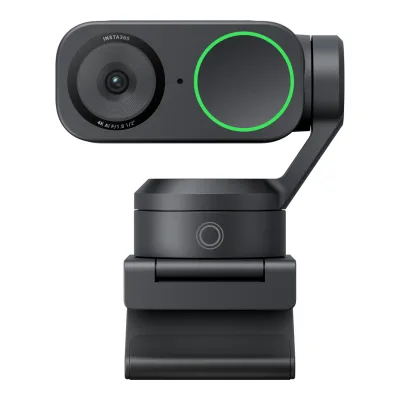
Product A: Insta360
48 of 68 known
Change Insta360 Link 2
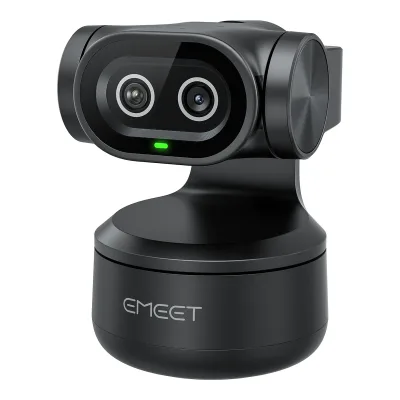
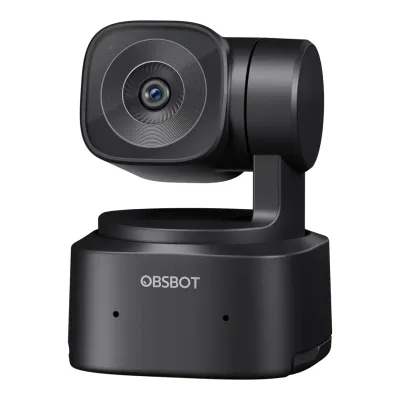
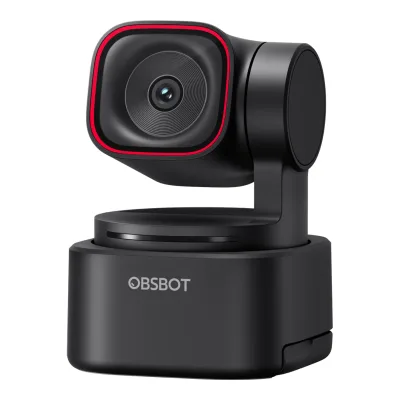
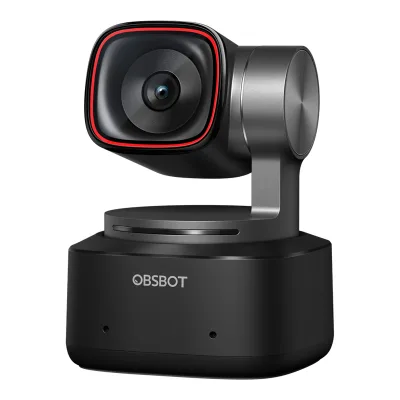
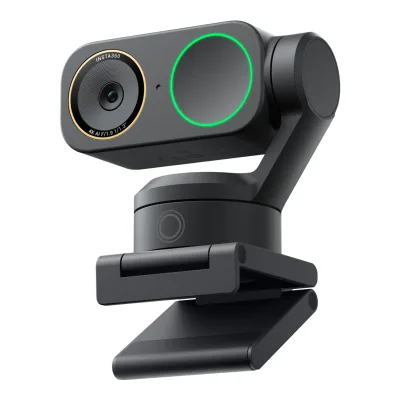
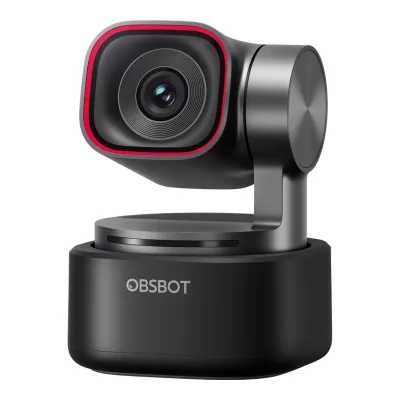
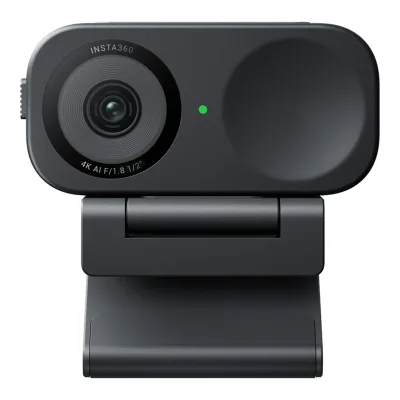
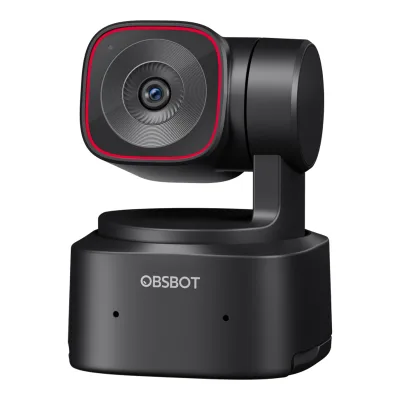
Product B: OBSBOT
46 of 68 known
Change OBSBOT Tiny 2 Lite
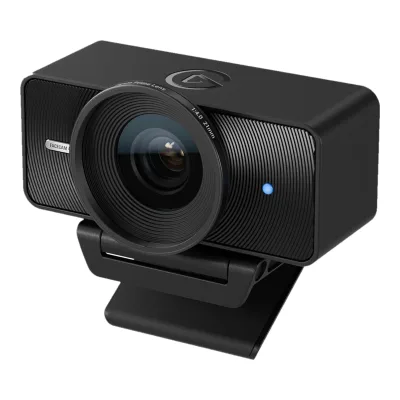
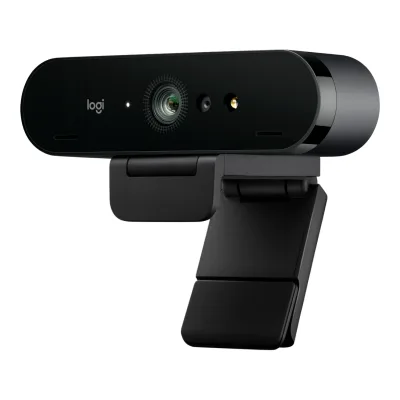
23 of 60 fields differ
- 14 different values
- 9 known for one only
- 24 the same
- 13 missing for both
Size, drawn to scale
Front and side.
- AInsta360: 71.3 × 58.9 mm
- BOBSBOT: 48.4 × 64.2 mm
Weight
0 to 250 g
Camera weight
A101.5g
B91.4g
All 68 fields
Every value links to where we found it.
General
5 of 8 differ
Series
Model numbers
GTIN / EAN
6971889230441, 76849014570912Retailer pagemarkertek.com/product/obs-tiny-2-lite/obsbot-tiny-2-lite-ai-powered-4k-ptz-webcam-with-2-axis-gimbal-and-ai-track-auto-zoom-uhd-4k-at-30fps-1080p-at-60fpsRead 15 October 2026GTIN 0768490145709, the US UPC 768490145709 with a leading zero13Retailer pagemusicredone.com/products/obsbot-tiny2-lite-ai-powered-4k-ptz-webcamRead 15 October 2026Listed UPC 6971889230441, which is a valid EAN-13
Announced
Status
Predecessor
Not available
Not available
Successor
Not available
Not available
Launch price (US)
$199.9911Reviewcgmagonline.com/review/hardware/insta360-link-2-webcam-reviewRead 15 October 2026MSRP $199.99 USD, US price excluding tax. The Link 2C is $149.99.12Reviewwindowscentral.com/accessories/insta360-link-2-reviewRead 15 October 2026Review says the Link 2 retails for $199.99, $100 less than the original Link
$1796Press releaseobsbot.com/news/obsbot-unveils-tiny-2-liteRead 15 October 2026Press release: pricing starts at $179 USD in the US7Maker product pageweb.archive.org/web/20240626231802/https://www.obsbot.com/store/products/tiny-2-liteRead 15 October 2026Archived store page: USD $179.00 for the Pack, tax not included
Launch price (EU)
Not available
Markets
Not available
Not available
Colours
Video
2 of 8 differ
Video modes
AInsta360 Link 2
| Width (px) | Height (px) | Max frame rate (fps) |
|---|---|---|
| 3840 | 2160 | 30 |
| 1920 | 1080 | 60 |
| 1280 | 720 | 60 |
| 640 | 360 | 30 |
BOBSBOT Tiny 2 Lite
| Width (px) | Height (px) | Max frame rate (fps) | Format |
|---|---|---|---|
| 3840 | 2160 | 30 | MJPEG |
| 1920 | 1080 | 60 | MJPEG |
| 1280 | 720 | 60 | MJPEG |
| 640 | 480 | 30 | YUV (unnamed subformat) |
| 640 | 360 | 30 | YUV (unnamed subformat) |
Max video resolution
3840 × 2160px
3840 × 2160px
Max frame rate at 4K
30fps
30fps
Max frame rate at 1080p
60fps
60fps
Max frame rate at any resolution
60fps
60fps
HDR video
Yes1Maker product pagestore.insta360.com/product/link-2Read 15 October 2026Spec table HDR: Supported in all resolutions and frame rates3Maker product pageonlinemanual.insta360.com/link2/en-us/faq/specs/shootingRead 15 October 2026Q3: both models support HDR
Yes1Maker product pageobsbot.com/obsbot-tiny-2-lite-4k-webcam/specsRead 15 October 2026Spec table HDR row: Support. The frame rate with HDR is not stated.2Maker product pageobsbot.com/obsbot-tiny-2-lite-4k-webcamRead 15 October 2026Page text: the 1/2 inch CMOS offers reliable bright-light performance with HDR3Owner's manualresource-cdn.obsbothk.com/download/obsbot-tiny-2-lite/manual/OBSBOTTiny2LiteUserManual_ENv1.1.pdfRead 15 October 2026HDR section: off by default, enabled in OBSBOT Center
Max frame rate with HDR
Not available
Portrait video
Yes1Maker product pagestore.insta360.com/product/link-2Read 15 October 2026Page section Portrait Mode: rotate the camera and shoot 9:16 in 4K. Needs a tripod, see the online manual portrait page.6Maker product pageonlinemanual.insta360.com/link2/en-us/faq/operationtutorials/portraitmodeRead 15 October 2026Q1: mount the camera sideways on a tripod and pick a 9:16 portrait resolution in Link Controller, 4K, 1080p or 720p. The gimbal does not rotate the camera.11Reviewcgmagonline.com/review/hardware/insta360-link-2-webcam-reviewRead 15 October 2026To use portrait mode the camera must be mounted sideways. The gimbal will not rotate for you.
Yes2Maker product pageobsbot.com/obsbot-tiny-2-lite-4k-webcamRead 15 October 2026Section Various Shooting Modes: landscape, portrait and upside-down shooting using the 1/4'' interface3Owner's manualresource-cdn.obsbothk.com/download/obsbot-tiny-2-lite/manual/OBSBOTTiny2LiteUserManual_ENv1.1.pdfRead 15 October 2026Various Shooting Modes, Portrait shooting: placing the camera horizontally through an external accessory enters portrait mode. Automatic rotation works only in software that supports it, such as OBS.
Sensor and lens
2 of 10 differ
Sensor optical format
Sensor
Not available
Not available
Sensor resolution
Not available
Pixel size
Not available
Not available
Aperture (f/)
Focal length (35 mm equivalent)
Lens material
Not available
Not available
Field of view (diagonal)
Not available
Not available
Field of view (horizontal)
67°1Maker product pagestore.insta360.com/product/link-2Read 15 October 2026Spec table Fixed FOV: 79.5 degrees DFOV and 67 degrees HFOV. The pair fits a 4:3 frame, so the diagonal is not stored. The 16:9 diagonal is about 74 degrees, which Insta360 does not publish.3Maker product pageonlinemanual.insta360.com/link2/en-us/faq/specs/shootingRead 15 October 2026Q5: 79.5 degrees DFOV, 67 degrees HFOV. The pair fits 4:3, so only the horizontal value is stored.
Not available
Selectable fields of view
Not available
Not available
Focus and zoom
0 of 4 differ
Focus
Phase-detect autofocus1Maker product pagestore.insta360.com/product/link-2Read 15 October 2026Page section True Focus: Phase Detection Auto Focus (PDAF)10Press releasenewsroom.notified.com/transcontinentagroup/posts/pressreleases/new-insta360-link-2-and-link-2c-for-premium-qRead 15 October 2026True Focus uses Phase Detection Auto Focus (PDAF)
Manual focus
Yes1Maker product pageobsbot.com/obsbot-tiny-2-lite-4k-webcam/specsRead 15 October 2026Spec table Focus Type: AF (PDAF) / MF3Owner's manualresource-cdn.obsbothk.com/download/obsbot-tiny-2-lite/manual/OBSBOTTiny2LiteUserManual_ENv1.1.pdfRead 15 October 2026Focus section: users can disable auto-focus and adjust focus in OBSBOT Center
Closest focus distance
Max digital zoom
Features
4 of 7 differ
Auto framing
Yes1Maker product pagestore.insta360.com/product/link-2Read 15 October 2026Page section AI Tracking and Auto Framing: AI Tracking in Link Controller keeps the user in frame with the gimbal9Maker product pageonlinemanual.insta360.com/link2/en-us/faq/functions/aitrackingRead 15 October 2026Q1: AI Tracking locks onto a person or group and the gimbal rotates and zooms to keep them in frame. Single Tracking and Group Tracking are set in Link Controller.
Yes2Maker product pageobsbot.com/obsbot-tiny-2-lite-4k-webcamRead 15 October 2026AI Tracking with Auto Zoom section: tracks you in real time with better framing and automatic zoom. Needs OBSBOT Center.3Owner's manualresource-cdn.obsbothk.com/download/obsbot-tiny-2-lite/manual/OBSBOTTiny2LiteUserManual_ENv1.1.pdfRead 15 October 2026Human Tracking: the camera tracks the person and keeps them in the best composition. Group Mode adjusts the view as people join or leave.
Gimbal pan range
280°1Maker product pageobsbot.com/obsbot-tiny-2-lite-4k-webcam/specsRead 15 October 2026Controllable range pan +/-140 degrees stored as 280. Mechanical range +/-150 degrees is not used.3Owner's manualresource-cdn.obsbothk.com/download/obsbot-tiny-2-lite/manual/OBSBOTTiny2LiteUserManual_ENv1.1.pdfRead 15 October 2026Gimbal section: controllable pan +/-140 degrees
Gimbal tilt range
100°1Maker product pageobsbot.com/obsbot-tiny-2-lite-4k-webcam/specsRead 15 October 2026Controllable range tilt 30 degrees down to 70 degrees up stored as 100. Mechanical range +/-90 degrees is not used.3Owner's manualresource-cdn.obsbothk.com/download/obsbot-tiny-2-lite/manual/OBSBOTTiny2LiteUserManual_ENv1.1.pdfRead 15 October 2026Gimbal section: controllable tilt 30 degrees to -70 degrees
Gesture control
Yes1Maker product pagestore.insta360.com/product/link-2Read 15 October 2026Page section Gesture Control: simple hand gestures activate AI Tracking and Auto Framing, zoom in or out and enable Whiteboard Mode8Maker product pageonlinemanual.insta360.com/link2/en-us/operating-tutorials/function-mode/gesture-controlRead 15 October 2026Applicable models include Link 2. The L gesture zooms and a palm gesture starts AI Tracking.
Yes2Maker product pageobsbot.com/obsbot-tiny-2-lite-4k-webcamRead 15 October 2026Gesture Control 2.0 section: three gestures activate AI Tracking and zoom in or out3Owner's manualresource-cdn.obsbothk.com/download/obsbot-tiny-2-lite/manual/OBSBOTTiny2LiteUserManual_ENv1.1.pdfRead 15 October 2026Gesture Control 2.0 section: turn human tracking on and off and zoom with hand gestures
IR face login
Not available
Built-in light
Not available
Not available
Other camera features
AI Tracking, Auto Framing, Group Tracking, Pause-Track Area, Whiteboard Mode, Smart Whiteboard, DeskView, Natural Bokeh, Background Blur, Background Replacer, One-Click Makeup1Maker product pagestore.insta360.com/product/link-2Read 15 October 2026Names from the spec table Modes row and the feature sections: AI Tracking, Smart Whiteboard, DeskView, Whiteboard Mode, Natural Bokeh, Pause-Track Area, Background Blur, Background Replacer, One-Click Makeup. Group Tracking is from the online manual AI Tracking FAQ and Auto Framing from the page.9Maker product pageonlinemanual.insta360.com/link2/en-us/faq/functions/aitrackingRead 15 October 2026Q1 and Q3: Single Tracking and Group Tracking
AI Tracking with Auto Zoom, Body Part Tracking, Hand Tracking, Zone Tracking, Group Mode, Preset Modes, Beauty Mode, Background Blur, Sleep Mode 2.02Maker product pageobsbot.com/obsbot-tiny-2-lite-4k-webcamRead 15 October 2026Names from the page sections: AI Tracking with Auto Zoom, Bodypart Tracking (upper body, close-up, lower body, headless), Hand Tracking, Zone Tracking, Preset Modes, Beauty Mode, Bokeh (Background Blur), Sleep Mode 2.0. Group Mode is from the manual.3Owner's manualresource-cdn.obsbothk.com/download/obsbot-tiny-2-lite/manual/OBSBOTTiny2LiteUserManual_ENv1.1.pdfRead 15 October 2026Manual sections Hand Tracking, Group Mode, and zone tracking in Human Tracking6Press releaseobsbot.com/news/obsbot-unveils-tiny-2-liteRead 15 October 2026Press release lists Auto Tracking with Auto Zoom, hand tracking, bodypart tracking, Standard Mode and Motion Mode tracking, Beauty Mode and Device Auto Sleep
Audio
3 of 6 differ
Built-in microphone
Microphones
Not available
21Maker product pageobsbot.com/obsbot-tiny-2-lite-4k-webcam/specsRead 15 October 2026Spec table Audio Input: dual mics. The manual parts list also names Dual Microphones.3Owner's manualresource-cdn.obsbothk.com/download/obsbot-tiny-2-lite/manual/OBSBOTTiny2LiteUserManual_ENv1.1.pdfRead 15 October 2026Parts Info item 03: Dual Microphones4Maker product pageobsbot.com/obsbot-tiny-2-lite-4k-webcam/faqRead 15 October 2026FAQ: dual omni-directional microphones
Stereo audio
Not available
Not available
Mic pickup range
Not available
Mic noise reduction
AI1Maker product pagestore.insta360.com/product/link-2Read 15 October 2026Spec table Audio: AI Noise-Canceling4Maker product pageonlinemanual.insta360.com/link2/en-us/faq/specs/audioRead 15 October 2026Q2: the three audio modes apply AI noise-canceling technology
Yes, method not stated1Maker product pageobsbot.com/obsbot-tiny-2-lite-4k-webcam/specsRead 15 October 2026Spec table Audio Modes: Noise-Reduction / Automatic Gain Control. The product page names three adjustable noise cancellation levels and does not name DSP or AI.2Maker product pageobsbot.com/obsbot-tiny-2-lite-4k-webcamRead 15 October 2026Page text: dual-omnidirectional microphone with three intensities of adjustable noise cancellation and human voice augmentation4Maker product pageobsbot.com/obsbot-tiny-2-lite-4k-webcam/faqRead 15 October 2026FAQ: noise cancellation and automatic gain control, method not named
Mic sample rate
Not available
Not available
Connectivity
0 of 4 differ
USB
USB 2.08Retailer pageessentialphoto.co.uk/blogs/news/the-obsbot-tiny-2-vs-the-new-tiny-2-lite-whats-the-differenceRead 15 October 2026Retailer comparison: the Tiny 2 Lite uses basic USB 2.0 while the Tiny 2 has a faster USB 3.0 port. OBSBOT prints no USB version. Camera Jabber, The Gadgeteer and Yanko Design also say USB 2.0. One retailer feed lists USB 3.0.9Reviewcamerajabber.com/reviews/obsbot-tiny-2-liteRead 15 October 2026Review dated 2024-07-01, spec list: Connectivity USB 2.0. The same list prints size and weight that do not match the maker, so only the USB value is used.10Reviewthe-gadgeteer.com/2024/07/22/obsbot-tiny-2-lite-webcam-review-a-rare-gem-where-lite-does-not-mean-less-featuresRead 15 October 2026Review dated 2024-07-22: USB 2.0 listed as a plus for compatibility with older computers11Reviewyankodesign.comRead 15 October 2026Review: the Lite uses a slower USB 2.0 connection only
Detachable cable
Cable host plug
USB-C1Maker product pagestore.insta360.com/product/link-2Read 15 October 2026Standard Bundle lists 1x USB-C Cable and 1x USB-C to USB-A Adapter. The adapter is separate.11Reviewcgmagonline.com/review/hardware/insta360-link-2-webcam-reviewRead 15 October 2026Box lists a USB-C to USB-C cable with a USB-C to USB-A adapter
Cable length
Not available
Not available
Mounting and privacy
1 of 2 differ
Mounting
Monitor clip, Magnetic mount, Tripod thread1Maker product pagestore.insta360.com/product/link-2Read 15 October 2026Spec table Mounting Options: Magnetic Mount with 1/4 inch mounting point for external tripod. Page text: attach to laptops or monitors with the included Magnetic Mount.11Reviewcgmagonline.com/review/hardware/insta360-link-2-webcam-reviewRead 15 October 2026Magnetic mount with a 1/4-inch mount for tripods or similar supports12Reviewwindowscentral.com/accessories/insta360-link-2-reviewRead 15 October 2026The included magnetic mount is simple to set up on any monitor or flat surface
Monitor clip, Tripod thread2Maker product pageobsbot.com/obsbot-tiny-2-lite-4k-webcamRead 15 October 2026Section Simpler. Lighter. Built-in Stand, and the 1/4'' interface for tripods3Owner's manualresource-cdn.obsbothk.com/download/obsbot-tiny-2-lite/manual/OBSBOTTiny2LiteUserManual_ENv1.1.pdfRead 15 October 2026Placement Instructions: the built-in stand at the bottom sits on a monitor. A standard UNC 1/4-20 nut connector on the base is for a tripod. The manual names no magnet.4Maker product pageobsbot.com/obsbot-tiny-2-lite-4k-webcam/faqRead 15 October 2026FAQ: built-in stand for a monitor or flat surface, and a built-in 1/4'' interface13Retailer pagemusicredone.com/products/obsbot-tiny2-lite-ai-powered-4k-ptz-webcamRead 15 October 2026General: Tripod Mounting Thread 1x 1/4"-20 Female
Privacy cover
Lens turns away1Maker product pagestore.insta360.com/product/link-2Read 15 October 2026Privacy Mode section: the Link 2 flips down after 10 seconds of inactivity, or the lens is moved down by hand. The Link 2C has a privacy switch.5Maker product pageonlinemanual.insta360.com/link2/en-us/faq/operationtutorials/privacyprotectionRead 15 October 2026Q1: the Link 2 enters Privacy Mode when the lens faces downwards for 10 seconds. The lens can also be moved down by hand.
Lens turns away2Maker product pageobsbot.com/obsbot-tiny-2-lite-4k-webcamRead 15 October 2026Section Get Your Video Call Pro and Protected: Sleep Mode 2.0 with manual sleep and Device Auto Sleep3Owner's manualresource-cdn.obsbothk.com/download/obsbot-tiny-2-lite/manual/OBSBOTTiny2LiteUserManual_ENv1.1.pdfRead 15 October 2026Sleep Mode, Manual Sleep: point the lens straight down. The indicator light goes off.4Maker product pageobsbot.com/obsbot-tiny-2-lite-4k-webcam/faqRead 15 October 2026FAQ: tilt the camera down or enable Auto Sleep Mode
Software
1 of 3 differ
Software
Insta360 Link Controller1Maker product pagestore.insta360.com/product/link-2Read 15 October 2026Spec table System Requirements names Link Controller7Maker product pageonlinemanual.insta360.com/link2/en-us/operating-tutorials/step/firmwareupdateRead 15 October 2026The update steps use Insta360 Link Controller
OBSBOT Center1Maker product pageobsbot.com/obsbot-tiny-2-lite-4k-webcam/specsRead 15 October 2026Spec table Auxiliary App: OBSBOT Center (formerly OBSBOT WebCam)2Maker product pageobsbot.com/obsbot-tiny-2-lite-4k-webcamRead 15 October 2026Section Expand Potential with OBSBOT Center: Windows 10 or later, macOS 11 or later3Owner's manualresource-cdn.obsbothk.com/download/obsbot-tiny-2-lite/manual/OBSBOTTiny2LiteUserManual_ENv1.1.pdfRead 15 October 2026OBSBOT Center software section
Onboard memory
Not available
Not available
User firmware updates
Yes3Owner's manualresource-cdn.obsbothk.com/download/obsbot-tiny-2-lite/manual/OBSBOTTiny2LiteUserManual_ENv1.1.pdfRead 15 October 2026OBSBOT Center Firmware Upgrade section: prompts appear when firmware is available4Maker product pageobsbot.com/obsbot-tiny-2-lite-4k-webcam/faqRead 15 October 2026FAQ: check for firmware updates in OBSBOT Center or download the latest firmware from the OBSBOT website
Compatibility
0 of 1 differ
Works with
Windows, macOS1Maker product pageobsbot.com/obsbot-tiny-2-lite-4k-webcam/specsRead 15 October 2026Spec table System Requirements: Windows 10 or later, macOS 11 or later3Owner's manualresource-cdn.obsbothk.com/download/obsbot-tiny-2-lite/manual/OBSBOTTiny2LiteUserManual_ENv1.1.pdfRead 15 October 2026System Requirements: Windows 10 (64-bit) or later, macOS 11.0 or later
Dimensions and weight
3 of 3 differ
Camera dimensions
Width71.3Height58.9Depth38mm(2.8 × 2.3 × 1.5 in)1Maker product pagestore.insta360.com/product/link-2Read 15 October 2026Spec table Dimensions (W x H x D): 71.3 x 58.9 x 38 mm. The page does not say whether the magnetic mount is included. The weight rows list the camera with and without it.2Maker product pageonlinemanual.insta360.com/link2/en-us/faq/specs/hardwareRead 15 October 2026Q1: 71.3x58.9x38mm for the Link 2
Width48.37Height64.2Depth46.46mm(1.9 × 2.5 × 1.8 in)1Maker product pageobsbot.com/obsbot-tiny-2-lite-4k-webcam/specsRead 15 October 2026Spec table Size: 48.37mm*46.46mm*64.2mm with no axis names. The body is taller than wide in the maker photo, so 64.2 is the height. Width 48.37 and depth 46.46 follow the order a retailer feed lists as 64.2 x 48.37 x 46.46 mm.13Retailer pagemusicredone.com/products/obsbot-tiny2-lite-ai-powered-4k-ptz-webcamRead 15 October 2026Physical: 2.5 x 1.9 x 1.83 in / 64.2 x 48.37 x 46.46 mm
Certifications
None of 2 known
Communication certifications
Not available
Not available
Other certifications
Not available
Not available
In the box
1 of 1 differ
In the box
Insta360 Link 2, Magnetic Mount, 4x Recognition Markers, USB-C Cable, USB-C to USB-A Adapter1Maker product pagestore.insta360.com/product/link-2Read 15 October 2026Standard Bundle contents. The Tripod Bundle adds a Mini 2-in-1 Tripod.
OBSBOT Tiny 2 Lite, USB-C to USB-A Adapter, USB-C to C Cable5Maker product pageobsbot.com/store/products/tiny-2-liteRead 15 October 2026[OBSBOT Tiny 2 Lite] Pack contents: OBSBOT Tiny 2 Lite, USB-C to USB-A adapter, USB-C to C cable. The combos add a remote, microphone or tripod and are not stored.
Links
Not compared
Product page
Spec sheet
Not available
Manual
EPREL registration number
Not available
Not available
Warranty
1 of 1 differ
Manufacturer warranty (source market)
Not available
Both are also in the API. Back to all webcams.