Webcams / Compare
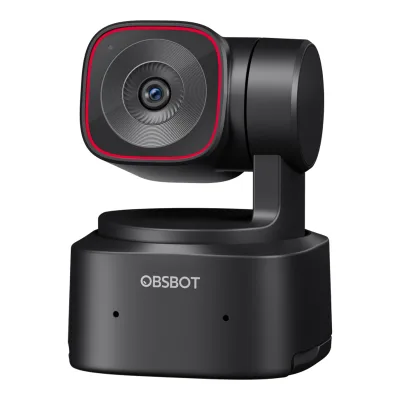
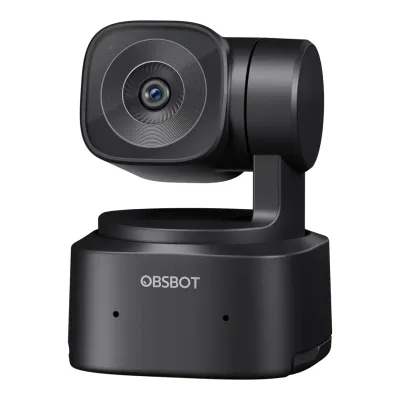
OBSBOT Tiny 2 Lite vs OBSBOT Tiny SE
Product A: OBSBOT
46 of 68 known
Change OBSBOT Tiny 2 Lite
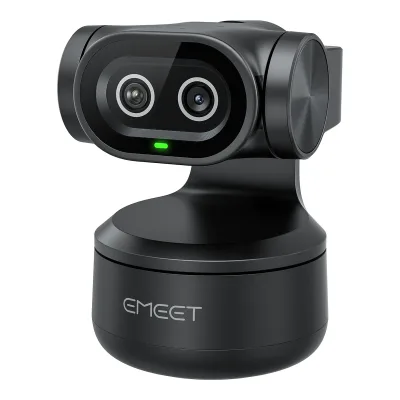
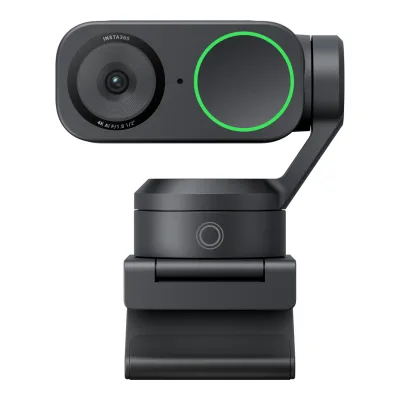
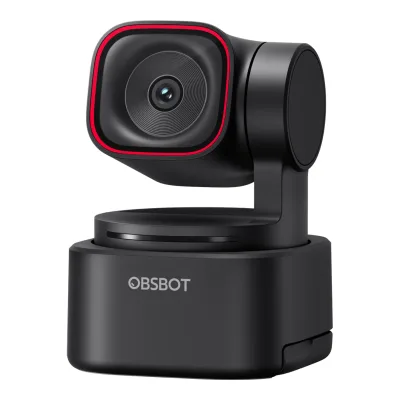
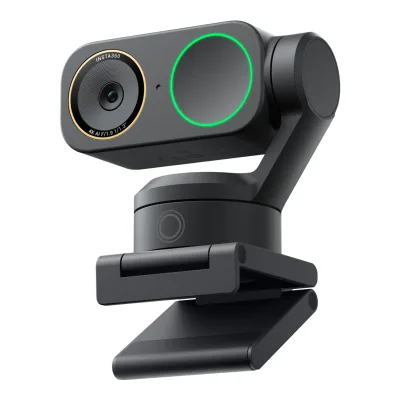
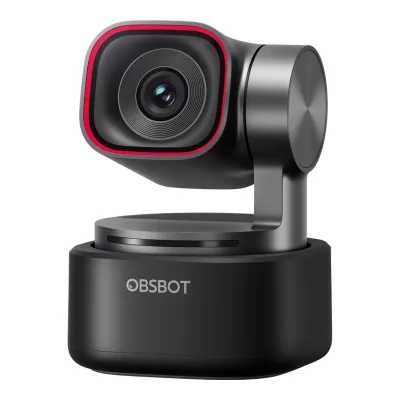
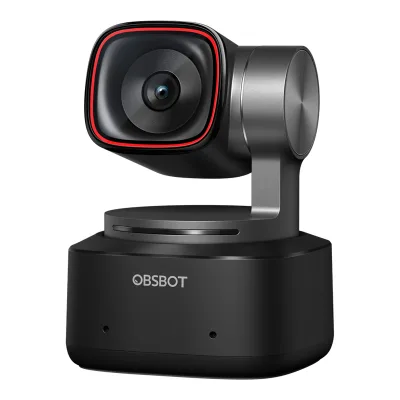
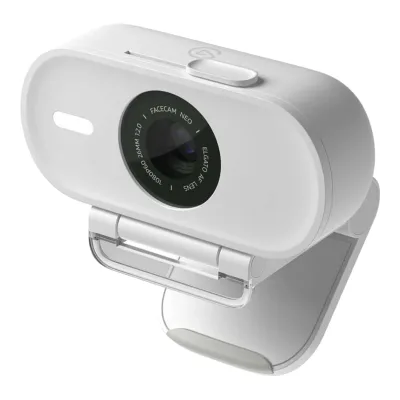
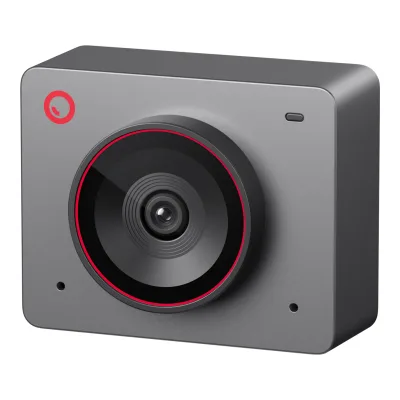
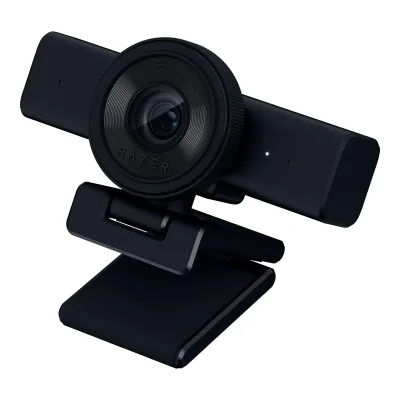
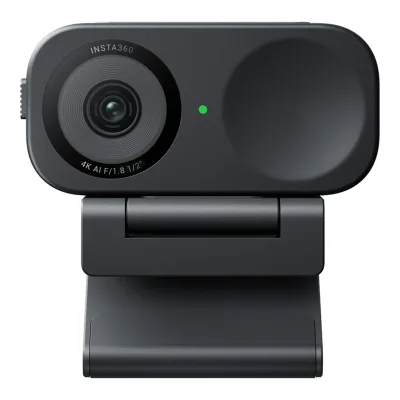
Product B: OBSBOT
50 of 68 known
Change OBSBOT Tiny SE
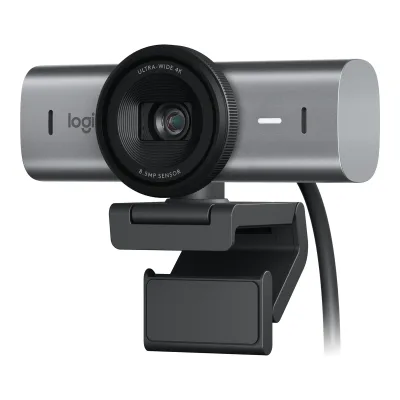
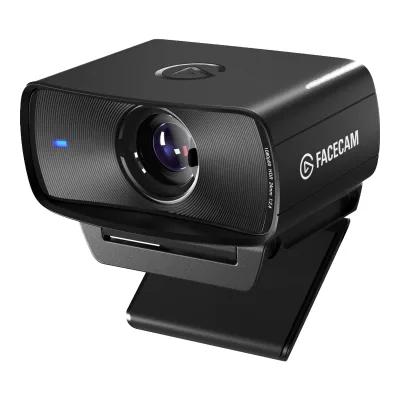
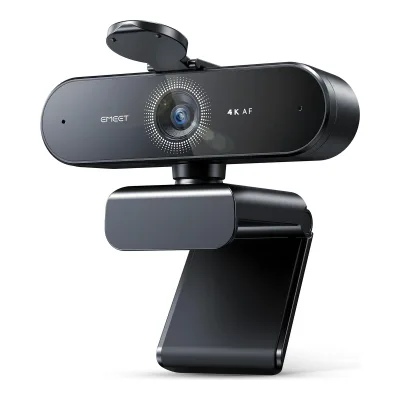
19 of 60 fields differ
- 13 different values
- 6 known for one only
- 27 the same
- 14 missing for both
Biggest differences
Each bar uses the scale of all 39 webcams.
- Sensor resolutionA: 48MPB: 2MPTiny 2 Lite is 24 times higher.
- Max frame rateA: 60fpsB: 120fpsTiny SE is 60 fps higher.
- 1080p frame rateA: 60fpsB: 100fpsTiny SE is 40 fps higher.
Size, drawn to scale
Front and side.
- ATiny 2 Lite: 48.4 × 64.2 mm
- BTiny SE: 48.4 × 64.2 mm
Weight
0 to 250 g
Camera weight
A91.4g
B94g
All 68 fields
Every value links to where we found it.
General
2 of 8 differ
Series
Model numbers
GTIN / EAN
6971889230441, 76849014570912Retailer pagemarkertek.com/product/obs-tiny-2-lite/obsbot-tiny-2-lite-ai-powered-4k-ptz-webcam-with-2-axis-gimbal-and-ai-track-auto-zoom-uhd-4k-at-30fps-1080p-at-60fpsRead 15 October 2026GTIN 0768490145709, the US UPC 768490145709 with a leading zero13Retailer pagemusicredone.com/products/obsbot-tiny2-lite-ai-powered-4k-ptz-webcamRead 15 October 2026Listed UPC 6971889230441, which is a valid EAN-13
Announced
Status
Predecessor
Not available
Not available
Successor
Not available
Not available
Launch price (US)
$1796Press releaseobsbot.com/news/obsbot-unveils-tiny-2-liteRead 15 October 2026Press release: pricing starts at $179 USD in the US7Maker product pageweb.archive.org/web/20240626231802/https://www.obsbot.com/store/products/tiny-2-liteRead 15 October 2026Archived store page: USD $179.00 for the Pack, tax not included
$997Maker product pageweb.archive.org/web/20250115232941/https://www.obsbot.com/store/products/tiny-seRead 16 October 2026Archived store page: USD $99.00 for the Pack, tax not included. No launch euro price is stored, since a launch report names 129 euro on the maker site and 149 euro on Amazon.8Press articlepcworld.com/article/2579704/obsbots-new-webcams-shoot-at-a-super-smooth-100fps.htmlRead 16 October 2026Launch article: the Tiny SE sells for $99 on Amazon
Launch price (EU)
Not available
Not available
Markets
Not available
Not available
Colours
Video
6 of 8 differ
Video modes
AOBSBOT Tiny 2 Lite
| Width (px) | Height (px) | Max frame rate (fps) | Format |
|---|---|---|---|
| 3840 | 2160 | 30 | MJPEG |
| 1920 | 1080 | 60 | MJPEG |
| 1280 | 720 | 60 | MJPEG |
| 640 | 480 | 30 | YUV (unnamed subformat) |
| 640 | 360 | 30 | YUV (unnamed subformat) |
BOBSBOT Tiny SE
| Width (px) | Height (px) | Max frame rate (fps) | Format |
|---|---|---|---|
| 1920 | 1080 | 100 | MJPEG |
| 1280 | 720 | 120 | MJPEG |
| 640 | 480 | 30 | YUV (unnamed subformat) |
| 640 | 360 | 30 | YUV (unnamed subformat) |
Source1Maker product pageobsbot.com/obsbot-tiny-se-full-hd-webcam/specsRead 16 October 2026Spec table Video Resolution. MJPEG 1920x1080 up to 100 and 1280x720 up to 120. YUV 640x480 and 640x360 up to 30. Only the highest rate per resolution and format is stored. The maker recommends a 7th Gen Intel Core i5 PC with 8 GB RAM or a 2018 MacBook with an 8th Gen Core i5 for 1080p at 60 or 100 fps. Retailers that list 720p at 150 fps are not used, since the maker lists 120.4Maker product pageobsbot.com/obsbot-tiny-se-full-hd-webcam/faqRead 16 October 2026FAQ lists the same MJPEG and YUV modes as the spec table
Max video resolution
3840 × 2160px
1920 × 1080px
Max frame rate at 4K
30fps
Not available
Max frame rate at 1080p
60fps
100fps
Max frame rate at any resolution
60fps
120fps
HDR video
Yes1Maker product pageobsbot.com/obsbot-tiny-2-lite-4k-webcam/specsRead 15 October 2026Spec table HDR row: Support. The frame rate with HDR is not stated.2Maker product pageobsbot.com/obsbot-tiny-2-lite-4k-webcamRead 15 October 2026Page text: the 1/2 inch CMOS offers reliable bright-light performance with HDR3Owner's manualresource-cdn.obsbothk.com/download/obsbot-tiny-2-lite/manual/OBSBOTTiny2LiteUserManual_ENv1.1.pdfRead 15 October 2026HDR section: off by default, enabled in OBSBOT Center
Max frame rate with HDR
Not available
Portrait video
Yes2Maker product pageobsbot.com/obsbot-tiny-2-lite-4k-webcamRead 15 October 2026Section Various Shooting Modes: landscape, portrait and upside-down shooting using the 1/4'' interface3Owner's manualresource-cdn.obsbothk.com/download/obsbot-tiny-2-lite/manual/OBSBOTTiny2LiteUserManual_ENv1.1.pdfRead 15 October 2026Various Shooting Modes, Portrait shooting: placing the camera horizontally through an external accessory enters portrait mode. Automatic rotation works only in software that supports it, such as OBS.
Yes2Maker product pageobsbot.com/obsbot-tiny-se-full-hd-webcamRead 16 October 2026Flexible Setup section: Landscape, Portrait and Upside-Down shooting modes with the 1/4'' interface3Owner's manualresource-cdn.obsbothk.com/download/obsbot-tiny-se/manual/OBSBOTTinySEUserManual_ENv1.0.pdfRead 16 October 2026Various Shooting Modes, Portrait shooting: placing the camera horizontally through an external accessory enters portrait mode. Automatic rotation works only in software that supports it, such as OBS.
Sensor and lens
5 of 10 differ
Sensor optical format
Sensor
Not available
Not available
Sensor resolution
Pixel size
Not available
Aperture (f/)
Focal length (35 mm equivalent)
Lens material
Not available
Not available
Field of view (diagonal)
Not available
Field of view (horizontal)
Not available
Selectable fields of view
Not available
Not available
Focus and zoom
1 of 4 differ
Focus
Manual focus
Yes1Maker product pageobsbot.com/obsbot-tiny-2-lite-4k-webcam/specsRead 15 October 2026Spec table Focus Type: AF (PDAF) / MF3Owner's manualresource-cdn.obsbothk.com/download/obsbot-tiny-2-lite/manual/OBSBOTTiny2LiteUserManual_ENv1.1.pdfRead 15 October 2026Focus section: users can disable auto-focus and adjust focus in OBSBOT Center
Yes1Maker product pageobsbot.com/obsbot-tiny-se-full-hd-webcam/specsRead 16 October 2026Spec table Focus Type: AF/MF3Owner's manualresource-cdn.obsbothk.com/download/obsbot-tiny-se/manual/OBSBOTTinySEUserManual_ENv1.0.pdfRead 16 October 2026Focus section: users can disable auto-focus and adjust focus in OBSBOT Center
Closest focus distance
Max digital zoom
4×1Maker product pageobsbot.com/obsbot-tiny-2-lite-4k-webcam/specsRead 15 October 2026Spec table Digital Zoom: 1-4x3Owner's manualresource-cdn.obsbothk.com/download/obsbot-tiny-2-lite/manual/OBSBOTTiny2LiteUserManual_ENv1.1.pdfRead 15 October 2026Zoom section: supports 4x digital zoom
4×1Maker product pageobsbot.com/obsbot-tiny-se-full-hd-webcam/specsRead 16 October 2026Spec table Digital Zoom: 1-4x3Owner's manualresource-cdn.obsbothk.com/download/obsbot-tiny-se/manual/OBSBOTTinySEUserManual_ENv1.0.pdfRead 16 October 2026Zoom section: supports 4x digital zoom4Maker product pageobsbot.com/obsbot-tiny-se-full-hd-webcam/faqRead 16 October 2026FAQ: 4x digital zoom
Features
1 of 7 differ
Auto framing
Yes2Maker product pageobsbot.com/obsbot-tiny-2-lite-4k-webcamRead 15 October 2026AI Tracking with Auto Zoom section: tracks you in real time with better framing and automatic zoom. Needs OBSBOT Center.3Owner's manualresource-cdn.obsbothk.com/download/obsbot-tiny-2-lite/manual/OBSBOTTiny2LiteUserManual_ENv1.1.pdfRead 15 October 2026Human Tracking: the camera tracks the person and keeps them in the best composition. Group Mode adjusts the view as people join or leave.
Yes2Maker product pageobsbot.com/obsbot-tiny-se-full-hd-webcamRead 16 October 2026Dynamic Framing with AI Tracking section: the camera automatically adjusts the zoom range while tracking the target. Needs OBSBOT Center.3Owner's manualresource-cdn.obsbothk.com/download/obsbot-tiny-se/manual/OBSBOTTinySEUserManual_ENv1.0.pdfRead 16 October 2026Human Tracking: the camera tracks the person and keeps them in the best composition. Group Mode adjusts the view as people join or leave.
Gimbal pan range
280°1Maker product pageobsbot.com/obsbot-tiny-2-lite-4k-webcam/specsRead 15 October 2026Controllable range pan +/-140 degrees stored as 280. Mechanical range +/-150 degrees is not used.3Owner's manualresource-cdn.obsbothk.com/download/obsbot-tiny-2-lite/manual/OBSBOTTiny2LiteUserManual_ENv1.1.pdfRead 15 October 2026Gimbal section: controllable pan +/-140 degrees
280°1Maker product pageobsbot.com/obsbot-tiny-se-full-hd-webcam/specsRead 16 October 2026Controllable range pan +/-140 degrees stored as 280. Mechanical range +/-150 degrees is not used.3Owner's manualresource-cdn.obsbothk.com/download/obsbot-tiny-se/manual/OBSBOTTinySEUserManual_ENv1.0.pdfRead 16 October 2026Gimbal section: controllable pan +/-140 degrees4Maker product pageobsbot.com/obsbot-tiny-se-full-hd-webcam/faqRead 16 October 2026FAQ: pan +/-140 degrees, no 360 degree rotation
Gimbal tilt range
100°1Maker product pageobsbot.com/obsbot-tiny-2-lite-4k-webcam/specsRead 15 October 2026Controllable range tilt 30 degrees down to 70 degrees up stored as 100. Mechanical range +/-90 degrees is not used.3Owner's manualresource-cdn.obsbothk.com/download/obsbot-tiny-2-lite/manual/OBSBOTTiny2LiteUserManual_ENv1.1.pdfRead 15 October 2026Gimbal section: controllable tilt 30 degrees to -70 degrees
100°1Maker product pageobsbot.com/obsbot-tiny-se-full-hd-webcam/specsRead 16 October 2026Controllable range tilt 30 degrees down to 70 degrees up stored as 100. Mechanical range +/-90 degrees is not used.3Owner's manualresource-cdn.obsbothk.com/download/obsbot-tiny-se/manual/OBSBOTTinySEUserManual_ENv1.0.pdfRead 16 October 2026Gimbal section: controllable tilt 30 degrees to -70 degrees4Maker product pageobsbot.com/obsbot-tiny-se-full-hd-webcam/faqRead 16 October 2026FAQ: tilt 30 degrees to -70 degrees
Gesture control
Yes2Maker product pageobsbot.com/obsbot-tiny-2-lite-4k-webcamRead 15 October 2026Gesture Control 2.0 section: three gestures activate AI Tracking and zoom in or out3Owner's manualresource-cdn.obsbothk.com/download/obsbot-tiny-2-lite/manual/OBSBOTTiny2LiteUserManual_ENv1.1.pdfRead 15 October 2026Gesture Control 2.0 section: turn human tracking on and off and zoom with hand gestures
Yes2Maker product pageobsbot.com/obsbot-tiny-se-full-hd-webcamRead 16 October 2026Seamless Control With Hand Gesture section: gestures activate AI Tracking and adjust zoom3Owner's manualresource-cdn.obsbothk.com/download/obsbot-tiny-se/manual/OBSBOTTinySEUserManual_ENv1.0.pdfRead 16 October 2026Gesture Control 2.0 section: turn human tracking on and off and zoom with hand gestures
IR face login
Not available
Not available
Built-in light
Not available
Not available
Other camera features
AI Tracking with Auto Zoom, Body Part Tracking, Hand Tracking, Zone Tracking, Group Mode, Preset Modes, Beauty Mode, Background Blur, Sleep Mode 2.02Maker product pageobsbot.com/obsbot-tiny-2-lite-4k-webcamRead 15 October 2026Names from the page sections: AI Tracking with Auto Zoom, Bodypart Tracking (upper body, close-up, lower body, headless), Hand Tracking, Zone Tracking, Preset Modes, Beauty Mode, Bokeh (Background Blur), Sleep Mode 2.0. Group Mode is from the manual.3Owner's manualresource-cdn.obsbothk.com/download/obsbot-tiny-2-lite/manual/OBSBOTTiny2LiteUserManual_ENv1.1.pdfRead 15 October 2026Manual sections Hand Tracking, Group Mode, and zone tracking in Human Tracking6Press releaseobsbot.com/news/obsbot-unveils-tiny-2-liteRead 15 October 2026Press release lists Auto Tracking with Auto Zoom, hand tracking, bodypart tracking, Standard Mode and Motion Mode tracking, Beauty Mode and Device Auto Sleep
AI Tracking with Auto Zoom, Bodypart Tracking, Hand Tracking, Zone Tracking, Group Mode, Preset Modes, Composition Line, Beauty Mode, Background Blur, Dual Native ISO, Staggered HDR, Sleep Mode2Maker product pageobsbot.com/obsbot-tiny-se-full-hd-webcamRead 16 October 2026Names from the page sections: AI Tracking with Auto Zoom, Bodypart Tracking (Upper Body, Close-Up, Lower Body, Hand, Headless), Hand Tracking, Zone Tracking, Preset Modes (up to three saved positions), Composition Line, Beauty Mode, Background Blur, Dual Native ISO, Staggered HDR, Sleep Mode. Group Mode is from the manual.3Owner's manualresource-cdn.obsbothk.com/download/obsbot-tiny-se/manual/OBSBOTTinySEUserManual_ENv1.0.pdfRead 16 October 2026Manual sections Hand Tracking, Group Mode, and zone tracking in Human Tracking
Audio
2 of 6 differ
Built-in microphone
Microphones
21Maker product pageobsbot.com/obsbot-tiny-2-lite-4k-webcam/specsRead 15 October 2026Spec table Audio Input: dual mics. The manual parts list also names Dual Microphones.3Owner's manualresource-cdn.obsbothk.com/download/obsbot-tiny-2-lite/manual/OBSBOTTiny2LiteUserManual_ENv1.1.pdfRead 15 October 2026Parts Info item 03: Dual Microphones4Maker product pageobsbot.com/obsbot-tiny-2-lite-4k-webcam/faqRead 15 October 2026FAQ: dual omni-directional microphones
13Owner's manualresource-cdn.obsbothk.com/download/obsbot-tiny-se/manual/OBSBOTTinySEUserManual_ENv1.0.pdfRead 16 October 2026Parts Info item 03: Microphone, in the singular. The spec table says Built-in Mic.9Reviewwindowscentral.com/accessories/obsbot-tiny-se-reviewRead 16 October 2026Review: equipped with a single microphone rather than the dual omnidirectional setup of its siblings. A Mighty Gadget review also says single, mono mics in one place and two front-facing mics in another, so only the maker manual and this review are used.
Stereo audio
Not available
Mic pickup range
Not available
Not available
Mic noise reduction
Yes, method not stated1Maker product pageobsbot.com/obsbot-tiny-2-lite-4k-webcam/specsRead 15 October 2026Spec table Audio Modes: Noise-Reduction / Automatic Gain Control. The product page names three adjustable noise cancellation levels and does not name DSP or AI.2Maker product pageobsbot.com/obsbot-tiny-2-lite-4k-webcamRead 15 October 2026Page text: dual-omnidirectional microphone with three intensities of adjustable noise cancellation and human voice augmentation4Maker product pageobsbot.com/obsbot-tiny-2-lite-4k-webcam/faqRead 15 October 2026FAQ: noise cancellation and automatic gain control, method not named
Yes, method not stated1Maker product pageobsbot.com/obsbot-tiny-se-full-hd-webcam/specsRead 16 October 2026Spec table Audio Modes: Noise-Reduction / Automatic Gain Control. The method is not named. The product page names three levels of noise reduction.2Maker product pageobsbot.com/obsbot-tiny-se-full-hd-webcamRead 16 October 2026Page text: built-in microphone with three levels of noise reduction and Automatic Gain Control in OBSBOT Center
Mic sample rate
Not available
Not available
Connectivity
0 of 4 differ
USB
USB 2.08Retailer pageessentialphoto.co.uk/blogs/news/the-obsbot-tiny-2-vs-the-new-tiny-2-lite-whats-the-differenceRead 15 October 2026Retailer comparison: the Tiny 2 Lite uses basic USB 2.0 while the Tiny 2 has a faster USB 3.0 port. OBSBOT prints no USB version. Camera Jabber, The Gadgeteer and Yanko Design also say USB 2.0. One retailer feed lists USB 3.0.9Reviewcamerajabber.com/reviews/obsbot-tiny-2-liteRead 15 October 2026Review dated 2024-07-01, spec list: Connectivity USB 2.0. The same list prints size and weight that do not match the maker, so only the USB value is used.10Reviewthe-gadgeteer.com/2024/07/22/obsbot-tiny-2-lite-webcam-review-a-rare-gem-where-lite-does-not-mean-less-featuresRead 15 October 2026Review dated 2024-07-22: USB 2.0 listed as a plus for compatibility with older computers11Reviewyankodesign.comRead 15 October 2026Review: the Lite uses a slower USB 2.0 connection only
Detachable cable
Yes3Owner's manualresource-cdn.obsbothk.com/download/obsbot-tiny-se/manual/OBSBOTTinySEUserManual_ENv1.0.pdfRead 16 October 2026Parts Info lists a USB-C port on the camera. The standard data cable connects it to the computer.9Reviewwindowscentral.com/accessories/obsbot-tiny-se-reviewRead 16 October 2026Review: a simple, detachable USB Type-C 2.0 cable
Cable host plug
USB-C3Owner's manualresource-cdn.obsbothk.com/download/obsbot-tiny-se/manual/OBSBOTTinySEUserManual_ENv1.0.pdfRead 16 October 2026Connect to the Computer: standard data cable, with a provided USB-C to USB-A adapter if needed. The store box lists a USB-C to C cable.9Reviewwindowscentral.com/accessories/obsbot-tiny-se-reviewRead 16 October 2026Review in the box: a USB Type-C 2.0 to USB Type-C 2.0 cable and a USB Type-C to Type-A adapter. The store box lists the same cable and adapter.
Cable length
Not available
Not available
Mounting and privacy
0 of 2 differ
Mounting
Monitor clip, Tripod thread2Maker product pageobsbot.com/obsbot-tiny-2-lite-4k-webcamRead 15 October 2026Section Simpler. Lighter. Built-in Stand, and the 1/4'' interface for tripods3Owner's manualresource-cdn.obsbothk.com/download/obsbot-tiny-2-lite/manual/OBSBOTTiny2LiteUserManual_ENv1.1.pdfRead 15 October 2026Placement Instructions: the built-in stand at the bottom sits on a monitor. A standard UNC 1/4-20 nut connector on the base is for a tripod. The manual names no magnet.4Maker product pageobsbot.com/obsbot-tiny-2-lite-4k-webcam/faqRead 15 October 2026FAQ: built-in stand for a monitor or flat surface, and a built-in 1/4'' interface13Retailer pagemusicredone.com/products/obsbot-tiny2-lite-ai-powered-4k-ptz-webcamRead 15 October 2026General: Tripod Mounting Thread 1x 1/4"-20 Female
Monitor clip, Tripod thread2Maker product pageobsbot.com/obsbot-tiny-se-full-hd-webcamRead 16 October 2026Flexible Setup section and Which Tiny is right for you: the 1/4'' interface for stands and tripods. The built-in stand is from the FAQ and the manual.3Owner's manualresource-cdn.obsbothk.com/download/obsbot-tiny-se/manual/OBSBOTTinySEUserManual_ENv1.0.pdfRead 16 October 2026Placement Instructions: the built-in stand at the bottom sits on a monitor. A standard UNC 1/4-20 nut connector on the base is for a tripod. The manual names no magnet.4Maker product pageobsbot.com/obsbot-tiny-se-full-hd-webcam/faqRead 16 October 2026FAQ: integrated stand that mounts on a laptop or screen, and a 1/4'' interface on the bottom for tripods
Privacy cover
Lens turns away2Maker product pageobsbot.com/obsbot-tiny-2-lite-4k-webcamRead 15 October 2026Section Get Your Video Call Pro and Protected: Sleep Mode 2.0 with manual sleep and Device Auto Sleep3Owner's manualresource-cdn.obsbothk.com/download/obsbot-tiny-2-lite/manual/OBSBOTTiny2LiteUserManual_ENv1.1.pdfRead 15 October 2026Sleep Mode, Manual Sleep: point the lens straight down. The indicator light goes off.4Maker product pageobsbot.com/obsbot-tiny-2-lite-4k-webcam/faqRead 15 October 2026FAQ: tilt the camera down or enable Auto Sleep Mode
Lens turns away2Maker product pageobsbot.com/obsbot-tiny-se-full-hd-webcamRead 16 October 2026Ensure Your Video Call Secure section: sleep mode by rotating the lens downward or by a set sleep time. The FAQ says there is no privacy cover in the box.3Owner's manualresource-cdn.obsbothk.com/download/obsbot-tiny-se/manual/OBSBOTTinySEUserManual_ENv1.0.pdfRead 16 October 2026Sleep Mode, Manual Sleep: point the lens straight down. The indicator light goes off.4Maker product pageobsbot.com/obsbot-tiny-se-full-hd-webcam/faqRead 16 October 2026FAQ: no privacy cover in the box. Privacy is through Sleep Mode, by pointing the lens straight down.
Software
0 of 3 differ
Software
OBSBOT Center1Maker product pageobsbot.com/obsbot-tiny-2-lite-4k-webcam/specsRead 15 October 2026Spec table Auxiliary App: OBSBOT Center (formerly OBSBOT WebCam)2Maker product pageobsbot.com/obsbot-tiny-2-lite-4k-webcamRead 15 October 2026Section Expand Potential with OBSBOT Center: Windows 10 or later, macOS 11 or later3Owner's manualresource-cdn.obsbothk.com/download/obsbot-tiny-2-lite/manual/OBSBOTTiny2LiteUserManual_ENv1.1.pdfRead 15 October 2026OBSBOT Center software section
OBSBOT Center1Maker product pageobsbot.com/obsbot-tiny-se-full-hd-webcam/specsRead 16 October 2026Spec table Auxiliary App: OBSBOT Center (Formerly OBSBOT WebCam)2Maker product pageobsbot.com/obsbot-tiny-se-full-hd-webcamRead 16 October 2026Unleash Shooting Potential with OBSBOT Center section3Owner's manualresource-cdn.obsbothk.com/download/obsbot-tiny-se/manual/OBSBOTTinySEUserManual_ENv1.0.pdfRead 16 October 2026OBSBOT Center software section
Onboard memory
Not available
Not available
User firmware updates
Yes3Owner's manualresource-cdn.obsbothk.com/download/obsbot-tiny-2-lite/manual/OBSBOTTiny2LiteUserManual_ENv1.1.pdfRead 15 October 2026OBSBOT Center Firmware Upgrade section: prompts appear when firmware is available4Maker product pageobsbot.com/obsbot-tiny-2-lite-4k-webcam/faqRead 15 October 2026FAQ: check for firmware updates in OBSBOT Center or download the latest firmware from the OBSBOT website
Compatibility
0 of 1 differ
Works with
Windows, macOS1Maker product pageobsbot.com/obsbot-tiny-2-lite-4k-webcam/specsRead 15 October 2026Spec table System Requirements: Windows 10 or later, macOS 11 or later3Owner's manualresource-cdn.obsbothk.com/download/obsbot-tiny-2-lite/manual/OBSBOTTiny2LiteUserManual_ENv1.1.pdfRead 15 October 2026System Requirements: Windows 10 (64-bit) or later, macOS 11.0 or later
Windows, macOS1Maker product pageobsbot.com/obsbot-tiny-se-full-hd-webcam/specsRead 16 October 2026Spec table System Requirements: Windows 10 or later, macOS 11 or later2Maker product pageobsbot.com/obsbot-tiny-se-full-hd-webcamRead 16 October 2026Unleash Shooting Potential with OBSBOT Center section: Windows 10 or later, macOS 11 or later3Owner's manualresource-cdn.obsbothk.com/download/obsbot-tiny-se/manual/OBSBOTTinySEUserManual_ENv1.0.pdfRead 16 October 2026System Requirements: Windows 10 (64-bit) or later, macOS 11.0 or later
Dimensions and weight
1 of 3 differ
Camera dimensions
Width48.37Height64.2Depth46.46mm(1.9 × 2.5 × 1.8 in)1Maker product pageobsbot.com/obsbot-tiny-2-lite-4k-webcam/specsRead 15 October 2026Spec table Size: 48.37mm*46.46mm*64.2mm with no axis names. The body is taller than wide in the maker photo, so 64.2 is the height. Width 48.37 and depth 46.46 follow the order a retailer feed lists as 64.2 x 48.37 x 46.46 mm.13Retailer pagemusicredone.com/products/obsbot-tiny2-lite-ai-powered-4k-ptz-webcamRead 15 October 2026Physical: 2.5 x 1.9 x 1.83 in / 64.2 x 48.37 x 46.46 mm
Width48.37Height64.2Depth46.46mm(1.9 × 2.5 × 1.8 in)1Maker product pageobsbot.com/obsbot-tiny-se-full-hd-webcam/specsRead 16 October 2026Spec table Size: 48.37*46.46*64.2mm with no axis names. The body is taller than wide in the maker photo, so 64.2 is the height. The Tiny 2 Lite has the same published size and the same body shape. Width 48.37 and depth 46.46 follow the order a retailer feed lists for the Tiny 2 Lite as 64.2 x 48.37 x 46.46 mm.
Camera weight
Weight with mount
Not available
Not available
Certifications
None of 2 known
Communication certifications
Not available
Not available
Other certifications
Not available
Not available
In the box
1 of 1 differ
In the box
OBSBOT Tiny 2 Lite, USB-C to USB-A Adapter, USB-C to C Cable5Maker product pageobsbot.com/store/products/tiny-2-liteRead 15 October 2026[OBSBOT Tiny 2 Lite] Pack contents: OBSBOT Tiny 2 Lite, USB-C to USB-A adapter, USB-C to C cable. The combos add a remote, microphone or tripod and are not stored.
OBSBOT Tiny SE, USB-C to C Cable, USB-C to USB-A Adapter5Maker product pageobsbot.com/store/products/tiny-seRead 16 October 2026[OBSBOT Tiny SE] What's in the box: OBSBOT Tiny SE, USB-C to C Cable, USB-C to USB-A Adapter. The combo adds a Tiny Smart Remote 2 and a USB-A to USB-C cable with a switch and is not stored.
Links
Not compared
Product page
Spec sheet
Manual
EPREL registration number
Not available
Not available
Warranty
0 of 1 differ
Both are also in the API. Back to all webcams.