Microphones / Compare
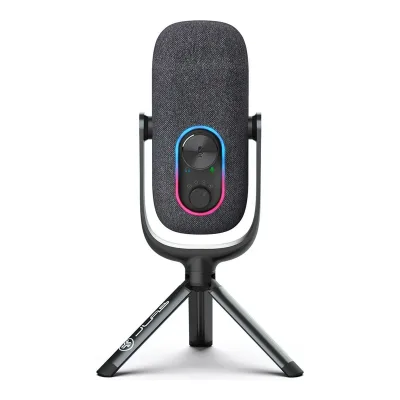
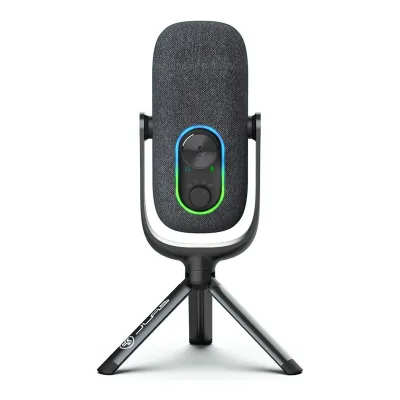
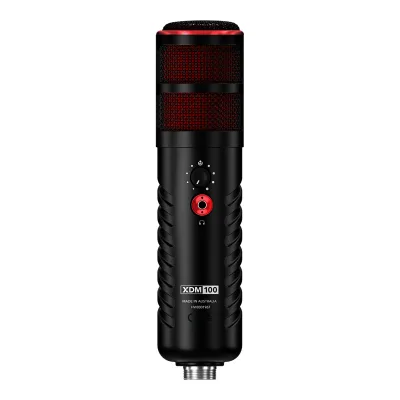
JLab Epic Talk USB Microphone vs RØDE XDM-100
Product A: JLab
33 of 61 known
Change JLab Epic Talk USB Microphone
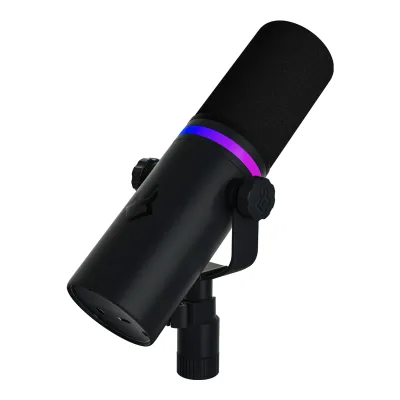
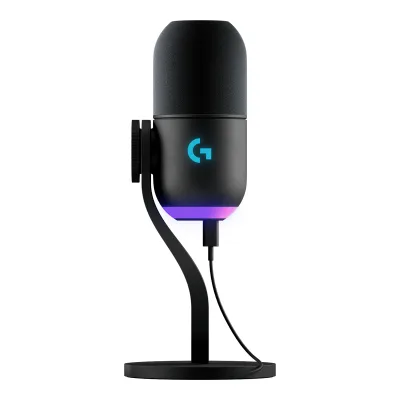
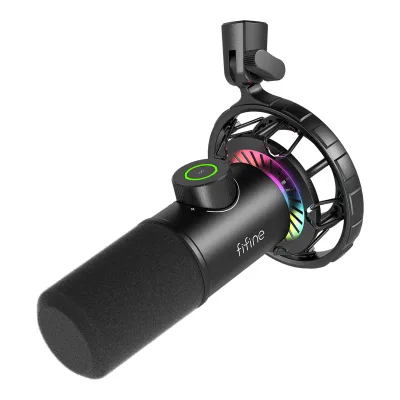
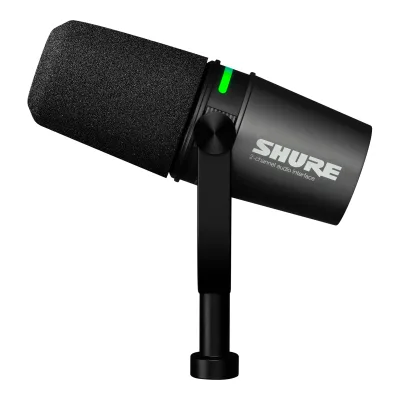
Product B: RØDE
41 of 61 known
Change RØDE XDM-100
33 of 53 fields differ
- 17 different values
- 16 known for one only
- 7 the same
- 13 missing for both
Biggest differences
Each bar uses the scale of all 69 microphones.
- Sample rateA: 192kHzB: 48kHzJLab is 4 times higher.
Weight
0 to 1,000 g
Microphone weight
A266.5g
B700g
All 61 fields
Every value links to where we found it.
General
6 of 8 differ
Series
Not available
Model numbers
MEPICTALKRBLK4, MEPICTALKRWHT41Maker product pagejlab.com/products/epic-talk-usb-microphone-blackRead 15 October 2026Shopify product data of the page: SKU MEPICTALKRBLK4 for Black. The White page has SKU MEPICTALKRWHT4.2Maker product pagejlab.com/products/epic-talk-usb-microphone-white.jsonRead 15 October 2026Shopify product data: SKU MEPICTALKRWHT4.
GTIN / EAN
0812887017572, 08128870195901Maker product pagejlab.com/products/epic-talk-usb-microphone-blackRead 15 October 2026Product data barcode 812887017572 for Black, written as a 13-digit GTIN with a leading zero as for the JBuds Talk file. The check digit is valid. Target prints the same UPC.2Maker product pagejlab.com/products/epic-talk-usb-microphone-white.jsonRead 15 October 2026Product data barcode 812887019590 for White, written as a 13-digit GTIN with a leading zero. The check digit is valid.
Announced
Not available
Status
Predecessor
Not available
Not available
Successor
Not available
Not available
Launch price (US)
$2491Maker product pagerode.com/en-us/products/xdm-100Read 15 October 2026Current US page price. It matches the 249 USD launch price in RØDE's launch release as reported by audioXpress. The brand store lists 259 USD.9Press articleaudioxpress.com/news/rode-launches-rode-x-streaming-and-gaming-division-and-introduces-unify-virtual-mixing-solutionRead 15 October 2026The XDM-100 is available for US 249 dollars. Tax is not stated. The launch release also printed 24-bit/96 kHz conversion, which the maker's later documents give as 48 kHz.14Reviewhighgroundgaming.com/rode-x-xdm-100-usb-microphone-reviewRead 15 October 2026Review of 28 December 2022: 249 USD MSRP.
Launch price (EU)
Not available
Markets
Not available
Not available
Colours
Black, White1Maker product pagejlab.com/products/epic-talk-usb-microphone-blackRead 15 October 2026Black and White are separate JLab pages with the same specification.2Maker product pagejlab.com/products/epic-talk-usb-microphone-white.jsonRead 15 October 2026The page is the White edition. Specs, weight and price match the Black page.
Microphone type
Capsule and pickup
4 of 4 differ
Capsule size
16mm1Maker product pagejlab.com/products/epic-talk-usb-microphone-blackRead 15 October 2026Spec table: Mic Size (3) 16 mm.3Maker product pagehelp.jlab.com/pages/epic-talk-tech-specsRead 15 October 2026Capsules: 3 x 16mm condenser capsules.
Not available
Capsules
Polar patterns
Cardioid, Omnidirectional, Bidirectional, Stereo1Maker product pagejlab.com/products/epic-talk-usb-microphone-blackRead 15 October 2026Spec table: Direction Types Omnidirectional, Cardiod, Bi-directional, Stereo. Four selectable patterns.3Maker product pagehelp.jlab.com/pages/epic-talk-tech-specsRead 15 October 2026Polar Patterns: Cardioid, Omnidirectional, Stereo, and Bidirectional.4Owner's manualhelp.jlab.com/cdn/shop/files/en_Epic_Talk_Microphone_Manual.pdfRead 15 October 2026Controls page: recording setting dial with Cardioid, Omni, Bidirectional and Stereo.
Cardioid1Maker product pagerode.com/en-us/products/xdm-100Read 15 October 2026Spec table: Polar Pattern, Cardioid.2Maker spec sheet (PDF)edge.rode.com/pdf/products/1033/XDM-100_Datasheet_FA.pdfRead 15 October 2026Acoustic and electrical specifications: Polar Pattern, Cardioid. The sheet also draws the polar plot at 1 kHz.3Owner's manualrode.com/en-us/user-guides/xdm-100Read 15 October 2026The guide names the front of the microphone as the side to talk into. It prints no pattern name, which comes from the datasheet.10Reviewdelamar.de/test/rode-x-xdm-100-testRead 15 October 2026Richtcharakteristik: Niere, which is cardioid.
Address type
Sound specs
2 of 10 differ
Frequency response
Min50 HzMax20 kHz1Maker product pagejlab.com/products/epic-talk-usb-microphone-blackRead 15 October 2026Spec table and description: 50Hz~20KHz. JLab's support Tech Specs article prints 20Hz - 20kHz, see the support source. The product page values are stored because the page is the one updated in 2024 and Target also lists 50 Hz to 20 kHz.3Maker product pagehelp.jlab.com/pages/epic-talk-tech-specsRead 15 October 2026Frequency Response: 20Hz - 20kHz. This conflicts with the 50Hz~20KHz of the product page spec table. The same text appeared on the 2022 pre-order page. The product page value is stored.
Min20 HzMax20 kHz1Maker product pagerode.com/en-us/products/xdm-100Read 15 October 2026Spec table: Frequency Range 20 Hz to 20 kHz. No tolerance is printed.2Maker spec sheet (PDF)edge.rode.com/pdf/products/1033/XDM-100_Datasheet_FA.pdfRead 15 October 2026Frequency Range: 20 Hz to 20 kHz. The sheet draws the response curve.10Reviewdelamar.de/test/rode-x-xdm-100-testRead 15 October 2026Frequenzgang von 20 bis 20.000 Hz.
Sensitivity (analog)
Not available
Not available
Sensitivity (digital)
Not available
Not available
Max SPL
120dB SPL1Maker product pagejlab.com/products/epic-talk-usb-microphone-blackRead 15 October 2026Spec table: Max SPL 120 dB. No distortion limit is stated.3Maker product pagehelp.jlab.com/pages/epic-talk-tech-specsRead 15 October 2026Max SPL: 120DB.
Not available
Max SPL distortion limit
Not available
Not available
Self-noise
Not available
Not available
Digital noise floor
Not available
Not available
Signal-to-noise ratio
Not available
Not available
Dynamic range
Not available
Not available
Output impedance
Not available
Not available
Connectivity
2 of 7 differ
Outputs
USB1Maker product pagejlab.com/products/epic-talk-usb-microphone-blackRead 15 October 2026Connectivity: USB-A to 90-degree USB-C cable. The only output is USB, with no XLR or wireless link.4Owner's manualhelp.jlab.com/cdn/shop/files/en_Epic_Talk_Microphone_Manual.pdfRead 15 October 2026Setup page: connect to the USB input of a PC or Mac. The back view shows only a USB-C port and a headphone jack.
Inputs for other sources
Not available
Not available
USB and XLR at once
Not available
Not available
USB port
USB-C1Maker product pagejlab.com/products/epic-talk-usb-microphone-blackRead 15 October 2026Description: included USB-A to 90-degree USB-C cable. The manual drawing labels the rear port USB-C power input.4Owner's manualhelp.jlab.com/cdn/shop/files/en_Epic_Talk_Microphone_Manual.pdfRead 15 October 2026Controls page back view: USB-C power input.
USB-C1Maker product pagerode.com/en-us/products/xdm-100Read 15 October 2026Spec table: Device Connectivity, USB-C.2Maker spec sheet (PDF)edge.rode.com/pdf/products/1033/XDM-100_Datasheet_FA.pdfRead 15 October 2026Connectivity: USB-C.3Owner's manualrode.com/en-us/user-guides/xdm-100Read 15 October 2026Overview item 4 is the USB-C connector.
Cable host plug
Cable length
Not available
Phantom power
Not available
Not available
Digital audio
1 of 3 differ
Max bit depth
Max sample rate
192kHz1Maker product pagejlab.com/products/epic-talk-usb-microphone-blackRead 15 October 2026Spec table: Sample Rate 192KHz.3Maker product pagehelp.jlab.com/pages/epic-talk-tech-specsRead 15 October 2026Sample Rate: 192k.
48kHz1Maker product pagerode.com/en-us/products/xdm-100Read 15 October 2026Spec table: Sample Rate 48kHz. RØDE's launch release printed 24-bit/96 kHz, which no RØDE document repeats.2Maker spec sheet (PDF)edge.rode.com/pdf/products/1033/XDM-100_Datasheet_FA.pdfRead 15 October 2026Sample Rate: 48 kHz.10Reviewdelamar.de/test/rode-x-xdm-100-testRead 15 October 202648 kHz.
32-bit float recording
Monitoring
0 of 2 differ
Headphone output
Yes1Maker product pagejlab.com/products/epic-talk-usb-microphone-blackRead 15 October 2026Spec table: 3.5mm Input Yes. The description calls it a 3.5mm headphone input on the mic body for monitoring.4Owner's manualhelp.jlab.com/cdn/shop/files/en_Epic_Talk_Microphone_Manual.pdfRead 15 October 2026Controls page back view: headphone aux jack.
Yes1Maker product pagerode.com/en-us/products/xdm-100Read 15 October 2026Spec table: Analog Outputs, 3.5mm Headphone Output.2Maker spec sheet (PDF)edge.rode.com/pdf/products/1033/XDM-100_Datasheet_FA.pdfRead 15 October 2026Analog Outputs: 3.5mm Headphone Output.3Owner's manualrode.com/en-us/user-guides/xdm-100Read 15 October 2026The XDM-100 features a 3.5mm output for connecting headphones.
Zero-latency monitoring
Yes1Maker product pagerode.com/en-us/products/xdm-100Read 15 October 2026Page: zero-latency headphone output with level control and mute button.3Owner's manualrode.com/en-us/user-guides/xdm-100Read 15 October 2026The 3.5mm output monitors audio directly from the microphone with no latency. With UNIFY, zero-latency monitoring is on by default and cannot be turned off.10Reviewdelamar.de/test/rode-x-xdm-100-testRead 15 October 2026A latency-free headphone output on the front.
Controls and processing
2 of 2 differ
Onboard controls
Gain, Headphone volume, Mute, Polar pattern1Maker product pagejlab.com/products/epic-talk-usb-microphone-blackRead 15 October 2026Description: physical controls for gain, mute and headphone monitoring, and a dial on the microphone body for the four patterns. Spec table: Gain Control Yes, Quick Mute Yes.4Owner's manualhelp.jlab.com/cdn/shop/files/en_Epic_Talk_Microphone_Manual.pdfRead 15 October 2026Controls page: volume/gain wheel (press and hold to switch volume and gain), mute on/off by a quick press, recording setting dial for the patterns. The LED indicator shows volume, gain and mute. The wheel also sets the headphone playback level, because the Windows and Mac steps select the microphone as the playback device.
Headphone volume, Mute1Maker product pagerode.com/en-us/products/xdm-100Read 15 October 2026Page: zero-latency headphone output with level control and mute button. The user guide says the mute function needs UNIFY.3Owner's manualrode.com/en-us/user-guides/xdm-100Read 15 October 2026One knob sets the headphone output level. With UNIFY, pressing it mutes the microphone. Without UNIFY, pressing it turns zero-latency monitoring on and off. There is no gain control on the microphone.14Reviewhighgroundgaming.com/rode-x-xdm-100-usb-microphone-reviewRead 15 October 2026A rubber level-control dial that works as a mute button when pressed.
Onboard processing
Not available
Compressor, Noise gate, High-pass filter, Exciter or bass enhancer1Maker product pagerode.com/en-us/products/xdm-100Read 15 October 2026Page: internal DSP for advanced APHEX voice processing, with a compressor, a high-pass filter, the Aural Exciter, Big Bottom and a noise gate. Aural Exciter and Big Bottom are stored as exciter or bass enhancer. The page does not say whether the settings stay in the microphone when UNIFY is closed.3Owner's manualrode.com/en-us/user-guides/xdm-100Read 15 October 2026With UNIFY and processing active, the guide says all the processing is handled internally by the microphone.14Reviewhighgroundgaming.com/rode-x-xdm-100-usb-microphone-reviewRead 15 October 2026A built-in DSP chip runs Aphex processing: a switchable 75 Hz or 150 Hz high-pass filter, noise gate, compressor, Aural Exciter and Big Bottom, set in UNIFY.
Mounting and accessories
4 of 4 differ
Mount threads
5/8 inch, 1/4 inch1Maker product pagejlab.com/products/epic-talk-usb-microphone-blackRead 15 October 2026Description names the swivel mount adapter at 5/8 inch. The manual and the support tech specs add 1/4 inch.3Maker product pagehelp.jlab.com/pages/epic-talk-tech-specsRead 15 October 2026Includes the microphone with 5/8 inch and 1/4 inch inputs for swivel mounting.4Owner's manualhelp.jlab.com/cdn/shop/files/en_Epic_Talk_Microphone_Manual.pdfRead 15 October 2026Assembly page: 5/8 inch and 1/4 inch assembly with a 1/4 inch inset.
Not available
Shock mount
Not available
Included1Maker product pagerode.com/en-us/products/xdm-100Read 15 October 2026Page: professional pop filter, shock mount and headphone extension cable included.2Maker spec sheet (PDF)edge.rode.com/pdf/products/1033/XDM-100_Datasheet_FA.pdfRead 15 October 2026Included Accessories: PSM1 Shock Mount.3Owner's manualrode.com/en-us/user-guides/xdm-100Read 15 October 2026The XDM-100 comes with a studio shock mount that holds the microphone on an elastic suspension.14Reviewhighgroundgaming.com/rode-x-xdm-100-usb-microphone-reviewRead 15 October 2026An all-metal shock mount is included.
Pop filter
Not available
Foam windscreen1Maker product pagerode.com/en-us/products/xdm-100Read 15 October 2026Page: professional pop filter included.2Maker spec sheet (PDF)edge.rode.com/pdf/products/1033/XDM-100_Datasheet_FA.pdfRead 15 October 2026Included Accessories: Pop Shield. The sheet shows a foam shield.3Owner's manualrode.com/en-us/user-guides/xdm-100Read 15 October 2026The microphone comes with a high-quality foam pop shield that slides over the grille.14Reviewhighgroundgaming.com/rode-x-xdm-100-usb-microphone-reviewRead 15 October 2026The external pop filter has a silicone cage and cuts plosives. The review also calls the capsule's own pop protection just okay, which RØDE does not claim.
Desk stand included
Yes1Maker product pagejlab.com/products/epic-talk-usb-microphone-blackRead 15 October 2026The In the Box picture lists a Microphone Stand and shows a tripod. The spec table lists Mic Stand under What's In The Box.3Maker product pagehelp.jlab.com/pages/epic-talk-tech-specsRead 15 October 2026Includes list and the weight with stand and tripod position dimension show an included stand.4Owner's manualhelp.jlab.com/cdn/shop/files/en_Epic_Talk_Microphone_Manual.pdfRead 15 October 2026Assembly page shows the tripod base fitted to the microphone.
Design and build
2 of 3 differ
Housing material
Not available
RGB lighting
Yes1Maker product pagejlab.com/products/epic-talk-usb-microphone-blackRead 15 October 2026Spec table: Customizable LED Yes. The manual lists 11 LED interface modes including color fade, color wipe and rainbow.4Owner's manualhelp.jlab.com/cdn/shop/files/en_Epic_Talk_Microphone_Manual.pdfRead 15 October 2026LED interface list: 1 color fade, 2 color wipe, 3 rainbow, 4 blue, 5 purple, 6 green, 7 cyan, 8 yellow, 9 orange, 10 pink, 11 white. A rear button turns the interface on and off and switches it.
Lighting zones
Not available
Not available
Software
2 of 2 differ
Software
Not available
UNIFY1Maker product pagerode.com/en-us/products/xdm-100Read 15 October 2026Page: complete audio solution with the included virtual mixing software UNIFY. The page also links RØDE Central.3Owner's manualrode.com/en-us/user-guides/xdm-100Read 15 October 2026The XDM-100 is optimised for use with UNIFY, which is free with any RØDE X microphone.4Owner's manualrode.com/en-us/user-guides/unify/getting-startedRead 15 October 2026UNIFY getting started guide. It names the XDM-100 as a source and as a USB microphone that works with the software.
User firmware updates
Not available
Yes1Maker product pagerode.com/en-us/products/xdm-100Read 15 October 2026The page describes RØDE Central as the app to update compatible devices to the latest firmware. The UNIFY guide covers the XDM-100 update.4Owner's manualrode.com/en-us/user-guides/unify/getting-startedRead 15 October 2026UNIFY tells you when a firmware update is available for your microphones and updates them with one click. The guide names the XDM-100 as a supported USB microphone.
Compatibility
2 of 2 differ
Works with
Windows, macOS, Linux3Maker product pagehelp.jlab.com/pages/epic-talk-tech-specsRead 15 October 2026System connection: Windows 7, 8, 10 and Mac 10.10 or higher. The manual adds Linux.4Owner's manualhelp.jlab.com/cdn/shop/files/en_Epic_Talk_Microphone_Manual.pdfRead 15 October 2026Tips: works with almost any recording software on macOS, Windows or Linux. It will not work through most tablets or phones because of their power limits, so no mobile system is stored.
Windows, macOS1Maker product pagerode.com/en-us/products/xdm-100Read 15 October 2026UNIFY and RØDE Central requirements on the page: macOS 12 or later and Windows 10 version 1803 or later. The datasheet gives the microphone's own minimum as macOS 10.12 and Windows 10.2Maker spec sheet (PDF)edge.rode.com/pdf/products/1033/XDM-100_Datasheet_FA.pdfRead 15 October 2026OS Requirements: MacOS 10.12 and Windows 10.3Owner's manualrode.com/en-us/user-guides/xdm-100Read 15 October 2026The guide says UNIFY is available for Windows. The product page and the datasheet list macOS too.
Dimensions and weight
3 of 3 differ
Microphone dimensions
Width52Height62Depth213mm(2 × 2.4 × 8.4 in)1Maker product pagerode.com/en-us/products/xdm-100Read 15 October 2026Spec table: Dimensions (mm) 213 (L) x 52 (W) x 62 (H). See the datasheet entry for how the axes are stored.2Maker spec sheet (PDF)edge.rode.com/pdf/products/1033/XDM-100_Datasheet_FA.pdfRead 15 October 2026Mechanical specifications: 52 (W) x 213 (H) mm, from the front view drawing, which marks 213 mm along the body and 52 mm across the base. The rode.com spec table prints 213 (L) x 52 (W) x 62 (H) mm. Stored with the 213 mm length as depth toward the speaker, 52 mm as width and 62 mm as height, for the microphone lying on its shock mount with the level control up. Thomann prints the same three numbers as 62 x 52 x 213 mm (W x D x H) for the upright microphone, so the axis of the 62 mm side is not certain.12Retailer pagethomannmusic.hu/rode_x_xdm_100.htmRead 15 October 2026Microphone dimensions (W x D x H) 62 x 52 x 213 mm. The numbers match the maker's three values with different axes.
Microphone weight
266.5g(9.4 oz)1Maker product pagejlab.com/products/epic-talk-usb-microphone-blackRead 15 October 2026Spec table: Product Weight (Total, g) 266.5. The support Tech Specs article calls this the microphone body weight.3Maker product pagehelp.jlab.com/pages/epic-talk-tech-specsRead 15 October 2026Weight (Microphone Body): 266.5gr.
700g(1.5 lb)1Maker product pagerode.com/en-us/products/xdm-100Read 15 October 2026Spec table: Weight (g) 700g.2Maker spec sheet (PDF)edge.rode.com/pdf/products/1033/XDM-100_Datasheet_FA.pdfRead 15 October 2026Mechanical specifications: Net Weight (g) 700g.10Reviewdelamar.de/test/rode-x-xdm-100-testRead 15 October 2026Features list: Gewicht 700 g.12Retailer pagethomannmusic.hu/rode_x_xdm_100.htmRead 15 October 2026Weight 700 g.
Certifications
1 of 1 differ
Other certifications
Not available
CE, UKCA, FCC Part 15 Class B, CAN ICES-3 (B) / NMB-3 (B), KC (South Korea)5Owner's manualedge.rode.com/pdf/products/1065/0927-0867-02-02%20XDM-100%20QSG_FA_WEB.pdfRead 15 October 2026Quick start guide: FCC Part 15 Class B statement, CAN ICES-3 (B) / NMB-3 (B) and South Korea ID R-R-R72-XDM-100. Power is 5 Vdc, 0.1 A.6Regulatory filingedge.rode.com/pdf/products/1033/XDM-100%20-%20EU%20Declaration%20of%20Conformity.pdfRead 15 October 2026EU Declaration of Conformity for the XDM-100 dynamic USB microphone (EMC, low voltage, RoHS and REACH). RØDE also links a UKCA Declaration of Conformity at https://edge.rode.com/pdf/products/1033/XDM-100%20-%20UKCA%20Declaration%20of%20Conformity.pdf.
In the box
1 of 1 differ
In the box
Epic Talk USB Microphone, Microphone Stand, USB-A to USB-C Cable1Maker product pagejlab.com/products/epic-talk-usb-microphone-blackRead 15 October 2026The In the Box picture lists Epic Talk USB Microphone, Microphone Stand and USB-A to USB-C Cable. The text lists a cable of 10ft while the spec table prints a cable length of 5 ft, so the cable length is not stored.
XDM-100, Pop Shield, PSM1 Shock Mount, SC29 USB-C to USB-C cable, 3m Headphone Extension Cable2Maker spec sheet (PDF)edge.rode.com/pdf/products/1033/XDM-100_Datasheet_FA.pdfRead 15 October 2026Included Accessories: PSM1 Shock Mount, SC29 USB-C to USB-C cable, 3m Headphone Extension Cable and Pop Shield. The microphone itself is added as XDM-100.13Retailer pagekirstein.de/en/Live-Studio/Microphones/Large-diaphragm-Microphones/Rode-X-XDM-100.htmlRead 15 October 2026Delivery contents: the XDM-100, a foam pop filter, a PSM-1 shock mount, a 3 m headphone extension cable and a 3 m USB-C to USB-C cable. This matches the datasheet.
Links
Not compared
Product page
Spec sheet
Manual
EPREL registration number
Not available
Not available
Warranty
1 of 1 differ
Both are also in the API. Back to all microphones.