Motherboards / Compare
MSI MAG B850 TOMAHAWK MAX WIFI vs NZXT N9 X870E
Product A: MSI
65 of 78 known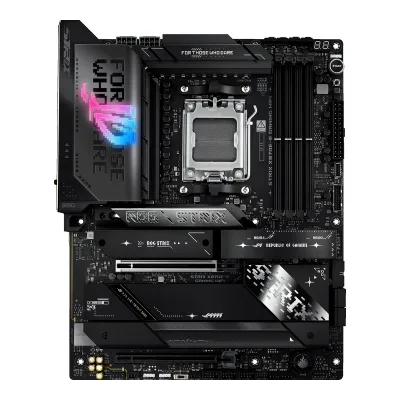 ASUS ROG STRIX X870E-E GAMING WIFI
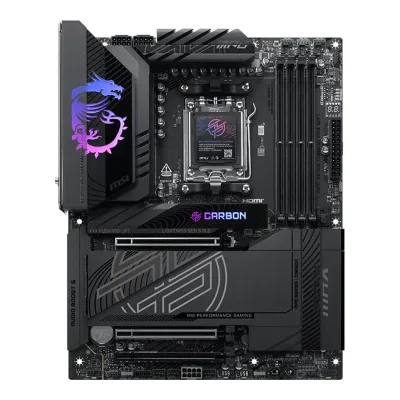 MSI MPG X870E CARBON MAX WIFI
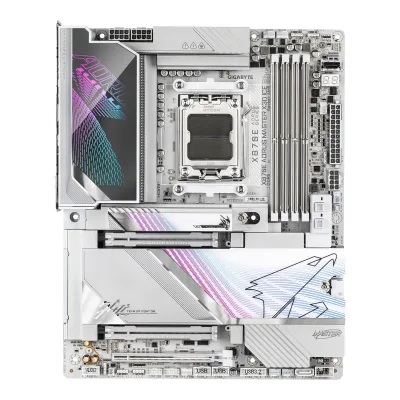 GIGABYTE X870E AORUS MASTER X3D ICE
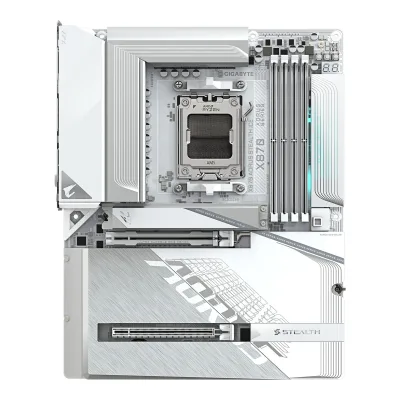 GIGABYTE X870 AORUS STEALTH ICE
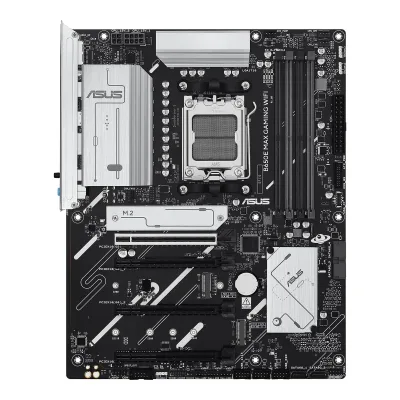 ASUS B650E MAX GAMING WIFI
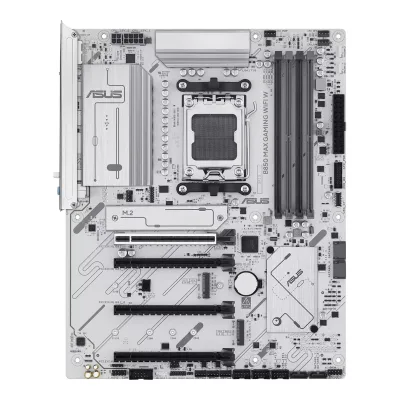 ASUS B850 MAX GAMING WIFI W
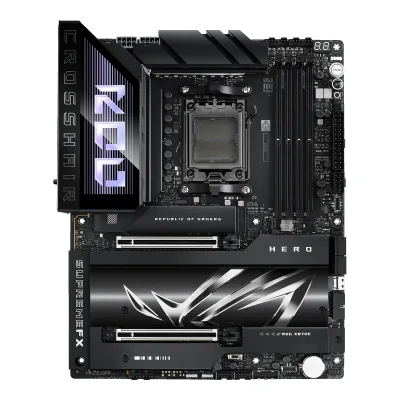 ASUS ROG Crosshair X870E Hero
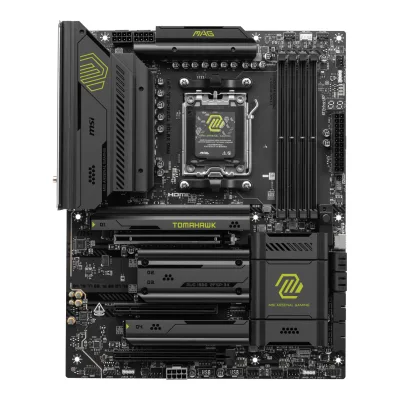 MSI MAG X870E TOMAHAWK WIFI
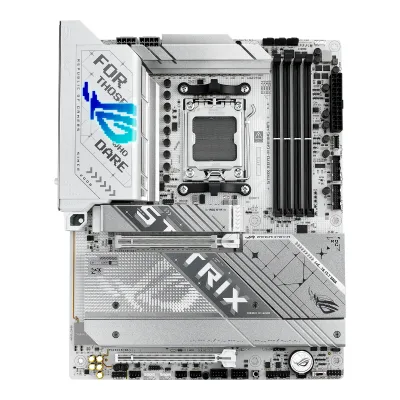 ASUS ROG STRIX X870-A GAMING WIFI
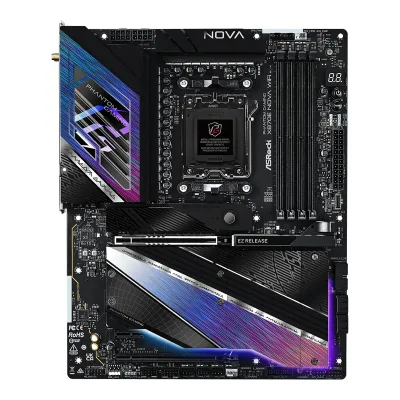 ASRock X870E Nova WiFi
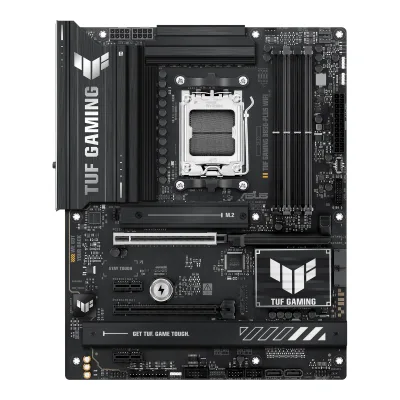 ASUS TUF GAMING B850-PLUS WIFI
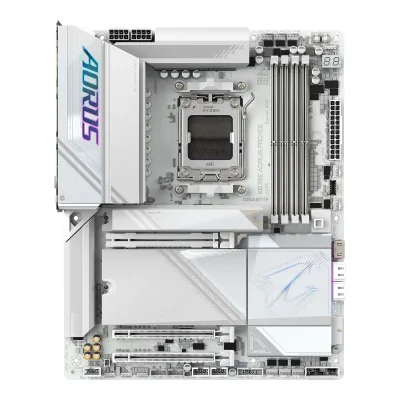 GIGABYTE X870E AORUS PRO ICE
Change MSI MAG B850 TOMAHAWK MAX WIFI
Compare the NZXT N9 X870E with
ASUS ROG STRIX X870E-E GAMING WIFIMSI MPG X870E CARBON MAX WIFIGIGABYTE X870E AORUS MASTER X3D ICEGIGABYTE X870 AORUS STEALTH ICEASUS B650E MAX GAMING WIFIASUS B850 MAX GAMING WIFI WASUS ROG Crosshair X870E HeroMSI MAG X870E TOMAHAWK WIFIASUS ROG STRIX X870-A GAMING WIFIASRock X870E Nova WiFiASUS TUF GAMING B850-PLUS WIFIGIGABYTE X870E AORUS PRO ICEProduct B: NZXT
63 of 78 knownMSI MAG X870E TOMAHAWK WIFIASUS TUF GAMING B850-PLUS WIFI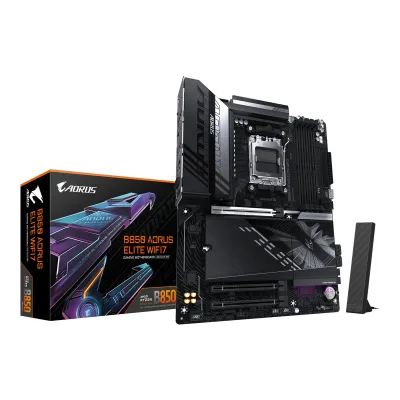 GIGABYTE B850 AORUS ELITE WIFI7
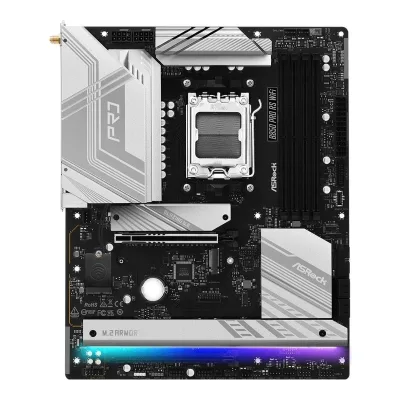 ASRock B850 Pro RS WiFi
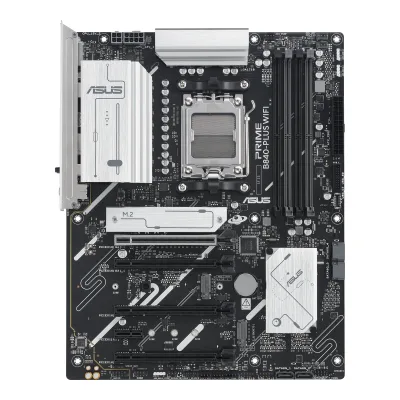 ASUS PRIME B840-PLUS WIFI
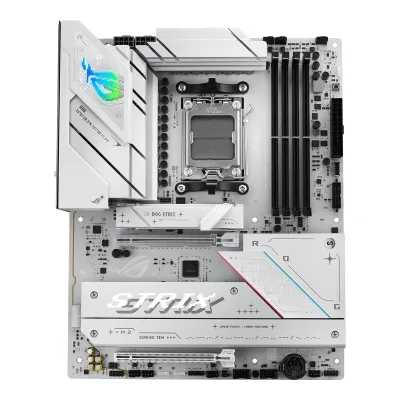 ASUS ROG STRIX B850-A GAMING WIFI
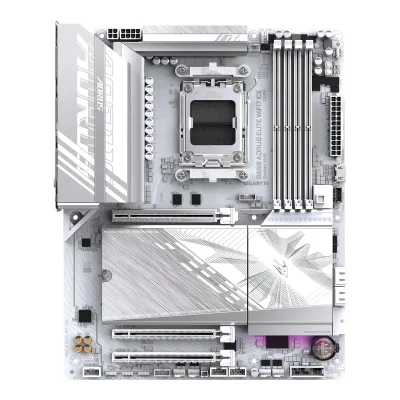 GIGABYTE B850 AORUS ELITE WIFI7 ICEASUS B650E MAX GAMING WIFI
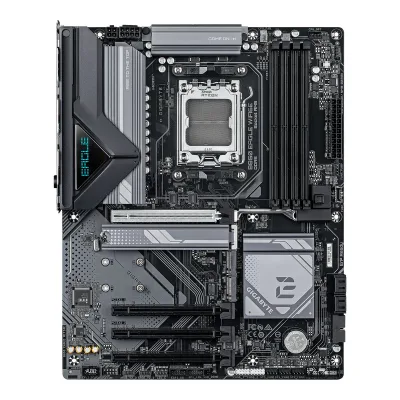 GIGABYTE B850 EAGLE WIFI6EASUS B850 MAX GAMING WIFI WASUS ROG Crosshair X870E HeroASUS ROG STRIX X870E-E GAMING WIFI
Change NZXT N9 X870E
Compare the MSI MAG B850 TOMAHAWK MAX WIFI with
MSI MAG X870E TOMAHAWK WIFIASUS TUF GAMING B850-PLUS WIFIGIGABYTE B850 AORUS ELITE WIFI7ASRock B850 Pro RS WiFiASUS PRIME B840-PLUS WIFIASUS ROG STRIX B850-A GAMING WIFIGIGABYTE B850 AORUS ELITE WIFI7 ICEASUS B650E MAX GAMING WIFIGIGABYTE B850 EAGLE WIFI6EASUS B850 MAX GAMING WIFI WASUS ROG Crosshair X870E HeroASUS ROG STRIX X870E-E GAMING WIFI39 of 70 fields differ
- 27 different values
- 12 known for one only
- 27 the same
- 4 missing for both
Biggest differences
Each bar uses the scale of all 87 motherboards.
- PCIe 5.0 M.2 slotsA: 2B: 1MSI has 1 more.
- Fan headersA: 8B: 5MSI has 3 more.
- Rear USB-C portsA: 3B: 2MSI has 1 more.
- Vcore stagesA: 14B: 20NZXT has 6 more.
- Rear USB portsA: 10B: 12NZXT has 2 more.
Size, drawn to scale
Front and side.
- AMSI: 244 × 305 mm
- BNZXT: 244 × 305 mm
All 78 fields
Every value links to where we found it.
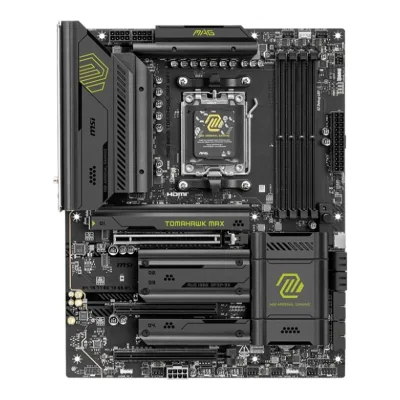
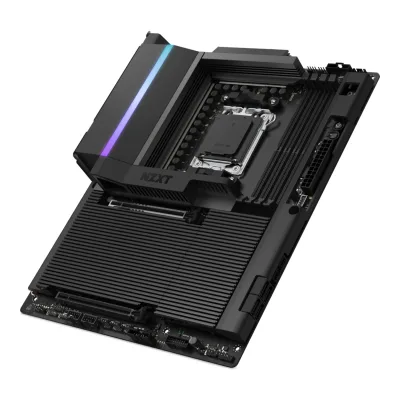
General
5 of 9 differ
Series
Model numbers
GTIN / EAN
47113772906232Retailer pageshop.sumanet.cz/mag-b850-tomahawk-max-wifi-msi-mb-sc-am5-mag-b850-tomahawk-max-wifi-amd-b850-4xddr5-1xhdmi-wifi-atxRead 14 October 2026GTIN (EAN) 4711377290623 for type designation MAG B850 TOMAHAWK MAX WIFI. hinta.fi lists the same code.11Maker product pagede-store.msi.com/products/mag-b850-tomahawk-max-wifiRead 14 October 2026Same page: GTIN-13 4711377290623.
810074847292, 810074847308, 5056547207254, 50565472072611Maker product pagenzxt.com/product/n9-x870eRead 15 October 2026Spec table: UPC 810074847292 (White) and 810074847308 (Black). EAN 5056547207254 (White) and 5056547207261 (Black).
Announced
Not available
Status
Not available
Predecessor
Not available
Not available
Successor
Not available
Not available
Launch price (US)
Not available
$499.995Reviewpcgamer.com/hardware/motherboards/nzxt-n9-x870e-reviewRead 15 October 2026Spec box (2025-07-03 review): Price $500 | £410 | AU$848. The text calls it a $500 X870E board.6Reviewcgmagonline.com/review/nzxt-n9-x870e-motherboardRead 15 October 2026Review dated 2025-06-28 lists MSRP $499.99. The currency is not named. NZXT's US store lists the same amount. Sales tax excluded.
Launch price (EU)
Not available
Not available
Markets
Not available
Not available
Colours
Not available
Segment
Board revision
Not available
Not available
Platform
1 of 4 differ
CPU socket
Chipset
Supported processors
AMD Ryzen 9000 Series, AMD Ryzen 8000 Series, AMD Ryzen 7000 Series1Owner's manualgzhls.at/blob/ldb/4/c/d/0/9505de78491f9bbd3d2c02edb15c90ef238e.pdfRead 14 October 2026Specifications chapter, page 17: Ryzen 9000, 8000 and 7000 Series Desktop Processors. The manual refers to msi.com for the newest support status. Read on 2026-10-14.
AMD Ryzen 9000 Series, AMD Ryzen 8000 Series, AMD Ryzen 7000 Series1Maker product pagenzxt.com/product/n9-x870eRead 15 October 2026Spec table: AMD Socket AM5 for Ryzen 9000, 8000 and 7000 series. The page says BIOS 3.20 or later is needed for the Ryzen 7 9800X3D. Read on 2026-10-15.2Owner's manualcdn-g.nzxt.com/dl/1743412363-motherboards_n9-x870e_digital-manual_241210_v1.pdfRead 15 October 2026Specifications, CPU and socket: AMD Socket AM5 Ryzen 9000, 8000 and 7000 Series Processors.
CPU overclocking
Yes6Reviewprofesionalreview.com/2025/02/11/msi-mag-b850-tomahawk-max-wifi-reviewRead 14 October 2026States the B850 board comes with overclocking capability.8Reviewguru3d.com/review/msi-mag-b850-tomahawk-max-wifi-review-great-performance-and-valueRead 14 October 2026Page 1: the board offers decent overclocking headroom for both the CPU and memory.
Yes1Maker product pagenzxt.com/product/n9-x870eRead 15 October 2026Overview: overclocking-ready power. The page names no multiplier overclocking feature, so the chip maker's X870E page is the main source.4Reviewpcunboxing.com/enRead 15 October 2026The BIOS has an Overclocking Tools tab with processor overclocking functions.9Maker product pageamd.com/en/products/processors/chipsets/am5.htmlRead 15 October 2026AMD's chipset page describes the X870E as having robust overclocking capabilities, and its comparison table has a Ryzen processor overclocking enabled column. NZXT's page says the board has overclocking-ready power.
Board
1 of 5 differ
Form factor
Board dimensions
PCB layers
84Reviewtomshardware.com/pc-components/motherboards/msi-mag-b850-tomahawk-max-wifi-motherboard-reviewRead 14 October 2026Black 8-layer server-grade PCB.6Reviewprofesionalreview.com/2025/02/11/msi-mag-b850-tomahawk-max-wifi-reviewRead 14 October 20268-layer server-grade PCB with 2 oz copper traces.9Reviewtech4gamers.com/msi-mag-b850-tomahawk-max-wifi-reviewRead 14 October 20268-layered NPG-170D server-grade PCB with 2oz thickened copper.
Back-connect design
RGB lighting on the board
No4Reviewtomshardware.com/pc-components/motherboards/msi-mag-b850-tomahawk-max-wifi-motherboard-reviewRead 14 October 2026RGB lovers must add their own to the headers, as none are built in.9Reviewtech4gamers.com/msi-mag-b850-tomahawk-max-wifi-reviewRead 14 October 2026There is no onboard RGB, but there are multiple RGB headers.
Power delivery
5 of 6 differ
Power stage layout
14+2+13Reviewkitguru.net/components/motherboard/leo-waldock/msi-mag-b850-tomahawk-max-wifi-reviewRead 14 October 2026Key features list, as in MSI's text: 14+2+1 Duet Rail Power System with 80A Smart Power Stages.6Reviewprofesionalreview.com/2025/02/11/msi-mag-b850-tomahawk-max-wifi-reviewRead 14 October 202614 phases for Vcore, 2 for SoC and 1 for Misc.
CPU core (Vcore) power stages
143Reviewkitguru.net/components/motherboard/leo-waldock/msi-mag-b850-tomahawk-max-wifi-reviewRead 14 October 2026VRMs: 14+2+1 x 80A Smart Power Stages.4Reviewtomshardware.com/pc-components/motherboards/msi-mag-b850-tomahawk-max-wifi-motherboard-reviewRead 14 October 202617 phases with 14 dedicated to Vcore. 14 x 80 A gives the 1,120 A the review states.6Reviewprofesionalreview.com/2025/02/11/msi-mag-b850-tomahawk-max-wifi-reviewRead 14 October 2026The review counts 16 MPS2433 80 A stages for Vcore and SoC, which fits 14 Vcore stages plus 2 SoC stages.
201Maker product pagenzxt.com/product/n9-x870eRead 15 October 2026Overview: 20+2+1 design. Igor's Lab teardown counts 20 Renesas power stages on the Vcore rail.3Reviewigorslab.de/en/nzxt-n9-x870e-am5-motherboard-review-solid-optical-minimalism-at-a-proud-price-with-teardown-and-material-testRead 15 October 2026Igor's Lab teardown (2025-05-01): 20 Renesas smart power stages for the Vcore rail, plus 2 for SoC. The review counts a fourth rail, 20+2+1+1. The VRM controller is left out: Igor's Lab reads Renesas RAA229628 and PC Unboxing reads RAA228228 plus RAA229621.
Vcore power stage rating
80A3Reviewkitguru.net/components/motherboard/leo-waldock/msi-mag-b850-tomahawk-max-wifi-reviewRead 14 October 202680 A. The Scan listing says 60 A, which no review or MSI text supports.4Reviewtomshardware.com/pc-components/motherboards/msi-mag-b850-tomahawk-max-wifi-motherboard-reviewRead 14 October 202680A MPS MPS2433 SPS MOSFETs.6Reviewprofesionalreview.com/2025/02/11/msi-mag-b850-tomahawk-max-wifi-reviewRead 14 October 20267Reviewhwcooling.net/en/si-mag-b850-tomahawk-max-wifi-cheaper-chipset-but-better-features-reviewRead 14 October 2026MPS 2433 integrated MOSFETs with a maximum current of 80 A per phase.
VRM controller
MPS MPS24123Reviewkitguru.net/components/motherboard/leo-waldock/msi-mag-b850-tomahawk-max-wifi-reviewRead 14 October 2026Controller is MPS2412 and the power stages are MPS2433.4Reviewtomshardware.com/pc-components/motherboards/msi-mag-b850-tomahawk-max-wifi-motherboard-reviewRead 14 October 2026Power goes to a Monolithic Power Systems MPS2412 controller.6Reviewprofesionalreview.com/2025/02/11/msi-mag-b850-tomahawk-max-wifi-reviewRead 14 October 2026The phases are controlled by an MPS2412 chip from the same maker.
Not available
CPU power connectors
8+8 pin1Maker product pagenzxt.com/product/n9-x870eRead 15 October 2026Internal I/O list: 8-pin ATX 12V power connector, quantity 2. The manual lists 1 x 8+8-pin ATX 12V.2Owner's manualcdn-g.nzxt.com/dl/1743412363-motherboards_n9-x870e_digital-manual_241210_v1.pdfRead 15 October 2026Internal I/O: 1 x 8+8-pin ATX 12V power connector.
Extra slot power connector
Memory
4 of 6 differ
Memory type
Memory slots
Max memory
192GB1Maker product pagenzxt.com/product/n9-x870eRead 15 October 2026FAQ: dual-channel up to 192 GB, same as the manual and the support spec page. PC Unboxing and PC Gamer print 256 GB. The maker value is stored.2Owner's manualcdn-g.nzxt.com/dl/1743412363-motherboards_n9-x870e_digital-manual_241210_v1.pdfRead 15 October 2026Specifications, memory: 4 x DIMM slots, max. 192 GB, dual-channel DDR5.
Max memory speed (overclocked)
8,400MT/s2Retailer pageshop.sumanet.cz/mag-b850-tomahawk-max-wifi-msi-mb-sc-am5-mag-b850-tomahawk-max-wifi-amd-b850-4xddr5-1xhdmi-wifi-atxRead 14 October 2026MSI text copied by the shop: Ryzen 9000 Series maximum overclocking frequency 1DPC 1R up to 8400+ MT/s. 1DPC 2R and 2DPC 1R reach 6400+ and 2DPC 2R reaches 4800+.4Reviewtomshardware.com/pc-components/motherboards/msi-mag-b850-tomahawk-max-wifi-motherboard-reviewRead 14 October 2026DDR5-8400 (OC), 1DPC 1R max speed up to 8400+ MT/s, as listed from MSI. The reviewer's stable out-of-box kit was DDR5-7200.
8,200MT/s4Reviewpcunboxing.com/enRead 15 October 2026Spec list: 8200 (O.C.) MT/s. Text: QVL-listed dual-channel modules reach 8200 MT/s with Ryzen 9000 series CPUs. NZXT's page says 8000+ MT/s and points to the memory QVL, which is on support.nzxt.com and was not readable. PC Gamer prints DDR5-4800 to DDR5-8200+ (OC).5Reviewpcgamer.com/hardware/motherboards/nzxt-n9-x870e-reviewRead 15 October 2026Spec box: Memory support DDR5-4800 to DDR5-8200+(OC), up to 256 GB. The review's VRM temperature is left out, since it used an Intel Core Ultra 9 285K rig and an unclear auxiliary sensor.
ECC memory
Expansion slots
2 of 3 differ
Expansion slots
AMSI MAG B850 TOMAHAWK MAX WIFI
| Physical slot | Electrical lanes | PCIe generation | Connected to | Count |
|---|---|---|---|---|
| PCIe x16 | 16 | 5 | CPU | 1 |
| PCIe x16 | 1 | 3 | Chipset | 1 |
| PCIe x16 | 4 | 4 | Chipset | 1 |
BNZXT N9 X870E
| Physical slot | Electrical lanes | PCIe generation | Connected to | Count |
|---|---|---|---|---|
| PCIe x16 | 16 | 5 | CPU | 1 |
| PCIe x16 | 2 | 3 | Chipset | 1 |
Source1Maker product pagenzxt.com/product/n9-x870eRead 15 October 2026Spec table: PCIe 5.0 x16 slot (PCIEX16_1) and PCIe 3.0 x16 slot (PCIEX16_2) in x2 mode. The manual puts the first on the CPU and the second on the chipset. The Key E M.2 socket for the Wi-Fi module is not stored.2Owner's manualcdn-g.nzxt.com/dl/1743412363-motherboards_n9-x870e_digital-manual_241210_v1.pdfRead 15 October 2026Specifications, expansion slots: under CPU 1 x PCIe 5.0 x16 slot (PCIEX16_1) in x16 mode. Under chipset 1 x PCIe 3.0 x16 slot (PCIEX16_2) in x2 mode, and a vertical Key E M.2 socket for a 2230 Wi-Fi/BT module. Igor's Lab reads the second slot as PCIe 4.0 x4 from its block diagram. The maker value is stored.
Full-length PCIe slots
3
2
Fastest PCIe x16 slot generation
5
5
Storage
2 of 4 differ
M.2 storage slots
AMSI MAG B850 TOMAHAWK MAX WIFI
| Slot | PCIe generation | PCIe lanes | Connected to | Longest drive | Takes SATA drives | Heatsink | Shares lanes with |
|---|---|---|---|---|---|---|---|
| M2_1 | 5 | 4 | CPU | M.2 22110 | No | Yes | Not available |
| M2_2 | 5 | 4 | CPU | M.2 2280 | No | Yes | Not available |
| M2_3 | 4 | 2 | Chipset | M.2 2280 | No | Yes | PCI_E3 slot runs at x2 when M2_3 is used. Setting PCI_E3 to x4 in the BIOS turns off M2_3 |
| M2_4 | 4 | 4 | Chipset | M.2 2280 | No | Yes | Not available |
BNZXT N9 X870E
| Slot | PCIe generation | PCIe lanes | Connected to | Longest drive | Takes SATA drives | Heatsink |
|---|---|---|---|---|---|---|
| M2_1 | 5 | 4 | CPU | M.2 2280 | No | Yes |
| M2_2 | 4 | 4 | Chipset | M.2 2280 | No | Yes |
| M2_3 | 4 | 4 | Chipset | M.2 2280 | No | Yes |
| M2_4 | 4 | 4 | Chipset | M.2 2280 | No | Yes |
Source1Maker product pagenzxt.com/product/n9-x870eRead 15 October 2026Spec table: M.2_1 type 2280 PCIe 5.0 x4, M.2_2 to M.2_4 type 2280 PCIe 4.0 x4. Overview: dedicated heatsinks and thermal pads for all M.2 slots. The spec lists no SATA mode for the slots, so sata is false. The slot labels follow the manual (M2_1 to M2_4).2Owner's manualcdn-g.nzxt.com/dl/1743412363-motherboards_n9-x870e_digital-manual_241210_v1.pdfRead 15 October 2026Specifications, storage: M2_1 Key M type 2280 PCIe Gen5x4 on the CPU. M2_2 to M2_4 Key M type 2280 PCIe Gen4x4 under the chipset heading. No SATA mode is listed for any of the four slots.
M.2 slots
4
4
PCIe 5.0 M.2 slots
2
1
SATA ports
Rear ports
5 of 5 differ
Rear ports
AMSI MAG B850 TOMAHAWK MAX WIFI
| Type | Version | Count | Max link rate (Gbps) |
|---|---|---|---|
| USB-C | USB 3.2 Gen 2 | 3 | 10 |
| USB-A | USB 3.2 Gen 2 | 2 | 10 |
| USB-A | USB 3.2 Gen 1 | 1 | 5 |
| USB-A | USB 2.0 | 4 | 0.48 |
| HDMI | HDMI 2.1 | 1 | Not available |
| Ethernet (RJ45) | Not available | 1 | 5 |
| 3.5 mm audio | Not available | 2 | Not available |
| Optical S/PDIF | Not available | 1 | Not available |
BNZXT N9 X870E
| Type | Version | Count | Max link rate (Gbps) | Thunderbolt or USB4 | Power out (W) | DP Alt Mode |
|---|---|---|---|---|---|---|
| USB-C | USB4 | 2 | 40 | USB4 | 15 | Yes |
| USB-A | USB 3.2 Gen 2 | 5 | 10 | Not available | Not available | Not available |
| USB-A | USB 3.2 Gen 1 | 3 | 5 | Not available | Not available | Not available |
| USB-A | USB 2.0 | 2 | 0.48 | Not available | Not available | Not available |
| Ethernet (RJ45) | Not available | 1 | 5 | Not available | Not available | Not available |
| 3.5 mm audio | Not available | 2 | Not available | Not available | Not available | Not available |
| Optical S/PDIF | Not available | 1 | Not available | Not available | Not available | Not available |
Source1Maker product pagenzxt.com/product/n9-x870eRead 15 October 2026Spec table rear I/O: 2 USB 4, 5 USB 3.2 Gen 2, 3 USB 3.2 Gen 1 Type-A, 2 USB 2.0, 1 RJ45, 2 audio jacks, 1 optical S/PDIF out. The 5 USB 3.2 Gen 2 ports are Type-A because the rear panel shows eight Type-A ports and two Type-C. USB 2.0 is stored as 0.48 Gbps. The manual gives USB PD 3.0 up to 5 V at 3 A (15 W) on the USB4 ports and 5 GbE LAN. Wi-Fi antenna connectors and the two buttons are not ports.2Owner's manualcdn-g.nzxt.com/dl/1743412363-motherboards_n9-x870e_digital-manual_241210_v1.pdfRead 15 October 2026Specifications, rear I/O: 2 x SMA antenna connectors, 2 x USB4 Type-C (40 Gb/s, USB PD 3.0 up to 5V@3A, 15 W), 5 x USB 3.2 Gen2, 3 x USB 3.2 Gen1, 2 x USB 2.0, Clear CMOS button, BIOS Flashback button, 1 x RJ45, line out, mic in, optical S/PDIF out. The graphics note says the USB4 ports show only the CPU's embedded graphics, up to 8K 30 Hz, which is why dp_alt_mode is true.
Rear USB ports
10
12
Rear USB-C ports
3
2
Fastest rear USB port
10Gbps
40Gbps
Thunderbolt
Not available
No
Internal connectors
3 of 5 differ
Internal USB headers
AMSI MAG B850 TOMAHAWK MAX WIFI
| Header | Max data rate (Gbps) | Headers | Front ports served |
|---|---|---|---|
| USB-C header | 20 | 1 | 1 |
| USB 3 header (19-pin) | 5 | 2 | 4 |
| USB 2.0 header (9-pin) | 0.48 | 2 | 4 |
BNZXT N9 X870E
| Header | Max data rate (Gbps) | Headers | Front ports served |
|---|---|---|---|
| USB-C header | 20 | 1 | 1 |
| USB 3 header (19-pin) | 5 | 2 | 4 |
| USB 2.0 header (9-pin) | 0.48 | 2 | 4 |
Source1Maker product pagenzxt.com/product/n9-x870eRead 15 October 2026Spec table: two USB 2.0 headers (up to 4 ports), two USB 3.2 Gen1 headers (up to 4 ports), one USB 3.2 Gen2x2 front panel header for USB Type-C. The manual's older text says USB 3.2 Gen 2 for the Type-C header. PC Unboxing and Igor's Lab both say 20 Gbps.2Owner's manualcdn-g.nzxt.com/dl/1743412363-motherboards_n9-x870e_digital-manual_241210_v1.pdfRead 15 October 2026Specifications, internal I/O: 2 x USB 2.0 header (up to 4 ports), 2 x USB 3.2 Gen 1 header (up to 4 ports), 1 x USB 3.2 Gen 2 front panel header (for USB Type-C). The Type-C header speed is stored as 20 Gbps, see the manufacturer page note.
Front USB-C header speed
20Gbps
20Gbps
Fan headers
51Maker product pagenzxt.com/product/n9-x870eRead 15 October 2026Internal I/O: 1 CPU_FAN, 1 AIO_PUMP and 3 SYS_FAN, all 4-pin. The two NZXT 8-pin PWM connectors carry fan power with RGB lines and are not counted.2Owner's manualcdn-g.nzxt.com/dl/1743412363-motherboards_n9-x870e_digital-manual_241210_v1.pdfRead 15 October 2026Specifications, internal I/O: 1 x CPU_FAN, 1 x AIO_PUMP and 3 x SYS_FAN, all 4-pin. The 2 x NZXT 8-pin PWM connectors are combination connectors and are not counted.
ARGB headers
RGB headers
01Maker product pagenzxt.com/product/n9-x870eRead 15 October 2026Internal I/O has one NZXT RGB LED connector, which the manual calls a 5 V 4-pin LED header. There is no 12 V RGB header.2Owner's manualcdn-g.nzxt.com/dl/1743412363-motherboards_n9-x870e_digital-manual_241210_v1.pdfRead 15 October 2026The NZXT RGB LED connector is a 5 V 4-pin LED header (up to 5V/3A, 15 W) and is not a 12 V RGB header. The internal connector list has no other RGB header.
Networking
2 of 9 differ
Ethernet controllers
Realtek RTL81266Reviewprofesionalreview.com/2025/02/11/msi-mag-b850-tomahawk-max-wifi-reviewRead 14 October 2026Realtek RTL8126VB with 5 Gbps on the RJ-45 port, stored as the chip family RTL8126.7Reviewhwcooling.net/en/si-mag-b850-tomahawk-max-wifi-cheaper-chipset-but-better-features-reviewRead 14 October 2026Realtek 8126VB, 5 GbE.
Realtek RTL81262Owner's manualcdn-g.nzxt.com/dl/1743412363-motherboards_n9-x870e_digital-manual_241210_v1.pdfRead 15 October 2026Specifications, LAN: 5 Gigabit LAN, Realtek RTL8126CG. Stored as the chip family without the suffix. Guru3D and Igor's Lab also read RTL8126-CG.3Reviewigorslab.de/en/nzxt-n9-x870e-am5-motherboard-review-solid-optical-minimalism-at-a-proud-price-with-teardown-and-material-testRead 15 October 2026Teardown: Realtek RTL8126, connected to the first chipset over PCIe Gen3.
Ethernet ports
1
1
Ethernet speed
5Gbps
5Gbps
Wi-Fi included
Yes1Maker product pagenzxt.com/product/n9-x870eRead 15 October 2026Spec table: Tri-Band Wi-Fi 7, with an M.2 Key E socket for a 2230 Wi-Fi/BT PCIe module and two SMA antenna connectors.2Owner's manualcdn-g.nzxt.com/dl/1743412363-motherboards_n9-x870e_digital-manual_241210_v1.pdfRead 15 October 2026Specifications, wireless: 802.11be 2x2 Wi-Fi 7 module, 802.11a/b/g/n/ac/ax/axe/be.
Wi-Fi standard
Wi-Fi bands
Max Wi-Fi channel width
Wi-Fi module
Qualcomm QCNCM8656Reviewprofesionalreview.com/2025/02/11/msi-mag-b850-tomahawk-max-wifi-reviewRead 14 October 2026Qualcomm FastConnect 7800 Wi-Fi 7 card with 320 MHz channels, 4KQAM and Bluetooth 5.4. HWCooling names the module Qualcomm NCM865, which is the part number QCNCM865, so that is stored.7Reviewhwcooling.net/en/si-mag-b850-tomahawk-max-wifi-cheaper-chipset-but-better-features-reviewRead 14 October 2026Qualcomm NCM865 wireless module, Wi-Fi 7 with Bluetooth 5.4. Published 2025-02-27.
Not available
Bluetooth
Audio
1 of 2 differ
Audio codec
Realtek ALC40821Maker product pagenzxt.com/product/n9-x870eRead 15 October 2026Spec table: Realtek ALC4082 audio codec. PC Gamer and CGMagazine write ALC4080.2Owner's manualcdn-g.nzxt.com/dl/1743412363-motherboards_n9-x870e_digital-manual_241210_v1.pdfRead 15 October 2026Specifications, audio: 7.1 CH HD Audio with Content Protection (Realtek ALC4082 audio codec).
DAC chip
Not available
Not available
Features
4 of 7 differ
BIOS flashback
Yes2Owner's manualcdn-g.nzxt.com/dl/1743412363-motherboards_n9-x870e_digital-manual_241210_v1.pdfRead 15 October 2026Specifications, rear I/O: 1 x BIOS Flashback button. The rear panel photo on NZXT's store page shows the button next to Clear CMOS.3Reviewigorslab.de/en/nzxt-n9-x870e-am5-motherboard-review-solid-optical-minimalism-at-a-proud-price-with-teardown-and-material-testRead 15 October 2026Teardown names a Flash Back chip next to the BIOS flash.
Clear CMOS button (rear)
POST code display
Yes1Maker product pagenzxt.com/product/n9-x870eRead 15 October 2026Internal I/O: Digital Debug LED, plus 4 POST LEDs. Igor's Lab calls it a 2-digit debug display. The manual's connector legend says status codes used for troubleshooting.2Owner's manualcdn-g.nzxt.com/dl/1743412363-motherboards_n9-x870e_digital-manual_241210_v1.pdfRead 15 October 2026Specifications, internal I/O: 1 x Digital Debug LED and 4 x POST LEDs. The connector legend names the Digital Debug LED as status codes used for troubleshooting.3Reviewigorslab.de/en/nzxt-n9-x870e-am5-motherboard-review-solid-optical-minimalism-at-a-proud-price-with-teardown-and-material-testRead 15 October 2026Page 1: a 2-digit debug LED display and four POST LEDs for CPU, DRAM, VGA and boot.
Power button on the board
Yes1Maker product pagenzxt.com/product/n9-x870eRead 15 October 2026Internal I/O: Power button and Reset button on the board.2Owner's manualcdn-g.nzxt.com/dl/1743412363-motherboards_n9-x870e_digital-manual_241210_v1.pdfRead 15 October 2026Specifications, internal I/O: 1 x Power button and 1 x Reset button.3Reviewigorslab.de/en/nzxt-n9-x870e-am5-motherboard-review-solid-optical-minimalism-at-a-proud-price-with-teardown-and-material-testRead 15 October 2026Page 1: power and reset buttons directly on the PCB.
Dual BIOS
Not available
Pre-installed I/O shield
Yes1Owner's manualgzhls.at/blob/ldb/4/c/d/0/9505de78491f9bbd3d2c02edb15c90ef238e.pdfRead 14 October 2026Page 21 special features list: Pre-installed I/O Shield.9Reviewtech4gamers.com/msi-mag-b850-tomahawk-max-wifi-reviewRead 14 October 2026The I/O shield is pre-installed on the motherboard, in stainless steel.
Tool-free features
Tool-free M.2 latch, Tool-free M.2 heatsink, PCIe slot release1Owner's manualgzhls.at/blob/ldb/4/c/d/0/9505de78491f9bbd3d2c02edb15c90ef238e.pdfRead 14 October 2026Page 21 EZ DIY list: EZ M.2 Shield Frozr II (screwless, on M2_1 only per page 34 and HWCooling), EZ M.2 Clip II and EZ PCIe Release. The Wi-Fi antenna uses the normal threaded connectors per Profesional Review, so the push-on antenna option is not set.7Reviewhwcooling.net/en/si-mag-b850-tomahawk-max-wifi-cheaper-chipset-but-better-features-reviewRead 14 October 2026Tool-free cooler on the first M.2 slot with a release button. The other two SSD coolers use screws. A remote button releases the PCIe slot latch.
Measured
3 of 3 differ
VRM temperature under CPU load
Not available
Power draw CPU stress
Not available
In the box
1 of 1 differ
In the box
1 x Quick installation guide, 1 x European Union Regulatory Notices, 1 x SATA cable, 1 x 1 to 3 EZ Conn-Cable (V2), 1 x EZ Front panel cable, 1 x EZ Wi-Fi Antenna, 1 x Cable sticker, 3 x EZ M.2 Clip II, 1 x EZ M.2 Clip II Remover1Owner's manualgzhls.at/blob/ldb/4/c/d/0/9505de78491f9bbd3d2c02edb15c90ef238e.pdfRead 14 October 2026Page 22 package contents.
4 x SATA cables (2 x 90°, 2 x 180°), 2 x wireless antennas, 2 x NZXT 8-pin splitter cables, User manual1Maker product pagenzxt.com/product/n9-x870eRead 15 October 2026Page: SATA cables (2 x 90°, 2 x 180°) x4, wireless antenna x2, NZXT 8-pin splitter, user manual. The manual and Igor's Lab give two splitter cables.2Owner's manualcdn-g.nzxt.com/dl/1743412363-motherboards_n9-x870e_digital-manual_241210_v1.pdfRead 15 October 2026Package contents: motherboard, SATA cables (2 x 90°, 2 x 180°), wireless antenna x2, NZXT 8-pin splitter x2.
Links
Not compared
Product page
www.msi.com/Motherboard/MAG-B850-TOMAHAWK-MAX-WIFI10Maker product pagemsi.com/Motherboard/MAG-B850-TOMAHAWK-MAX-WIFIRead 14 October 2026The link appears as the manufacturer page on hinta.fi and in web search results. msi.com blocks agents, so the page was not read and its content is not used for any value.
Spec sheet
Not available
Not available
Manual
gzhls.at/blob/ldb/4/c/d/0/9505de78491f9bbd3d2c02edb15c90ef238e.pdf1Owner's manualgzhls.at/blob/ldb/4/c/d/0/9505de78491f9bbd3d2c02edb15c90ef238e.pdfRead 14 October 2026MSI MAG B850 TOMAHAWK MAX WIFI User Guide, 68 pages, PDF created 2025-03-24, hosted by Geizhals. The cover names this exact model, not the II model.
cdn-g.nzxt.com/dl/1743412363-motherboards_n9-x870e_digital-manual_241210_v1.pdf2Owner's manualcdn-g.nzxt.com/dl/1743412363-motherboards_n9-x870e_digital-manual_241210_v1.pdfRead 15 October 2026NZXT digital manual, file dated 2024-12-10 (v1), multi-language, 3 pages. It is linked from the N9 X870E downloads page on support.nzxt.com, which blocks agents.
EPREL registration number
Not available
Not available
Warranty
0 of 1 differ
Manufacturer warranty (source market)
Both are also in the API. Back to all motherboards.