Earbuds / Compare
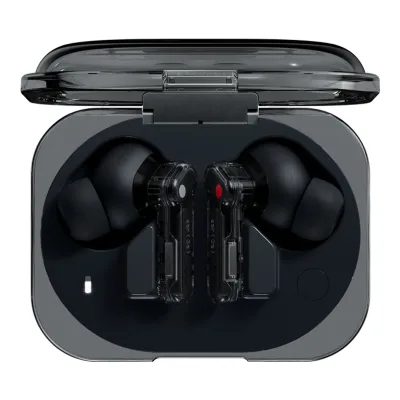
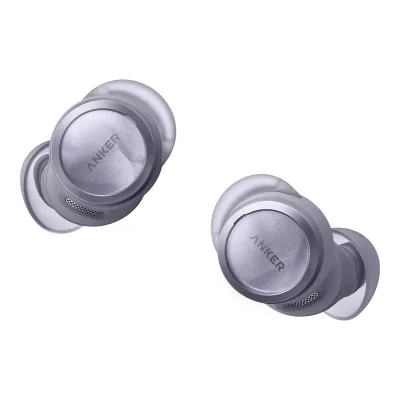
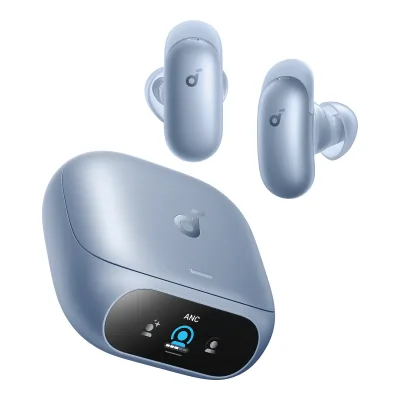
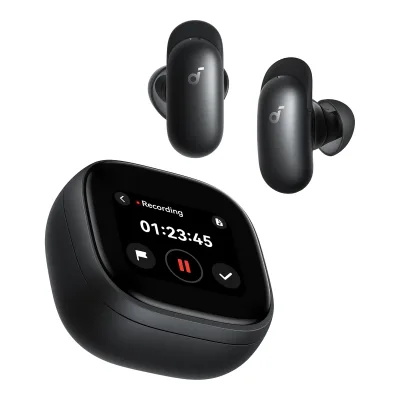
Razer Hammerhead V3 HyperSpeed vs soundcore P42i
Product A: Razer
64 of 166 known
Change Razer Hammerhead V3 HyperSpeed
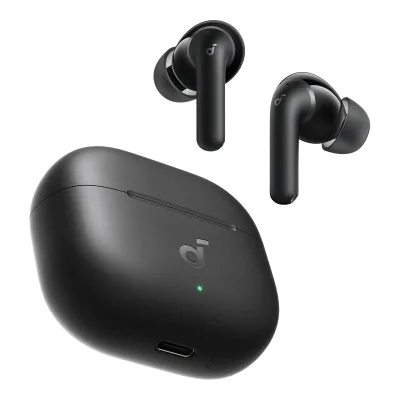
Product B: soundcore
80 of 166 known
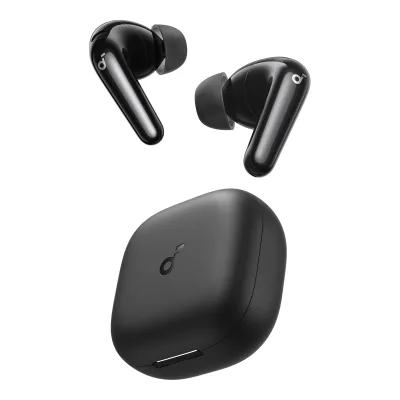
Change soundcore P42i
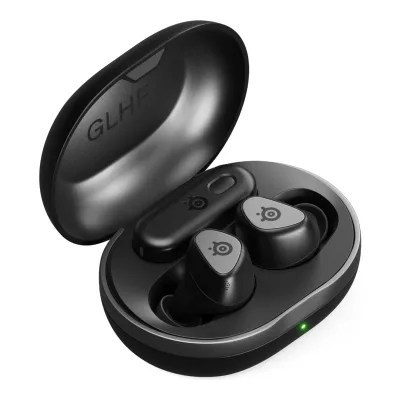
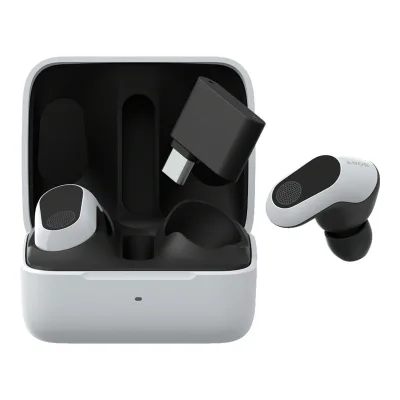
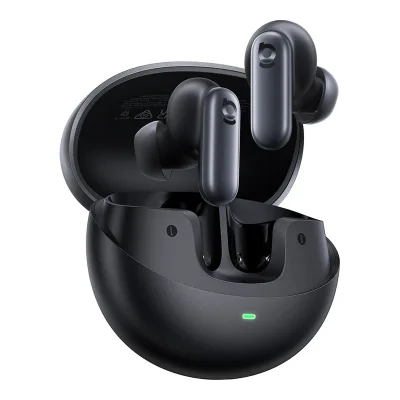
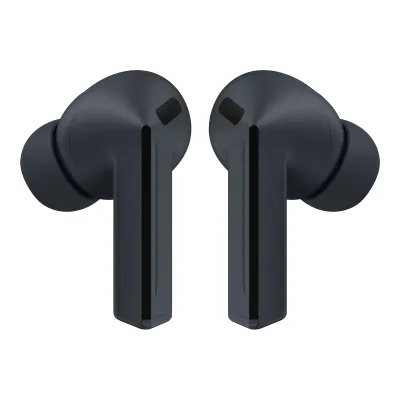
81 of 157 fields differ
- 28 different values
- 53 known for one only
- 12 the same
- 64 missing for both
Biggest differences
Each bar uses the scale of all 138 earbuds.
- With caseA: 40hB: 56hsoundcore is 16 h higher.
- Playback per charge with ANC (claimed)A: 7hB: 8.5hsoundcore is 1.5 h higher.
- Battery lifeA: 10hB: 12hsoundcore is 2 h higher.
Weight
0 to 80 g
Weight per bud
A5.6g
B4.4g
All 166 fields
Every value links to where we found it.
General
7 of 8 differ
Series
Not available
Model numbers
RZ12-05610100-R3U1, RZ12-05610100-R3G1, RZ12-05610100-R3A11Maker product pagerazer.com/mobile-earphones/razer-hammerhead-v3-hyperspeedRead 15 October 2026US store SKU RZ12-05610100-R3U1 in the page product data. The EU and Japan models are in the other sources.6Maker spec sheet (PDF)prtimes.jp/aRead 15 October 2026Japan model RZ12-05610100-R3A1.12Retailer pagenordicgamesupply.com/products/razer-hammerhead-v3-hyperspeedRead 15 October 2026Retailers list the European model RZ12-05610100-R3G1 in black.
D1205, D1205Z11, D1205Z21, D1205Z31, D1205ZQ1, D1205G11, D1205G21, D1205G31, D1205GQ1, D1205N11, D1205N21, D1205N31, D1205NQ11Maker product pageus.soundcore.com/products/d1205-p42i-true-wireless-earbuds-with-adaptive-ancRead 14 October 2026US store variant SKUs D1205Z11 Black, D1205Z21 Oat White, D1205Z31 Navy Blue and D1205ZQ1 Purple, from the store's product data.15Maker product pageankerjapan.com/products/d1205Read 14 October 2026Japan model list: D1205N11 Black, D1205N21 Off White, D1205N31 Navy and D1205NQ1 Purple.17Maker product pageuk.soundcore.com/products/d1205-p42i-adaptive-anc-hi-res-audio-earbudsRead 14 October 2026UK store variant SKUs D1205G11 Black, D1205G21 Creamy White, D1205G31 Blue and D1205GQ1 Purple, from the store's product data.
GTIN / EAN
8887910061732, 45736267306766Maker spec sheet (PDF)prtimes.jp/aRead 15 October 2026JAN code 4573626730676 for the Japan model R3A1.12Retailer pagenordicgamesupply.com/products/razer-hammerhead-v3-hyperspeedRead 15 October 2026Nordic Game Supply product data lists the barcode 8887910061732. Scan UK, Komputronik and a French price site give the same EAN with model R3G1.
194644312381, 194644312398, 194644335762, 1946443357551Maker product pageus.soundcore.com/products/d1205-p42i-true-wireless-earbuds-with-adaptive-ancRead 14 October 2026Variant barcodes in the US store's product data. The UK and Canada stores list the same barcodes.
Announced
Status
Available1Maker product pagerazer.com/mobile-earphones/razer-hammerhead-v3-hyperspeedRead 15 October 2026Buy button live at US$129.99 and the product data shows the item in stock.4Press releaserazer.com/newsroom/product-news/hammerhead-v3-lineRead 15 October 2026Launch post and the store page show the product on sale.
Predecessor
Not available
soundcore P40i16Press articleav.watch.impress.co.jp/docs/news/2121578.htmlRead 14 October 2026The article calls it the next generation of the Soundcore P40i.22Press releaseprtimes.jp/main/html/rd/p/000000662.000016775.htmlRead 23 October 2026Anker Japan's press release calls the Soundcore P42i the next-generation model of the Soundcore P40i.
Successor
Not available
Not available
Launch price (US)
$129.991Maker product pagerazer.com/mobile-earphones/razer-hammerhead-v3-hyperspeedRead 15 October 2026US page price US$129.99. The launch release gives the same US$129.99 recommended price. Excludes sales tax.5Press releasezaikei.co.jp/releases/3387757Read 15 October 2026Japanese translation of the Razer global release: recommended price 129.99 USD.7Reviewsoundguys.com/razer-hammerhead-v3-hyperspeed-review-158180Read 15 October 2026Review spec box: original price 129.99 USD.
Launch price (EU)
€139.993Maker product pagerazer.com/de-de/mobile-earphones/razer-hammerhead-v3-hyperspeedRead 15 October 2026German maker page price 139,99 EUR including VAT. The launch release gives the same 139.99 EUR recommended price.5Press releasezaikei.co.jp/releases/3387757Read 15 October 2026Same release: recommended price 139.99 EUR. Tax treatment is not stated and the German store price is incl. VAT.
Not available
Markets
US, EU, JP1Maker product pagerazer.com/mobile-earphones/razer-hammerhead-v3-hyperspeedRead 15 October 2026US store page.3Maker product pagerazer.com/de-de/mobile-earphones/razer-hammerhead-v3-hyperspeedRead 15 October 2026German page of the Razer EU store. The EU English page shows the same price.6Maker spec sheet (PDF)prtimes.jp/aRead 15 October 2026Japan retail launch from 10 April 2026.
US, GB, JP1Maker product pageus.soundcore.com/products/d1205-p42i-true-wireless-earbuds-with-adaptive-ancRead 14 October 2026The US store sells it at 79.99 USD. The listing showed Sold out for all four colours on 2026-10-14.15Maker product pageankerjapan.com/products/d1205Read 14 October 2026Anker Japan official store.17Maker product pageuk.soundcore.com/products/d1205-p42i-adaptive-anc-hi-res-audio-earbudsRead 14 October 2026UK store sells it at 79.99 GBP.
Colours
Black, Oat White, Navy Blue, Purple, Creamy White, Blue, Off White, Navy1Maker product pageus.soundcore.com/products/d1205-p42i-true-wireless-earbuds-with-adaptive-ancRead 14 October 202615Maker product pageankerjapan.com/products/d1205Read 14 October 2026Japan colours in the original are ブラック, オフホワイト, ネイビー and パープル. English names are translated here.17Maker product pageuk.soundcore.com/products/d1205-p42i-adaptive-anc-hi-res-audio-earbudsRead 14 October 2026UK colour names in the store's product data.
Design
2 of 4 differ
Form factor
Bud shape
Use one bud alone
Not available
RGB lighting
Yes1Maker product pagerazer.com/mobile-earphones/razer-hammerhead-v3-hyperspeedRead 15 October 2026The case has a Chroma LED bar. It shows pairing, charging and alerts and TechRadar describes a rainbow pattern when the case opens. The earbuds have no lighting.8Reviewtechradar.com/gaming/razer-hammerhead-v3-hyperspeed-gaming-earbuds-reviewRead 15 October 2026Review: an RGB strip on the case lights in a rainbow pattern when the case opens and shows pairing and charging status. The Razer logo on the earbuds does not light.
Not available
Drivers and sound
9 of 17 differ
Drivers per bud
ARazer Hammerhead V3 HyperSpeed
| Type | Diameter (mm) |
|---|---|
| Dynamic | 11 |
Bsoundcore P42i
| Type | Diameter (mm) | Count per earbud |
|---|---|---|
| Dynamic | 11 | 1 |
Source2Owner's manualsalesforce-knowledge-download.s3.us-west-2.amazonaws.com/000036800/en_US/000036800.pdfRead 14 October 2026SPECS table, last page: Driver Unit 11 mm. One driver per earbud is read from the single driver entry.15Maker product pageankerjapan.com/products/d1205Read 14 October 2026Specifications: driver size 11 mm dynamic driver.
Driver type
Driver size
11mm
11mm
Drivers per bud
Not available
1
Diaphragm material
Not available
Not available
Frequency response
Impedance
Sensitivity
105dB1Maker product pagerazer.com/mobile-earphones/razer-hammerhead-v3-hyperspeedRead 15 October 2026Tech Specs: Headphone Sensitivity 105 dB. The Japan spec sheet gives the reference as dB SPL per mW at 1 kHz.6Maker spec sheet (PDF)prtimes.jp/aRead 15 October 2026Sensitivity row: 105 dB SPL per mW at 1 kHz.
Not available
Sensitivity reference
Per 1 mW6Maker spec sheet (PDF)prtimes.jp/aRead 15 October 2026Sensitivity row: dB SPL per mW at 1 kHz.
Not available
Max sample rate
Not available
Not available
Max bit depth
Not available
Not available
Adaptive EQ
Not available
Not available
Personalised sound
Not available
Onboard EQ
Not available
Not available
Custom EQ bands
Not available
EQ presets
Gaming, Music, Movie2Owner's manualdl.razerzone.com/master-guides/RazerSynapse4/HAMMERHEADV3HYPERSPEED-00002657-en.pdfRead 15 October 2026Synapse, Audio equalizer: presets for gaming immersion, movie viewing and music. A manual change sets the preset to Custom, which is not stored as a preset.7Reviewsoundguys.com/razer-hammerhead-v3-hyperspeed-review-158180Read 15 October 2026Review names the Music, Gaming and Movie presets. TechRadar and CGMagazine count three presets plus a custom one.8Reviewtechradar.com/gaming/razer-hammerhead-v3-hyperspeed-gaming-earbuds-reviewRead 15 October 2026Review: three default EQ profiles for gaming, music and movies, plus a custom one.
Not available
Volume limit
Not available
Not available
Spatial audio
1 of 2 differ
Spatial audio
THX Spatial Audio1Maker product pagerazer.com/mobile-earphones/razer-hammerhead-v3-hyperspeedRead 15 October 2026Page FAQ: THX Spatial Audio on PC, integrated in Razer Synapse, with 7.1 surround sound.2Owner's manualdl.razerzone.com/master-guides/RazerSynapse4/HAMMERHEADV3HYPERSPEED-00002657-en.pdfRead 15 October 2026Activate THX Spatial Audio: 360 degree positional audio through Razer Synapse.
Head tracking
Not available
Not available
Noise cancelling
4 of 11 differ
Active noise cancelling
Yes1Maker product pagerazer.com/mobile-earphones/razer-hammerhead-v3-hyperspeedRead 15 October 2026Page text: Hybrid Active Noise Cancellation.2Owner's manualdl.razerzone.com/master-guides/RazerSynapse4/HAMMERHEADV3HYPERSPEED-00002657-en.pdfRead 15 October 2026Using your earbuds, Utilizing the Active Noise Cancellation: a 2 second hold switches ANC on, ANC off and Ambient mode.6Maker spec sheet (PDF)prtimes.jp/aRead 15 October 2026ANC row: equipped.
Yes1Maker product pageus.soundcore.com/products/d1205-p42i-true-wireless-earbuds-with-adaptive-ancRead 14 October 2026Page names real-time adaptive ANC.2Owner's manualsalesforce-knowledge-download.s3.us-west-2.amazonaws.com/000036800/en_US/000036800.pdfRead 14 October 2026Ambient sound modes: Noise Canceling with Ultra ANC and Natural ANC.
ANC type
Hybrid1Maker product pagerazer.com/mobile-earphones/razer-hammerhead-v3-hyperspeedRead 15 October 2026The maker names the system Hybrid Active Noise Cancellation. Stored as hybrid on that wording. The page does not describe the microphone layout.4Press releaserazer.com/newsroom/product-news/hammerhead-v3-lineRead 15 October 2026Launch post: Hybrid Active Noise Cancellation with up to 50 percent better noise reduction than the previous generation.
Not available
ANC microphones in both earbuds
Not available
Not available
Adaptive ANC
Not available
ANC levels
Not available
Not available
ANC attenuation (claimed)
Not available
55dB1Maker product pageus.soundcore.com/products/d1205-p42i-true-wireless-earbuds-with-adaptive-ancRead 14 October 2026Page: noise reduction up to 55 dB. Frequency and test method are not published.3Maker product pageservice.soundcore.com/article-description/soundcore-P42i-Specifications-FAQRead 14 October 2026FAQ: 55 dB noise reduction.
Transparency mode
Yes2Owner's manualdl.razerzone.com/master-guides/RazerSynapse4/HAMMERHEADV3HYPERSPEED-00002657-en.pdfRead 15 October 2026Utilizing the Active Noise Cancellation and the Enhancement subtab: Ambient mode lets external sounds in.6Maker spec sheet (PDF)prtimes.jp/aRead 15 October 2026Controls row: touch control switches between ANC and ambient mode.8Reviewtechradar.com/gaming/razer-hammerhead-v3-hyperspeed-gaming-earbuds-reviewRead 15 October 2026Review: the earbuds support ANC and a transparency mode.10Reviewbasic-tutorials.com/reviews/gadget-reviews/razer-hammerhead-v3-hyperspeed-reviewRead 15 October 2026Review spec table lists a transparency mode.
Yes2Owner's manualsalesforce-knowledge-download.s3.us-west-2.amazonaws.com/000036800/en_US/000036800.pdfRead 14 October 2026Ambient sound modes: Transparency.10Maker product pageservice.soundcore.com/article-description/Understanding-Noise-Cancelling-Modes-on-soundcore-P42i-Natural-Deep-and-Hearing-ProtectionRead 14 October 2026FAQ: Transparency mode lets outside sounds in.
Adjustable transparency
Not available
Not available
Automatic ANC and transparency blend
Not available
Not available
Conversation detection
Not available
Not available
Measured
5 of 23 differ
Frequency response notes (measured)
In the default Music preset the bass is slightly above the SoundGuys preference curve and the mids are slightly below it. The treble is raised from 4 kHz to 8 kHz and lowered from 9 kHz to 15 kHz. The reviewer finds the Gaming preset better tuned for competitive play.7Reviewsoundguys.com/razer-hammerhead-v3-hyperspeed-review-158180Read 15 October 2026Lab frequency response in the default Music preset against the SoundGuys preference curve. Reviewer notes only, no dB value stored. Unit supplied by Razer.
Not available
Bass amount (measured)
Not available
Not available
Treble amount (measured)
Not available
Not available
Deviation from target (measured)
Not available
Not available
Consistency between fittings (measured)
Not available
Not available
Harmonic distortion (measured)
Not available
Not available
Sound leakage (measured)
Not available
Not available
Noise isolation (measured)
Not available
Not available
Noise isolation, best (measured)
Not available
Not available
Passive isolation (measured)
Not available
Not available
Call quality notes (measured)
The reviewer calls the microphone quality great. Voices come in loud and clear and background noise sounds naturally distant. The test uses ideal, office, reverberant, street and windy conditions.7Reviewsoundguys.com/razer-hammerhead-v3-hyperspeed-review-158180Read 15 October 2026Reviewer microphone demos in ideal, office, reverberant, street and windy conditions. No numeric value stored.
Not available
Mic low-frequency extension (measured)
Not available
Not available
Mic high-frequency extension (measured)
Not available
Not available
Mic speech-to-noise ratio (measured)
Not available
Not available
Latency (measured)
Not available
Not available
Bluetooth latency, worst (measured)
Not available
Not available
2.4 GHz latency, worst (measured)
Not available
Not available
Latency in game mode (measured)
Not available
Not available
Battery life (measured)
ARazer Hammerhead V3 HyperSpeed
| Hours (h) |
|---|
| 15.47 |
Bsoundcore P42i
Not availableLongest tested use per charge
15.47h
Not available
Battery life with case (measured)
Not available
Not available
Full charge time (measured)
Not available
Not available
Microphones and calls
3 of 7 differ
Voice microphones in both earbuds
Not available
All microphones in both earbuds
Not available
Not available
Bone conduction voice sensor
Not available
Not available
Mic noise reduction
Not available
Call audio bandwidth
Not available
Not available
Mic mute control
Yes1Maker product pagerazer.com/mobile-earphones/razer-hammerhead-v3-hyperspeedRead 15 October 2026Page FAQ: a 2 second press on either earbud mutes or unmutes the microphone. The master guide names the right earbud only.2Owner's manualdl.razerzone.com/master-guides/RazerSynapse4/HAMMERHEADV3HYPERSPEED-00002657-en.pdfRead 15 October 2026Function button quick reference: tap and hold for 2 seconds on the right earbud mutes or unmutes the earbud microphone.
Not available
Sidetone
Not available
Not available
Connectivity
10 of 18 differ
Chip
Not available
Not available
Connections
2.4 GHz, Bluetooth1Maker product pagerazer.com/mobile-earphones/razer-hammerhead-v3-hyperspeedRead 15 October 2026Page text: Razer HyperSpeed Wireless (2.4 GHz) and Bluetooth 6.0.2Owner's manualdl.razerzone.com/master-guides/RazerSynapse4/HAMMERHEADV3HYPERSPEED-00002657-en.pdfRead 15 October 2026Connect to your earbuds: Bluetooth, the wireless dongle (2.4 GHz) and the charging case with the dongle.6Maker spec sheet (PDF)prtimes.jp/aRead 15 October 2026Connection row: Razer HyperSpeed Wireless (2.4 GHz) and Bluetooth 6.0.
Bluetooth
Bluetooth codecs
SBC, AAC7Reviewsoundguys.com/razer-hammerhead-v3-hyperspeed-review-158180Read 15 October 2026Review: the Bluetooth 6.0 connection supports the AAC and SBC codecs and has no higher bitrate codec. The Razer Japan spec sheet lists LC3+ as an audio codec without naming the link. SoundGuys names LC3+ as missing on Bluetooth, so LC3+ is not stored here.11Spec databaseinside-digital.de/in-ear-kopfhoerer/razer-hammerhead-v3-hyperspeedRead 15 October 2026German data sheet: audio codecs AAC and SBC.
SBC, AAC, LDAC3Maker product pageservice.soundcore.com/article-description/soundcore-P42i-Specifications-FAQRead 14 October 2026FAQ: SBC, AAC, LDAC and Hi-Res Wireless Audio. LDAC is Android only.15Maker product pageankerjapan.com/products/d1205Read 14 October 2026Specifications: SBC, AAC and LDAC. LDAC needs the app, updated firmware and Android 8.0 or later.
Bluetooth profiles
Not available
Not available
LE Audio
Not available
Not available
Auracast
Not available
Not available
Multipoint
Not available
Multipoint devices
Not available
Multipoint with LDAC
Not available
Yes6Maker product pageservice.soundcore.com/article-description/Can-Dual-Connections-and-LDAC-be-used-at-the-same-time-on-soundcore-P42iRead 14 October 2026FAQ: yes. Battery life is significantly reduced if LDAC is on for both devices at once.15Maker product pageankerjapan.com/products/d1205Read 14 October 2026Comparison table: multipoint supported, LDAC can be used at the same time.
Paired devices remembered
Not available
Not available
Automatic switching between own devices
Not available
Not available
Fast pairing
Not available
Audio sharing
Not available
Not available
Wireless range (claimed)
Not available
Wireless receiver
Included1Maker product pagerazer.com/mobile-earphones/razer-hammerhead-v3-hyperspeedRead 15 October 2026Page text: a compact, removable dongle sits inside the HyperSpeed case.2Owner's manualdl.razerzone.com/master-guides/RazerSynapse4/HAMMERHEADV3HYPERSPEED-00002657-en.pdfRead 15 October 2026What's inside: the charging case comes with a USB Type C wireless dongle.
Not available
Receiver connector
USB-C1Maker product pagerazer.com/mobile-earphones/razer-hammerhead-v3-hyperspeedRead 15 October 2026Page text: the dongle is a USB-C dongle with USB C passthrough on the case. The Japan spec sheet names a USB-C dongle.2Owner's manualdl.razerzone.com/master-guides/RazerSynapse4/HAMMERHEADV3HYPERSPEED-00002657-en.pdfRead 15 October 2026What's inside: USB Type C wireless dongle.6Maker spec sheet (PDF)prtimes.jp/aRead 15 October 2026Accessories row lists a USB-C dongle.
Not available
Simultaneous 2.4 GHz and Bluetooth audio
Not available
Not available
Latency
1 of 3 differ
Low latency mode
Not available
Claimed latency
Not available
Not available
Lowest claimed latency
Not available
Not available
Compatibility
3 of 4 differ
Platforms
Windows, macOS, PS5, Nintendo Switch, Nintendo Switch 2, SteamOS, Android, iOS1Maker product pagerazer.com/mobile-earphones/razer-hammerhead-v3-hyperspeedRead 15 October 2026Page FAQ: iOS and Android phones, PC, Mac, PlayStation 5, Nintendo Switch, Steam Deck and other handhelds. Steam Deck is stored as SteamOS. Nintendo Switch 2 comes from the TechRadar spec table.8Reviewtechradar.com/gaming/razer-hammerhead-v3-hyperspeed-gaming-earbuds-reviewRead 15 October 2026Review spec table: PC, PS5, mobile, Nintendo Switch and Nintendo Switch 2.
Windows, macOS, Android, iOS2Owner's manualsalesforce-knowledge-download.s3.us-west-2.amazonaws.com/000036800/en_US/000036800.pdfRead 14 October 2026Pairing page lists Android and iOS. Windows and Mac are in the support FAQ.14Maker product pageservice.soundcore.com/article-description/How-do-I-set-up-soundcore-P42i-as-the-audio-input-and-output-device-on-a-computerRead 14 October 2026FAQ covers Windows PCs and Macs.19Reviewgigazine.net/news/20260712-anker-soundcore-p42iRead 14 October 2026Review paired the earbuds with an iPhone.
Connection per platform
ARazer Hammerhead V3 HyperSpeed
| Platform | Connection |
|---|---|
| Windows | 2.4 GHz |
| Windows | Bluetooth |
| PS5 | 2.4 GHz |
| SteamOS | 2.4 GHz |
| Android | 2.4 GHz |
| Android | Bluetooth |
| iOS | Bluetooth |
Source1Maker product pagerazer.com/mobile-earphones/razer-hammerhead-v3-hyperspeedRead 15 October 2026Page text: 2.4 GHz audio with phones, tablets, PCs, Steam Deck and PlayStation 5. Bluetooth for Bluetooth audio devices. The Japan spec sheet lists Android and iOS phones over Bluetooth and Windows PCs through the USB-C dongle. The connection for Mac and Nintendo Switch is not stated, so those platforms have no row.2Owner's manualdl.razerzone.com/master-guides/RazerSynapse4/HAMMERHEADV3HYPERSPEED-00002657-en.pdfRead 15 October 2026Setup steps for PC sound settings and PS5 audio output, both over the dongle or the case. Bluetooth is described for mobile devices.
Bsoundcore P42i
| Platform | Connection | Microphone works |
|---|---|---|
| Windows | Bluetooth | Yes |
| macOS | Bluetooth | Not available |
| Android | Bluetooth | Not available |
| iOS | Bluetooth | Not available |
Source2Owner's manualsalesforce-knowledge-download.s3.us-west-2.amazonaws.com/000036800/en_US/000036800.pdfRead 14 October 2026Pairing page: Bluetooth on Android, iOS and other devices. LDAC chapter: Android 8.0 or later.14Maker product pageservice.soundcore.com/article-description/How-do-I-set-up-soundcore-P42i-as-the-audio-input-and-output-device-on-a-computerRead 14 October 2026FAQ: Windows uses P42i Stereo for listening and P42i Hands-Free for calls. Mac uses P42i as input and output. Only the Windows microphone row is marked as working.
Features that need a specific device
ARazer Hammerhead V3 HyperSpeed
| Feature | Needs |
|---|---|
| THX Spatial Audio | Available on PC through Razer Synapse 4 on Windows 11 or higher. The virtual 7.1 surround sound needs Windows 11 version 23H2 or higher. |
| Razer Audio app | iOS 18 or Android 14 or higher with Bluetooth. The earbuds must be connected to the phone by Bluetooth to be configured in the app. |
| Razer Synapse settings | Windows 11 or higher. The earbuds cannot be configured in Synapse while the input source is set to Bluetooth. |
| Do Not Disturb | Blocks phone calls only while the earbuds are connected to the wireless dongle and to a mobile device at the same time. |
Source1Maker product pagerazer.com/mobile-earphones/razer-hammerhead-v3-hyperspeedRead 15 October 2026Page FAQ: 7.1 surround sound support needs Razer Synapse on Windows 11 version 23H2 or higher.2Owner's manualdl.razerzone.com/master-guides/RazerSynapse4/HAMMERHEADV3HYPERSPEED-00002657-en.pdfRead 15 October 2026What's needed and the Activate THX Spatial Audio note: only available on Windows 11 and above. Synapse section: Input Source set to Bluetooth cannot be configured in Synapse. Do Not Disturb works only when the earbuds are connected to the dongle and a mobile device at the same time.6Maker spec sheet (PDF)prtimes.jp/aRead 15 October 2026Surround row: THX Spatial Audio only on Windows 11 version 23H2 or later.
Bsoundcore P42i
| Feature | Needs |
|---|---|
| LDAC | Android 8.0 or later. Turn it on in the soundcore app under Settings, Sound Mode, Preferred audio quality. iPhone and iPad do not support LDAC. |
| LDAC, Spatial Audio, Gaming mode and custom EQ | LDAC cannot run with Spatial Audio or Gaming mode. Custom EQ cannot run with Spatial Audio or Gaming mode. Spatial Audio cannot run with custom EQ, LDAC or Gaming mode. |
| Google Fast Pair | Android 6.0 or later. |
| AI translation | soundcore app with the earbuds connected to it. Dual Connections must be off. Face-to-face translation also works without an app connection. |
| Earbud volume control | Off by default. Turn it on in the soundcore app under Settings, Controls. |
| Phone voice assistant | Not set by default. Assign it in the soundcore app under Controls. A single tap cannot be assigned to it. |
| Microphone in Windows meeting apps | Select soundcore P42i Hands-Free as both microphone and speaker. |
Source2Owner's manualsalesforce-knowledge-download.s3.us-west-2.amazonaws.com/000036800/en_US/000036800.pdfRead 14 October 2026LDAC chapter, AI translation chapter and pairing page.11Maker product pageservice.soundcore.com/article-description/How-do-I-activate-my-phone-s-voice-assistant-while-using-soundcore-P42iRead 14 October 2026FAQ: not set by default. A single tap cannot be assigned to the voice assistant.12Maker product pageservice.soundcore.com/article-description/How-do-I-adjust-the-volume-via-soundcore-P42i-earbudsRead 14 October 2026FAQ: turn on earbud volume control in the app.13Maker product pageservice.soundcore.com/article-description/Which-soundcore-P42i-features-cannot-be-used-at-the-same-timeRead 14 October 2026FAQ lists the features that exclude each other: custom EQ, LDAC, Spatial Audio and Gaming mode.14Maker product pageservice.soundcore.com/article-description/How-do-I-set-up-soundcore-P42i-as-the-audio-input-and-output-device-on-a-computerRead 14 October 2026FAQ: select soundcore P42i Hands-Free for microphone and speaker in Zoom or Microsoft Teams on Windows.
Official licence
Not available
Not available
Battery and charging
12 of 13 differ
Battery per bud
Not available
User-replaceable earbud battery
Not available
Not available
Claimed battery life
ARazer Hammerhead V3 HyperSpeed
| Mode | Includes case recharges | Hours (h) |
|---|---|---|
| ANC off | No | 10 |
| ANC off | Yes | 40 |
| ANC on | No | 7 |
Source1Maker product pagerazer.com/mobile-earphones/razer-hammerhead-v3-hyperspeedRead 15 October 2026Page text and Tech Specs: up to 10 hours from the earbuds plus 30 hours from the case, up to 40 hours total. The page does not state the ANC setting, volume or codec. The 10 hour and 40 hour rows are stored as ANC off, as in the inside-digital data sheet.6Maker spec sheet (PDF)prtimes.jp/aRead 15 October 2026Battery row: up to 10 hours, plus 30 hours with the charging case, 40 hours in total.10Reviewbasic-tutorials.com/reviews/gadget-reviews/razer-hammerhead-v3-hyperspeed-reviewRead 15 October 2026Review spec table: up to 10 hours without ANC and up to 7 hours with ANC, 40 hours with the case. The maker page gives no ANC-on figure. The table also gives a 1.5 hour charging time that mentions wireless charging, which the master guide does not support, so that line is not used.11Spec databaseinside-digital.de/in-ear-kopfhoerer/razer-hammerhead-v3-hyperspeedRead 15 October 2026German data sheet: battery life with ANC off 10 hours.
Bsoundcore P42i
| Mode | Codec | Includes case recharges | Hours (h) |
|---|---|---|---|
| ANC off | Not available | No | 12 |
| ANC off | Not available | Yes | 56 |
| ANC on | Not available | No | 8.5 |
| ANC on | Not available | Yes | 40 |
| ANC on | LDAC | No | 6 |
| Call | Not available | No | 5 |
Source2Owner's manualsalesforce-knowledge-download.s3.us-west-2.amazonaws.com/000036800/en_US/000036800.pdfRead 14 October 2026SPECS table: ANC off 12 h (56 h with case), ANC on 8.5 h (40 h with case). LDAC and call rows are from the playtime FAQ.4Maker product pageservice.soundcore.com/article-description/What-is-the-playtime-of-soundcore-P42i-on-a-single-charge-and-with-the-charging-caseRead 14 October 2026FAQ: Noise Cancelling 8.5 h and 40 h with case, Normal 12 h and 56 h with case, Calling (ANC) 5 hours for both earbuds, Noise Cancelling plus LDAC 6 hours. Anker lab test at room temperature with default settings and music at 50 percent volume.
Longest claimed use per charge
10h
12h
Playback per charge with ANC (claimed)
7h
8.5h
Playback per charge without ANC (claimed)
10h
12h
Total with case (claimed)
40h
56h
Total with case and ANC (claimed)
Not available
40h
Talk time (claimed)
Not available
5h
Full charge time, buds
Not available
Charging guidance
The master guide says a depleted battery is fully charged in approximately 2 hours. It advises charging with the supplied cable from a computer USB port and avoiding fast chargers or wall adapters. The guide does not separate the earbuds and the case.2Owner's manualdl.razerzone.com/master-guides/RazerSynapse4/HAMMERHEADV3HYPERSPEED-00002657-en.pdfRead 15 October 2026Getting started, Charge your devices: connect the charging case to a computer USB port with the supplied cable, avoid fast chargers and wall adapters, and a depleted battery is fully charged in approximately 2 hours. The guide does not say whether this is the earbuds, the case or both. A review table that gives 1.5 hours is not used.
The maker says the case with the earbuds inside takes about 3 hours to fully charge by cable and about 4 hours on a wireless charger. Rated input is 5 V 0.4 A (2 W) by cable and 5 V 0.33 A (1.65 W) wireless for the case, and 5 V 0.12 A (0.6 W) per earbud. Dry the earbuds and the USB-C port before charging.2Owner's manualsalesforce-knowledge-download.s3.us-west-2.amazonaws.com/000036800/en_US/000036800.pdfRead 14 October 2026SPECS table input and output ratings and the charging page.
Quick charge time
Not available
Charging case
5 of 10 differ
Case battery
Not available
User-replaceable case battery
Not available
Not available
Case charging port
USB-C2Owner's manualdl.razerzone.com/master-guides/RazerSynapse4/HAMMERHEADV3HYPERSPEED-00002657-en.pdfRead 15 October 2026What's inside lists a USB Type C charge/data port on the charging case.9Reviewcgmagonline.com/review/razer-hammerhead-v3-hyperspeed-earbudsRead 15 October 2026Review: the case has a single USB-C port on the bottom.
Case full charge time
Not available
Wireless charging
Not available
Yes2Owner's manualsalesforce-knowledge-download.s3.us-west-2.amazonaws.com/000036800/en_US/000036800.pdfRead 14 October 2026Charging page: place the charging case at the center of a wireless charger. The charger is not included.15Maker product pageankerjapan.com/products/d1205Read 14 October 2026Feature section: wireless charging supported.
Wireless standards
Not available
Not available
Wireless charging power
Not available
Speaker in case
Not available
Not available
Screen on case
Not available
Not available
Case works as audio transmitter
Yes1Maker product pagerazer.com/mobile-earphones/razer-hammerhead-v3-hyperspeedRead 15 October 2026Page FAQ: the HyperSpeed case is both a charging case and a 2.4 GHz wireless receiver when the dongle is inside. Plugging the case into a device passes audio to the earbuds.2Owner's manualdl.razerzone.com/master-guides/RazerSynapse4/HAMMERHEADV3HYPERSPEED-00002657-en.pdfRead 15 October 2026Connect to your earbuds, option C: the charging case with the USB Type C wireless dongle inside connects to a device over 2.4 GHz HyperSpeed Wireless.
Not available
Controls
3 of 5 differ
Controls
Touch1Maker product pagerazer.com/mobile-earphones/razer-hammerhead-v3-hyperspeedRead 15 October 2026Page FAQ gesture list covers touch taps and presses on each earbud.2Owner's manualdl.razerzone.com/master-guides/RazerSynapse4/HAMMERHEADV3HYPERSPEED-00002657-en.pdfRead 15 October 2026Function button quick reference: tap, double tap, triple tap and hold gestures on the touch sensor of each earbud.6Maker spec sheet (PDF)prtimes.jp/aRead 15 October 2026Controls row: touch operation for play and pause, skip, calls, ANC and ambient mode, and wireless switching.
Earbud volume control
Touch1Maker product pagerazer.com/mobile-earphones/razer-hammerhead-v3-hyperspeedRead 15 October 2026Page FAQ: double tap and hold for 2 seconds raises volume on the right earbud and lowers it on the left. The master guide describes it as a double tap, then hold the last tap.2Owner's manualdl.razerzone.com/master-guides/RazerSynapse4/HAMMERHEADV3HYPERSPEED-00002657-en.pdfRead 15 October 2026Function button quick reference: double tap, then hold the last tap. Left lowers volume and right raises it.
Gestures
Tap: play or pause, Double tap right: next track, Double tap left: previous track, Double tap, then hold the last tap, right: volume up, Double tap, then hold the last tap, left: volume down, Tap and hold for 2 seconds, left: cycle between ANC on, ANC off and ambient mode, Tap and hold for 2 seconds, right: mute or unmute the microphone, Triple tap: switch between wireless modes, Triple tap, then hold the last tap for 3 seconds: restart Bluetooth pairing, Tap during a call (Bluetooth mode): accept or end a call, Double tap during a call (Bluetooth mode): reject an incoming call, end the call or switch between calls1Maker product pagerazer.com/mobile-earphones/razer-hammerhead-v3-hyperspeedRead 15 October 2026Page FAQ touch gesture list. The master guide is preferred where they differ. The page says a 2 second press mutes the microphone on both earbuds. The guide puts mute on the right earbud and the ANC cycle on the left earbud.2Owner's manualdl.razerzone.com/master-guides/RazerSynapse4/HAMMERHEADV3HYPERSPEED-00002657-en.pdfRead 15 October 2026Function button quick reference. Call gestures marked as only available in Bluetooth mode. The guide lists the right earbud for next track and volume up, the left for previous track and volume down. Gestures can be switched on or off in Synapse.
Double tap right earbud: play or pause, Double tap left earbud: next track, Double tap either earbud: answer or end a call, Press and hold either earbud for 2 seconds: reject a call or switch ambient sound mode, Single earbud: double tap to play or pause2Owner's manualsalesforce-knowledge-download.s3.us-west-2.amazonaws.com/000036800/en_US/000036800.pdfRead 14 October 2026Controls page table for both earbuds and for a single earbud. Press and hold for 2 seconds switches between ANC and Transparency by default.
Remappable controls
Not available
Sensors and health
2 of 9 differ
In-ear detection
Yes2Owner's manualdl.razerzone.com/master-guides/RazerSynapse4/HAMMERHEADV3HYPERSPEED-00002657-en.pdfRead 15 October 2026Synapse, Enhancement, Auto Pause: audio pauses when an earbud is removed and resumes when it is put back.8Reviewtechradar.com/gaming/razer-hammerhead-v3-hyperspeed-gaming-earbuds-reviewRead 15 October 2026Review: automatic pausing when the earbuds are removed from the ears.10Reviewbasic-tutorials.com/reviews/gadget-reviews/razer-hammerhead-v3-hyperspeed-reviewRead 15 October 2026Review spec table lists wear detection. The reviewer notes the sensor can trigger by mistake.
Sensors
Not available
Not available
Heart rate sensor
Not available
Not available
Skin temperature sensing
Not available
Not available
Hearing aid feature
Not available
Not available
Medical clearances
Not available
Not available
Hearing test
Not available
Not available
Health features
Not available
Hearing protection screen in the soundcore app shows in-ear volume and ambient noise level. Not a medical device.15Maker product pageankerjapan.com/products/d1205Read 14 October 2026FAQ, translated from Japanese: the app's hearing protection screen shows the in-ear volume and the surrounding noise level in real time. It is not a medical device.
Fit and durability
3 of 7 differ
Ear tips included
S, M, L2Owner's manualdl.razerzone.com/master-guides/RazerSynapse4/HAMMERHEADV3HYPERSPEED-00002657-en.pdfRead 15 October 2026What's inside: S, M and L. M is pre-installed with the earbuds.6Maker spec sheet (PDF)prtimes.jp/aRead 15 October 2026Accessories row: S, M and L. The M tips are fitted at shipping.9Reviewcgmagonline.com/review/razer-hammerhead-v3-hyperspeed-earbudsRead 15 October 2026Review: three earbud tip sizes.11Spec databaseinside-digital.de/in-ear-kopfhoerer/razer-hammerhead-v3-hyperspeedRead 15 October 2026German data sheet: S, M and L.
XXS, XS, S, M, L2Owner's manualsalesforce-knowledge-download.s3.us-west-2.amazonaws.com/000036800/en_US/000036800.pdfRead 14 October 2026Wearing guide: five sizes of ear tips, XXS, XS, S, M and L. M is fitted.15Maker product pageankerjapan.com/products/d1205Read 14 October 2026Package contents: ear tips in 5 sizes.19Reviewgigazine.net/news/20260712-anker-soundcore-p42iRead 14 October 2026Review: five sizes XXS, XS, S, M and L, with M fitted.
Ear tip materials
Silicone2Owner's manualdl.razerzone.com/master-guides/RazerSynapse4/HAMMERHEADV3HYPERSPEED-00002657-en.pdfRead 15 October 2026What's inside: silicon ear-tips. The maker's word silicon means silicone.9Reviewcgmagonline.com/review/razer-hammerhead-v3-hyperspeed-earbudsRead 15 October 2026Review: the silicone ear tips are soft and comfortable.11Spec databaseinside-digital.de/in-ear-kopfhoerer/razer-hammerhead-v3-hyperspeedRead 15 October 2026German data sheet: silicone ear tips.
Stabilisers
Not available
Not available
Ear tip fit test
Not available
Dust and water rating, buds
Dust and water rating, case
Not available
Not available
Water resistance depth
Not available
Not available
Software
4 of 6 differ
Companion app
Razer Audio app and Razer Synapse 41Maker product pagerazer.com/mobile-earphones/razer-hammerhead-v3-hyperspeedRead 15 October 2026Page text: customisation in the Razer Audio App.2Owner's manualdl.razerzone.com/master-guides/RazerSynapse4/HAMMERHEADV3HYPERSPEED-00002657-en.pdfRead 15 October 2026Set up for mobile: the Razer Audio app. Personalize your PC experience: Razer Synapse.6Maker spec sheet (PDF)prtimes.jp/aRead 15 October 2026Software row: Razer Synapse for Windows and the Razer Audio App for iOS and Android.
App platforms
Android, iOS, Windows2Owner's manualdl.razerzone.com/master-guides/RazerSynapse4/HAMMERHEADV3HYPERSPEED-00002657-en.pdfRead 15 October 2026What's needed: Razer Audio app on iOS 18 or Android 14 or higher, Razer Synapse on Windows 11 or higher.6Maker spec sheet (PDF)prtimes.jp/aRead 15 October 2026Software row: Razer Synapse for Windows and the Razer Audio App for iOS and Android.
User firmware updates
Not available
Finding network
Not available
Not available
Precision finding
Not available
Not available
Dimensions and weight
2 of 4 differ
Weight per bud
5.6g(0.2 oz)1Maker product pagerazer.com/mobile-earphones/razer-hammerhead-v3-hyperspeedRead 15 October 2026Tech Specs: 5.6 g per side and 63 g system.6Maker spec sheet (PDF)prtimes.jp/aRead 15 October 2026Body weight row: 5.6 g per earbud.
4.4g(0.2 oz)15Maker product pageankerjapan.com/products/d1205Read 14 October 2026Specifications: about 4.4 g per earbud and about 51 g with the charging case (case with earbuds, not case-only).16Press articleav.watch.impress.co.jp/docs/news/2121578.htmlRead 14 October 2026Article: about 4.4 g per earbud and about 51 g including the charging case.
Bud dimensions
Not available
Not available
Case weight
Not available
Case dimensions
Not available
Not available
Certifications
2 of 3 differ
Hi-Res Audio
Not available
Hi-Res Audio Wireless, Hi-Res Audio1Maker product pageus.soundcore.com/products/d1205-p42i-true-wireless-earbuds-with-adaptive-ancRead 14 October 2026Page: Hi-Res Certified Sound with LDAC and Hi-Res Audio. The specification FAQ lists Hi-Res Wireless Audio.3Maker product pageservice.soundcore.com/article-description/soundcore-P42i-Specifications-FAQRead 14 October 2026FAQ names Hi-Res Wireless Audio as a supported audio format.15Maker product pageankerjapan.com/products/d1205Read 14 October 2026Comparison table marks Hi-Res playback as supported.
Communication certifications
Not available
Not available
FCC IDs
Not available
Not available
Other certifications
Not available
EU Radio Equipment Directive 2014/53/EU conformity, EU RoHS Directive 2011/65/EU and amendment (EU) 2015/863 conformity20Maker spec sheet (PDF)salesforce-knowledge-download.s3.us-west-2.amazonaws.com/000036802/en_US/000036802.pdfRead 14 October 2026EU and UK Declaration of Conformity V5.0 for soundcore P42i, model D1205, signed 2026-05-20. It lists Directive 2014/53/EU and Directive 2011/65/EU with amendment (EU) 2015/863. FCC ID not found in the open documents.
In the box
2 of 2 differ
In the box
Razer Hammerhead V3 HyperSpeed, Charging case with USB Type C wireless dongle, USB Type C cable, Silicon ear-tips in 3 sizes (S, M*, L). M is pre-installed with the earbuds, Important Product Information Guide2Owner's manualdl.razerzone.com/master-guides/RazerSynapse4/HAMMERHEADV3HYPERSPEED-00002657-en.pdfRead 15 October 2026What's inside: the earbuds, the charging case with USB Type C wireless dongle, a USB Type C cable, silicon ear-tips in 3 sizes (S, M*, L) with M pre-installed, and the Important Product Information Guide.6Maker spec sheet (PDF)prtimes.jp/aRead 15 October 2026Accessories row: charging case, USB-C dongle, ear tips S, M and L, USB-C cable and the important product guide. The M tips ship on the earbuds.11Spec databaseinside-digital.de/in-ear-kopfhoerer/razer-hammerhead-v3-hyperspeedRead 15 October 2026German data sheet: charging case, USB-C wireless dongle (2.4 GHz), USB-C charging cable and silicone ear tips in S, M and L.
Earbuds, Charging case, Five sizes of ear tips, USB-A to USB-C cable, Quick start guide, Safety manual, Warranty card15Maker product pageankerjapan.com/products/d1205Read 14 October 2026Package contents, translated from Japanese: earbuds, charging case, ear tips in 5 sizes, USB-C and USB-A cable, safety manual, quick start guide, warranty.19Reviewgigazine.net/news/20260712-anker-soundcore-p42iRead 14 October 2026Review box photo: quick start guide, warranty card, earbuds, USB Type-A to USB Type-C cable and ear tips.
Cables included
ARazer Hammerhead V3 HyperSpeed
| Type | Length (m) | Count |
|---|---|---|
| USB-C cable | 0.42 | 1 |
Source2Owner's manualdl.razerzone.com/master-guides/RazerSynapse4/HAMMERHEADV3HYPERSPEED-00002657-en.pdfRead 15 October 2026What's inside: one USB Type C cable. The 42 cm length comes from the Tech Specs and the Japan spec sheet.6Maker spec sheet (PDF)prtimes.jp/aRead 15 October 2026Cable length row: 420 mm. The Razer page lists 42 cm. CGMagazine calls it a 16.5 inch USB-C cable.9Reviewcgmagonline.com/review/razer-hammerhead-v3-hyperspeed-earbudsRead 15 October 2026Review: a 16.5 inch USB-C cable for charging and communication. That is about 42 cm.
Links
Not compared
Product page
Spec sheet
Manual
dl.razerzone.com/master-guides/RazerSynapse4/HAMMERHEADV3HYPERSPEED-00002657-en.pdf2Owner's manualdl.razerzone.com/master-guides/RazerSynapse4/HAMMERHEADV3HYPERSPEED-00002657-en.pdfRead 15 October 2026English master guide for the Hammerhead V3 HyperSpeed from the Razer download server.
salesforce-knowledge-download.s3.us-west-2.amazonaws.com/000036800/en_US/000036800.pdf2Owner's manualsalesforce-knowledge-download.s3.us-west-2.amazonaws.com/000036800/en_US/000036800.pdfRead 14 October 2026English user guide for model D1205, 13 pages. Download from the soundcore support page for the P42i.
EPREL registration number
Not available
Not available
Warranty
1 of 1 differ
Manufacturer warranty (source market)
2years1Maker product pagerazer.com/mobile-earphones/razer-hammerhead-v3-hyperspeedRead 15 October 2026Page text: up to 2 years of warranty. The Japan spec sheet gives 24 months.6Maker spec sheet (PDF)prtimes.jp/aRead 15 October 2026Warranty row: 24 months for Japan.
Not available
Both are also in the API. Back to all earbuds.