Gaming / Keyboards
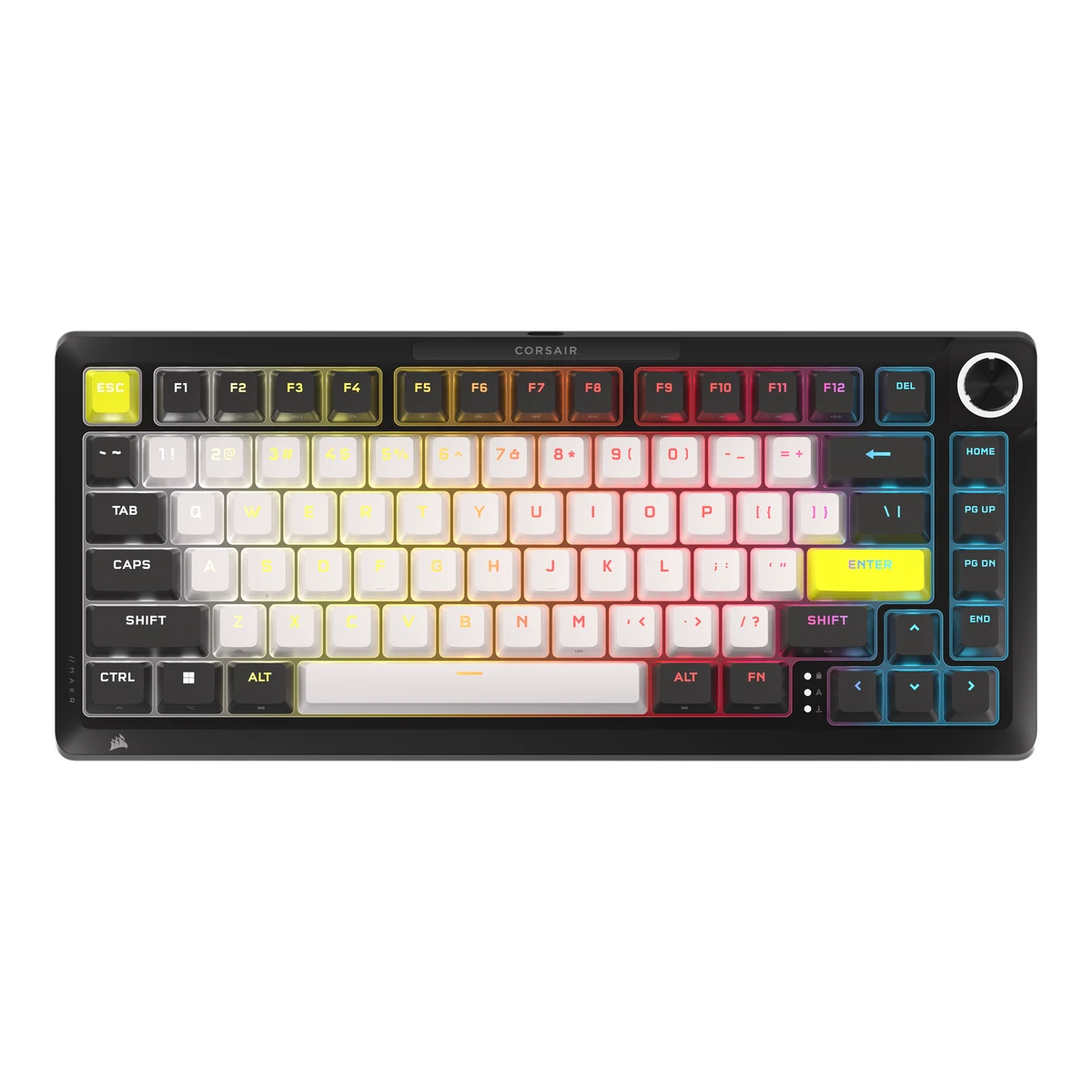
CORSAIRGaming keyboard
MAKR PRO 75
Released February 2026.6Reviewtomshardware.com/peripherals/gaming-keyboards/corsair-makr-pro-75-reviewRead 14 October 2026Review of 21 February 2026 says it is available now. KitGuru reviewed the UK model on 10 February 2026. A FAQ on KyuSai Media gives 1 February 2026. Last checked 16 October 2026.
- Form factor
- 75 %
- Switch sensing technology
- Magnetic (Hall effect)
- Connections
- USB (wired)
- Max polling rate
- 8,000Hz
88 of 164 fields known.
General
- Model numbers
- CH-91CE21G-NA, CH-91CE21G-UK, CH-91CE21G-DE, CH-91CE21G-FR, CH-91CE21G-ND4Maker product pagecorsair.com/uk/en/p/keyboards/ch-91ce21g-uk/makr-pro-75-hall-effect-diy-keyboard-uk-ch-91ce21g-ukRead 14 October 2026Regional store pages exist for CH-91CE21G-UK, -DE, -FR and -ND with layouts UK (UK), DE (Germany), FR (France) and ND (Nordics). The Declaration of Conformity also lists NA2 and KR2 SKUs. They have no public page and are left out.
- GTIN / EAN
- Not available
- Predecessor
- Not available
- Successor
- Not available
- Launch price (US)
- $249.996Reviewtomshardware.com/peripherals/gaming-keyboards/corsair-makr-pro-75-reviewRead 14 October 2026Review dated 21 February 2026: MSRP 249.99 USD, one colorway, available now.11Press articlepcgamer.com/hardware/gaming-keyboards/corsair-brings-hall-effect-to-its-dinky-enthusiast-gaming-keyboard-in-the-form-of-the-makr-pro-75Read 14 October 2026PC Gamer, 6 January 2026, announcement coverage: about 250 USD and 220 GBP. This matches the 249.99 USD of the maker page and the Tom's Hardware MSRP.
- Launch price (EU)
- From €249.994Maker product pagecorsair.com/uk/en/p/keyboards/ch-91ce21g-uk/makr-pro-75-hall-effect-diy-keyboard-uk-ch-91ce21g-ukRead 14 October 20265Maker product pagecorsair.com/de/de/p/keyboards/ch-91ce21g-de/makr-pro-75-hall-effect-diy-keyboard-de-ch-91ce21g-deRead 14 October 2026
Layout
- Layout standard
- ANSI, ISO1Maker product pagecorsair.com/us/en/p/keyboards/ch-91ce21g-na/makr-pro-75-hall-effect-diy-keyboard-ch-91ce21g-naRead 14 October 2026Tech specs: keyboard layout NA (North America) for this SKU. The UK SKU is ISO per the TechRadar review.7Reviewtechradar.com/computing/keyboards/corsair-makr-pro-75-reviewRead 14 October 2026Review spec table: layout 75 percent, UK ISO as tested.
- Regional layouts
- NA (North America), UK (UK), DE (Germany), FR (France), ND (Nordics)1Maker product pagecorsair.com/us/en/p/keyboards/ch-91ce21g-na/makr-pro-75-hall-effect-diy-keyboard-ch-91ce21g-naRead 14 October 2026Tech specs of this SKU: NA (North America). The regional store pages list UK, DE, FR and ND layouts.
- Key legends for
- Windows, macOS6Reviewtomshardware.com/peripherals/gaming-keyboards/corsair-makr-pro-75-reviewRead 14 October 2026Review: no Mac keys in the box, with Mac legends printed on the sides of the keycaps.
- Function row
- Yes2Owner's manualcorsair.com/us/en/explorer/gamer/keyboards/makr-pro-75Read 14 October 2026FN shortcut table lists F1 to F12.
- Dedicated arrow keys
- Yes2Owner's manualcorsair.com/us/en/explorer/gamer/keyboards/makr-pro-75Read 14 October 2026Maker photo shows four separate arrow keys.
- Key stagger
- Row-staggered2Owner's manualcorsair.com/us/en/explorer/gamer/keyboards/makr-pro-75Read 14 October 2026Maker photo shows staggered typing rows.
- Bottom row
- Not available
Switches
- Switch sensing technology
- Magnetic (Hall effect)1Maker product pagecorsair.com/us/en/p/keyboards/ch-91ce21g-na/makr-pro-75-hall-effect-diy-keyboard-ch-91ce21g-naRead 14 October 2026Overview: MGX Hyperdrive switches use Hall Effect sensors to register keypresses.
- Switch feel
- Linear2Owner's manualcorsair.com/us/en/explorer/gamer/keyboards/makr-pro-75Read 14 October 2026The quick start guide describes smooth, wobble-free magnetic switches without naming the feel. Tom's Hardware and TechRadar call them linear.6Reviewtomshardware.com/peripherals/gaming-keyboards/corsair-makr-pro-75-reviewRead 14 October 2026Review: MGX Hyperdrive magnetic switches are linear and pre-lubed.7Reviewtechradar.com/computing/keyboards/corsair-makr-pro-75-reviewRead 14 October 2026Review dated 13 June 2026: linear magnetic Hall effect MGX Hyperdrive switches. The tested unit was the UK ISO layout.
- Switch models
- CORSAIR MGX Hyperdrive1Maker product pagecorsair.com/us/en/p/keyboards/ch-91ce21g-na/makr-pro-75-hall-effect-diy-keyboard-ch-91ce21g-naRead 14 October 2026Overview: pre-installed CORSAIR MGX Hyperdrive switches. The tech specs row reads CORSAIR MGX V2.
- Switch stem
- Not available
- Actuation force
- Not available
- Bottom-out force
- Not available
- Tactile bump force
- Not available
- Actuation point
- 2mm2Owner's manualcorsair.com/us/en/explorer/gamer/keyboards/makr-pro-75Read 14 October 2026Key Actuations: the default setting is 2.0 mm.
- Total travel
- 4.1mm2Owner's manualcorsair.com/us/en/explorer/gamer/keyboards/makr-pro-75Read 14 October 2026Tech specs: 4.1 mm total travel.
- Rated keystrokes
- 150million2Owner's manualcorsair.com/us/en/explorer/gamer/keyboards/makr-pro-75Read 14 October 2026Tech specs: guaranteed for 150 million keystrokes.
- Factory-lubed switches
- Yes2Owner's manualcorsair.com/us/en/explorer/gamer/keyboards/makr-pro-75Read 14 October 2026Tech specs: pre-lubricated keyswitches.
- Adjustable actuation
- Yes2Owner's manualcorsair.com/us/en/explorer/gamer/keyboards/makr-pro-75Read 14 October 2026Tech specs: 0.1 to 4.0 mm actuation distance. Recommended range is 0.3 to 3.6 mm.
- Actuation range
- Min0.1Max4mm2Owner's manualcorsair.com/us/en/explorer/gamer/keyboards/makr-pro-75Read 14 October 2026Tech specs: 0.1 to 4.0 mm actuation distance. The maker recommends 0.3 to 3.6 mm for accuracy.
- Actuation step
- 0.1mm2Owner's manualcorsair.com/us/en/explorer/gamer/keyboards/makr-pro-75Read 14 October 2026Tech specs: actuation distance in 0.1 mm steps.
- Per-key actuation
- Yes1Maker product pagecorsair.com/us/en/p/keyboards/ch-91ce21g-na/makr-pro-75-hall-effect-diy-keyboard-ch-91ce21g-naRead 14 October 2026Overview: MGX switches can have dynamically resetting actuation points. The quick start guide lets Web Hub and iCUE apply actuation to selected keys.2Owner's manualcorsair.com/us/en/explorer/gamer/keyboards/makr-pro-75Read 14 October 2026Web Hub Key Actuations: select keys to adjust their actuation behavior. The hardware presets apply to all keys.
- Minimum rapid trigger movement
- Not available
- Multi-action keys
- Yes1Maker product pagecorsair.com/us/en/p/keyboards/ch-91ce21g-na/makr-pro-75-hall-effect-diy-keyboard-ch-91ce21g-naRead 14 October 2026Quick start guide: the Multi-Action Keys tab enables secondary actuation points.2Owner's manualcorsair.com/us/en/explorer/gamer/keyboards/makr-pro-75Read 14 October 2026Web Hub Multi-Action Keys and iCUE Two Actions setting: a second actuation point per key.
- Analog input
- Not available
- Hot-swap sockets
- Magnetic1Maker product pagecorsair.com/us/en/p/keyboards/ch-91ce21g-na/makr-pro-75-hall-effect-diy-keyboard-ch-91ce21g-naRead 14 October 2026Overview: hotswap in your favorite compatible magnetic switches.
- Compatible switches
- Compatible magnetic switches1Maker product pagecorsair.com/us/en/p/keyboards/ch-91ce21g-na/makr-pro-75-hall-effect-diy-keyboard-ch-91ce21g-naRead 14 October 2026Overview: compatible magnetic switches.
Keycaps
- Keycap material
- PBT2Owner's manualcorsair.com/us/en/explorer/gamer/keyboards/makr-pro-75Read 14 October 2026Tech specs: keycaps PBT double shot.
- Legend method
- Doubleshot2Owner's manualcorsair.com/us/en/explorer/gamer/keyboards/makr-pro-75Read 14 October 2026Tech specs: keycaps PBT double shot.
- Keycap profile
- OEM6Reviewtomshardware.com/peripherals/gaming-keyboards/corsair-makr-pro-75-reviewRead 14 October 2026Review: double-shot PBT keycaps in an OEM profile.
- Keycap thickness
- Not available
- Shine-through legends
- Yes6Reviewtomshardware.com/peripherals/gaming-keyboards/corsair-makr-pro-75-reviewRead 14 October 2026Review: shine-through, double-shot PBT keycaps.7Reviewtechradar.com/computing/keyboards/corsair-makr-pro-75-reviewRead 14 October 2026Review: double-shot PBT, shine-through keycaps.
Performance
- Polling rate per connection
Connection Polling rate (Hz) USB (wired) 8,000 USB (wired) 1,000 Source1Maker product pagecorsair.com/us/en/p/keyboards/ch-91ce21g-na/makr-pro-75-hall-effect-diy-keyboard-ch-91ce21g-naRead 14 October 2026Tech specs: report rate up to 8,000Hz with AXON, adjustable in device settings. The 1000 Hz row is the factory setting reported by Tom's Hardware.2Owner's manualcorsair.com/us/en/explorer/gamer/keyboards/makr-pro-75Read 14 October 2026Tech specs: USB report rate up to 8,000Hz hyper-polling, adjustable in iCUE and Web Hub device settings.- Max polling rate
- 8,000Hz
- Polling rate (wired)
- 8,000Hz
- Polling rate (2.4 GHz)
- Not available
- Polling rate (Bluetooth)
- Not available
- Scan rate
- Not available
- Input latency (claimed)
- Not available
- Key rollover per connection
Rollover NKRO - Adjustable debounce
- Not available
- Minimum debounce
- Not available
Measured
We could not find any of these 7 fields. Show them
- Latency per connection (measured)
- Not available
- Actuation point (measured)
- Not available
- Total travel (measured)
- Not available
- Operating force (measured)
- Not available
- Typing noise (measured)
- Not available
- Battery life (measured)
- Not available
- Weight (measured)
- Not available
Connectivity
- Wireless technology
- Not available
- Bluetooth
- Not available
- Bluetooth device slots
- Not available
- Devices it can switch between
- Not available
- Device switching
- Not available
- Receiver connector
- Not available
- Receiver storage in keyboard
- Not available
- Receiver shared with other devices
- Not available
- Wireless range
- Not available
- Port on keyboard
- USB-C2Owner's manualcorsair.com/us/en/explorer/gamer/keyboards/makr-pro-75Read 14 October 2026Getting to know your keyboard: USB Type-C port. The cable is USB Type-C to Type-A.
- USB passthrough
- Not available
Battery
We could not find any of these 16 fields. Show them
- Battery type
- Not available
- Number of batteries
- Not available
- Battery capacity
- Not available
- User-replaceable battery
- Not available
- Battery life per mode (claimed)
- Not available
- Longest battery life (claimed)
- Not available
- Battery life, lighting off
- Not available
- Battery life, lighting on
- Not available
- Battery life, backlight on (claimed)
- Not available
- Battery life, backlight off (claimed)
- Not available
- Charging port
- Not available
- Full charge time
- Not available
- Quick charge
- Not available
- Use while charging
- Not available
- Solar charging
- Not available
- Battery indicator
- Not available
Build
- Case material
- Full aluminium top cover and bottom1Maker product pagecorsair.com/us/en/p/keyboards/ch-91ce21g-na/makr-pro-75-hall-effect-diy-keyboard-ch-91ce21g-naRead 14 October 2026The 100 percent aluminium housing is a headline feature. The quick start guide lists top cover and bottom as full aluminium. Tom's Hardware lists a plastic chassis with an anodized aluminum top plate in its table.
- Flex cuts in PCB
- Not available
- Sound dampening
- Plate foam, Switch pads, Silicone bottom, Foam, position not stated, Other1Maker product pagecorsair.com/us/en/p/keyboards/ch-91ce21g-na/makr-pro-75-hall-effect-diy-keyboard-ch-91ce21g-naRead 14 October 2026Layer list: PU plate foam, transparent PET backing, IXPE switch foam, PET film, socket foam, PU pad foam, pad foam PET backing and silicon rubber pad. Stored as plate foam, switch pads and silicone bottom, foam for the remaining foam layers and other for the PET layers.
- Typing angles
- Not available
- Spill resistant
- Not available
- IP rating
- Not available
Lighting
- Backlight
- RGB per key2Owner's manualcorsair.com/us/en/explorer/gamer/keyboards/makr-pro-75Read 14 October 2026Tech specs: individually LED lit and per-key programmable, RGB.
- LED position
- Not available
- Lighting zones
- Not available
- Brightness levels
- Not available
- Side or underglow lighting
- Not available
- Lighting sensors
- Not available
- Lighting sync
- Not available
Controls
- Separate macro keys
- Not available
- Touchpad
- Not available
- Fingerprint reader
- Not available
Software
- Software
- CORSAIR Web Hub and iCUE1Maker product pagecorsair.com/us/en/p/keyboards/ch-91ce21g-na/makr-pro-75-hall-effect-diy-keyboard-ch-91ce21g-naRead 14 October 2026Overview: CORSAIR Web Hub is the web-based interface. The quick start guide also covers iCUE.
- Software runs on
- Windows, macOS, Web1Maker product pagecorsair.com/us/en/p/keyboards/ch-91ce21g-na/makr-pro-75-hall-effect-diy-keyboard-ch-91ce21g-naRead 14 October 2026Web Hub runs in the browser. iCUE platforms are in the quick start guide.
- Open firmware
- Not available
- Macros stored onboard
- Not available
Ergonomics
- Wrist rest material
- Not available
- Tenting
- Not available
- Tenting angles
- Not available
Dimensions and weight
Front and side, drawn to scale.
- Dimensions
- Width332Depth145Height50mm(13.1 × 5.7 × 2 in)2Owner's manualcorsair.com/us/en/explorer/gamer/keyboards/makr-pro-75Read 14 October 2026Tech specs: 332 (L) x 145 (W) x 50 (H) mm. No measuring condition given. TechRadar and Tom's Hardware print 330 x 142 x 47 mm.
- Dimensions with wrist rest
- Not available
- Keyboard weight
- 1,282g(2.8 lb)1Maker product pagecorsair.com/us/en/p/keyboards/ch-91ce21g-na/makr-pro-75-hall-effect-diy-keyboard-ch-91ce21g-naRead 14 October 2026Tech specs: weight 1.282, read as kilograms. The quick start guide rounds it to 1.3 kg. Reviews print 1.282 kg. Cable and optional modules are not stated.2Owner's manualcorsair.com/us/en/explorer/gamer/keyboards/makr-pro-75Read 14 October 2026Tech specs: 1.3 kg, rounded. The product page value 1.282 kg is stored.
- Weight including wrist rest
- Not available
- Box dimensions
- Not available
- Box weight
- Not available
Certifications
We could not find any of these 2 fields. Show them
- Platform certifications
- Not available
- Other certifications
- Not available
In the box
- In the box
- MAKR PRO 75 Hall Effect DIY keyboard, Braided USB Type-C cable, 2-in-1 Key Switch/Keycap puller, Screwdriver, L-shaped hex wrench, Extra gaskets and screws1Maker product pagecorsair.com/us/en/p/keyboards/ch-91ce21g-na/makr-pro-75-hall-effect-diy-keyboard-ch-91ce21g-naRead 14 October 2026Package contents list is cut off on the page after replacement screw. The items before it are stored. Extra gaskets and screws come from the Tom's Hardware review.
- Cables included
Type Count USB Type-C to Type-A cable 1 - Spare switches
- Not available
Links
- Product page
- www.corsair.com/us/en/p/keyboards/ch-91ce21g-na/makr-pro-75-hall-effect-diy-keyboard-ch-91ce21g-na1Maker product pagecorsair.com/us/en/p/keyboards/ch-91ce21g-na/makr-pro-75-hall-effect-diy-keyboard-ch-91ce21g-naRead 14 October 2026
- Spec sheet
- www.corsair.com/us/en/explorer/gamer/keyboards/makr-pro-752Owner's manualcorsair.com/us/en/explorer/gamer/keyboards/makr-pro-75Read 14 October 2026The technical specifications table is part of the same page.
- Manual
- www.corsair.com/us/en/explorer/gamer/keyboards/makr-pro-752Owner's manualcorsair.com/us/en/explorer/gamer/keyboards/makr-pro-75Read 14 October 2026Manual and quick start guide with the technical specifications table, the Web Hub and iCUE sections and the FN shortcut tables.
- EPREL registration number
- Not available
Warranty
Compare with
Pick a keyboard to see both side by side. Differences are marked yellow.
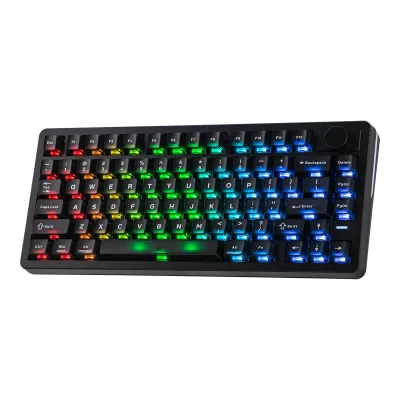
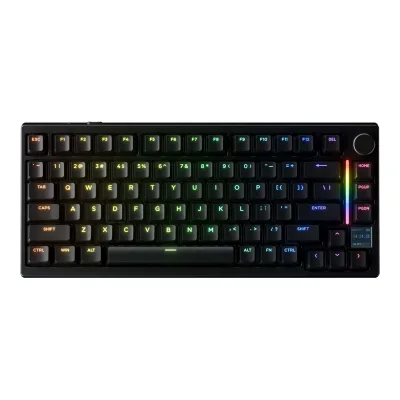
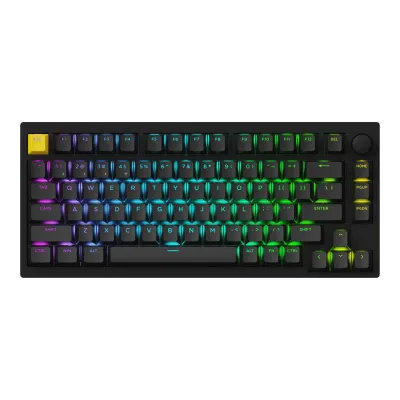
Variants
Each variant lists only what differs from the specs above.
| Model number | Launch price (US) | Launch price (EU) | Markets | Layout standard | Regional layouts | Keys in regional layout |
|---|---|---|---|---|---|---|
| CH-91CE21G-NA | $249.99 | Not available | US | ANSI | NA (North America) | 81 |
| CH-91CE21G-UK | Not available | Not available | GB | ISO | UK (UK) | Not available |
| CH-91CE21G-DE | Not available | €249.99 | DE | Not available | DE (Germany) | Not available |
| CH-91CE21G-FR | Not available | Not available | FR | Not available | FR (France) | Not available |
| CH-91CE21G-ND | Not available | Not available | Not available | Not available | ND (Nordics) | Not available |
Sources
We read 11 sources for this keyboard. The numbers match the markers in the sheet.
- Owner's manualcorsair.com/us/en/explorer/gamer/keyboards/makr-pro-75
See a wrong value? Tell us and name the field.