Mice / Compare
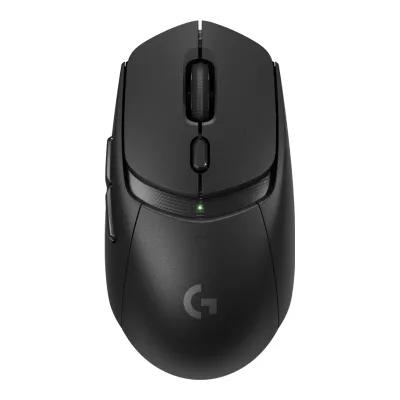
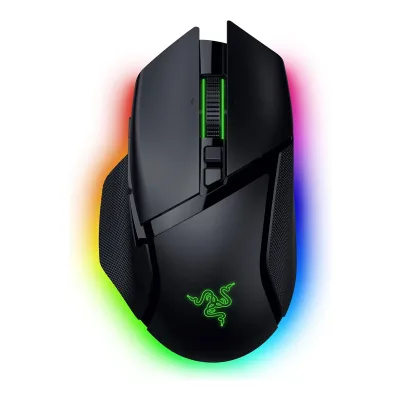
Logitech G305 LIGHTSPEED vs Razer Basilisk V3 35K
Product A: Logitech
104 of 154 known
Change Logitech G305 LIGHTSPEED
Compare the Razer Basilisk V3 35K with
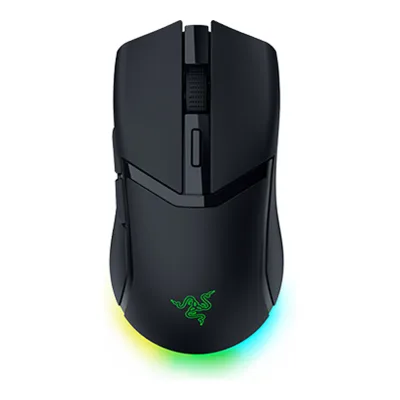
Product B: Razer
74 of 154 known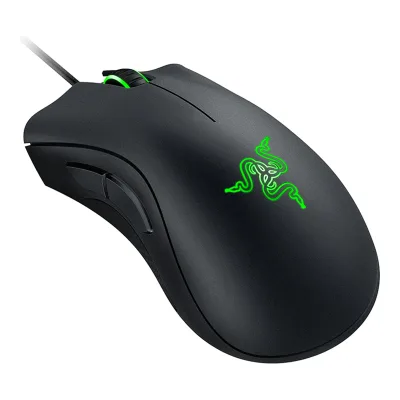 Razer DeathAdder Essential (2018)
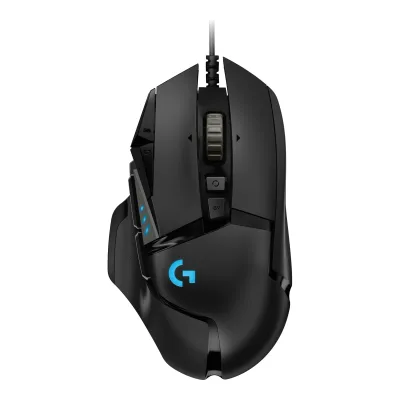 Logitech G502 HERO
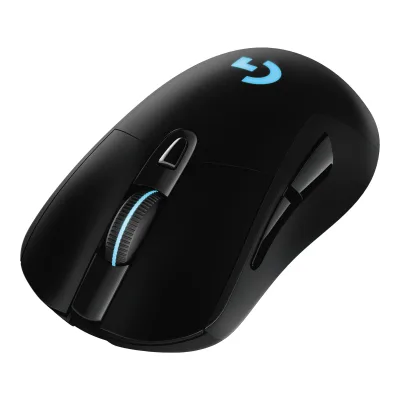 Logitech G703 LIGHTSPEED Wireless Gaming Mouse
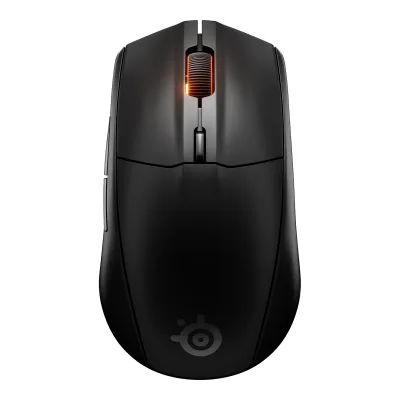 SteelSeries Rival 3 Wireless Gen 2
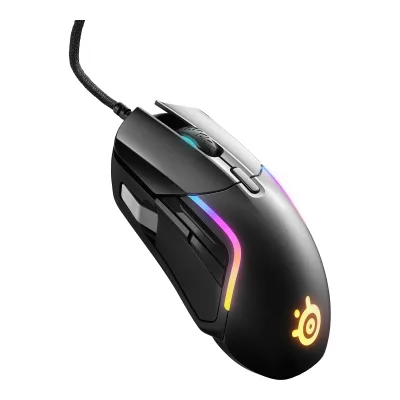 SteelSeries Rival 5
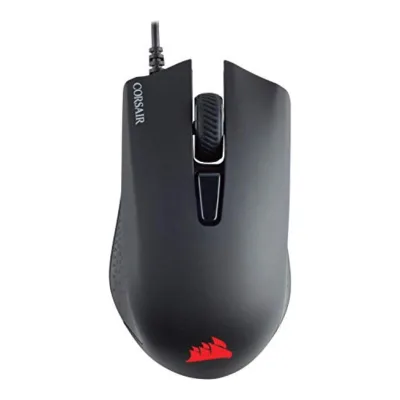 CORSAIR Harpoon RGB Pro
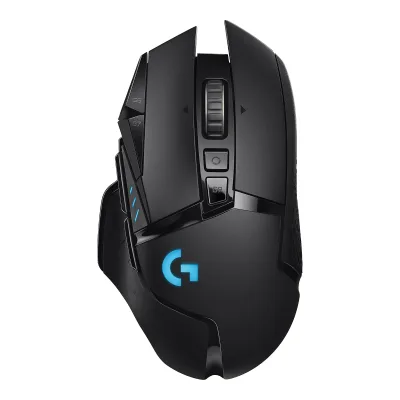 Logitech G502 LIGHTSPEED
 Razer Basilisk V3
 Razer Basilisk V3 X HyperSpeed
 SteelSeries Rival 3 Wireless
 Redragon M908 Impact
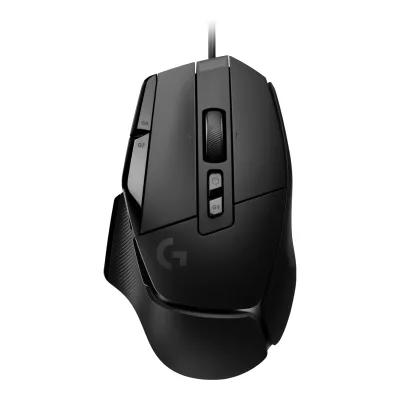 Logitech G502 X
Change Razer Basilisk V3 35K
Compare the Logitech G305 LIGHTSPEED with
Razer DeathAdder Essential (2018)Logitech G502 HEROLogitech G703 LIGHTSPEED Wireless Gaming MouseSteelSeries Rival 3 Wireless Gen 2SteelSeries Rival 5CORSAIR Harpoon RGB ProLogitech G502 LIGHTSPEEDRazer Basilisk V3Razer Basilisk V3 X HyperSpeedSteelSeries Rival 3 WirelessRedragon M908 ImpactLogitech G502 X89 of 146 fields differ
- 36 different values
- 53 known for one only
- 22 the same
- 35 missing for both
Biggest differences
Each bar uses the scale of all 131 mice.
- Tracking speedA: 400IPSB: 750IPSRazer is 350 IPS higher.
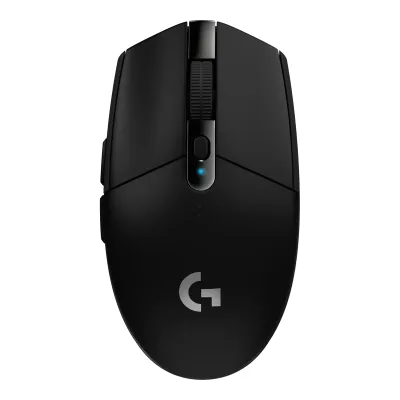
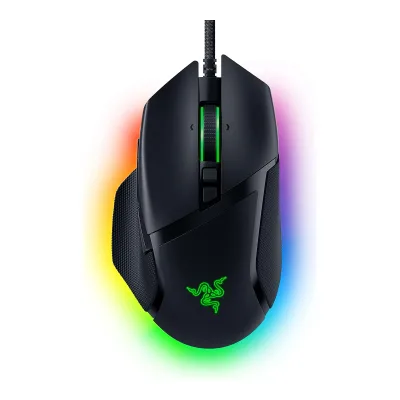
Size, drawn to scale
Front and side.
- ALogitech: 62.1 × 38.2 mm
- BRazer: 75.4 × 42.5 mm
Weight
0 to 300 g
Mouse weight (claimed)
A99g
B101g
Weight (measured)
A101.7g
B103g
All 154 fields
Every value links to where we found it.
General
5 of 9 differ
Series
Model numbers
910-005289, 910-005280, 910-006020, 910-006012, 910-006376, M-R00711Maker product pagelogitechg.com/en-us/shop/p/g305-lightspeed-wireless-gaming-mouseRead 7 October 2026The exact technical sheet identifies the mouse as M-R0071. The five US colour part numbers remain. Receiver C-U0008 is a separate accessory and is excluded from mouse identifiers.8Maker product pagesupport.logi.com/hc/en-us/articles/360023303254-G305-LIGHTSPEED-Wireless-Gaming-Mouse-Technical-SpecificationsRead 7 October 2026The exact technical sheet identifies the mouse as M-R0071. The five US colour part numbers remain. Receiver C-U0008 is a separate accessory and is excluded from mouse identifiers.
GTIN / EAN
097855137692, 097855137739, 097855161574, 097855161536, 0978551683999Maker spec sheet (PDF)manuals.plus/m/29d06ac77fc2c7680e3e9011891cee9d1dd267e7297e2dc4a1f497cf34c69f59.pdfRead 7 October 2026The revised June 2021 maker sheet maps five exact US colour SKUs to their individual UPCs. Mint 910-006376 maps to 097855168399, independently confirmed by Micro Center and CompSource. An older transformed wrapper truncates Mint to 11 digits. That error and case-pack identifiers are excluded. Direct mirror 403 was respected. The public indexed original table was read.10Retailer pagemicrocenter.com/product/639713/logitech-g-g305-lightspeed-wireless-gaming-mouse-mintRead 7 October 2026The revised June 2021 maker sheet maps five exact US colour SKUs to their individual UPCs. Mint 910-006376 maps to 097855168399, independently confirmed by Micro Center and CompSource. An older transformed wrapper truncates Mint to 11 digits. That error and case-pack identifiers are excluded. Direct mirror 403 was respected. The public indexed original table was read.
Not available
Announced
Status
Predecessor
Not available
Not available
Successor
Logitech G305 X SUPERLIGHT31Measurementrtings.com/mouse/reviews/logitech/g305-x-superlightRead 23 October 2026RTINGS calls the G305 LIGHTSPEED the predecessor of the G305 X SUPERLIGHT and the previous generation.
Not available
Launch price (US)
Launch price (EU)
Not available
Markets
Colours
White, Black, Lilac, Blue, Mint1Maker product pagelogitechg.com/en-us/shop/p/g305-lightspeed-wireless-gaming-mouseRead 7 October 2026
Segment
Shape
5 of 14 differ
Body shape
Asymmetric, right-handed1Maker product pagerazer.com/gaming-mice/razer-basilisk-v3-35kRead 11 October 2026
Maker size class
Not available
Not available
Recommended grips
Not available
Not available
Recommended hand size
Not available
Not available
Hump position
Not available
Thumb rest
No17Maker product pageresource.logitechg.com/content/dam/gaming/en/products/g305/2025-update/g305-lightspeed-mouse-profile-left-angle-lilac-gallery-4.pngRead 7 October 2026The exact maker profile has a smooth sidewall and two thumb buttons, with no projecting thumb-support shelf. The exact Eloshapes comparison independently says Thumb rest No.26Spec databaseeloshapes.com/mouse/compareRead 7 October 2026The exact maker profile has a smooth sidewall and two thumb buttons, with no projecting thumb-support shelf. The exact Eloshapes comparison independently says Thumb rest No.
Ring or pinky finger rest
No17Maker product pageresource.logitechg.com/content/dam/gaming/en/products/g305/2025-update/g305-lightspeed-mouse-profile-left-angle-lilac-gallery-4.pngRead 7 October 2026The complete maker body geometry has no separate ring-finger or pinky support shelf. Main-button grooves are different. The exact Eloshapes comparison independently says Ring finger rest No.26Spec databaseeloshapes.com/mouse/compareRead 7 October 2026The complete maker body geometry has no separate ring-finger or pinky support shelf. Main-button grooves are different. The exact Eloshapes comparison independently says Ring finger rest No.
Upper shell
Not available
Swappable parts
Not available
Not available
Adjustable weight
Not available
Maximum added weight
Not available
Not available
Vertical angle
Not available
Not available
Trackball diameter
Not available
Not available
Trackball position
Not available
Not available
Dimensions and weight
4 of 5 differ
Mouse body dimensions
Length116.6Maximum width62.1Maximum height38.2mm(4.6 × 2.4 × 1.5 in)1Maker product pagelogitechg.com/en-us/shop/p/g305-lightspeed-wireless-gaming-mouseRead 7 October 2026Explicit maker metric Length, Width and Height. Body dimensions exclude the cable and receiver. Rounded inch values are not converted.
Length130Maximum width75.4Maximum height42.5mm(5.1 × 3 × 1.7 in)1Maker product pagerazer.com/gaming-mice/razer-basilisk-v3-35kRead 11 October 2026Product page spec list: length 130.0, width 75.1, height 42.5 mm. The master guide states 75.4 mm width, which is stored. Tom's Hardware also lists 75.4 mm for the sibling Pro model.3Owner's manualmanualslib.tech/guide/1013012/razer-basilisk-v3-35k-manual.htmlRead 11 October 2026ManualsLib copy of the Razer Basilisk V3 35K master guide, technical specifications: approximate size 130.0 x 75.4 x 42.5 mm. The product page lists width 75.1 mm. The manual is preferred over the product page.
Grip width
Not available
Not available
Mouse weight (claimed)
Box dimensions
Width45.97Height102.11Depth154.94mm(1.8 × 4 × 6.1 in)9Maker spec sheet (PDF)manuals.plus/m/29d06ac77fc2c7680e3e9011891cee9d1dd267e7297e2dc4a1f497cf34c69f59.pdfRead 7 October 2026The maker Single column lists W1.81 in, H4.02 in and D6.10 in. Conversion by 25.4 gives W45.97, H102.11 and D154.94 mm. Maker carton axes are retained. They differ from mouse desktop-body axes. These are approximate converted claims from rounded inches, not 0.01 mm measurement accuracy. Case-pack dimensions are excluded.
Not available
Sensor
15 of 20 differ
Marketed sensor name
Focus Pro 35K Optical Sensor Gen-21Maker product pagerazer.com/gaming-mice/razer-basilisk-v3-35kRead 11 October 2026
Published sensor brand
Physical sensor part number
Not available
Not available
Sensor type
Maximum configurable DPI
Minimum configurable DPI
DPI adjustment step
Maximum DPI stages
52Owner's manualdl.razerzone.com/master-guides/RazerSynapse3/BASILISKV3-00000203-en.pdfRead 11 October 2026Performance section: you can create up to 5 sensitivity stages.3Owner's manualmanualslib.tech/guide/1013012/razer-basilisk-v3-35k-manual.htmlRead 11 October 2026Synapse section: up to 5 sensitivity stages.
Default DPI presets
400, 800, 1,600, 3,200DPI2Owner's manuallogitech.com/assets/65904/2/logitech-g305-qsg.pdfRead 7 October 2026Factory stages are 400, 800, 1600 and 3200 DPI. Fifth 6400 DPI requires software activation and is excluded from defaults.
400, 800, 1,600, 3,200, 6,400DPI2Owner's manualdl.razerzone.com/master-guides/RazerSynapse3/BASILISKV3-00000203-en.pdfRead 11 October 2026Page 2: the DPI stages are 400, 800, 1600 (default), 3200 and 6400.3Owner's manualmanualslib.tech/guide/1013012/razer-basilisk-v3-35k-manual.htmlRead 11 October 2026Guide: the DPI stages are 400, 800, 1600 (default), 3200 and 6400. The 1600 default is the stage active out of the box.
Separate X and Y DPI
Not available
Yes2Owner's manualdl.razerzone.com/master-guides/RazerSynapse3/BASILISKV3-00000203-en.pdfRead 11 October 2026Performance section: the Enable X-Y function can be turned on for each stage.3Owner's manualmanualslib.tech/guide/1013012/razer-basilisk-v3-35k-manual.htmlRead 11 October 2026Synapse section: each stage can enable the Enable X-Y function.
Tracking speed (claimed)
Tracking acceleration (claimed)
Lift-off distance settings
Not available
Not available
Separate lift and landing distance
Not available
Yes1Maker product pagerazer.com/gaming-mice/razer-basilisk-v3-35kRead 11 October 2026Sensor table: asymmetric cut-off, up to 26 steps. Millimetre values are not stated.3Owner's manualmanualslib.tech/guide/1013012/razer-basilisk-v3-35k-manual.htmlRead 11 October 2026Calibration subtab: Enable Asymmetric Cut-Off sets separate lift-off and landing distances.
Surface calibration
Not available
Yes1Maker product pagerazer.com/gaming-mice/razer-basilisk-v3-35kRead 11 October 2026Sensor table: Smart Tracking (Low / Med / High).3Owner's manualmanualslib.tech/guide/1013012/razer-basilisk-v3-35k-manual.htmlRead 11 October 2026Calibration subtab: optimize the sensor to any surface, with Smart Tracking.
Motion Sync
Not available
Ripple control
Not available
Not available
Tracks on glass
Not available
Sensor position
Not available
Performance
3 of 8 differ
Documented polling rates by connection
ALogitech G305 LIGHTSPEED
| Data connection | Polling rate (Hz) | Receiver requirement |
|---|---|---|
| 2.4 GHz | 125 | Included LIGHTSPEED USB receiver |
| 2.4 GHz | 250 | Included LIGHTSPEED USB receiver |
| 2.4 GHz | 500 | Included LIGHTSPEED USB receiver |
| 2.4 GHz | 1,000 | Included LIGHTSPEED USB receiver |
Source1Maker product pagelogitechg.com/en-us/shop/p/g305-lightspeed-wireless-gaming-mouseRead 7 October 20263Press releaseir.logitech.com/news/news-details/2018/Logitech-G-Unleashes-New-Wireless-Gaming-Mouse/default.aspxRead 8 October 2026Original release explicitly gives Endurance mode with 8 ms report interval and Performance mode with 1 ms. These correspond exactly to 125 Hz and 1000 Hz. Endurance mode reduces tracking performance. Original LGS mode controls are also described in the current G HUB guide.11Reviewprosettings.net/reviews/logitech-g305Read 7 October 2026The exact ProSettings table lists 125/250/500/1000 Hz. WePC independently agrees and Techgage expressly describes 500 Hz operation. Intermediate rates are published options, not inferred from the 1000 Hz maximum. Included stock LIGHTSPEED receiver.
BRazer Basilisk V3 35K
| Data connection | Polling rate (Hz) |
|---|---|
| USB (wired) | 125 |
| USB (wired) | 500 |
| USB (wired) | 1,000 |
Source2Owner's manualdl.razerzone.com/master-guides/RazerSynapse3/BASILISKV3-00000203-en.pdfRead 11 October 2026Performance screenshot offers polling rate buttons 125, 500 and 1000 Hz. The mouse is wired only, so the rates apply to the wired connection.5Spec databaseeloshapes.com/mouse/compareRead 11 October 2026Database lists a polling rate of 1000 Hz. TechGearLab also reports 1000 Hz.6Reviewtechgearlab.com/reviews/cool-gadgets/gaming-mouse/razer-basilisk-v3-35kRead 11 October 2026Review measured a steady 1000 Hz polling rate that never dipped below 1000 Hz.
Max polling rate
1,000Hz
1,000Hz
Polling rate (wired)
Not available
1,000Hz
Polling rate (2.4 GHz)
1,000Hz
Not available
Polling rate (Bluetooth)
Not available
Not available
Claimed click latency
Not available
Not available
Adjustable debounce
Not available
Not available
Minimum debounce
Not available
Not available
Measured
3 of 7 differ
Latency per connection (measured)
Not available
Not available
DPI deviation (measured)
Not available
Not available
Lift-off distance (measured)
Not available
Not available
Main click force (measured)
46gf19Reviewsweclockers.com/test/25868-logitech-g305-lightspeed-tradlos-spelmus-med-hog-prestanda-och-lag-vikt/6Read 7 October 2026SweClockers measured left main 46 gf and right main 48 gf. This scalar stores the left value. Method uses a force gauge at the reviewer’s natural finger contact point. Gauge model, press speed and exact coordinates are not stated. It is not mouse weight or electrical latency.20Measurementsweclockers.com/test/25868-logitech-g305-lightspeed-tradlos-spelmus-med-hog-prestanda-och-lag-vikt/5Read 7 October 2026SweClockers measured left main 46 gf and right main 48 gf. This scalar stores the left value. Method uses a force gauge at the reviewer’s natural finger contact point. Gauge model, press speed and exact coordinates are not stated. It is not mouse weight or electrical latency.
Not available
Weight (measured)
101.7g(3.6 oz)21Reviewrtings.com/mouse/reviews/best/by-usage/gamingRead 7 October 2026The open RTINGS recommendation publishes original G305 Default Weight 101.7 g. Its linked review identifies White and one AA for power. Default stock AA configuration, not batteryless or a modified AAA minimum. Factory skates as reviewed. The publisher uses an electronic scale. Battery brand, chemistry and receiver placement are not further stated. Maker 99 g remains a separate claim.22Measurementrtings.com/mouse/learn/how-we-testRead 7 October 2026The open RTINGS recommendation publishes original G305 Default Weight 101.7 g. Its linked review identifies White and one AA for power. Default stock AA configuration, not batteryless or a modified AAA minimum. Factory skates as reviewed. The publisher uses an electronic scale. Battery brand, chemistry and receiver placement are not further stated. Maker 99 g remains a separate claim.
Battery life (measured)
Not available
Not available
Hand size fit
ALogitech G305 LIGHTSPEED
| Grip | Hand size | Fits |
|---|---|---|
| Fingertip | Small | Yes |
| Fingertip | Medium | Yes |
| Fingertip | Large | Yes |
Source15Reviewrtings.com/mouse/reviews/logitech/g305-lightspeedRead 7 October 2026Public exact G305 review comparison with Orochi V2 explicitly says well suited to all hand sizes with fingertip grip. Tested White original G305. Encode only fingertip Small, Medium and Large, not palm or claw. Linked current public method defines wrist-to-middle-tip hand lengths Small 140–175 mm, Medium 170–195 mm and Large 190–205 mm. Source bands overlap and inclusivity is unstated. Extra Large 200–240 mm has no schema enum and is not encoded. This is reviewer fit opinion, not maker recommendation or a guarantee to every person.29Measurementrtings.com/mouse/tests/design/ergonomicsRead 7 October 2026Public linked fit method measures from tip of middle finger to wrist line. Small 14–17.5 cm, Medium 17–19.5 cm, Large 19–20.5 cm, Extra Large 20–24 cm. Overlaps preserved, endpoint inclusivity not invented. Employee pool assessment and tester expectations, not universal comfort. Device-specific fingertip-all-sizes statement from public G305 review.
BRazer Basilisk V3 35K
Not availableSwitches
9 of 11 differ
Main switch type
Published main-switch brand
Main switch model
Optical Mouse Switches Gen-31Maker product pagerazer.com/gaming-mice/razer-basilisk-v3-35kRead 11 October 2026
Main switch rated life
Adjustable click actuation
Not available
Not available
Separate main buttons
Not available
Side switch model
Not available
Middle click switch
Not available
Not available
Scroll encoder type
Not available
Scroll encoder
Razer HyperScroll Tilt Wheel5Spec databaseeloshapes.com/mouse/compareRead 11 October 2026Database name: Razer HyperScroll Tilt Wheel.
Buttons and scroll wheel
10 of 13 differ
Physical button inputs
112Owner's manualdl.razerzone.com/master-guides/RazerSynapse3/BASILISKV3-00000203-en.pdfRead 11 October 2026Page 2 layout: left, right, wheel (click and two tilts), scroll mode button, DPI cycle button, multi-function trigger, mouse buttons 4 and 5 and the profile button. Counted as 11.3Owner's manualmanualslib.tech/guide/1013012/razer-basilisk-v3-35k-manual.htmlRead 11 October 2026Guide device layout lists left, right, wheel (click and tilt both ways), scroll mode button, DPI cycle button, multi-function trigger, mouse buttons 4 and 5 and the profile button. Counted as 11 physical inputs.
Programmable buttons
111Maker product pagerazer.com/gaming-mice/razer-basilisk-v3-35kRead 11 October 2026Spec list and FAQ: 11 programmable buttons. The page also advertises 13 controls, which include scroll up and down.3Owner's manualmanualslib.tech/guide/1013012/razer-basilisk-v3-35k-manual.htmlRead 11 October 2026Guide: 11 programmable buttons.
Side buttons
Side buttons on
DPI button
DPI button position
Not available
Profile button
Yes1Maker product pagerazer.com/gaming-mice/razer-basilisk-v3-35kRead 11 October 2026FAQ: the button on the bottom toggles the onboard profiles by default and is remappable in Synapse 4.2Owner's manualdl.razerzone.com/master-guides/RazerSynapse3/BASILISKV3-00000203-en.pdfRead 11 October 2026Page 2 lists a profile button (M) and a profile indicator (L).3Owner's manualmanualslib.tech/guide/1013012/razer-basilisk-v3-35k-manual.htmlRead 11 October 2026Guide lists a profile button and a profile indicator.
Dedicated DPI-shift button
Not available
Dedicated gesture button
Not available
Scroll wheel
Notched, Free spin, Tilt1Maker product pagerazer.com/gaming-mice/razer-basilisk-v3-35kRead 11 October 2026
Scroll mode switch
Automatic1Maker product pagerazer.com/gaming-mice/razer-basilisk-v3-35kRead 11 October 2026Tactile and free-spin modes are electronically actuated. Smart-Reel auto-switches by scroll speed.3Owner's manualmanualslib.tech/guide/1013012/razer-basilisk-v3-35k-manual.htmlRead 11 October 2026Guide shows a scroll mode button and a Smart-Reel option that switches Free-Spinning and Tactile Cycling automatically.
Separate thumb wheel
Build
3 of 6 differ
Shell material
Plastic, polymer unspecified5Spec databaseeloshapes.com/mouse/compareRead 11 October 2026Database material: plastic.
Installed feet material
Feet thickness
Not available
Not available
Cable
2 of 5 differ
Cable
Not available
Cable length
Not available
Not available
Detachable cable
Not available
Port on mouse
Cable host plug
Not available
Not available
Connectivity
10 of 13 differ
Connections
Wireless technology
Not available
Bluetooth
Not available
Not available
Saved Bluetooth pairing slots
Not available
Switchable host devices
Not available
Device switching
Not available
Not available
Receiver host connector
Not available
Receiver storage in mouse
Not available
Receiver extender included
Not available
Wireless range
Not available
Basic mouse OS support
Not available
Consoles
Not available
Not available
Battery
10 of 17 differ
Battery type
Not available
Disposable battery count
Not available
Battery capacity
Not available
Not available
User-replaceable battery
Not available
Battery life by mode (claimed)
ALogitech G305 LIGHTSPEED
| Connection | Polling rate (Hz) | Claimed runtime (h) |
|---|---|---|
| 2.4 GHz | 1,000 | 250 |
BRazer Basilisk V3 35K
Not availableBattery life (up to)
Not available
Not available
Battery life (normal use)
9months3Press releaseir.logitech.com/news/news-details/2018/Logitech-G-Unleashes-New-Wireless-Gaming-Mouse/default.aspxRead 8 October 2026Maker launch release: up to nine months on one AA in Endurance mode with an 8 ms report interval. Exact official G305 technical specifications independently describe standard usage and variation with user, battery discharge and computing conditions. Calendar estimate includes idle time and is separate from the existing 250-hour continuous Performance mode gaming claim.30Maker product pagesupport.logi.com/hc/en-150/articles/360023303254-G305-LIGHTSPEED-Wireless-Gaming-Mouse-Technical-SpecificationsRead 8 October 2026Exact G305 M-R0071 battery table: Endurance mode up to 9 months of standard usage. It explicitly distinguishes Performance mode up to 250 hours of non-stop gaming. Battery life varies with user, battery discharge and computing conditions.
Not available
Longest battery life
250h
Not available
Battery life at 1000 Hz
250h
Not available
Battery life on Bluetooth
Not available
Not available
Charging port
Not available
Full charge time
Not available
Not available
Quick charge
Not available
Not available
Use while charging
Not available
Not available
Charging system compatibility
Not available
Not available
Charging dock included
Not available
Battery indicator
LED, Software2Owner's manuallogitech.com/assets/65904/2/logitech-g305-qsg.pdfRead 7 October 202613Reviewtomshardware.com/reviews/logitech-g305-lightspeedRead 7 October 2026Tom’s Hardware states G HUB gives a battery-life reading. It also identifies the flashing red low-battery LED. OS-level reporting is not claimed.
Not available
Lighting
4 of 4 differ
Decorative RGB lighting
Decorative lighting zones
Lighting sync
Not available
DPI indicator
Not available
Software
4 of 9 differ
Software
Configuration software platforms
Onboard memory
Onboard profiles
51Maker product pagerazer.com/gaming-mice/razer-basilisk-v3-35kRead 11 October 2026Spec list: on-board memory with 5 profiles.3Owner's manualmanualslib.tech/guide/1013012/razer-basilisk-v3-35k-manual.htmlRead 11 October 2026Guide: up to 5 profiles stored on the mouse, usable on systems without the app.
Macros
Yes23Reviewsweclockers.com/test/25868-logitech-g305-lightspeed-tradlos-spelmus-med-hog-prestanda-och-lag-vikt/4Read 7 October 2026The exact G305 LGS review explicitly supports recorded macros on any button. The maker G HUB guide retains macro assignments with an exact G305 example. This does not mean every macro type runs onboard.25Owner's manualimages-eu.ssl-images-amazon.com/images/I/B1kBFc7UzlS.pdfRead 7 October 2026The exact G305 LGS review explicitly supports recorded macros on any button. The maker G HUB guide retains macro assignments with an exact G305 example. This does not mean every macro type runs onboard.
Macros stored onboard
Yes24Maker product pagesupport.logi.com/hc/en-001/articles/22102343233943-Some-macros-do-not-work-when-in-Onboard-Memory-modeRead 7 October 2026Current maker G HUB policy supports No Repeat macros with text and modifiers in onboard memory. The maker guide’s exact G305 example states onboard profiles work without G HUB. True only for this supported subset. Emoji combinations, Repeat While Holding, Toggle and Sequence macros are excluded.25Owner's manualimages-eu.ssl-images-amazon.com/images/I/B1kBFc7UzlS.pdfRead 7 October 2026Current maker G HUB policy supports No Repeat macros with text and modifiers in onboard memory. The maker guide’s exact G305 example states onboard profiles work without G HUB. True only for this supported subset. Emoji combinations, Repeat While Holding, Toggle and Sequence macros are excluded.
Not available
Button remapping
Per-app profiles
Yes23Reviewsweclockers.com/test/25868-logitech-g305-lightspeed-tradlos-spelmus-med-hog-prestanda-och-lag-vikt/4Read 7 October 2026The exact software review binds host profiles to installed games and switches on launch. Techgage independently describes game or application switching. The maker G HUB guide also shows the exact G305 profile framework. These are host profiles, not additional hardware profiles.25Owner's manualimages-eu.ssl-images-amazon.com/images/I/B1kBFc7UzlS.pdfRead 7 October 2026The exact software review binds host profiles to installed games and switches on launch. Techgage independently describes game or application switching. The maker G HUB guide also shows the exact G305 profile framework. These are host profiles, not additional hardware profiles.
User firmware updates
Yes23Reviewsweclockers.com/test/25868-logitech-g305-lightspeed-tradlos-spelmus-med-hog-prestanda-och-lag-vikt/4Read 7 October 2026The exact G305 software review documents a legacy LGS mouse-update procedure. Current maker release notes separately identify receiver firmware updates for all G304/G305 variants. Internal mouse and receiver scope are distinct. A generic Firmware Update Tool notice or SUPERLIGHT updater is not the evidence.27Maker product pagesupport.logi.com/hc/en-au/articles/360048967733-G-HUB-Update-Release-NotesRead 7 October 2026The exact G305 software review documents a legacy LGS mouse-update procedure. Current maker release notes separately identify receiver firmware updates for all G304/G305 variants. Internal mouse and receiver scope are distinct. A generic Firmware Update Tool notice or SUPERLIGHT updater is not the evidence.
Not available
In the box
2 of 4 differ
In the box
G305 LIGHTSPEED gaming mouse, LIGHTSPEED USB receiver, AA battery, Receiver extension cable, User documentation6Owner's manuallogitech.com/assets/65904/2/logitech-g305-qsg.pdfRead 5 October 2026Exact maker box list. G 305 original guide contents illustration and setup pages confirm AA, USB receiver and extension cable. Current shop incorrectly names G 304 and omits consumable/cable, so exact original guide is used.
Razer Basilisk V3 35K, Important Product Information Guide1Maker product pagerazer.com/gaming-mice/razer-basilisk-v3-35kRead 11 October 2026Spec list box contents: the mouse and the Important Product Information Guide.
Cables included
ALogitech G305 LIGHTSPEED
| Type | Cable count |
|---|---|
| USB receiver extension cable | 1 |
BRazer Basilisk V3 35K
| Type | Cable count |
|---|---|
| Fixed Razer Speedflex cable | 1 |
Extra skates included
Grip tape
Links
Not compared
Product page
Spec sheet
www.logitechg.com/en-us/shop/p/g305-lightspeed-wireless-gaming-mouse1Maker product pagelogitechg.com/en-us/shop/p/g305-lightspeed-wireless-gaming-mouseRead 7 October 2026The exact consumer Specs and Compatibility pane is the specification reference. Its public product and specification payload was read. No separate exact consumer PDF sheet was found.
Not available
Manual
www.logitech.com/assets/65904/2/logitech-g305-qsg.pdf2Owner's manuallogitech.com/assets/65904/2/logitech-g305-qsg.pdfRead 7 October 2026Original maker G305 Setup Guide. Complete English pages 3-7 downloaded and read.
dl.razerzone.com/master-guides/RazerSynapse3/BASILISKV3-00000203-en.pdf2Owner's manualdl.razerzone.com/master-guides/RazerSynapse3/BASILISKV3-00000203-en.pdfRead 11 October 2026Official English Razer master guide for the Basilisk V3 35K, Synapse 3 edition, 33 pages. Its text layer is unreadable, so it was read through page images. It has no technical specification table.
EPREL registration number
Not available
Not available
Warranty
0 of 1 differ
Manufacturer warranty (source market)