Monitors / Compare
Acer KB272 G0bi vs Samsung Essential Monitor S3 S30GD 27"
Product A: Acer
68 of 172 known Samsung Essential Monitor S3 S30GD 24"
 Dell Pro 27 Plus 4K USB-C Hub Monitor P2725QE
 Dell Pro 27 Plus QHD USB-C Hub Monitor P2725DE
 Dell UltraSharp U2725QE
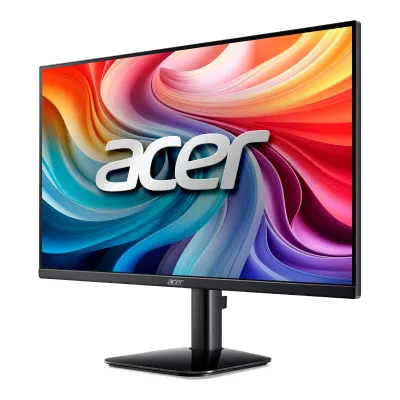 Acer KB242Y G0bi
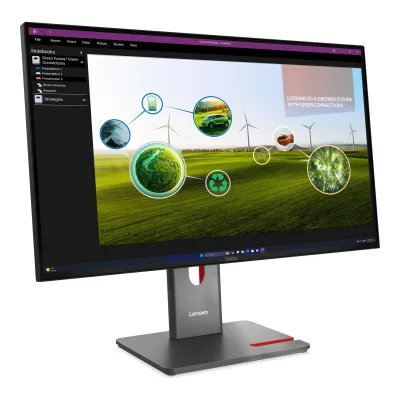 Lenovo ThinkVision P27Q-40
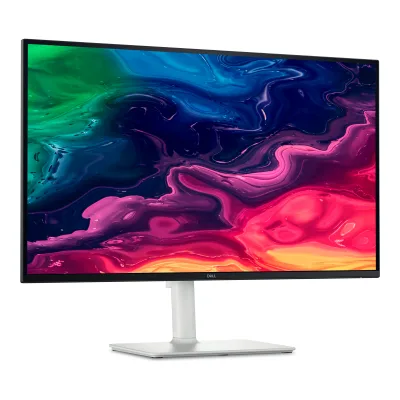 Dell 27 Plus 4K USB-C Monitor S2725QC
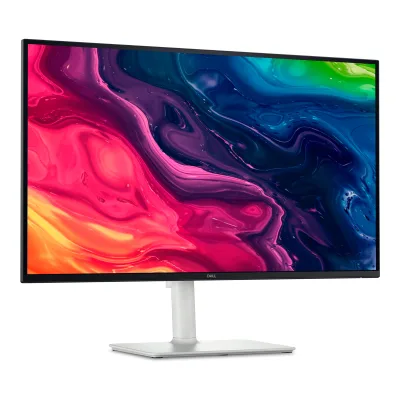 Dell S2725QS
 Samsung Essential Monitor S3 S32GF 27"
 Dell UltraSharp U3225QE
 LG 27U411A-B
 Philips 1000 series 24E1N1100A
Change Acer KB272 G0bi
Compare the Samsung Essential Monitor S3 S30GD 27" with
Samsung Essential Monitor S3 S30GD 24"Dell Pro 27 Plus 4K USB-C Hub Monitor P2725QEDell Pro 27 Plus QHD USB-C Hub Monitor P2725DEDell UltraSharp U2725QEAcer KB242Y G0biLenovo ThinkVision P27Q-40Dell 27 Plus 4K USB-C Monitor S2725QCDell S2725QSSamsung Essential Monitor S3 S32GF 27"Dell UltraSharp U3225QELG 27U411A-BPhilips 1000 series 24E1N1100AProduct B: Samsung
Essential Monitor S3 S30GD 27"
79 of 172 knownDell UltraSharp U2725QEAcer KB242Y G0biLenovo ThinkVision P27Q-40Dell 27 Plus 4K USB-C Monitor S2725QCDell S2725QSSamsung Essential Monitor S3 S32GF 27"Dell UltraSharp U3225QEDell Pro 27 Plus 4K USB-C Hub Monitor P2725QEDell Pro 27 Plus QHD USB-C Hub Monitor P2725DESamsung Essential Monitor S3 S30GD 24"LG 27U411A-B LG 24U411A-B
Change Samsung Essential Monitor S3 S30GD 27"
Compare the Acer KB272 G0bi with
Dell UltraSharp U2725QEAcer KB242Y G0biLenovo ThinkVision P27Q-40Dell 27 Plus 4K USB-C Monitor S2725QCDell S2725QSSamsung Essential Monitor S3 S32GF 27"Dell UltraSharp U3225QEDell Pro 27 Plus 4K USB-C Hub Monitor P2725QEDell Pro 27 Plus QHD USB-C Hub Monitor P2725DESamsung Essential Monitor S3 S30GD 24"LG 27U411A-BLG 24U411A-B59 of 164 fields differ
- 29 different values
- 30 known for one only
- 25 the same
- 80 missing for both
Biggest differences
Each bar uses the scale of all 179 monitors.
- Standby powerLower is betterA: 0.3WB: 0.5WAcer is 0.2 W lower.
- ContrastA: 1,500:1B: 1,000:1Acer is 1.5 times higher.
- Refresh rateA: 120HzB: 100HzAcer is 20 Hz higher.
- Power use (max)Lower is betterA: 30WB: 25WSamsung is 5 W lower.
Refresh rate per resolution
The best rate over any port. Bars run from 0 to 1200 Hz.
1920 × 1080Native for both
A120Hz
B100Hz
Size, drawn to scale
Front and side, on their stands.
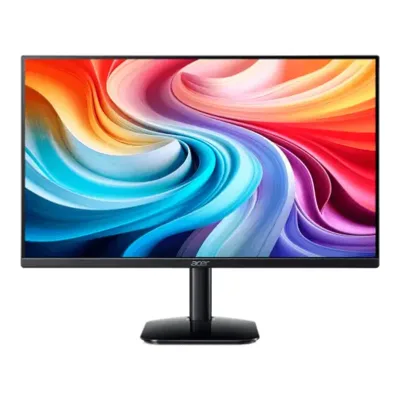
- AAcer: 611.5 × 361.3 mm
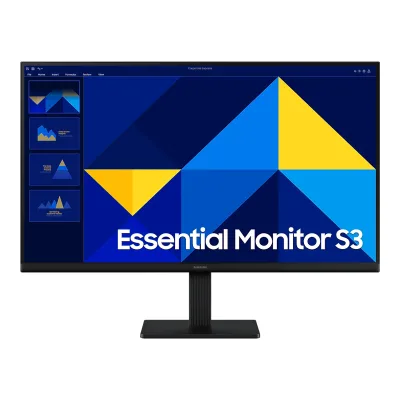
- BSamsung: 612.7 × 360.9 mm
Weight
0 to 15 kg
Weight with stand
A3.4kg
B2.9kg
Weight without stand
A3kg
B2.4kg
All 172 fields
Every value links to where we found it.
General
2 of 8 differ
Series
Model numbers
UM.HK2AA.005, UM.HK2EE.0091Maker product pageweb.archive.org/web/20250711191731/https://www.acer.com/us-en/monitors/essential/kb2/pdp/UM.HK2AA.005Read 14 October 2026Page header: Model KB272 G0, Part UM.HK2AA.005 (US). The UK part number UM.HK2EE.009 is on the Acer UK page. Some retailers attach UM.HK2EE.008 to this name, which could not be confirmed.3Maker product pageacer.com/gb-en/monitors/essential/kb2/pdp/UM.HK2EE.009Read 21 October 2026Acer UK page titled KB2 - KB272 G0 Tech Specs, part UM.HK2EE.009, heading KB272 G0bi. Acer blocks automated fetching, so the text was first read through a search tool and then confirmed in Arni's Chrome on 2026-10-21.
LS27D304GANXZA, LS27D300GANXZA, LS27D304GAUXEN2Maker product pagesamsung.com/us/monitors/smart/27-s3-s30gd-fhd-ips-100hz-monitor-sku-ls27d300ganxzaRead 16 October 2026Samsung US consumer page for LS27D300GANXZA (S27D300GAN), titled 27 inch S3 (S30GD) FHD IPS 100Hz Monitor, with an Add to cart button.4Maker product pagesamsung.com/ca/monitors/full-hd-1080p/essential-monitor-s3-s30gd-27-inch-fhd-ips-100hz-ls27d300ganxzaRead 16 October 2026Samsung Canada page for LS27D300GANXZA.7Maker spec sheet (PDF)images.samsung.com/is/content/samsung/assets/de/display/pdf/Datenblatt_Monitor_LS27D304GAUXEN.pdfRead 16 October 2026Samsung Germany datasheet (27 March 2025) for article LS27D304GAUXEN, model name S27D304GAU. It has the same display values, dimensions, weights and tilt as the US datasheet.
GTIN / EAN
Announced
Not available
Not available
Status
Predecessor
Not available
Not available
Successor
Not available
Not available
Launch price (US)
Not available
Not available
Launch price (EU)
Not available
Not available
Markets
US, GB1Maker product pageweb.archive.org/web/20250711191731/https://www.acer.com/us-en/monitors/essential/kb2/pdp/UM.HK2AA.005Read 14 October 2026US part number UM.HK2AA.005.3Maker product pageacer.com/gb-en/monitors/essential/kb2/pdp/UM.HK2EE.009Read 21 October 2026UK part number UM.HK2EE.009. The page was marked out of stock when read.
US, CA, EU3Maker spec sheet (PDF)image-us.samsung.com/SamsungUS/home/my-assets/a-12-02/B2B_DatasheetS30GDV1specccc.pdfRead 16 October 2026Samsung Electronics America datasheet for the US model.4Maker product pagesamsung.com/ca/monitors/full-hd-1080p/essential-monitor-s3-s30gd-27-inch-fhd-ips-100hz-ls27d300ganxzaRead 16 October 2026Samsung Canada page for LS27D300GANXZA lists the same specification table as the US datasheet for 27 inch. The page title says 2025.7Maker spec sheet (PDF)images.samsung.com/is/content/samsung/assets/de/display/pdf/Datenblatt_Monitor_LS27D304GAUXEN.pdfRead 16 October 2026Samsung Germany datasheet for the EU model.
Colours
Segment
Display
6 of 12 differ
Screen size
Viewable screen diagonal
Not available
Native resolution
Aspect ratio
Pixel density
81.6ppi
81.6ppi
Pixel pitch
Active display area
Width598Height336mm(23.5 × 13.2 in)3Maker product pageacer.com/gb-en/monitors/essential/kb2/pdp/UM.HK2EE.009Read 21 October 2026Tech Specs tab: Active Display Area 598x336 mm. Stored as width 598 and height 336.
Width597.888Height336.312mm(23.5 × 13.2 in)3Maker spec sheet (PDF)image-us.samsung.com/SamsungUS/home/my-assets/a-12-02/B2B_DatasheetS30GDV1specccc.pdfRead 16 October 2026Active Display Size 597.888 x 336.312 mm.
Curved
Not available
Curvature radius
Not available
Not available
Screen surface
Matte1Maker product pageweb.archive.org/web/20250711191731/https://www.acer.com/us-en/monitors/essential/kb2/pdp/UM.HK2AA.005Read 14 October 2026Screen Surface: Anti-glare.4Retailer pagecdw.com/product/acer-kb272-g0bi-27-full-hd-monitor-1ms-response-hdmi-vga/8521111Read 14 October 2026Quick tech specs: Anti-glare screen surface.
Not available
Anti-reflection coating
Not available
Touchscreen
Not available
Not available
Panel
6 of 31 differ
Panel type
Panel type (as published)
Backlight
Not available
Not available
Local dimming
Not available
Not available
Dimming zones
Not available
Not available
Panel maker
Not available
Not available
Panel part number
Not available
Not available
Panel generation
Not available
Not available
Subpixel layout
Not available
Not available
Colour depth
Colour depth method
Not available
Displayable colours
sRGB coverage
99%2Maker product pagestore.acer.com/en-us/27-acer-kb2-essential-monitor-kb272-g0biRead 14 October 2026Store blurb cites sRGB 99%. The CIE diagram and whether it is coverage or volume are not stated.4Retailer pagecdw.com/product/acer-kb272-g0bi-27-full-hd-monitor-1ms-response-hdmi-vga/8521111Read 14 October 2026CDW lists 99% sRGB colour coverage. No CIE diagram or method.5Reviewdisplayninja.com/acer-kb272-g0bi-reviewRead 14 October 2026Spec table: 99% sRGB.
Not available
DCI-P3 coverage
Not available
Not available
Adobe RGB coverage
Not available
Not available
Rec. 2020 coverage
Not available
Not available
NTSC coverage
Not available
Factory calibrated
Not available
Not available
Claimed Delta E
Not available
Not available
Paper calibration report in box
Not available
Not available
Hardware calibration support
Not available
Not available
Static contrast ratio
1,500:13Maker product pageacer.com/gb-en/monitors/essential/kb2/pdp/UM.HK2EE.009Read 21 October 2026UK page lists a native contrast ratio of 1,500:1. DisplayNinja says 1000:1 without a source and calls it expected for IPS. The maker value is stored. Acer US lists only the 100,000,000:1 dynamic figure.5Reviewdisplayninja.com/acer-kb272-g0bi-reviewRead 14 October 2026Spec table: 1000:1 (static). This conflicts with the Acer UK page value of 1,500:1, which is stored instead.
Brightness (typical, SDR)
Brightness (maker minimum)
Not available
Peak brightness (HDR)
Not available
Not available
HDR peak test window
Not available
Not available
Full-screen brightness
Not available
Not available
HDR formats
Not available
Not available
HDR certification
Not available
Viewing angle (horizontal)
Refresh rate and motion
13 of 22 differ
Refresh rate per resolution and port
AAcer KB272 G0bi
| Resolution | HDMI 1.4 |
|---|---|
| 1920 × 1080Native | 120Hz |
BSamsung Essential Monitor S3 S30GD 27"
| Resolution | HDMI 1.4 | VGA |
|---|---|---|
| 1920 × 1080Native | 100Hz | 75Hz |
Source5Owner's manualorg.downloadcenter.samsung.com/downloadfile/ContentsFile.aspxRead 16 October 2026Standard Signal Mode Table for S22D30*G / S24D30*G / S27D30*G: maximum resolution 1920 x 1080 at 75 Hz (D-SUB) and 1920 x 1080 at 100 Hz (HDMI), vertical frequency 48 to 100 Hz. The HDMI version 1.4 is from the datasheet. Bit depth, chroma and DSC are not stated. The D-SUB row has no input version.6Owner's manualorg.downloadcenter.samsung.com/downloadfile/ContentsFile.aspxRead 16 October 2026The EU manual BN81-26708B-00 (241015.0) gives the same Standard Signal Mode Table: 1920 x 1080 at 75 Hz (D-SUB) for S22D30*G / S24D30*G / S27D30*G. Its 100 Hz row names HDMI and DisplayPort, and DisplayPort belongs to the S40GD models only.
Max refresh rate
120Hz
100Hz
Max refresh rate at native resolution
120Hz
100Hz
Max refresh rate over DisplayPort
Not available
Not available
Max refresh rate over HDMI
120Hz
100Hz
Max refresh rate over USB-C
Not available
Not available
Max refresh rate at 10-bit
Not available
Not available
Native refresh rate
Overclocked refresh rate
Not available
Not available
Dual mode
Not available
Not available
Minimum fixed refresh rate
Not available
Not available
Adaptive sync technologies
Adaptive-Sync2Maker product pagestore.acer.com/en-us/27-acer-kb2-essential-monitor-kb272-g0biRead 14 October 2026Product copy says Adaptive-Sync support, FreeSync compatible. No FreeSync certification tier is named, so only Adaptive-Sync is stored.4Retailer pagecdw.com/product/acer-kb272-g0bi-27-full-hd-monitor-1ms-response-hdmi-vga/8521111Read 14 October 2026CDW lists Adaptive-Sync (FreeSync compatible).
Not available
VRR range per port
AAcer KB272 G0bi
| Input | Min (Hz) | Max (Hz) |
|---|---|---|
| HDMI | 48 | 120 |
BSamsung Essential Monitor S3 S30GD 27"
Not availableLow framerate compensation
Not available
Not available
Response time (maker GtG claim)
Not available
Response time (maker MPRT claim)
1ms2Maker product pagestore.acer.com/en-us/27-acer-kb2-essential-monitor-kb272-g0biRead 14 October 2026Published as 1 ms VRB (Visual Response Boost). This is the blur-reduction response figure, not a grey-to-grey claim. No grey-to-grey figure is published.4Retailer pagecdw.com/product/acer-kb272-g0bi-27-full-hd-monitor-1ms-response-hdmi-vga/8521111Read 14 October 2026CDW lists 1ms Visual Response Boost (VRB).5Reviewdisplayninja.com/acer-kb272-g0bi-reviewRead 14 October 2026Spec table: Visual Response Boost 1ms MPRT. The review lists Response Time as not specified for grey-to-grey.
Not available
Overdrive settings
Off, Normal, Extreme5Reviewdisplayninja.com/acer-kb272-g0bi-reviewRead 14 October 2026Review: three overdrive modes: Off, Normal and Extreme.
Not available
Motion blur reduction
Not available
Blur-reduction technology
Visual Response Boost (VRB)5Reviewdisplayninja.com/acer-kb272-g0bi-reviewRead 14 October 2026Visual Response Boost (VRB).
Not available
Blur reduction works with VRR
Not available
Flicker-free (claimed)
Black frame insertion
Not available
Not available
Measured
None of 12 known
Input lag at maximum refresh rate
Not available
Not available
Input lag at 60 Hz
Not available
Not available
Average response time (measured)
Not available
Not available
Overshoot (measured)
Not available
Not available
Contrast ratio (measured)
Not available
Not available
SDR brightness (measured)
Not available
Not available
HDR brightness in a real scene (measured)
Not available
Not available
PWM flicker frequency (measured)
Not available
Not available
VRR range (measured)
Not available
Not available
Colour accuracy (measured Delta E)
Not available
Not available
Gray uniformity (measured)
Not available
Not available
Reflections (measured)
Not available
Not available
Connectivity
8 of 19 differ
Video inputs
AAcer KB272 G0bi
| Type | Version | Count |
|---|---|---|
| HDMI | 1.4 | 1 |
| VGA | Not available | 1 |
BSamsung Essential Monitor S3 S30GD 27"
| Type | Version | Count | HDCP |
|---|---|---|---|
| HDMI | 1.4 | 1 | 1.4 |
| VGA | Not available | 1 | Not available |
HDMI ports
1
1
DisplayPort ports
0
0
Highest HDMI version
1.4
1.4
Highest DisplayPort version
Not available
Not available
HDMI features
Not available
Not available
USB-C video (DP Alt Mode)
Not available
USB-C power delivered
Not available
Not available
Thunderbolt
Not available
Not available
USB upstream ports
Not available
Not available
USB downstream hub ports
Not available
Not available
KVM switch
Not available
Not available
Daisy chain (MST)
Not available
Not available
Ethernet
Not available
3.5 mm headphone output
3.5 mm microphone input
Not available
Optical out
Not available
Picture in picture
Picture by picture
Smart features
None of 4 known
Smart platform
Not available
Not available
Wi-Fi
Not available
Not available
Bluetooth
Not available
Not available
Remote control
Not available
Not available
Audio and camera
1 of 5 differ
Speakers
Not available
Number of speakers
Not available
Not available
Speaker power per channel
Not available
Not available
Webcam
Not available
Not available
Microphone
Not available
Not available
Ergonomics and controls
5 of 15 differ
Stand height adjustment
0mm3Maker spec sheet (PDF)image-us.samsung.com/SamsungUS/home/my-assets/a-12-02/B2B_DatasheetS30GDV1specccc.pdfRead 16 October 2026The stand is a SIMPLE tilt-only stand. The model is sold as Business Essential Monitor with IPS Panel and Tilt Only Stand.7Maker spec sheet (PDF)images.samsung.com/is/content/samsung/assets/de/display/pdf/Datenblatt_Monitor_LS27D304GAUXEN.pdfRead 16 October 2026Fuss Hoehenverstellung: Nein.
Tilt
Forward5°Backward25°2Maker product pagestore.acer.com/en-us/27-acer-kb2-essential-monitor-kb272-g0biRead 14 October 2026Published as Tilt Angle -5 to 25 degrees. Stored as 5 forward and 25 backward.4Retailer pagecdw.com/product/acer-kb272-g0bi-27-full-hd-monitor-1ms-response-hdmi-vga/8521111Read 14 October 2026Tilt adjustment (-5 to 25 degrees).
Swivel
Left0°Right0°5Reviewdisplayninja.com/acer-kb272-g0bi-reviewRead 14 October 2026Tilt-only stand, no swivel.
Left0°Right0°5Owner's manualorg.downloadcenter.samsung.com/downloadfile/ContentsFile.aspxRead 16 October 2026The stand in the manual only tilts for the S27D30*G, and rotation is shown for other models. The German datasheet lists swivel as No.7Maker spec sheet (PDF)images.samsung.com/is/content/samsung/assets/de/display/pdf/Datenblatt_Monitor_LS27D304GAUXEN.pdfRead 16 October 2026Fuss Swivelfunktion: Nein.
Pivot
Counterclockwise0°Clockwise0°5Reviewdisplayninja.com/acer-kb272-g0bi-reviewRead 14 October 2026Tilt-only stand, no pivot.
Removable stand
Not available
VESA mount
VESA adapter needed
Not available
Not available
Security lock slot
On-screen menu controls
Desktop software
User firmware updates
Not available
Not available
Ambient light sensor
Not available
Not available
Presence sensor
Not available
Not available
RGB lighting
Not available
Not available
Gaming menu features
OLED care
None of 3 known
OLED care
Not available
Not available
Burn-in covered by warranty
Not available
Not available
Burn-in warranty length
Not available
Not available
Dimensions and weight
6 of 7 differ
Dimensions with stand
Width611.5Height (lowest)467.6Height (highest)467.6Depth210mm(24.1 × 18.4 × 8.3 in)2Maker product pagestore.acer.com/en-us/27-acer-kb2-essential-monitor-kb272-g0biRead 14 October 2026Published in inches as 24.07 W x 18.4 H x 8.27 D. This agrees with the UK page in mm, which is the value stored. The stand is tilt-only, so lowest and highest heights are equal. The tilt angle at the measurement is not stated.3Maker product pageacer.com/gb-en/monitors/essential/kb2/pdp/UM.HK2EE.009Read 21 October 2026UK page: with stand 611.5 x 467.6 x 210 mm. The US store inch figures give the same size. The tilt angle at the measurement is not stated.
Width612.7Height (lowest)470Height (highest)470Depth200.4mm(24.1 × 18.5 × 7.9 in)3Maker spec sheet (PDF)image-us.samsung.com/SamsungUS/home/my-assets/a-12-02/B2B_DatasheetS30GDV1specccc.pdfRead 16 October 2026Set Dimension with Stand 612.7 x 470.0 x 200.4 mm (W x H x D). The stand does not adjust in height, so the lowest and highest heights are the same. The tilt angle at the measurement is not stated.
Dimensions without stand
Width611.5Height361.3Depth45.2mm(24.1 × 14.2 × 1.8 in)3Maker product pageacer.com/gb-en/monitors/essential/kb2/pdp/UM.HK2EE.009Read 21 October 2026UK page: without stand 611.5 x 361.3 x 45.2 mm.
Width612.7Height360.9Depth36.2mm(24.1 × 14.2 × 1.4 in)3Maker spec sheet (PDF)image-us.samsung.com/SamsungUS/home/my-assets/a-12-02/B2B_DatasheetS30GDV1specccc.pdfRead 16 October 2026Set Dimension without Stand 612.7 x 360.9 x 36.2 mm.
Stand footprint
Not available
Not available
Weight with stand
3.4kg(7.5 lb)2Maker product pagestore.acer.com/en-us/27-acer-kb2-essential-monitor-kb272-g0biRead 14 October 2026Published as Weight with Stand (Approximate) 7.5 lbs, which is 3.4 kg. The UK page lists about 3.40 kg. Cables are not stated.3Maker product pageacer.com/gb-en/monitors/essential/kb2/pdp/UM.HK2EE.009Read 21 October 2026UK page: about 3.40 kg with stand. The page gives the weight without stand as about 3 kg.
Weight without stand
2.4kg(5.3 lb)3Maker spec sheet (PDF)image-us.samsung.com/SamsungUS/home/my-assets/a-12-02/B2B_DatasheetS30GDV1specccc.pdfRead 16 October 2026Set Weight without Stand 2.4 kg. The datasheet prints 8.8 lbs next to it, which is a typo, since 2.4 kg is about 5.3 lbs. The Canada page and the German datasheet both say 2.4 kg.7Maker spec sheet (PDF)images.samsung.com/is/content/samsung/assets/de/display/pdf/Datenblatt_Monitor_LS27D304GAUXEN.pdfRead 16 October 2026Gewicht ohne Standfuss 2.4 kg.
Box dimensions
Not available
Width710Height100Depth403mm(28 × 3.9 × 15.9 in)3Maker spec sheet (PDF)image-us.samsung.com/SamsungUS/home/my-assets/a-12-02/B2B_DatasheetS30GDV1specccc.pdfRead 16 October 2026Package Dimension 710.0 x 100.0 x 403.0 mm (W x H x D) in the maker's orientation. The German datasheet lists 710.0 x 403.0 x 100.0 mm.
Power
7 of 13 differ
Power supply
Not available
Adapter rating
Not available
Not available
Input voltage
Power use (typical)
Not available
Not available
Power use (max)
30W2Maker product pagestore.acer.com/en-us/27-acer-kb2-essential-monitor-kb272-g0biRead 14 October 2026Published as Operating Power Consumption < 30 W. Stored as an upper bound. No typical figure is published.3Maker product pageacer.com/gb-en/monitors/essential/kb2/pdp/UM.HK2EE.009Read 21 October 2026UK page: maximum consumption 30 W, which matches the US less-than-30 W figure.
Power use SDR (EU label)
Not available
16W7Maker spec sheet (PDF)images.samsung.com/is/content/samsung/assets/de/display/pdf/Datenblatt_Monitor_LS27D304GAUXEN.pdfRead 16 October 2026Energieverbrauch im Ein-Zustand 16 W for the EU model. It matches the EU product information sheet and EPREL.8Maker spec sheet (PDF)images.samsung.com/is/content/samsung/p6/common/energylabel/common-energylabel-ls27d304gauxen-productfiche.pdfRead 16 October 2026Samsung product information sheet for S27D304GAU: on mode power demand SDR 16.0 W.
Power use HDR (EU label)
Not available
Not available
Standby power
Off-mode power
EU energy class SDR
D7Maker spec sheet (PDF)images.samsung.com/is/content/samsung/assets/de/display/pdf/Datenblatt_Monitor_LS27D304GAUXEN.pdfRead 16 October 2026Energieeffizienzklasse D.8Maker spec sheet (PDF)images.samsung.com/is/content/samsung/p6/common/energylabel/common-energylabel-ls27d304gauxen-productfiche.pdfRead 16 October 2026Energy efficiency class SDR: D. HDR class and power are N/A.
EU energy class HDR
Not available
Not available
Energy per 1000 h SDR
Not available
Energy per 1000 h HDR
Not available
Not available
Certifications
1 of 9 differ
VESA ClearMR
Not available
Not available
VESA AdaptiveSync Display
Not available
Not available
TÜV certifications
Not available
Not available
Low blue light
Software5Reviewdisplayninja.com/acer-kb272-g0bi-reviewRead 14 October 2026Review, Features: there is a low blue light filter. The Amazon US listing title also names a Bluelight Filter. It is a selectable picture setting, so it is stored as software.6Retailer pageamazon.com/dp/B0D9MK23S7Read 21 October 2026Amazon US listing title: Acer 27in FHD 1920x1080 IPS 120Hz Gaming Monitor, KB272 G0bi, 1ms, AdaptiveSync, sRGB 99%, HDMI, VGA, VESA Mountable, Bluelight Filter. Read in Arni's Chrome.
Software4Maker product pagesamsung.com/ca/monitors/full-hd-1080p/essential-monitor-s3-s30gd-27-inch-fhd-ips-100hz-ls27d300ganxzaRead 16 October 2026The specification table lists Eye Saver Mode: Yes. The manual says it is a selectable mode, so this is a software filter.5Owner's manualorg.downloadcenter.samsung.com/downloadfile/ContentsFile.aspxRead 16 October 2026Eye Saver Mode is a picture mode that lowers blue light around 400 nm. It is a selectable mode, so it is stored as software.
ENERGY STAR
Not available
Not available
TCO Certified
Not available
Not available
EPEAT
Not available
Not available
Colour certifications
Not available
Not available
Other certifications
Not available
In the box
2 of 2 differ
In the box
1 x KB272 G0 Widescreen LCD Monitor, 1 x Power Cord (US), 1 x HDMI Cable1Maker product pageweb.archive.org/web/20250711191731/https://www.acer.com/us-en/monitors/essential/kb2/pdp/UM.HK2AA.005Read 14 October 2026Package Contents: 1 x KB272 G0 Widescreen LCD Monitor, 1 x Power Cord (US), 1 x HDMI Cable.
Power cable (1.5 m), HDMI cable3Maker spec sheet (PDF)image-us.samsung.com/SamsungUS/home/my-assets/a-12-02/B2B_DatasheetS30GDV1specccc.pdfRead 16 October 2026Accessory table: power cable 1.5 m and HDMI cable. The datasheet does not list other items.7Maker spec sheet (PDF)images.samsung.com/is/content/samsung/assets/de/display/pdf/Datenblatt_Monitor_LS27D304GAUXEN.pdfRead 16 October 2026Lieferumfang: Stromkabel (1.5m), HDMI-Kabel.
Cables included
AAcer KB272 G0bi
| Type | Count |
|---|---|
| AC power cord | 1 |
| HDMI | 1 |
BSamsung Essential Monitor S3 S30GD 27"
| Type |
|---|
| Power cable |
| HDMI cable |
Warranty
2 of 2 differ
Manufacturer warranty (source market)
Dead pixel policy
Not available
Approximately 1 pixel per million (1ppm) may be brighter or darker on the LCD panel5Owner's manualorg.downloadcenter.samsung.com/downloadfile/ContentsFile.aspxRead 16 October 2026Specifications page notes on Panel Dots (Pixels): approximately 1 pixel per million may be brighter or darker.
Links
Not compared
Product page
www.acer.com/us-en/monitors/essential/kb2/pdp/UM.HK2AA.0051Maker product pageweb.archive.org/web/20250711191731/https://www.acer.com/us-en/monitors/essential/kb2/pdp/UM.HK2AA.005Read 14 October 2026Acer US product page. Acer blocks automated fetching, so the text was read from the Internet Archive copy of 2025-07-11.
www.samsung.com/us/business/monitors/flat/27-s30gd-business-essential-monitor-with-ips-panel-and-tilt-only-stand-100hz-refresh-rate-sku-ls27d304ganxza1Maker product pagesamsung.com/us/business/monitors/flat/27-s30gd-business-essential-monitor-with-ips-panel-and-tilt-only-stand-100hz-refresh-rate-sku-ls27d304ganxzaRead 16 October 2026Samsung US business page for LS27D304GANXZA (S27D304GAN), titled 27 inch S30GD Business Essential Monitor with IPS Panel and Tilt-Only Stand, 100Hz. The page script loads its specification table, so values come from the datasheet.
Spec sheet
Not available
image-us.samsung.com/SamsungUS/home/my-assets/a-12-02/B2B_DatasheetS30GDV1specccc.pdf3Maker spec sheet (PDF)image-us.samsung.com/SamsungUS/home/my-assets/a-12-02/B2B_DatasheetS30GDV1specccc.pdfRead 16 October 2026Samsung Electronics America datasheet B2B-S30GD DATASHEET-NOV24. It covers LS22D304GANXZA, LS24D304GANXZA and LS27D304GANXZA. Only the 27 inch column is used.
Manual
Not available
org.downloadcenter.samsung.com/downloadfile/ContentsFile.aspx5Owner's manualorg.downloadcenter.samsung.com/downloadfile/ContentsFile.aspxRead 16 October 2026Samsung user manual BN81-27230B-00 for the S30GD, S40GD and S32GF families, English North America and Latin America version of 2025-02-27, from the Samsung Canada support site. Only the S27D30*G columns are used.
EPREL registration number
Not available
Both are also in the API. Back to all monitors.